Best Apps to Teach Kids to Read in 2026: 7 Apps Compared

- 1
 ABCmouseYoung children, broad learningVisit
- 2
 Reading EggsStructured phonics and storiesVisit
- 3
 Khan Academy KidsFree early learningVisit
- 4
 StarfallPhonics-first early readingVisit
- 5
 Teach Your Monster to ReadGame-based phonicsVisit
- Reading Eggs is our pick for structured phonics, stories, and parent progress reports.
- Khan Academy Kids is the best free option, with no subscription needed for core learning.
- ABCmouse suits younger children with a broad early learning curriculum beyond reading.
- Teach Your Monster to Read and Starfall are strong phonics-first choices for early readers.
Quick comparison
| Product | Ideal for | Price from | Free version | |
|---|---|---|---|---|
| ABCmouse | Young children, broad learning | See website | Free trial | Visit |
| Reading Eggs | Structured phonics and stories | See website | Free trial | Visit |
| Khan Academy Kids | Free early learning | Free | Yes | Visit |
| Starfall | Phonics-first early reading | Free | Yes | Visit |
| Teach Your Monster to Read | Game-based phonics | See website | Free trial | Visit |
 Epic | Digital library for young readers | Free | Yes | Visit |
 Homer | Personalised early reading | See website | Free trial | Visit |
The best apps to teach kids to read
Reading apps work best when they mix phonics, stories, and games in short sessions that children actually enjoy. The apps below cover early readers through to confident young readers, with parent tracking built in.
We compared official app pages, help pages, and app store listings for each app below. Our pick for most families is Reading Eggs, because it combines structured phonics lessons with stories, games, and clear progress reports.
Screen time still needs balance. Short, regular sessions with a parent nearby work better than long solo sessions, and real books should stay part of the routine.
ABCmouse
Ideal for: Young children, broad learning
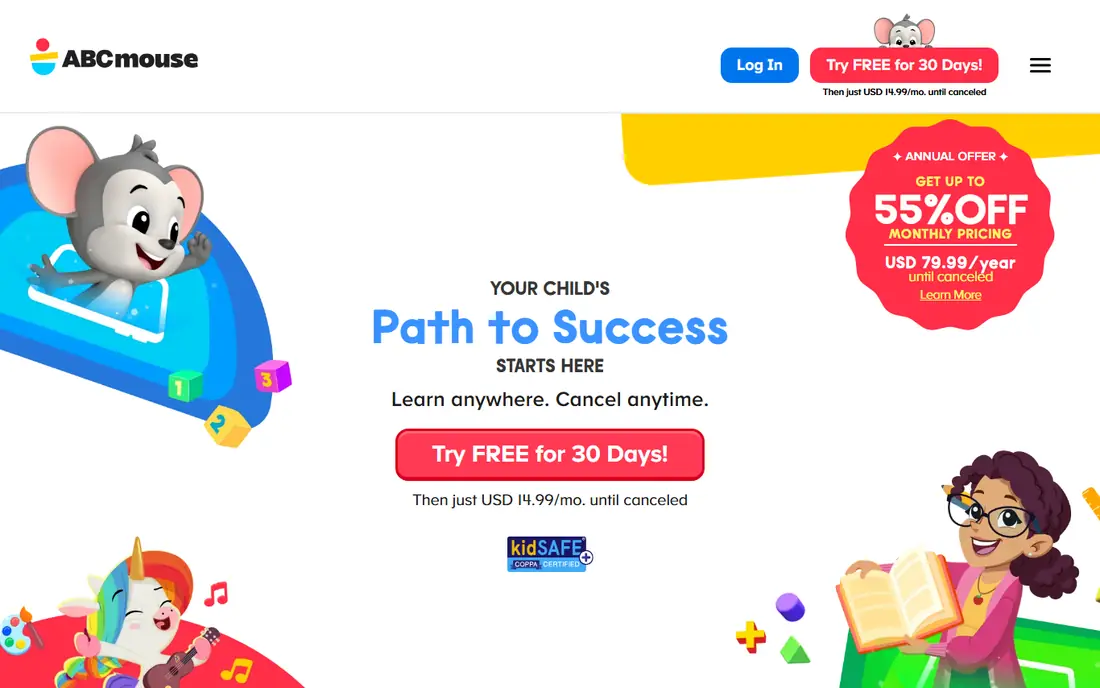
ABCmouse offers a broad early learning curriculum for young children, covering reading, maths, art, and music through games and activities. Its reading path introduces letters, sounds, and simple words in a playful world.
Because it covers so much, its reading depth is thinner than a specialist phonics app. It suits families who want one app for several early subjects, with reading as part of the mix.
Our view: a good broad starter app for young children.
Bottom line: ABCmouse is a strong fit for young children, broad learning, and its main draw is broad early learning curriculum. Weigh that against the limits above before you commit, and test it with your own real work during any trial or free period.
- Broad early learning curriculum
- Reading, maths, and art
- Parent progress tracking
- Subscription needed after trial
- Reading depth is thinner than specialist apps
Reading Eggs
Ideal for: Structured phonics and stories
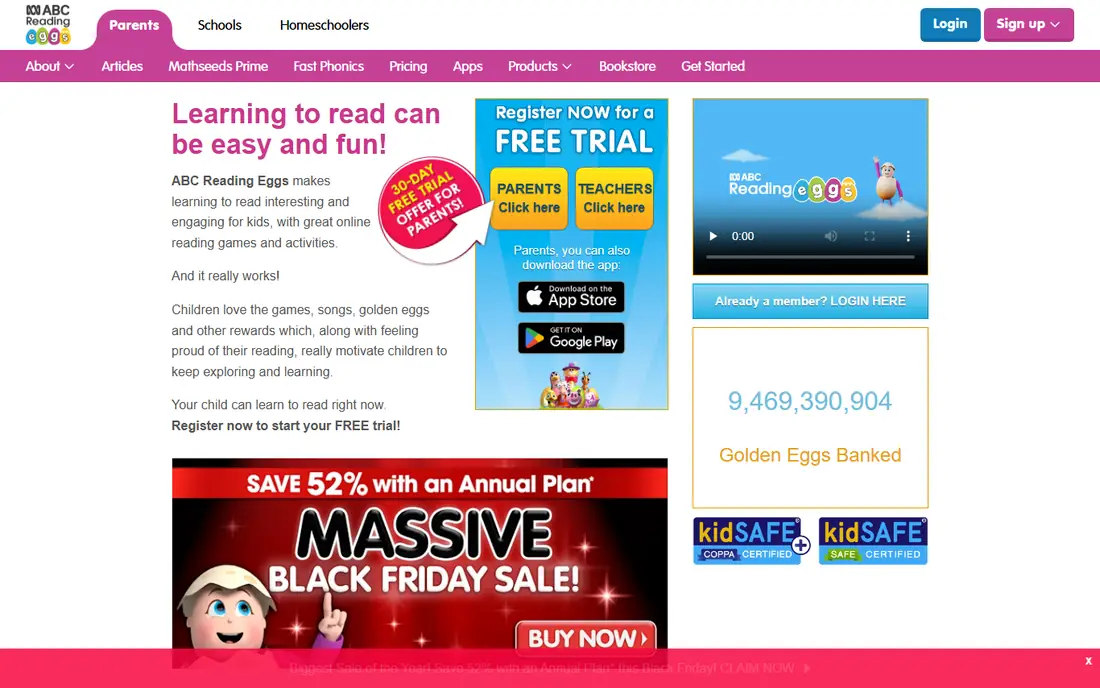
Reading Eggs builds reading through structured phonics lessons, interactive games, and a large library of stories matched to reading level. Children progress through levels, and parents can track lessons and quiz results.
It is strongest for early and developing readers, roughly up to age 8, and it needs a subscription after the trial. The structure is its main strength: children always know the next step.
Our view: our pick for families who want a clear, structured reading path.
Bottom line: Reading Eggs is a strong fit for structured phonics and stories, and its main draw is structured phonics lessons. Weigh that against the limits above before you commit, and test it with your own real work during any trial or free period.
- Structured phonics lessons
- Large story library
- Detailed parent reports
- Subscription needed after trial
- Best for ages up to about 8
Khan Academy Kids
Ideal for: Free early learning

Khan Academy Kids is a completely free early learning app from a respected education non-profit. It covers reading, language, maths, and social skills through stories, games, and activities, with no ads or in-app purchases.
Its reading content is broad rather than specialist, so advanced young readers may want a levelled library alongside it. For a free, safe starting point, it is hard to beat.
Our view: the best free reading app for families, full stop.
Bottom line: Khan Academy Kids is a strong fit for free early learning, and its main draw is completely free. Weigh that against the limits above before you commit, and test it with your own real work during any trial or free period.
- Completely free
- Reading, maths, and social learning
- No ads or subscriptions
- Reading depth is broader rather than specialist
- Fewer levelled stories than paid rivals
Starfall
Ideal for: Phonics-first early reading
Starfall teaches reading with a phonics-first approach, using songs, animations, and simple stories to build letter sounds and word skills. Much core content is free, with a paid tier for more.
Its design feels dated next to newer apps, but the teaching approach is sound and children respond well to its songs and repetition. It is a favourite in many classrooms.
Our view: a strong phonics-first choice, especially for early readers.
Bottom line: Starfall is a strong fit for phonics-first early reading, and its main draw is phonics-first approach. Weigh that against the limits above before you commit, and test it with your own real work during any trial or free period.
- Phonics-first approach
- Songs and simple stories
- Free core content
- Design feels dated
- Maths and extras are thinner
Teach Your Monster to Read
Ideal for: Game-based phonics
Teach Your Monster to Read turns phonics into a game: children create a monster, then play through a world that teaches letters, sounds, and blending. It covers the journey from first letters to early sentences.
The web version is free, while the app version may carry a small cost depending on platform. Its scope ends at early reading, so older children will outgrow it.
Our view: the most fun phonics app here for early readers.
Bottom line: Teach Your Monster to Read is a strong fit for game-based phonics, and its main draw is game world that teaches phonics. Weigh that against the limits above before you commit, and test it with your own real work during any trial or free period.
- Game world that teaches phonics
- Covers letters to early sentences
- Loved by children
- Web version is free but app may cost
- Scope ends at early reading
Epic
Ideal for: Digital library for young readers
Epic is a digital library for children, with thousands of books, audiobooks, and videos, plus read-to-me options for younger readers. Teachers can use it free in classrooms, and families can use a limited free tier at home.
It is a library, not a phonics course, so it works best alongside a teaching app. Its strength is volume: children can always find a new book at their level.
Our view: the best digital library to keep young readers reading widely.
Bottom line: Epic is a strong fit for digital library for young readers, and its main draw is huge library of books and videos. Weigh that against the limits above before you commit, and test it with your own real work during any trial or free period.
- Huge library of books and videos
- Read-to-me options
- Classroom use
- Free tier is limited for home use
- Reading instruction is thinner than phonics apps
Homer
Ideal for: Personalised early reading
Homer builds a personalised learning path based on a child interests and level, covering reading, phonics, and early maths through stories and games. Parents get progress reports and activity ideas.
It suits younger children best, and it needs a subscription after the trial. The personalisation helps children stay engaged, since activities match their level and interests.
Our view: a strong personalised option for younger readers.
Bottom line: Homer is a strong fit for personalised early reading, and its main draw is personalised learning path. Weigh that against the limits above before you commit, and test it with your own real work during any trial or free period.
- Personalised learning path
- Reading and early maths
- Progress reports
- Subscription needed after trial
- Best for younger children
How we picked these
We compared official app pages, help pages, and app store listings, and we looked at phonics structure, story libraries, age fit, parent reports, and pricing. We favoured apps with a clear teaching path, not just a pile of games.
We did not claim hands-on testing with children. Where pricing or free tiers varied by platform, we noted it rather than guessing.
How to choose a reading app for your child
Match the app to your child reading stage. Early readers need phonics and letter sounds, developing readers need levelled stories, and confident readers need a wide library. An app for the wrong stage will bore or frustrate.
Look for a teaching path, not just games. Apps such as Reading Eggs and Teach Your Monster to Read move children through skills in order, while library apps such as Epic work best once basics are in place.
Check parent controls and reports. Progress reports show which skills your child has practised, and controls should block purchases and ads. Khan Academy Kids is exemplary here, with no ads at all.
Keep sessions short and regular. Ten to twenty minutes a day, with a parent nearby for younger children, beats long weekend sessions. Praise effort and new words, not just scores.
Pair the app with real books. Apps teach skills, but paper books build stamina, page turning, and a love of stories. Read together daily, even after your child can read alone.
Finally, test the free tier or trial first. Every child responds differently to voices, characters, and game styles, so let your child try two apps and keep the one they ask for again.
Frequently asked questions
What age should children start reading apps?
Most apps here suit ages 3 to 8, with ABCmouse and Khan Academy Kids for younger children and Reading Eggs for early school readers. Follow your child interest and pace, not a fixed age.
Can an app teach a child to read alone?
Apps help a lot with phonics and practice, but adult support matters, especially early on. Read together, talk about stories, and keep paper books in the routine.
Which reading app is free?
Khan Academy Kids is completely free, and Starfall offers free core content. Reading Eggs, ABCmouse, and Homer offer trials before a subscription.
How much screen time is right for reading apps?
Short daily sessions of 10 to 20 minutes work well for young children, alongside offline reading and play. Check your paediatric guidance and your own family rules.
What if my child struggles with reading?
Keep sessions positive and short, and talk to your child teacher or a reading specialist if progress stalls. Apps support learning, but they do not replace professional help where it is needed.