Best App to Track Work Hours in 2026: 7 Apps Compared

- Our pick for most people is Toggl Track, because it covers simple time tracking for individuals and teams with the fewest trade-offs in this group.
- If you want to start without paying, check the free tier or trial on Clockify and Harvest first, since free limits differ a lot between vendors.
- Prices and plan limits change often, so confirm the current terms on each vendor site and read the fine print on limits, renewals and cancellation before you buy.
- The best choice depends on your budget, your experience level and how much support you want, not on which brand is most famous, so match the pick to your own week, not to a ranking alone.
Quick comparison
| Product | Ideal for | Price from | Free version | |
|---|---|---|---|---|
 Toggl Track | Simple time tracking for individuals and teams | Free | Yes | Visit |
 Clockify | Free time tracking with reports | Free | Yes | Visit |
 Harvest | Time tracking linked to invoicing | See website | Free trial | Visit |
 Hubstaff | Time tracking with activity and payroll | See website | Free trial | Visit |
 TimeCamp | Automatic time tracking with invoicing | See website | Free trial | Visit |
 Everhour | Time tracking inside project tools | See website | Free trial | Visit |
 Homebase | Scheduling and time clock for hourly teams | See website | Free trial | Visit |
The best apps to track work hours
We compared official feature pages, pricing pages, app store listings, privacy policies and public reviews to build this list for best app to track work hours. Toggl Track leads because it handles simple time tracking for individuals and teams well for the widest range of readers, but the right choice depends on your budget, your device and how much hand-holding you want.
Toggl Track
Ideal for: Simple time tracking for individuals and teams

Here is the short version. Toggl Track is the simplest serious timer, with clean reports that freelancers and small teams trust. It fits readers who want simple time tracking for individuals and teams, and its published feature set lines up with that use rather than trying to cover every job at once. When we weighed it against the rest of this list, the balance of price, scope and support stood out for that group. On price, the listing shows free, with a free plan status of yes. The catch is payroll: it tracks time well and leaves pay calculations to other tools. Before you commit, check the current plan limits on the official site, because caps on users, storage or features are where buyers most often get surprised. If this option does not suit you, the next entry on this list covers a different slice of the same need, so compare the entry plans side by side rather than judging by brand name alone.
- Very simple timer with reports
- Free tier for small teams
- Integrations with many tools
- Payroll features are light
- Larger team controls need paid plans
Clockify
Ideal for: Free time tracking with reports
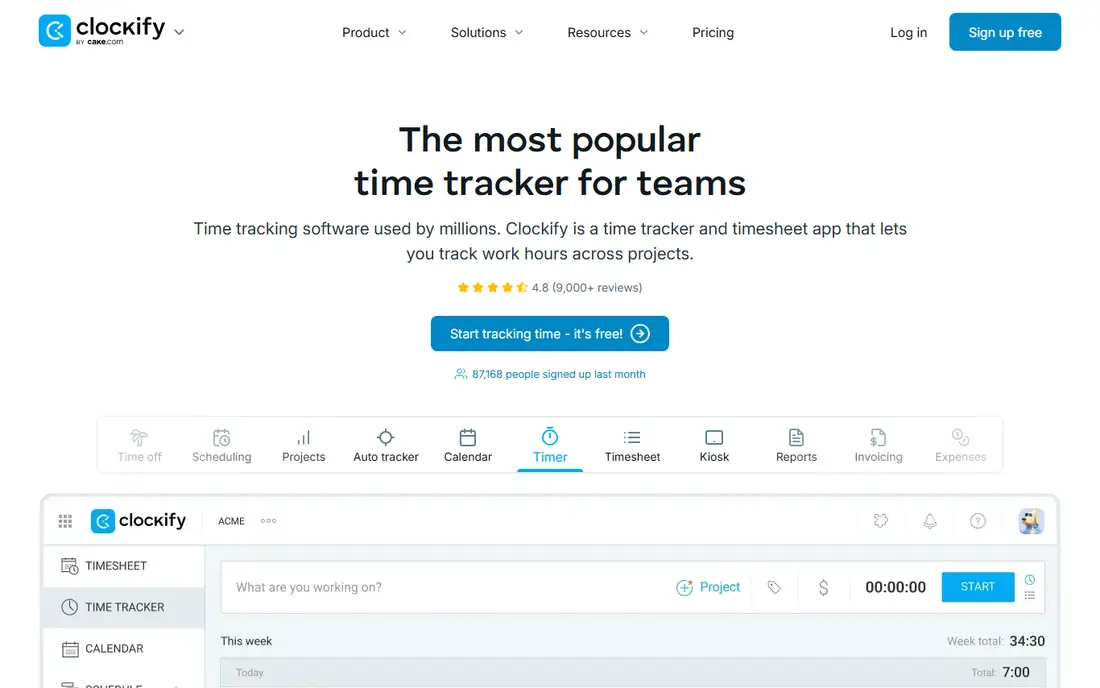
Start here if you want the safe default. Clockify is the free tier leader, with timesheets and reports that suit small teams at no cost. It fits readers who want free time tracking with reports, and its published feature set lines up with that use rather than trying to cover every job at once. When we weighed it against the rest of this list, the balance of price, scope and support stood out for that group. On price, the listing shows free, with a free plan status of yes. The catch is polish: it works well and looks plain, which matters little for a tracker. Before you commit, check the current plan limits on the official site, because caps on users, storage or features are where buyers most often get surprised. The honest test is whether the entry plan covers your normal week, not a demo day, so trial it with real work before you pay for a year.
- Generous free tier
- Timer, timesheets and reports
- Team features included
- Interface is functional rather than polished
- Advanced features need paid plans
Harvest
Ideal for: Time tracking linked to invoicing

This one suits a specific kind of reader. Harvest suits freelancers who bill clients, since tracked hours flow straight into invoices. It fits readers who want time tracking linked to invoicing, and its published feature set lines up with that use rather than trying to cover every job at once. When we weighed it against the rest of this list, the balance of price, scope and support stood out for that group. On price, the listing shows see website, with a free plan status of free trial. The catch is free limits: solo users get a small free tier, and teams pay per person. Before you commit, check the current plan limits on the official site, because caps on users, storage or features are where buyers most often get surprised. We kept it on the list because its official pages describe a clear, current offer for this topic, and the limits above are the ones buyers most often mention.
- Time tracked straight to invoices
- Expenses included
- Good client reporting
- Free tier limits users and projects
- Pricing is per person
Hubstaff
Ideal for: Time tracking with activity and payroll
Consider this if the top picks do not fit. Hubstaff pairs time tracking with payroll and activity views for distributed teams. It fits readers who want time tracking with activity and payroll, and its published feature set lines up with that use rather than trying to cover every job at once. When we weighed it against the rest of this list, the balance of price, scope and support stood out for that group. On price, the listing shows see website, with a free plan status of free trial. The catch is trust: activity screenshots help managers but need open team agreement first. Before you commit, check the current plan limits on the official site, because caps on users, storage or features are where buyers most often get surprised. For most readers the decision comes down to price against one or two features you will actually use every week, and this option scores well on that narrow test.
- Activity tracking with screenshots
- Payroll links
- Scheduling included
- Screenshot monitoring needs a clear team policy
- Setup takes longer than simple timers
TimeCamp
Ideal for: Automatic time tracking with invoicing
A strong option for a narrower need. TimeCamp suits teams who forget manual timers, since automatic tracking fills the gaps. It fits readers who want automatic time tracking with invoicing, and its published feature set lines up with that use rather than trying to cover every job at once. When we weighed it against the rest of this list, the balance of price, scope and support stood out for that group. On price, the listing shows see website, with a free plan status of free trial. The catch is noise: automatic capture needs rules, or reports fill with low value entries. Before you commit, check the current plan limits on the official site, because caps on users, storage or features are where buyers most often get surprised. Read the plan limits before you sign up, since caps on users, storage or features are the usual source of surprise after the first month.
- Automatic tracking beside manual timers
- Invoicing and reporting
- Free tier available
- Automatic tracking needs tuning to avoid noise
- Interface is busy
Everhour
Ideal for: Time tracking inside project tools
Worth a close look before you decide. Everhour is for teams already living in a project tool, adding time tracking where work happens. It fits readers who want time tracking inside project tools, and its published feature set lines up with that use rather than trying to cover every job at once. When we weighed it against the rest of this list, the balance of price, scope and support stood out for that group. On price, the listing shows see website, with a free plan status of free trial. The catch is dependence: outside its supported tools, its value drops sharply. Before you commit, check the current plan limits on the official site, because caps on users, storage or features are where buyers most often get surprised. It is a sensible pick when your needs match its stated strengths, and a poor pick when you need the things listed in its cons line.
- Lives inside Asana, Trello and similar tools
- Budgets and reports
- Good for project teams
- It works best inside supported tools
- Standalone use is thinner
Homebase
Ideal for: Scheduling and time clock for hourly teams
This belongs on the shortlist for a reason. Homebase suits shops and restaurants with hourly staff, combining clock in, schedules and hiring. It fits readers who want scheduling and time clock for hourly teams, and its published feature set lines up with that use rather than trying to cover every job at once. When we weighed it against the rest of this list, the balance of price, scope and support stood out for that group. On price, the listing shows see website, with a free plan status of free trial. The catch is audience: salaried project teams will find its shift focus a mismatch. Before you commit, check the current plan limits on the official site, because caps on users, storage or features are where buyers most often get surprised. Shortlist it, test the free tier or trial if one is offered, and only then compare the paid plan against the other entries here.
- Time clock plus scheduling and hiring for hourly teams
- Free tier for single locations
- Team messaging
- Best for hourly shift work, less so for salaried project teams
- Payroll features need higher plans
How we picked these
We started from official feature pages and pricing pages, then checked app store listings, privacy policies and public reviews to confirm each product still works and still fits the topic. Products that could not be verified, or that only partly matched the topic, were left out, even when they were well known. We favoured a mix of established leaders and strong smaller options, and we weighted price transparency, a usable free tier or trial, and honest limits more heavily than marketing claims. No product on this list paid for its place, and our pick for most people is the one we would suggest to a friend with ordinary needs and an ordinary budget.
Tracking hours honestly without micromanaging yourself
The best tracker is the one you will open every day, so pick the simplest timer that still exports cleanly to payroll or invoicing. Check whether it tracks overtime, breaks and pay rates, since those three decide whether the totals are actually usable. Before you pay, run a short trial with your own files, your own team or your own customers, and write down the one task that must work on day one. If the trial does not handle that task cleanly, the rest of the feature list does not matter much. Also check how you cancel, how you export your data, and what happens to your work if you stop paying, since those answers matter more over a year than a launch discount.
Frequently asked questions
What is the best option for best app to track work hours?
There is no single best option for everyone, because the right choice depends on your budget, your experience and the features you will use every week. Toggl Track is our pick for most people, while Clockify is the best second look when the top pick does not fit. Compare the entry plans side by side before you decide.
Is there a free option for best app to track work hours?
Some entries on this list offer a free tier or a free trial, and others are paid only, so check the free plan column in the comparison table above. Free tiers usually cap users, storage or features, so read the limits on the official site before you build your work around one.
How much does best app to track work hours cost?
Prices vary widely across this list, from free tiers to paid plans priced on the vendor site, and they change often. Where we could not verify a current price we wrote See website rather than guessing. Confirm the plan, the billing period and any renewal terms before you buy.
What is the best app to track work hours and pay?
Toggl Track and Clockify suit individuals and small teams wanting simple timers, while Harvest suits freelancers who bill from tracked hours. Homebase suits hourly staff with scheduling beside time tracking.
How do I choose between these options for best app to track work hours?
Start with the task you do most often, then shortlist two or three entries whose best for line matches that task. Trial them with real work, check the price of the tier you would actually need, and pick the one whose limits you can live with for a year.