Best Apps for Habit Tracking in 2026: 8 Apps Compared

- Streaks and Habitica suit gamified habit tracking, while Loop Habit Tracker suits Android users who want a free, simple tracker.
- TickTick and Notion suit users who want habits alongside tasks and notes, while Habitify suits Apple users who want a clean tracker.
- Start with two or three habits, not ten. Small, specific habits tracked daily beat ambitious lists you abandon in a week.
- Free tiers cover most habit tracking. Pay only for unlimited habits, detailed stats, or sync across devices if you use them.
Quick comparison
| Product | Ideal for | Price from | Free version | |
|---|---|---|---|---|
 Streaks | Clean habit tracker for Apple users | See website | No | Visit |
 Habitica | Gamified habits with rewards | See website | Yes | Visit |
 Loop Habit Tracker | Free open source tracker for Android | Free | Yes | Visit |
 Habitify | Clean tracker for Apple and Android | See website | Yes | Visit |
 TickTick | Habits alongside tasks and calendar | $35.99 per year | Yes | Visit |
 Notion | Custom habit trackers and dashboards | $10 per month | Yes | Visit |
 Productive | Simple habit planner with reminders | See website | Yes | Visit |
 Way of Life | Simple tracker with journal notes | See website | Yes | Visit |
The best apps for habit tracking
We compared official feature pages, pricing pages, app store listings, privacy policies and public reviews to build this list, focusing on products that fit the topic closely and are still available in October 2026.
Streaks
Ideal for: Clean habit tracker for Apple users

Streaks is the cleanest habit tracker for Apple users, with a simple interface that shows up to 24 habits at a glance. It integrates with Apple Health for automatic tracking of steps, workouts, and sleep, and reminders keep habits visible without clutter. The design makes daily checking feel quick, not like a chore.
Streaks is Apple only, so Android users cannot use it, and it is a purchase rather than a free app. It also focuses on habits, not tasks, so you will need another app for to-do lists. Streaks suits iPhone and Apple Watch users who want a beautiful, focused habit tracker.
- Beautiful, simple interface
- Up to 24 habits
- Health app integration
- Reminders
- Apple only
- One-time purchase per platform
- No Android version
Habitica
Ideal for: Gamified habits with rewards
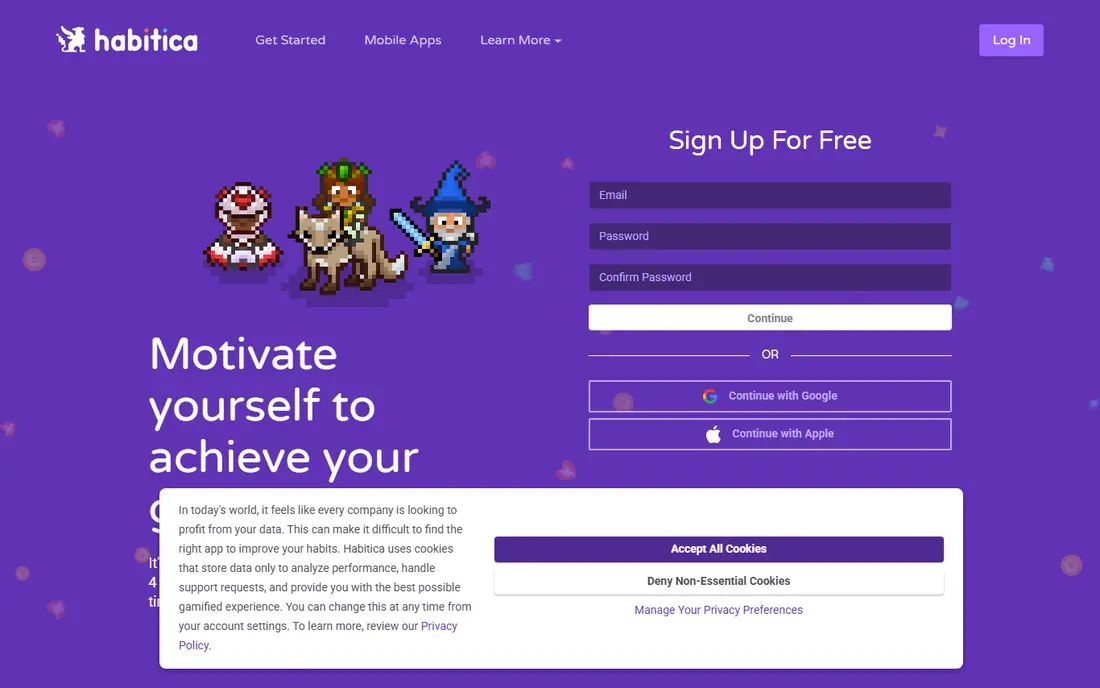
Habitica turns habit tracking into a role-playing game, where completing habits earns rewards for a character and missing daily tasks causes damage in the game. Parties add accountability, since friends can see progress and encourage each other. That playful pressure helps users who find plain trackers boring.
The game style will not suit everyone, especially professionals who want a calm app. Task management is also simpler than Todoist. Habitica suits users who like games, need accountability, and struggle to stick to habits in a plain list. If you prefer simplicity, try Streaks, Loop, or Habitify.
- Turns habits into a game with rewards and parties
- Free to start
- Community accountability
- Game style is not for everyone
- Task features are simple
- Paid gems add extras
Loop Habit Tracker
Ideal for: Free open source tracker for Android

Loop Habit Tracker is the best free habit tracker for Android, and it is fully open source with no ads or account required. It offers streaks, reminders, widgets, and detailed statistics, including habit strength scores that show how consistent you have been over time. That depth is rare in a free app.
Loop is Android only, and the interface is functional rather than polished. There is no cloud sync by default, so moving phones needs a backup. Loop suits Android users who want a free, private habit tracker without a subscription, and who do not mind a simpler design.
- Fully free and open source
- Streaks, reminders, and widgets
- No ads or account needed
- Android only
- Interface is functional rather than polished
- No cloud sync by default
Habitify
Ideal for: Clean tracker for Apple and Android
Habitify offers a clean, cross-platform habit tracker with streaks, reminders, notes, and statistics. It works on iPhone, Android, Mac, and web, with sync across devices on paid plans. That cross-platform support makes it a good choice for users who switch between phone and computer.
The free tier limits the number of habits, so heavy trackers need Premium for unlimited habits and full stats. Habitify suits users who want a polished tracker on any device and are willing to pay for unlimited habits if they track many routines. For a free Android-only option, Loop is better.
- Clean interface
- Streaks, reminders, and stats
- Works on Apple and Android
- Free tier limits habits
- Full stats and sync need Premium
TickTick
Ideal for: Habits alongside tasks and calendar
TickTick suits users who want habits inside a task app, rather than a separate tracker. You can set habit goals, track streaks, and see habits alongside tasks and calendar events, which helps you plan when a habit will actually happen. Premium is priced yearly and remains affordable.
Habit statistics are simpler than Streaks or Habitify, with fewer detailed charts. TickTick suits users who already use TickTick for tasks and want habits in the same place. If habit analytics are your main need, a dedicated tracker will give you more detail.
- Habits, tasks, calendar, and Pomodoro in one app
- Affordable Premium
- Good mobile app
- Habit stats are simpler than dedicated trackers
- Team features are thin
Notion
Ideal for: Custom habit trackers and dashboards
Notion lets you build a habit tracker exactly how you want it, using databases, checkboxes, and dashboards that show streaks and monthly views. Templates for habit tracking help you start, and you can combine habits with journals, goals, and planners in one workspace. That flexibility appeals to users who enjoy designing a system.
Habit tracking in Notion is manual, since you check boxes yourself, and setup can take hours. Notion suits users who already use Notion and want habits inside a personal dashboard. If you want automatic reminders and simple streaks, Streaks, Habitify, or Loop will get you started faster.
- Build custom habit trackers with databases and dashboards
- Many templates
- Flexible
- Setup takes time
- Habit tracking is manual
- Can become a project itself
Productive
Ideal for: Simple habit planner with reminders
Productive suits beginners who want a simple habit planner with smart reminders that adapt to your schedule. You can set habits for specific days, track streaks, and view statistics that show your longest streak and total completions. The interface is calm and easy to learn, which helps new habit builders.
The free tier limits habits, so tracking many routines needs Premium. Features also differ slightly between Android and iOS. Productive suits beginners who want a straightforward tracker with helpful reminders, without game elements or complex dashboards.
- Simple habit planner with smart reminders
- Streaks and stats
- Good for beginners
- Free tier limits habits
- Full features need Premium
- Android and iOS features differ slightly
Way of Life
Ideal for: Simple tracker with journal notes
Way of Life takes a simple approach: mark each habit green for yes or red for no, add a journal note if you want, and view trends over time. That binary tracking removes decision fatigue and makes daily checking fast, while journal notes help you understand why a habit succeeded or failed on a given day.
The interface feels dated compared with Streaks or Habitify, and the free tier is limited, with sync needing a paid plan. Way of Life suits users who want the simplest possible tracker with journal context, and who do not need gamification or complex dashboards.
- Simple red and green tracking
- Journal notes per habit
- Trends and charts
- Interface is dated
- Free tier is limited
- Sync needs a paid plan
How we picked these
We compared official feature pages, pricing pages, app store listings, privacy policies and public reviews for each option in this guide. We checked that each product is still offered in October 2026, that its homepage loads, and that its price or free tier could be confirmed or marked as See website when it could not. We did not claim hands-on testing. We favoured products that fit the topic closely, explain their limits clearly, and give readers a practical way to try them before paying. Where prices change often, we say so and point readers to the vendor page for the current figure.
How to build habits with an app
Start with habits that are specific and small, such as walk for ten minutes, read ten pages, or drink a glass of water before coffee. Attach each habit to an existing routine, such as after breakfast, and set a reminder for that time. Track daily, review weekly, and do not break the chain for more than a day if you miss once. If a habit feels too hard, make it smaller rather than quitting.
Before you pay,try the free tier or trial first and check the exact limits that matter to you, such as device support, export options, or cancellation terms. Read the privacy policy for any app that handles personal, financial, or health data, and check whether your data can be exported or deleted. The cheapest option is not always the best value if it lacks a feature you will use every week, and the most expensive option is rarely worth it if you only need the basics.
Frequently asked questions
What is the best habit tracking app?
Streaks is best for Apple users, Loop Habit Tracker is best free for Android, Habitify is best cross-platform, and Habitica is best for gamified tracking. TickTick is best if you want habits alongside tasks.
How many habits should I track at once?
Start with two or three habits, not ten. Small, specific habits tracked daily are easier to maintain, and you can add more once the first habits feel automatic, usually after several weeks.
Do habit tracker apps work?
Habit trackers help when habits are specific, reminders are set, and you review progress weekly. They do not create motivation on their own, so pair tracking with a clear reason for each habit and a routine that triggers it.
What is the best free habit tracker?
Loop Habit Tracker is the best free tracker for Android, with no ads or subscription. Habitica and Habitify also offer free tiers, while Streaks is a paid Apple-only app.
How long does it take to build a habit?
Habit formation time varies by person and habit, often from several weeks to a few months. Focus on consistency, not perfection, and make the habit smaller if you miss it repeatedly rather than abandoning it.