Best Apps for Japan Travel in 2026: 8 Options Compared

- 1
 Jorudan Japan TransitVisitors planning train routes across JapanVisit
- 2
 Google MapsTravelers who want maps, transit, and places in one appVisit
- 3
 Google TranslateTravelers who need signs, menus, and chat translatedVisit
- 4
 KlookTravelers booking tours, passes, and attractionsVisit
- 5
 Japan Official Travel AppVisitors who want official tourism guidanceVisit
- Jorudan Japan Transit and Google Maps are the core pair for trains and walking routes.
- Google Translate helps with signs, menus, and conversations when English is limited.
- Klook and Wise help with bookings and money, while Airalo helps with mobile data.
- Check offline options before you travel, since coverage varies outside cities.
Quick comparison
| Product | Ideal for | Price from | Free version | |
|---|---|---|---|---|
| Jorudan Japan Transit | Visitors planning train routes across Japan | See website | Yes | Visit |
| Google Maps | Travelers who want maps, transit, and places in one app | Free | Yes | Visit |
| Google Translate | Travelers who need signs, menus, and chat translated | Free | Yes | Visit |
| Klook | Travelers booking tours, passes, and attractions | See website | No | Visit |
| Japan Official Travel App | Visitors who want official tourism guidance | Free | Yes | Visit |
 Airalo | Travelers who want an eSIM for mobile data | See website | No | Visit |
 Wise | Travelers who want clear currency exchange and payments | See website | No | Visit |
 Tripadvisor | Travelers checking hotels, restaurants, and sights | See website | Yes | Visit |
The best apps for Japan travel
Japan travel apps cover trains, maps, language, money, and bookings, and the best set depends on how you travel. A rail-heavy trip needs strong train tools, while a city trip may need maps and translation more than anything else.
We compared apps that work well for visitors, not only for residents, including English support, offline options, and payment help. Download and set up the key apps before you leave, since airport Wi-Fi and jet lag are a poor time to learn a new tool.
Jorudan Japan Transit
Ideal for: Visitors planning train routes across Japan
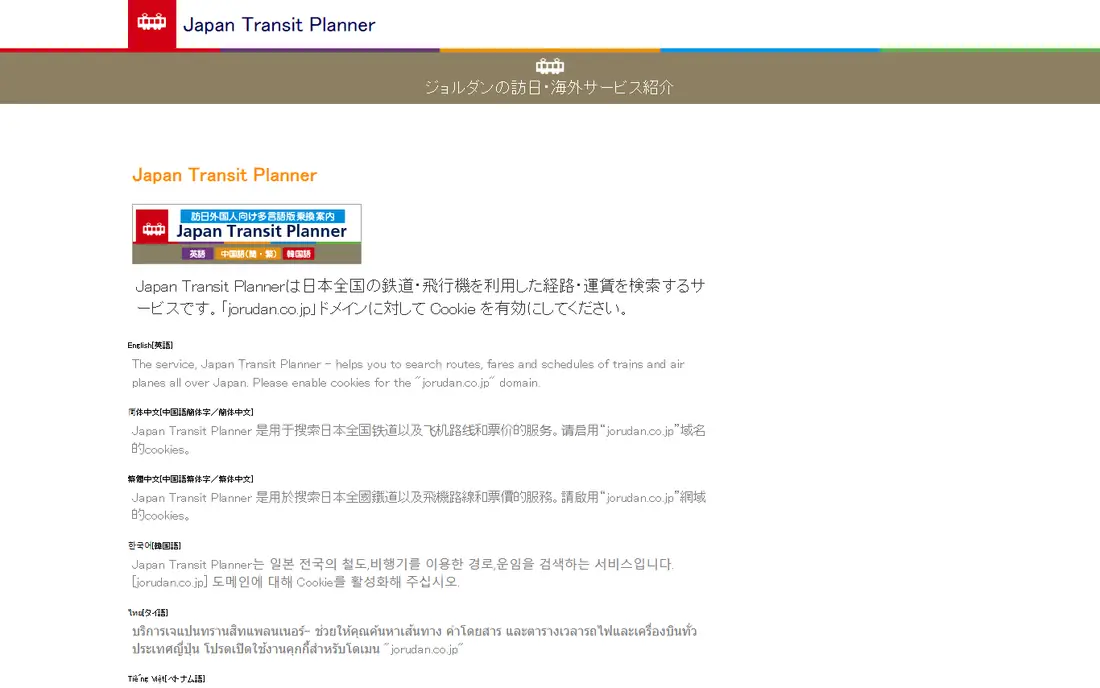
Jorudan Japan Transit is a strong fit for visitors planning train routes across Japan. Its strengths include japan-focused train routing, clear fare and time options, and tourist-friendly tools. That combination is why it earned a place on this list, and why it may suit you if those points match your priorities. When we lined up the official feature pages, this one stood out for the balance it strikes between depth and ease of use. Pricing is listed as see website, and the free plan is yes, so check the vendor page for the current details that apply to your team size and region. The trade-off is worth naming plainly. Watch for some features need paid plans, and for interface takes learning. If neither of those is a deal breaker for you, Jorudan Japan Transit is a sensible shortlist candidate, and a short trial with a real task will tell you more than any feature list can.
- Japan-focused train routing
- Clear fare and time options
- Tourist-friendly tools
- Some features need paid plans
- Interface takes learning
Google Maps
Ideal for: Travelers who want maps, transit, and places in one app
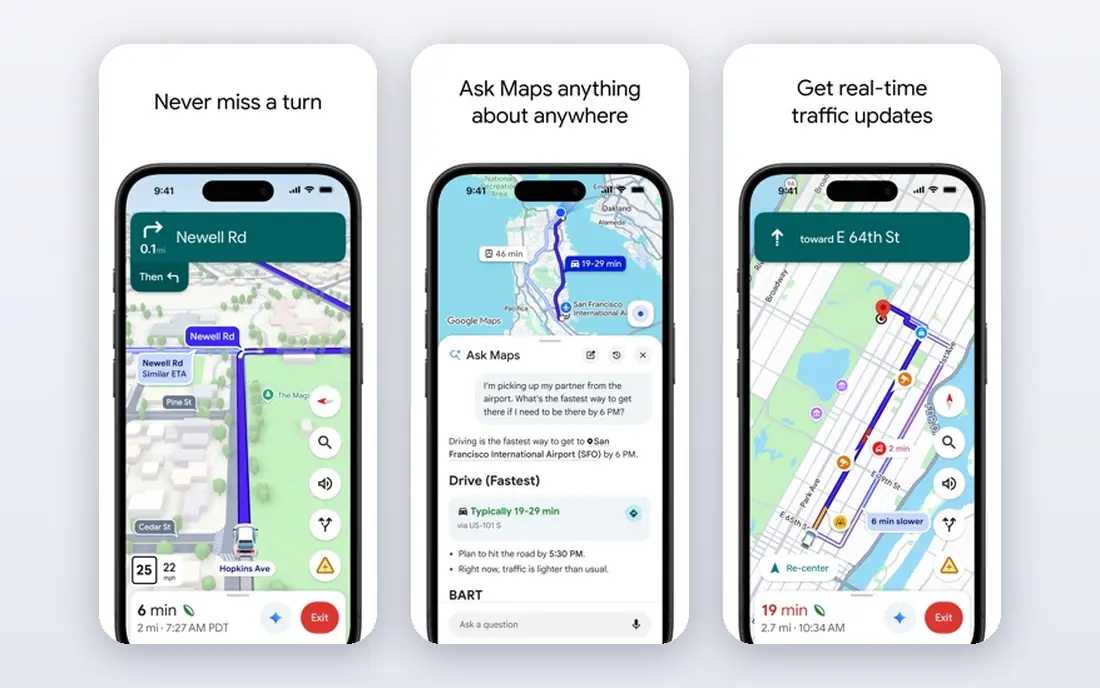
Google Maps is a strong fit for travelers who want maps, transit, and places in one app. Its strengths include strong transit directions, wide place data, and offline maps available. That combination is why it earned a place on this list, and why it may suit you if those points match your priorities. On paper, the feature set looks broad, and the pricing page is the place to confirm what sits behind each tier before you commit. Pricing is listed as free, and the free plan is yes, so check the vendor page for the current details that apply to your team size and region. The trade-off is worth naming plainly. Watch for transit details vary by region, and for needs data for live features. If neither of those is a deal breaker for you, Google Maps is a sensible shortlist candidate, and a short trial with a real task will tell you more than any feature list can.
- Strong transit directions
- Wide place data
- Offline maps available
- Transit details vary by region
- Needs data for live features
Google Translate
Ideal for: Travelers who need signs, menus, and chat translated
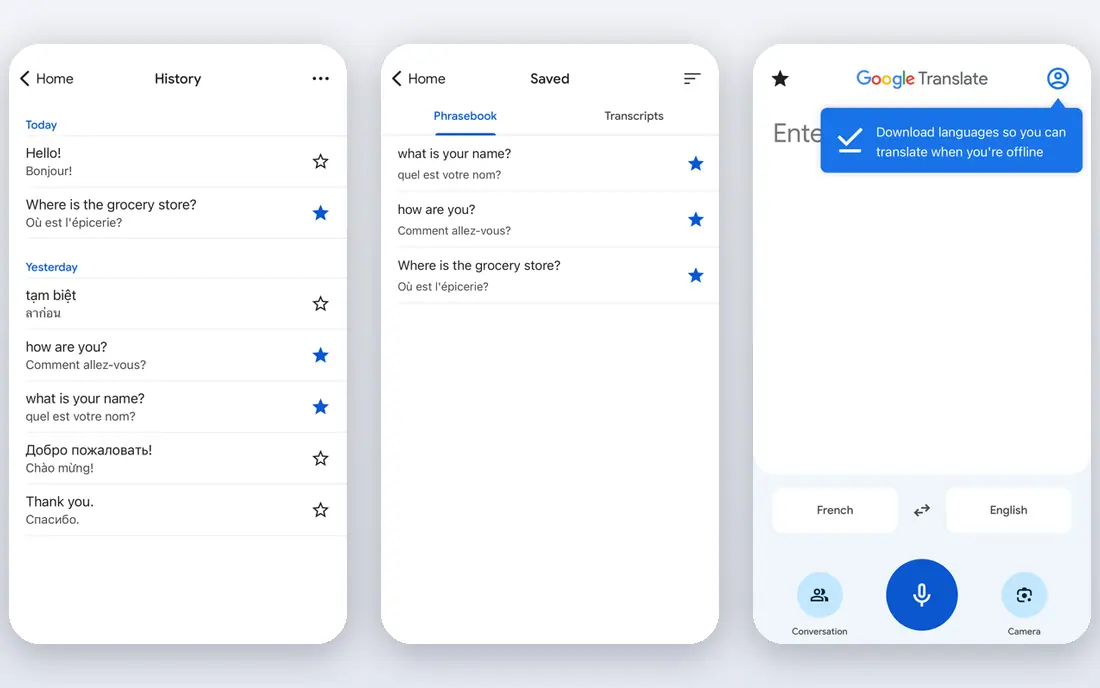
Google Translate is a strong fit for travelers who need signs, menus, and chat translated. Its strengths include camera translation for signs, conversation mode, and offline languages. That combination is why it earned a place on this list, and why it may suit you if those points match your priorities. We paid close attention to how clearly the vendor explains limits, because a tool that hides its limits tends to disappoint later. Pricing is listed as free, and the free plan is yes, so check the vendor page for the current details that apply to your team size and region. The trade-off is worth naming plainly. Watch for translation can miss nuance, and for offline packs need download. If neither of those is a deal breaker for you, Google Translate is a sensible shortlist candidate, and a short trial with a real task will tell you more than any feature list can.
- Camera translation for signs
- Conversation mode
- Offline languages
- Translation can miss nuance
- Offline packs need download
Klook
Ideal for: Travelers booking tours, passes, and attractions
Klook is a strong fit for travelers booking tours, passes, and attractions. Its strengths include wide Japan activities, clear booking flow, and useful pass options. That combination is why it earned a place on this list, and why it may suit you if those points match your priorities. Compared with the other options here, this one takes a narrower approach, and that focus is either a strength or a limit depending on your needs. Pricing is listed as see website, and the free plan is no, so check the vendor page for the current details that apply to your team size and region. The trade-off is worth naming plainly. Watch for prices vary by season, and for cancellation terms need checking. If neither of those is a deal breaker for you, Klook is a sensible shortlist candidate, and a short trial with a real task will tell you more than any feature list can.
- Wide Japan activities
- Clear booking flow
- Useful pass options
- Prices vary by season
- Cancellation terms need checking
Japan Official Travel App
Ideal for: Visitors who want official tourism guidance
Japan Official Travel App is a strong fit for visitors who want official tourism guidance. Its strengths include official tourism information, useful spot guides, and free access. That combination is why it earned a place on this list, and why it may suit you if those points match your priorities. The public reviews we read tended to praise the core workflow while noting the same trade-offs we list below. Pricing is listed as free, and the free plan is yes, so check the vendor page for the current details that apply to your team size and region. The trade-off is worth naming plainly. Watch for booking features are limited, and for depth varies by region. If neither of those is a deal breaker for you, Japan Official Travel App is a sensible shortlist candidate, and a short trial with a real task will tell you more than any feature list can.
- Official tourism information
- Useful spot guides
- Free access
- Booking features are limited
- Depth varies by region
Airalo
Ideal for: Travelers who want an eSIM for mobile data
Airalo is a strong fit for travelers who want an eSIM for mobile data. Its strengths include simple eSIM purchase, japan plans available, and easy activation. That combination is why it earned a place on this list, and why it may suit you if those points match your priorities. For a team that wants to start small, the free tier or trial is worth testing with a real task before any wider rollout. Pricing is listed as see website, and the free plan is no, so check the vendor page for the current details that apply to your team size and region. The trade-off is worth naming plainly. Watch for needs an eSIM-compatible phone, and for prices vary by plan. If neither of those is a deal breaker for you, Airalo is a sensible shortlist candidate, and a short trial with a real task will tell you more than any feature list can.
- Simple eSIM purchase
- Japan plans available
- Easy activation
- Needs an eSIM-compatible phone
- Prices vary by plan
Wise
Ideal for: Travelers who want clear currency exchange and payments
Wise is a strong fit for travelers who want clear currency exchange and payments. Its strengths include clear exchange rates, multi-currency account, and useful card options. That combination is why it earned a place on this list, and why it may suit you if those points match your priorities. We looked at integrations and support options as well, since a tool rarely works alone in a real workflow. Pricing is listed as see website, and the free plan is no, so check the vendor page for the current details that apply to your team size and region. The trade-off is worth naming plainly. Watch for transfer limits and fees vary, and for card availability varies. If neither of those is a deal breaker for you, Wise is a sensible shortlist candidate, and a short trial with a real task will tell you more than any feature list can.
- Clear exchange rates
- Multi-currency account
- Useful card options
- Transfer limits and fees vary
- Card availability varies
Tripadvisor
Ideal for: Travelers checking hotels, restaurants, and sights
Tripadvisor is a strong fit for travelers checking hotels, restaurants, and sights. Its strengths include wide reviews and listings, useful forums, and simple booking links. That combination is why it earned a place on this list, and why it may suit you if those points match your priorities. The documentation and help pages gave us a good sense of how much setup this one needs in the first week. Pricing is listed as see website, and the free plan is yes, so check the vendor page for the current details that apply to your team size and region. The trade-off is worth naming plainly. Watch for review quality varies, and for booking prices need comparison. If neither of those is a deal breaker for you, Tripadvisor is a sensible shortlist candidate, and a short trial with a real task will tell you more than any feature list can.
- Wide reviews and listings
- Useful forums
- Simple booking links
- Review quality varies
- Booking prices need comparison
How we picked these
We compared official feature pages, pricing pages, app store listings, privacy policies, and public reviews for each option. We kept only products that exist and work in October 2026 and that truly fit the topic, and we left out options whose pricing or core features we could not verify. Where a price was unclear, we wrote See website rather than guessing a number. We also weighed who each product is really for, how clear its limits are, and how it handles privacy and support. Our pick for most people is the option that balances those points best, not the one with the longest feature list. Your shortlist should still reflect your budget, your team size, and the one task you need done every week.
Choosing well: what to weigh first
Plan rail travel before you arrive. Long-distance trains, seat reservations, and regional passes have rules that differ by pass and route, so check the official pass terms and your exact itinerary. A routing app helps, but it does not replace checking whether your pass covers a specific train. Set up money and data early. Carry a payment card that works in Japan, know where to find cash, and test your eSIM or pocket Wi-Fi before you need it for a train. Small shops and rural areas may still prefer cash, so keep some yen on hand. Save key places offline. Download offline maps and translation packs for the cities you will visit, and save hotel addresses in Japanese as well as English. That simple step helps taxi drivers, station staff, and fellow travelers help you faster.
Frequently asked questions
What are the best apps for Japan travel?
Jorudan Japan Transit and Google Maps cover most routing, while Google Translate helps with language. Klook helps with bookings, and Airalo or Wise help with data and money.
Do I need a Japan Rail Pass?
It depends on your itinerary. Long trips on many trains can make a pass worthwhile, while a single-city trip may cost less with individual tickets. Compare your planned routes before you buy.
Can I use Google Maps for trains in Japan?
Yes, for most urban and intercity routes, with platform and timing details in many areas. Pair it with a Japan-focused app for pass rules and rural routes.
What is the best travel app for Japan?
There is no single best app. Most visitors do well with a routing app, a translation app, and a booking app, set up before departure.