Best Apps for Small Business Owners in 2026: 8 Apps Compared

- QuickBooks and Wave cover accounting, invoicing, and bookkeeping for small businesses.
- Square covers payments, point of sale, and online selling in one system.
- HubSpot and Mailchimp cover customer management and marketing for growing businesses.
- Canva, Slack, and Trello cover design, communication, and task management for small teams.
Quick comparison
| Product | Ideal for | Price from | Free version | |
|---|---|---|---|---|
 QuickBooks | Accounting and invoicing | See website | Free trial | Visit |
 Square | Payments and point of sale | Free | Yes | Visit |
 HubSpot | CRM and marketing | See website | Yes | Visit |
 Canva | Design for non-designers | Free | Yes | Visit |
 Slack | Team communication | Free | Yes | Visit |
 Trello | Task and project boards | Free | Yes | Visit |
 Wave | Free accounting | Free | Yes | Visit |
 Mailchimp | Email marketing | See website | Yes | Visit |
The best apps for small business owners
We compared official feature pages, pricing pages, and app-store listings for business apps available in October 2026. The list covers the core jobs of a small business: money, customers, marketing, design, and team work.
This is not financial advice. Accounting and tax decisions depend on your business and location, so review them with a qualified accountant where needed.
QuickBooks
Ideal for: Accounting and invoicing
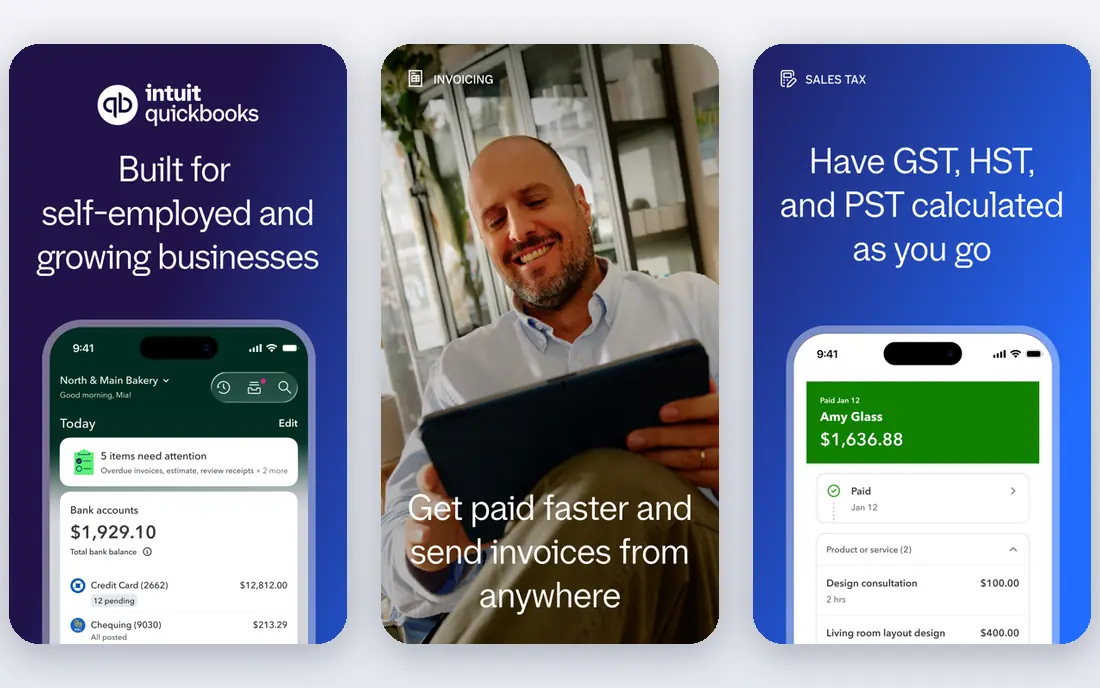
QuickBooks Online is the most widely used small business accounting app, covering invoicing, expenses, bank connections, reports, and payroll add-ons. Its dashboard shows cash flow, profit, and outstanding invoices, while integrations cover payments, e-commerce, and time tracking. A trial covers evaluation.
Pricing grows with features and users, and new owners face a learning curve. For a business that needs complete accounting with accountant support, QuickBooks is the default choice.
- Complete accounting for small business
- Invoicing and payroll
- Strong integrations
- Pricing grows with features
- Learning curve for new owners
Square
Ideal for: Payments and point of sale
Square offers a free point of sale app plus payments, online stores, invoicing, and appointments in one system. Owners can take card payments in person or online, track sales, and manage inventory, with hardware such as readers and terminals available. A free account covers basic use, with processing fees per transaction.
Processing fees apply to every card payment, and hardware costs extra. For a retail, food, or service business that needs payments plus selling tools, Square's ease and breadth are hard to match.
- Free point of sale app
- Payments, online store, and invoicing
- Easy setup
- Processing fees apply per transaction
- Hardware costs extra
HubSpot
Ideal for: CRM and marketing
HubSpot offers a free CRM plus marketing, sales, service, and content hubs that scale as a business grows. Owners can track contacts, deals, and tickets, send marketing emails, and build landing pages, with a free tier covering core CRM and marketing tools. Paid hubs add automation and reporting.
Paid hubs grow in cost with contacts and features, and setup needs time for larger teams. For a business that wants customer management plus marketing in one platform, HubSpot's free start is a strong advantage.
- Free CRM
- Marketing, sales, and service hubs
- Strong integrations
- Paid hubs grow in cost
- Setup needs time for larger teams
Canva
Ideal for: Design for non-designers
Canva is a design tool for non-designers, with templates for social posts, flyers, presentations, logos, and more. Owners can create branded posts, menus, and ads in minutes, with a free tier covering most templates and a Pro plan adding brand kits, background removal, and premium assets. Collaboration features let teams share designs.
Advanced design work still needs tools such as Adobe or Figma, and brand controls need paid plans. For a small business that needs good-looking marketing without a designer, Canva is an essential app.
- Easy design for social, print, and web
- Huge template library
- Free tier
- Advanced design needs other tools
- Brand controls need paid plans
Slack
Ideal for: Team communication
Slack is a team chat app with channels for topics, direct messages, and integrations with tools such as Google Drive, Trello, and HubSpot. Small teams can coordinate work, share files, and get alerts in one place, with a free tier covering basic use and message history limits.
The free tier limits message history, and large teams can find channels noisy without good norms. For a small team that needs fast, organized communication, Slack is a practical choice, though WhatsApp or email may suit very small teams.
- Channels for team chat
- Integrations with many apps
- Free tier for small teams
- Message history limits on free tier
- Can become noisy for large teams
Trello
Ideal for: Task and project boards
Trello is a simple project tool based on Kanban boards, where cards move across lists such as To Do, Doing, and Done. Owners can track orders, content, hiring, and launches, with checklists, due dates, and attachments on each card. A free tier covers many uses, with paid plans adding views and automation.
Complex projects with dependencies and reporting need a fuller tool such as Asana or Monday. For a small business that wants simple, visual task tracking, Trello's ease is its main strength.
- Simple Kanban boards
- Easy to learn
- Free tier covers many uses
- Limited for complex projects
- Advanced features need paid plans
Wave
Ideal for: Free accounting
Wave offers free accounting and invoicing for small businesses, with bank connections, receipt scanning, and reports. Owners can send invoices, track expenses, and accept payments through a paid add-on, with a free account covering core accounting. Its simplicity suits freelancers and micro-businesses.
Payroll is limited by region, and features are thinner than QuickBooks. For a freelancer or micro-business that wants free accounting without a subscription, Wave is the best choice.
- Free accounting and invoicing
- Receipt scanning
- Payments add-on
- Payroll is limited by region
- Fewer features than QuickBooks
Mailchimp
Ideal for: Email marketing
Mailchimp is an email marketing platform with easy design, audience management, and automation journeys for small businesses. Owners can send newsletters, promotions, and automated welcome emails, with a free tier for small audiences and paid plans adding A/B testing and predictive insights.
Pricing grows with contacts, and automation is simpler than HubSpot's. For a small business that mainly needs email marketing, Mailchimp's ease and free tier are hard to beat.
- Easy email design
- Free tier
- Audience and automation tools
- Pricing grows with contacts
- Automation is simpler than HubSpot
How we picked these
We compared official feature pages, pricing pages, and app-store listings for business apps available in October 2026. We favored apps with current products, a clear small business use case, and a mix of free and paid options. We also weighed total stack cost, overlap, and integration quality, since a set of apps must work together without duplicating data or effort. We did not include our own product in this list.
How to choose apps for your small business
Start with your biggest pain. Money problems point to QuickBooks, Wave, or Square, while customer problems point to HubSpot or Mailchimp. Design needs point to Canva, while team coordination points to Slack and Trello. Do not buy every app at once; start with two or three and add as you grow.
Then check integrations and total cost. Apps that share data save manual work, while apps that duplicate data create errors. Add up monthly costs and processing fees, and test each app with a real task, such as sending an invoice or running a campaign, before committing.
Small business apps multiply fast, so count total cost and overlap before adding another. A stack of five apps at modest prices can exceed a single platform that covers the same jobs, and overlapping tools create duplicate data that drifts out of sync. List the jobs you actually need each week, such as invoicing, payments, customer follow-up, and marketing, and map one app to each job. Check integrations between those apps, since a payment tool that feeds your accounting automatically saves hours of manual entry. Also watch for free-tier limits that bite as you grow: message history, contacts, and storage caps can force a paid upgrade at an awkward moment. Finally, review the stack twice a year and cancel what you no longer use. Unused subscriptions are a quiet tax on small businesses, and a short review recovers money with little effort.
Frequently asked questions
What apps should every small business owner have?
Most small businesses need an accounting app such as QuickBooks or Wave, a payment tool such as Square, a customer tool such as HubSpot, and a marketing tool such as Mailchimp or Canva. Add Slack and Trello as the team grows.
Is QuickBooks better than Wave?
QuickBooks offers more features, payroll, and accountant support, while Wave offers free core accounting for freelancers and micro-businesses. A growing business with payroll and inventory needs QuickBooks, while a freelancer may find Wave enough.
Can I run a business with free apps?
Yes, for a small start. Wave, Square, HubSpot CRM, Canva, Slack, Trello, and Mailchimp all offer free tiers that cover basic use. As volume grows, paid plans add features, history, and capacity.
What is the best app for invoicing?
QuickBooks and Wave both offer strong invoicing, with Wave free for core use. Square also offers invoicing alongside payments, which suits service businesses that invoice and take payment in one flow.
Do I need a CRM as a small business?
A CRM helps once customer volume grows beyond memory and spreadsheets. HubSpot's free CRM is a good start, since it tracks contacts, deals, and conversations without cost. Very small businesses may manage with email and a spreadsheet at first.
How many apps does a small business really need to start?
Most new small businesses can start with three: an accounting or invoicing app, a payment tool, and a way to reach customers, such as email marketing or a simple CRM. Add design, chat, and project tools as the team grows and the work demands them. Starting small keeps costs low and avoids the confusion of learning five tools at once. Review the stack as revenue grows, and add tools only when a real task is painful without one.