Best AR Collaboration Tools

- Zoho Lens is the best value pick for field service and support teams, with a free plan and Standard at $13 per technician per month when billed annually.
- Campfire fits design and engineering teams that review 3D models together, and it offers a free account to try the app before talking to sales.
- Resolve is the pick for construction teams that review federated BIM models in VR, with two-way issue sync to Autodesk Construction Cloud, Procore, and Revizto.
- Microsoft Mesh is not on this list because Microsoft retired the standalone product on December 1, 2025, and moved its 3D meeting features into Microsoft Teams.
- Spatial ended its self-serve Free and Pro tiers on July 27, 2026, so it now sells Enterprise and Education plans by quote only.
Quick comparison
| Product | Ideal for | Price from | Free version | |
|---|---|---|---|---|
 Zoho Lens | AR remote assistance for field service teams | $13 per technician/month (billed annually) | Yes | Visit |
 Spatial | Enterprise 3D spaces and events | quote only | No | Visit |
 Glue | Persistent VR team rooms for distributed teams | €50 per user/month (billed annually) | Yes | Visit |
 MeetinVR | Structured VR meetings and workshops | €35 per user/month | Yes | Visit |
 Arthur | AI-guided enterprise collaboration | quote only | No | Visit |
 Campfire | Holographic 3D design reviews | quote only | Yes | Visit |
 Resolve | VR BIM reviews for construction teams | quote only | Free trial | Visit |
 Scope AR WorkLink | AR work instructions for frontline teams | quote only | No | Visit |
Best AR Collaboration Tools
Zoho Lens
Ideal for: AR remote assistance for field service teams

Zoho Lens connects an expert to a remote worker through a live camera stream, then adds AR annotations, arrows, and step-by-step guidance on top of the real view. Technicians can freeze the camera stream, magnify a detail, measure a remote object, and share files or blueprints in chat while they talk over VoIP. The platform also turns manuals and checklists into digital work instructions that teams can launch during a session, and 3D models can join a call too.
The vendor pricing page lists Free, Standard, and Professional editions, with Standard and Professional charged per technician per month on annual billing. The Free plan includes AR annotation, offline recording, VoIP, and integrations with Zoho Desk, Zoho CRM, Zendesk, and Jira. Standard adds scheduled sessions and multi-technician support with 2 simultaneous sessions, while Professional adds session recording, AR measurement, and 4 simultaneous sessions. A 15-day free trial covers all features with no credit card required. The $13 Standard figure is the rate shown in vendor-supplied listings, so confirm it on the pricing page before signing.
- Free plan covers basic AR sessions with no cost
- Works on browsers, phones, tablets, and smart glasses
- Free plan allows only one simultaneous session
- Session recording and AR measurement need the Professional plan
Spatial
Ideal for: Enterprise 3D spaces and events

Spatial built its name on shared 3D spaces where teams meet as lifelike avatars, talk with spatial audio, and share screens and 3D content from a phone, laptop, or Meta Quest headset. A single selfie creates an avatar that moves and talks with the user. The platform grew out of a creator community, and its flagship studio now builds multiplayer VR games, which shows where the company focus has moved.
Business buyers need to know the change that took effect on July 27, 2026, when Spatial ended its Free and Pro creator tiers and kept only Enterprise and Education plans. The old Pro tier cost $20 a month, and listings still cite that figure, but it no longer applies to new buyers. There is no public price list now, so buyers should ask sales for a quote and confirm which collaboration features remain in the Enterprise plan.
- Runs on web, mobile, and Meta Quest, so people can join without a headset
- Lifelike avatars built from a single selfie
- Self-serve Free and Pro tiers ended on July 27, 2026
- Business buyers must go through Enterprise sales with no public price list
Glue
Ideal for: Persistent VR team rooms for distributed teams
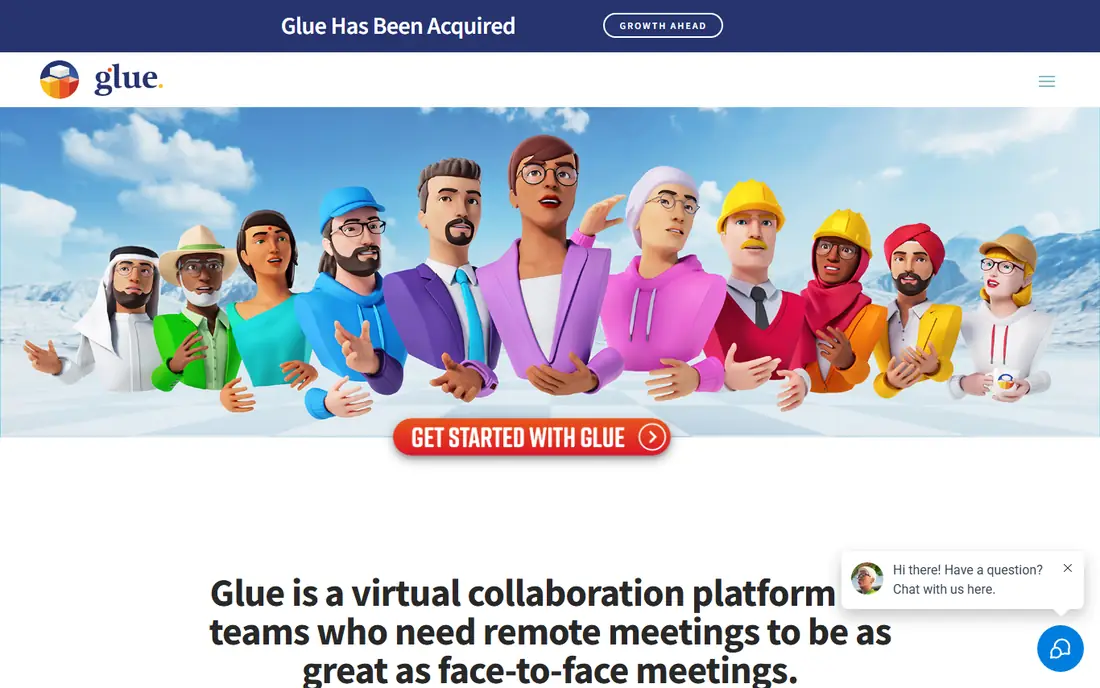
Glue gives distributed teams a virtual room that stays in place between meetings, so a roadmap workshop or a weekly ritual always happens in the same space. Avatars mirror head and hand movement, voices fade with distance through spatial audio, and the room holds whiteboards, sticky notes, file sharing, and imported 3D models. That suits groups that meet in VR often rather than once a quarter.
The Free tier covers up to 10 team members, 10 team spaces, 30-minute sessions, and 2GB of team file storage. Professional costs €50 per user per month when billed annually, or €60 per user per month on monthly billing, and removes the caps on session time, spaces, and storage. Enterprise adds branded spaces, custom hosting, single sign-on, and a service level agreement at a custom price. Hyperspace acquired Glue in 2024, so confirm the roadmap first. The vendor site shows no public price list, so the €50 figure comes from vendor-supplied listings.
- Rooms persist between sessions, so teams return to the same space
- Spatial audio and 3D model import support design and workshop use
- Free tier caps sessions at 30 minutes and team storage at 2GB
- Professional is priced in euros only
MeetinVR
Ideal for: Structured VR meetings and workshops
MeetinVR builds virtual meeting rooms for brainstorming, design reviews, workshops, training, and team meetings, with tools that act like the objects in a real workshop. A magic pointer, a 3D pen, 3D models, and enhanced whiteboards let people sketch, point, and handle content together, while spatial audio and a virtual handshake keep the session feeling like a face-to-face meeting.
Pricing is tiered by team size. The Pro plan costs €35 per user per month for teams of 5 to 20 users, €30 per user per month for 21 to 50 users, and €25 per user per month for 51 or more users, with an annual option at €350 per user per year for the smallest band. A free Guest option and a trial with no sign-up let teams try the full feature set with a visible watermark. The vendor site shows no pricing page, so these figures come from vendor-supplied listings.
- Purpose-built meeting rooms with 3D pens, whiteboards, and spatial audio
- Free tier supports meetings with up to 10 users
- Full experience needs VR headsets, which adds hardware cost
- Teams of 5 to 20 users pay the highest per-user rate
Arthur
Ideal for: AI-guided enterprise collaboration
Arthur started as a VR office where teams meet as photorealistic avatars in persistent rooms, and it has grown into an enterprise platform where AI co-workers run workflows inside those spaces. Arthur Spaces lets an AI agent guide a design review, an onboarding tour, or a training session, while Arthur Vibe runs asynchronous interviews that turn stakeholder input into structured plans. Pinboards, audio zones, and screen sharing keep common office tools close.
The platform runs on VR headsets and in a web browser, so people without headsets can still join. Security is built for large buyers, with end-to-end encryption, multi-factor authentication, and SOC 2 Type 2 certification, and the vendor names clients such as PwC, Mondelez, and Bayer. Pricing is by quote only, and the current site lists no free tier, so small teams should expect an enterprise sales process.
- AI co-workers guide onboarding, design reviews, and meetings
- Photorealistic avatars with lip sync and spatial audio
- No public price list, so budgeting needs a sales conversation
- AI workflow setup adds effort for teams that only want virtual meetings
Campfire
Ideal for: Holographic 3D design reviews
Campfire treats a 3D model like a shared object on a table instead of a flat slide. Teams can copy, paste, move, rotate, and resize parts, pull a model apart to inspect the pieces, and walk through a technical procedure step by step with everyone looking at the same scene. The app runs on PC, Mac, and iPad, and on Meta Quest 3 headsets it uses full-color passthrough so people in the same room can work on one project together. Support covers more than 40 CAD and scan formats, including Creo, Autodesk, SolidWorks, and Catia files.
The vendor offers a free account so teams can test the app before talking to sales, and enterprise plans are quoted per user. Launch reporting from 2023 put the enterprise app at $1,500 per user per year, with a starter kit of headsets and licenses at $15,000 per year, but that figure is from launch coverage and is not a current vendor price. Buyers should ask sales for current pricing and for the hardware needed to get the full holographic view.
- Supports more than 40 CAD and scan file types with no file optimization needed
- Works on PC, Mac, iPad, and Meta Quest headsets
- Best experience needs Campfire headset hardware
- No public price list on the vendor site
Resolve
Ideal for: VR BIM reviews for construction teams
Resolve is built for construction teams that need to walk through a full building model before anything is built. Its Wellington Engine runs large federated BIM models on wireless Meta Quest headsets with no PC tether and no model downsizing, so a superintendent in VR, a trade partner on the web, and a field lead on an iPad can review the same model at the same time. Issues flagged in VR sync two ways with Autodesk Construction Cloud, Procore, and Revizto.
The vendor says Resolve has supported more than $50 billion in construction projects and more than 6GW of data center portfolios. A free trial is available, but there is no free plan and no public price list, so budgeting starts with a demo and a quote. Teams outside architecture, engineering, and construction will find the feature set too narrow for general meetings.
- Runs full federated BIM models on wireless Meta Quest headsets
- Two-way issue sync with Autodesk Construction Cloud, Procore, and Revizto
- Narrow focus on construction BIM limits use outside AEC teams
- No free plan, and pricing is available only by quote
Scope AR WorkLink
Ideal for: AR work instructions for frontline teams
Scope AR WorkLink is an AR platform for the frontline, built around work instructions, training, and remote expert help on the shop floor. Authors import CAD files into a web browser and build interactive AR steps with no code, then technicians view those steps on a phone, tablet, or headset, overlaid on the real machine. An expert can join the same session live, draw AR annotations on the camera view, and guide a repair without traveling to the site.
WorkLink connects to PLM and MES systems, runs in the cloud or on premises, and meets SOC 2, HIPAA, and NIST requirements. It supports iOS and Android devices plus HoloLens 2 and Apple Vision Pro. The vendor site cites customer examples such as a 99% cut in pre-work preparation time and $2.4 million saved in training travel. There is no self-serve signup and no public price list, so buyers start with a demo and a proof of concept. Scope AR will support its HoloLens app through the December 2027 end-of-support date.
- No-code AR content creation from CAD files in a web browser
- Real-time remote expert guidance with AR annotations
- No self-serve signup or public price list
- HoloLens 2 support ends in December 2027, so buyers need a device migration plan
How we chose
We opened the official homepage of each tool on November 12, 2026, and compared vendor pricing pages, feature pages, and documentation. We kept only tools with a live vendor site and a current product, and we left out Microsoft Mesh because Microsoft retired the standalone product on December 1, 2025. Where a vendor publishes no price list we wrote quote only, and where a price comes from vendor-supplied listings we say so in the text. We did no hands-on testing and we claim none. Prices change, so confirm the current figure with the vendor before signing.
What to check before you buy
- Count the headsets you need. Resolve puts the cost of a Meta Quest headset at $300 to $500 each, so hardware can cost more than the first year of software for a small team.
- Check session limits. Zoho Lens Free allows 1 simultaneous session, Standard allows 2, and Professional allows 4, while Glue Free caps sessions at 30 minutes.
- Match the tool to the job. AR remote assistance fits field repairs, VR meeting rooms fit workshops, and BIM review fits construction coordination. A tool built for one job rarely fits the others.
- Ask about device support. HoloLens 2 support ends in December 2027, so any plan that depends on that headset needs a migration path to Apple Vision Pro or another device.
- Run a trial with real users. Zoho Lens offers a 15-day free trial, Campfire offers a free account, and Resolve offers a trial, so test with the people who will use the tool daily.
- Get the quote in writing. Five of the eight tools in this guide publish no price list, so ask for the per-user rate, the minimum seat count, and the contract term before budgeting.
| Team size and use case | First choice | Why it fits | | 1 to 10 users, field service | Zoho Lens Free or Standard | Free plan covers basic sessions, and Standard starts at $13 per technician per month on annual billing | | 11 to 50 users, regular VR meetings | MeetinVR | Pro costs €35 per user per month for 5 to 20 users and drops to €30 for 21 to 50 users | | 51 or more users, regular VR meetings | MeetinVR | Per-user rate drops to €25 per user per month at 51 or more users | | Design and engineering reviews | Campfire | Free account to try, with 40 or more CAD formats and shared 3D scenes | | Construction BIM review | Resolve | Wireless Quest reviews of federated models with two-way issue sync | | Frontline work instructions | Scope AR WorkLink | No-code AR steps from CAD, with remote expert sessions | | Enterprise 3D spaces | Spatial | Enterprise and Education plans only, priced by quote |
Frequently asked questions
What is the best AR collaboration tool for small teams?
Zoho Lens is the best pick for small field service and support teams because the free plan covers basic AR sessions and Standard starts at $13 per technician per month on annual billing. Glue is the better pick for small teams that meet in VR often, since its free tier covers 10 members and 10 persistent spaces. Pick Lens for repairs and Glue for recurring team rooms.
Do I need a VR headset to use AR collaboration tools?
It depends on the tool. Zoho Lens and Scope AR WorkLink work on phones and tablets, so a field worker can join with the device already in a pocket. Spatial, Glue, MeetinVR, and Arthur run in a browser too, but the full experience needs a headset. Campfire and Resolve give the most value in a headset, so budget $300 to $500 per Meta Quest headset before rolling them out.
How much do AR collaboration tools cost?
Costs range from free to custom enterprise quotes. Zoho Lens Standard starts at $13 per technician per month on annual billing, Glue Professional costs €50 per user per month on annual billing, and MeetinVR Pro starts at €35 per user per month. Spatial, Arthur, Campfire, Resolve, and Scope AR WorkLink publish no price list, so buyers must request a quote and add headset hardware to the budget.
What is the difference between AR remote assistance and VR meeting tools?
AR remote assistance shows an expert the live camera view from a remote phone or headset, then adds annotations on the real scene to guide a repair. VR meeting tools put everyone inside a shared virtual room as avatars, which fits workshops, design reviews, and training. Use Lens or WorkLink for fixing physical equipment, and Glue, MeetinVR, or Arthur for meetings where nobody touches a machine.
Can AR collaboration tools work without headsets?
Yes, most of them can. Zoho Lens runs in browsers and on phones, tablets, and smart glasses. Spatial, Glue, MeetinVR, and Arthur all offer a browser mode, and Campfire runs on PC, Mac, and iPad. Headsets add presence and hand tracking, but a team can start with screens and add headsets later for the people who gain the most from them.