Best AR WYSIWYG Editor Software in 2026: 8 Options Compared

- 1
 Adobe Aerodesigners in the Adobe ecosystemVisit
- 2
 ZapWorksbrowser-based AR campaigns and product experiencesVisit
- 3
 Blipparbrands wanting web AR from a studio platformVisit
- 4
 8th Wallweb AR that works without an app downloadVisit
- 5
 Vuforia Studioindustrial AR for training and serviceVisit
- Adobe Aero suits designers already in the Adobe ecosystem.
- ZapWorks and Blippar lead for browser-based AR campaigns.
- 8th Wall suits web AR that must work without an app download.
- Check publishing terms, since app-based and web-based AR reach audiences differently.
Quick comparison
| Product | Ideal for | Price from | Free version | |
|---|---|---|---|---|
| Adobe Aero | designers in the Adobe ecosystem | Free | Yes | Visit |
| ZapWorks | browser-based AR campaigns and product experiences | See website | Free trial | Visit |
| Blippar | brands wanting web AR from a studio platform | See website | Free trial | Visit |
| 8th Wall | web AR that works without an app download | See website | Free trial | Visit |
| Vuforia Studio | industrial AR for training and service | See website | Free trial | Visit |
 Reality Composer | Apple users building simple AR scenes | Free | Yes | Visit |
 PlugXR | no-code AR for product and training use | See website | Free trial | Visit |
 Wikitude | developers and teams needing AR SDK plus studio tools | See website | Free trial | Visit |
The best AR WYSIWYG editor software
AR WYSIWYG editors let creators build augmented reality experiences by dragging objects onto a scene instead of writing code. The category spans marketing filters, product visualization, training, and location-based experiences. We compared tools that a non-developer can actually publish with, not just preview.
Adobe Aero
Ideal for: designers in the Adobe ecosystem
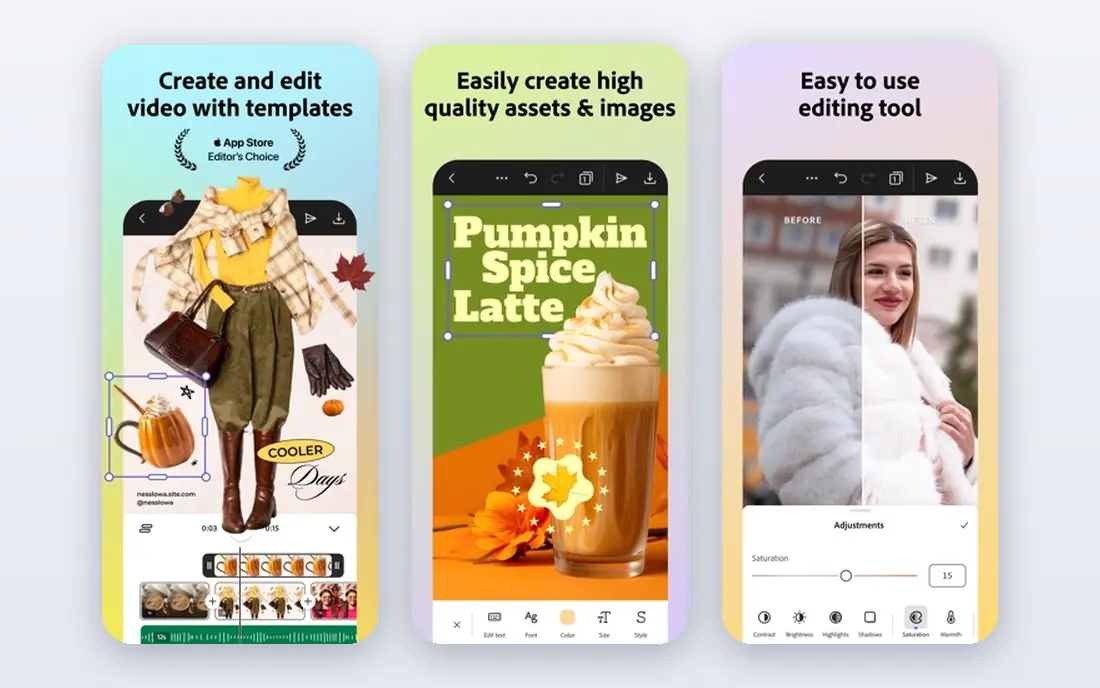
Adobe Aero lets designers place 3D models, images, and animations into real spaces without code, using assets from Adobe tools. It suits creative teams already working in Photoshop, Illustrator, or Dimension. Publishing and sharing options have changed over time, so check the current terms before planning a campaign. That focus makes it a practical match for designers in the Adobe ecosystem. On pricing, the starting point is free, and the free plan status is yes. Its strengths include easy scene building; adobe asset integration; ios viewing. The trade-off to weigh is desktop authoring is mac and windows with mobile viewing; publishing options vary. We suggest checking the current plan limits on the vendor site before you commit, since tiers and trial terms change, and confirming that the plan you pick covers the seats, storage, or usage your team actually needs.
- Easy scene building
- Adobe asset integration
- IOS viewing
- Desktop authoring is Mac and Windows with mobile viewing
- Publishing options vary
ZapWorks
Ideal for: browser-based AR campaigns and product experiences
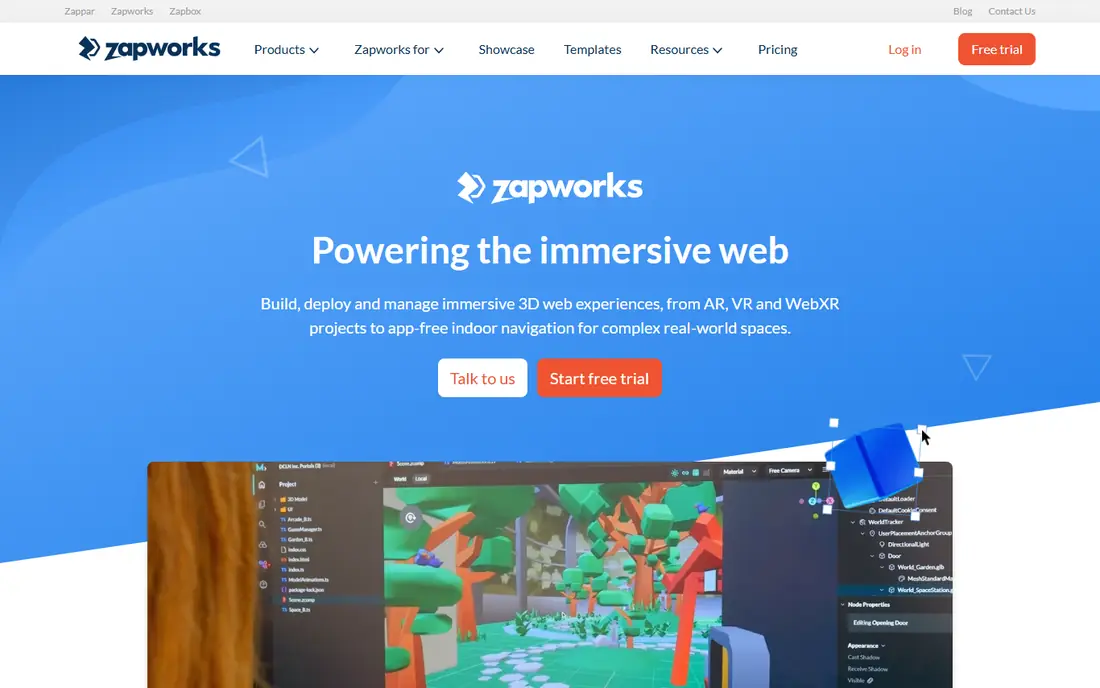
ZapWorks, from Zappar, builds web-based AR that viewers open from a QR code or link, with image tracking and analytics for campaigns. It suits agencies and brands running product launches, packaging, and print-to-digital experiences. Commercial publishing sits on paid plans. That focus makes it a practical match for browser-based AR campaigns and product experiences. On pricing, the starting point is see website, and the free plan status is free trial. Its strengths include web ar and image tracking; analytics; no app needed for viewers. The trade-off to weigh is paid plans for commercial publishing; advanced features need learning. We suggest checking the current plan limits on the vendor site before you commit, since tiers and trial terms change, and confirming that the plan you pick covers the seats, storage, or usage your team actually needs.
- Web AR and image tracking
- Analytics
- No app needed for viewers
- Paid plans for commercial publishing
- Advanced features need learning
Blippar
Ideal for: brands wanting web AR from a studio platform
Blippar offers a web AR studio for brands and agencies, with tracking for images, faces, and objects plus campaign analytics. It suits marketing teams that want AR without asking customers to install an app. Check current pricing and publishing terms before committing. That focus makes it a practical match for brands wanting web AR from a studio platform. On pricing, the starting point is see website, and the free plan status is free trial. Its strengths include web ar studio; image and face tracking; campaign analytics. The trade-off to weigh is pricing by quote for larger use; platform terms change. We suggest checking the current plan limits on the vendor site before you commit, since tiers and trial terms change, and confirming that the plan you pick covers the seats, storage, or usage your team actually needs.
- Web AR studio
- Image and face tracking
- Campaign analytics
- Pricing by quote for larger use
- Platform terms change
8th Wall
Ideal for: web AR that works without an app download
8th Wall, part of Niantic, powers web AR experiences that run in a mobile browser, with tracking for images, faces, and surfaces. It suits developers and agencies building high-quality web AR for campaigns and retail. Commercial use is paid, and setup is more technical than drag-and-drop rivals. That focus makes it a practical match for web AR that works without an app download. On pricing, the starting point is see website, and the free plan status is free trial. Its strengths include strong web ar engine; image and world tracking; broad device support. The trade-off to weigh is commercial pricing by project or plan; needs some technical setup. We suggest checking the current plan limits on the vendor site before you commit, since tiers and trial terms change, and confirming that the plan you pick covers the seats, storage, or usage your team actually needs.
- Strong web AR engine
- Image and world tracking
- Broad device support
- Commercial pricing by project or plan
- Needs some technical setup
Vuforia Studio
Ideal for: industrial AR for training and service
Vuforia Studio, from PTC, builds AR for industrial training, maintenance, and service, using CAD models and step-by-step guidance. It suits manufacturers that need AR tied to real equipment and procedures. Marketing teams will find it heavier and pricier than campaign tools. That focus makes it a practical match for industrial AR for training and service. On pricing, the starting point is see website, and the free plan status is free trial. Its strengths include industrial use cases; cad integration; enterprise deployment. The trade-off to weigh is enterprise pricing; overkill for simple marketing ar. We suggest checking the current plan limits on the vendor site before you commit, since tiers and trial terms change, and confirming that the plan you pick covers the seats, storage, or usage your team actually needs.
- Industrial use cases
- CAD integration
- Enterprise deployment
- Enterprise pricing
- Overkill for simple marketing AR
Reality Composer
Ideal for: Apple users building simple AR scenes
Reality Composer lets Apple users build AR scenes on iPhone, iPad, or Mac and share them through AR Quick Look. It suits educators, designers, and small teams prototyping AR on Apple devices. Cross-platform reach and campaign analytics are limited. That focus makes it a practical match for Apple users building simple AR scenes. On pricing, the starting point is free, and the free plan status is yes. Its strengths include free for apple users; easy scene building; ar quick look sharing. The trade-off to weigh is apple-only viewing for full experiences; limited analytics. We suggest checking the current plan limits on the vendor site before you commit, since tiers and trial terms change, and confirming that the plan you pick covers the seats, storage, or usage your team actually needs.
- Free for Apple users
- Easy scene building
- AR Quick Look sharing
- Apple-only viewing for full experiences
- Limited analytics
PlugXR
Ideal for: no-code AR for product and training use
PlugXR is a no-code AR platform for product visualization, training, and marketing, with app and web publishing from one creator. It suits small teams that want to publish AR without developer help. Its ecosystem is smaller than the largest platforms. That focus makes it a practical match for no-code AR for product and training use. On pricing, the starting point is see website, and the free plan status is free trial. Its strengths include no-code ar creator; app and web publishing; analytics. The trade-off to weigh is smaller ecosystem than larger rivals; pricing by plan. We suggest checking the current plan limits on the vendor site before you commit, since tiers and trial terms change, and confirming that the plan you pick covers the seats, storage, or usage your team actually needs.
- No-code AR creator
- App and web publishing
- Analytics
- Smaller ecosystem than larger rivals
- Pricing by plan
Wikitude
Ideal for: developers and teams needing AR SDK plus studio tools
Wikitude combines an AR software development kit with studio tools for image, object, and instant tracking across platforms. It suits teams that need custom AR apps with more control than a pure editor offers. Pure non-developers may find the setup more technical. That focus makes it a practical match for developers and teams needing AR SDK plus studio tools. On pricing, the starting point is see website, and the free plan status is free trial. Its strengths include ar sdk with tracking options; studio tools; cross-platform support. The trade-off to weigh is more technical than pure drag-and-drop editors; pricing by plan. We suggest checking the current plan limits on the vendor site before you commit, since tiers and trial terms change, and confirming that the plan you pick covers the seats, storage, or usage your team actually needs.
- AR SDK with tracking options
- Studio tools
- Cross-platform support
- More technical than pure drag-and-drop editors
- Pricing by plan
How we picked these
We compared official feature pages, pricing pages, app store listings, privacy policies, and public reviews for each option, and we kept only products that exist, work in October 2026, and fit the topic directly. We did not claim hands-on testing we did not do, and we left out products whose fit was weak even when they are well known in a nearby category. Price and plan details change often, so where a vendor does not publish a clear price we write See website rather than guessing. The notes below reflect what each vendor publishes about its own product, not a promise about results for any single team.
How to choose an AR WYSIWYG editor
Decide how people will open the experience: through an app, a social filter, or a web link. Social filters reach huge audiences but live inside platform rules, web AR opens from a QR code or link without a download, and app-based AR gives more control at the cost of installs. The delivery choice narrows the tool list fast. Test with your real assets, including 3D models, images, and video, and check tracking quality in the lighting where the experience will be used. Ask about analytics, since campaign AR needs view and interaction data, and check whether experiences keep working if you stop paying. Export and ownership terms matter for client work. Start with one simple experience, such as a product viewer or a poster that plays video, and measure completion and sharing before building a larger scene. Keep interactions obvious, since users will not read instructions in AR, and test on both major phone platforms before launch.
Frequently asked questions
What is a WYSIWYG AR editor?
It is an editor that lets you build augmented reality by placing and previewing 3D objects, images, and interactions visually, rather than writing code. What you see in the editor is close to what users see on their phone.
Do users need an app to view AR?
It depends on the tool. Web AR opens in a browser from a link or QR code, social AR opens inside apps such as Instagram or Snapchat, and some experiences need a dedicated app.
Can I build AR without coding?
Yes, for many marketing, product, and training experiences, using drag-and-drop editors. Complex interactions, custom tracking, or large scenes may still need developer help.
How much does AR editor software cost?
Pricing ranges from free tiers for simple projects to subscription or campaign pricing for commercial publishing. Check publishing limits and whether experiences stay live on the free tier.
What makes a good AR experience?
A clear purpose, fast loading, obvious interaction, and tracking that works in real lighting. Experiences that need long instructions or perfect conditions usually lose users fast.