Best Audio Streaming Services in 2026: 8 Options Compared

- 1
 SpotifyMost listeners and discoveryVisit
- 2
 Apple MusicApple households and lossless audioVisit
- 3
 YouTube MusicVideos, covers and live versionsVisit
- 4
 Amazon Music UnlimitedPrime members and Alexa homesVisit
- 5
 TIDALHi-res audio on one planVisit
- Spotify suits most listeners for discovery, podcasts and a free tier.
- Apple Music suits Apple households and listeners who want lossless audio included.
- TIDAL suits listeners who want hi-res audio at a similar price.
- Check whether you already pay for a bundle, since YouTube Premium and Prime change the value.
Quick comparison
| Product | Ideal for | Price from | Free version | |
|---|---|---|---|---|
| Spotify | Most listeners and discovery | $12.99 per month | Yes | Visit |
| Apple Music | Apple households and lossless audio | $11.99 per month | Free trial | Visit |
| YouTube Music | Videos, covers and live versions | $11.99 per month | Yes | Visit |
| Amazon Music Unlimited | Prime members and Alexa homes | $11.99 per month | Free trial | Visit |
| TIDAL | Hi-res audio on one plan | $11.99 per month | Free trial | Visit |
 Deezer | Music plus Flow discovery | See website | Yes | Visit |
 Pandora | Radio-style listening | $10.99 per month | Yes | Visit |
 Qobuz | Hi-res downloads and streaming | $12.99 per month | Free trial | Visit |
The best best audio streaming service
Audio streaming services now compete on catalog, sound quality, discovery, podcasts and price, and the differences are smaller than marketing suggests. We compared individual prices, free tiers, lossless audio, family plans, podcasts and device support, focusing on US plans in October 2026.
In this guide, we list eight best audio streaming service options and explain who each one suits best, what it costs to start, and where it falls short. We kept the list focused on products that are widely available in the United States and that a reader can actually sign up for today, rather than filling the list with niche tools that are hard to buy or that have stopped updating their product. Prices and free tiers are shown as we found them in October 2026, and we note where a price needs a check on the vendor site because it varies by plan, team size or region.
Spotify
Ideal for: Most listeners and discovery

Spotify combines music, podcasts and audiobooks with discovery playlists, social sharing and broad device support. Its recommendation engine remains the strongest reason many listeners stay, even as prices have risen.
The free tier includes ads and playback limits, and lossless audio is capped compared with rivals. For most listeners who value discovery and podcasts in one app, Spotify remains our pick.
- Strong discovery
- Podcasts and audiobooks
- Free tier
- Free tier has ads and limits
- Lossless is limited
Apple Music
Ideal for: Apple households and lossless audio

Apple Music includes lossless and Dolby Atmos audio at no extra cost, with a large catalog, curated playlists, Apple Music Classical and deep integration with iPhone, HomePod and Apple Watch.
There is no permanent free tier, only a trial, and podcasts live in Apple Podcasts rather than the music app. For Apple users with good headphones, Apple Music offers strong sound quality for the price.
- Lossless and spatial audio included
- Large catalog
- Apple integration
- No free tier
- Podcasts live in a separate app
YouTube Music
Ideal for: Videos, covers and live versions
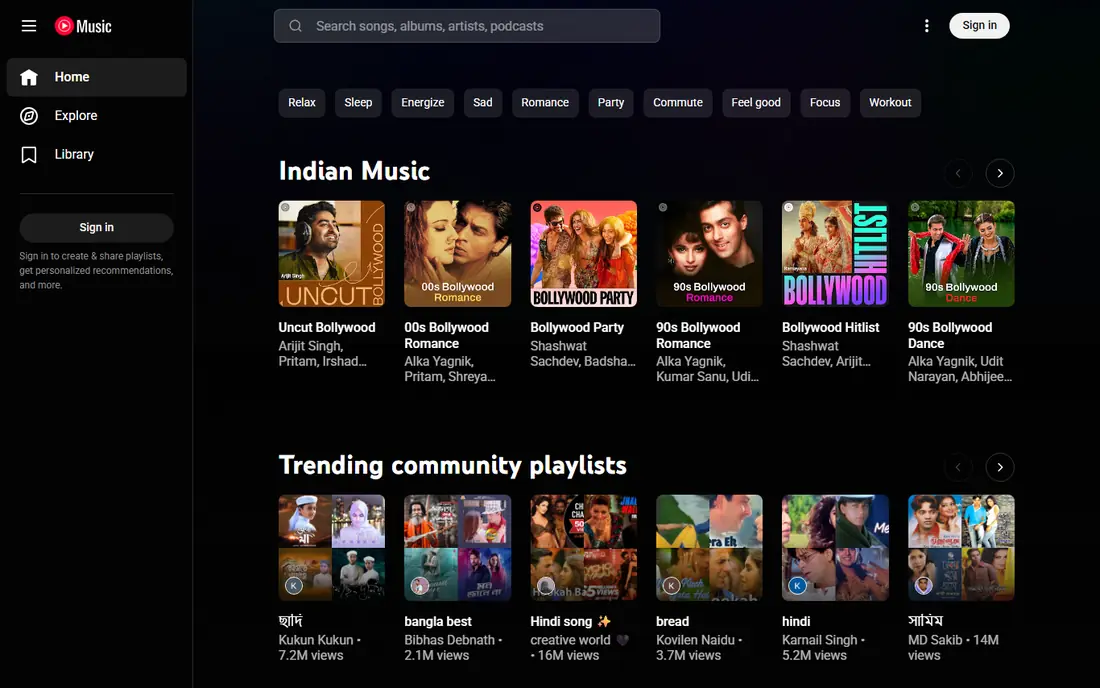
YouTube Music stands out for covers, live versions, remixes and user uploads that other services lack, plus music videos and integration with YouTube. It suits listeners whose taste includes rare recordings and live sets.
Audio quality caps lower than lossless rivals, and the best value comes bundled with YouTube Premium. For listeners who already pay for YouTube Premium, YouTube Music Premium adds no extra cost.
- Music videos and live versions
- Uploads
- YouTube integration
- No lossless tier
- Audio quality caps lower than rivals
Amazon Music Unlimited
Ideal for: Prime members and Alexa homes
Amazon Music Unlimited offers HD and Ultra HD audio, Alexa voice control, podcasts and a large catalog, with a lower price for Prime members in some offers. It suits households with Echo speakers and Prime memberships.
Pricing differs for Prime and non-Prime members, so check the current offer at signup. The app can feel crowded next to Spotify or Apple Music, but Alexa integration is a clear advantage in Amazon homes.
- HD and Ultra HD audio
- Alexa integration
- Podcasts
- Prime price differs
- Catalog navigation can feel crowded
TIDAL
Ideal for: Hi-res audio on one plan
TIDAL includes lossless and hi-res FLAC audio on its single plan, with DJ tools, editorial content and a music-first interface. It suits listeners who want high-quality audio without choosing between tiers.
There is no permanent free tier, and discovery trails Spotify. For sound quality at a price similar to Apple Music, TIDAL is a strong alternative, especially for listeners with wired headphones or a good DAC.
- Hi-res FLAC on every plan
- DJ tools
- Music-first design
- No free tier
- Discovery is weaker than Spotify
Deezer
Ideal for: Music plus Flow discovery
Deezer offers a free tier, personalized Flow mixes, lyrics, podcasts and a large catalog, with a clean interface that suits listeners who want music without video or social overload.
Deezer has a smaller US presence than Spotify or Apple Music, and catalog gaps can appear in niche genres. For listeners who like Flow discovery and a simpler app, Deezer is worth trying.
- Free tier
- Flow personalized mixes
- Lyrics and podcasts
- Smaller US presence
- Catalog gaps in some niches
Pandora
Ideal for: Radio-style listening
Pandora remains best for radio-style listening, with stations built from songs, artists or genres and Thumbprint Radio that learns from thumbs up and down. Premium adds on-demand listening and offline downloads.
Pandora is more radio-oriented than Spotify or Apple Music, so listeners who want full album control may prefer a rival. For background listening and station discovery, Pandora remains easy and affordable.
- Radio stations and Thumbprint Radio
- Free tier
- Simple listening
- More radio-oriented
- Smaller on-demand focus than rivals
Qobuz
Ideal for: Hi-res downloads and streaming
Qobuz offers hi-res FLAC streaming plus a download store for listeners who want to own high-quality files. Editorial articles and curated playlists support classical, jazz and audiophile tastes particularly well.
There is no permanent free tier, and mainstream discovery is thinner than Spotify. For audiophiles who value sound quality and ownership, Qobuz is a distinctive choice.
- Hi-res FLAC up to 24-bit
- Download store
- Editorial content
- No free tier
- Mainstream discovery is thinner
How we picked these
We compared official feature pages, pricing pages, app store listings, privacy policies and public reviews for each option, and we checked that each product is still available and working in October 2026. We favored products that fit the topic directly, publish clear pricing or a clear free tier, and explain how they handle data and support. We left out products that looked discontinued, that did not match the topic, or whose official homepage we could not verify. Prices change often, so check the vendor page linked in each block before you pay.
We also paid attention to the details that decide daily satisfaction, not just headline features. That meant checking how a free plan actually limits use, whether a paid plan is priced per user, per device or per account, and what happens when you add team members or exceed a limit. Where a vendor only publishes quote-based pricing, we say so rather than guessing a number, and where a first-year discount differs from a renewal price, we flag that difference in the product write-up so the second year does not come as a surprise.
How to pick an audio service without rebuilding playlists twice
Start with your devices and bundles. Apple households gain from Apple Music, Alexa homes gain from Amazon Music, and YouTube Premium subscribers already have YouTube Music. A bundle you already pay for beats a slightly better app you pay for twice.
Test sound quality on your own headphones. Lossless audio matters most on wired headphones, good speakers or a DAC, and matters little on basic earbuds. Use trials to compare the same tracks on your gear before paying for hi-res.
Check playlist transfer before you switch. Transfer tools and import features make moving libraries easier than before, but check that liked songs, playlists and downloaded tracks move as expected. Keep the old service until the new library feels complete.
Before you commit, run a short trial with the work you actually do, not with demo data. Set up one real project, booking, routine or workflow, invite the people who will use the tool every day, and check support response time when you hit a question. A product that feels good in a sales demo can still fail on a busy day, so a trial that mirrors real use is the most reliable test. If two options feel close after that trial, choose the one with clearer pricing, simpler cancellation and better support, since those factors matter long after the novelty of a new tool fades. Keep a note of the trial end date, the renewal price and the cancellation steps, so a decision made in a hurry does not turn into a subscription you forgot to review. That small record, kept in the same place as your other subscription dates, makes the yearly renewal check a five-minute job rather than a surprise bill.
Frequently asked questions
What is the best audio streaming service?
Spotify is the best all-round pick for discovery, podcasts and device support. Apple Music suits Apple households and lossless listeners, while TIDAL suits hi-res listeners at a similar price.
What is the best audio streaming service for sound quality?
Apple Music, TIDAL and Qobuz all offer lossless or hi-res audio, with Qobuz reaching the highest published sample rates. Use wired headphones or good speakers to hear the difference.
Is there a free audio streaming service?
Yes. Spotify, YouTube Music, Deezer and Pandora all offer free ad-supported tiers with limits on skips, offline listening or on-demand control. Paid plans remove ads and add offline and lossless features.
Which is cheaper, Spotify or Apple Music?
Apple Music individual pricing is slightly lower than Spotify Premium in the US plans compared here, and TIDAL matches Apple Music. Family and student pricing can change the ranking, so check current plans at signup.
Can I transfer playlists between services?
Yes, transfer tools can move playlists, liked songs and albums between major services, though results vary by tool and catalog. Keep the old service until you confirm the new library is complete.