9 B2B CRM Software Options Compared on Price and Fit

- 1
 StreakSellers who never leave GmailVisit
- 2
 InsightlyCRM plus project trackingVisit
- 3
 HubSpot CRMTeams wanting a free core CRMVisit
- 4
 FreshsalesBudget-friendly all-in-one sellingVisit
- 5
 Dynamics 365 SalesMicrosoft 365 shopsVisit
- Number one here is Streak, a fit for sellers who never leave Gmail.
- The cheapest monthly starting price in the list is $9 per user per month, offered by Freshsales.
- Streak, HubSpot CRM, Freshsales, Zoho CRM: these are the 4 tools out of 9 that offer a free plan.
- Pipedrive is the one to check for pipeline-focused small sales teams.
- Before buying Insightly, weigh this: no free plan anymore.
Direct answer
Streak is the first pick on this list for sellers who never leave Gmail. If your case is different, Insightly suits CRM plus project tracking and HubSpot CRM suits teams wanting a free core CRM. Prices, free plans and limits for all 9 tools follow.
Quick comparison
| Product | Ideal for | Price from | Free version | |
|---|---|---|---|---|
| Streak | Sellers who never leave Gmail | $49 per user per month (Pro, billed annually) | Yes | Visit |
| Insightly | CRM plus project tracking | $29 per user a month (Plus, billed annually) | Free trial (14 days) | Visit |
| HubSpot CRM | Teams wanting a free core CRM | Free; Sales Hub Starter from $20 per seat per month | Yes | Visit |
| Freshsales | Budget-friendly all-in-one selling | $9 per user a month (Growth, billed yearly) | Yes | Visit |
| Dynamics 365 Sales | Microsoft 365 shops | $65 per user per month (Professional, billed yearly) | Free trial | Visit |
 Salesforce Sales Cloud | Enterprise-grade B2B sales orgs | $25 per user a month (Starter Suite) | Free trial (30 days) | Visit |
 Monday sales CRM | Teams that want deep customization | $12 per seat a month (Basic, billed annually) | Free trial (14 days) | Visit |
 Zoho CRM | Budget-conscious expanding teams | $14 per user per month (Standard, billed yearly) | Yes | Visit |
 Pipedrive | Pipeline-focused small sales teams | $14 per seat a month (Lite, billed yearly) | Free trial (14 days) | Visit |
Tool-by-tool breakdown
Short on time? The summary and table above give the quick view of 9 tools for B2B CRM software, and the profiles that follow give the detail behind each entry.
Streak
Ideal for: Sellers who never leave Gmail

Pick Streak if this describes you: sellers who never leave Gmail. Streak assumes the inbox is the office. For small Gmail-based B2B teams, the zero-training appeal is real, since the CRM lives in a window nobody closes.
Also, the product is a Gmail extension, so pipelines sit beside emails, and threads attach to deals automatically. More specifically, pricing runs Pro at $49, Pro+ at $69, and Enterprise at $129 per user a month on annual billing (monthly rates run higher). On top of that, every premium plan includes unlimited contacts, pipelines, and records. In practice, the honest catch is the product lock: Streak only works with Gmail and Google Workspace. Entry price for Streak: $49 per user per month. Streak offers a free plan.
Where it falls short: Workflow automation needs Pro+ ($69).
- CRM runs entirely inside Gmail
- AI data entry fills in deal fields
- Gmail-only, no Outlook
Insightly
Ideal for: CRM plus project tracking

Insightly is built with CRM plus project tracking in mind. There is no free plan, only the trial. For everyday use, a 14-day free trial includes Plus and Professional.
The CRM side manages leads, pipelines, and email tracking; once a deal closes, the same record continues into project tasks and delivery. Insightly also sells companion marketing and service modules that share the same pricing shape. Pricing is three-tiered: Plus at $29, Professional at $49, and Enterprise at $99 per user a month, billed yearly. The honest catch is that the Plus level is deliberately entry-level: workflow automation, lead routing, and advanced dashboards wait until Professional. Insightly starts at: $29 per user per month. Free options: Free trial (14 days).
What to check first: No free plan anymore.
- 2,000-plus integrations
- Projects and CRM in one system
- Workflow automation opens at Professional ($49)
HubSpot CRM
Ideal for: Teams wanting a free core CRM
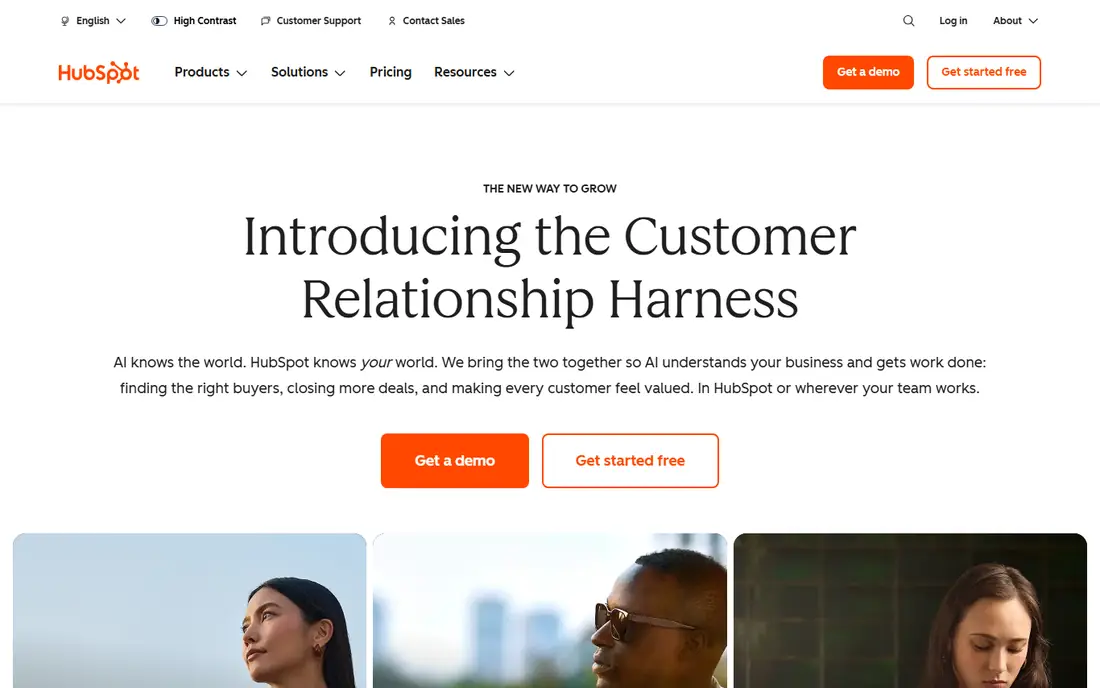
Think of HubSpot CRM for teams wanting a free core CRM. HubSpot suits B2B teams that want sales, marketing, and service on one database without paying Salesforce prices.
Limits to weigh: One-time onboarding fees on upper levels ($1,500 to $3,500).
From a buyer's view, plenty of small teams run happily on Starter for a long time. What you pay to start with HubSpot CRM: Free. HubSpot CRM includes a free tier.
- Capable onboarding resources
- Unified marketing, sales
- Sales Hub Professional jumps to $100 per seat
Freshsales
Ideal for: Budget-friendly all-in-one selling
Freshsales targets budget-friendly all-in-one selling. Built-in phone and email matter to small sales teams that cannot afford a separate dialer.
As for the details, the honest catch is that the real product opens at Pro for most teams. Freshsales pricing: $9 per user per month. Freshsales includes a free tier.
The main drawbacks: AI agent sessions and branded documents are separate extras.
- Built-in phone, email, chat
- Freddy AI scores leads
- API access needs Pro ($39)
Dynamics 365 Sales
Ideal for: Microsoft 365 shops
Pick Dynamics 365 Sales if this describes you: Microsoft 365 shops. If the office already runs on Outlook and Teams, Dynamics 365 Sales removes the friction other CRMs introduce. Microsoft lists three levels: Professional at $65, Enterprise at $105, and Premium at $150 per user a month, all billed yearly.
What Dynamics 365 Sales does well: Office integration.
For B2B teams standardized on Microsoft tools, though, that integration depth is hard to replicate. Beyond that, the honest catch is cost and complexity. Starting cost for Dynamics 365 Sales: $65 per user per month. Trial and free access: Free trial. Where it is weaker: Setup can need partner help.
- Capable forecasting and insights
- AI sales agents included
- Pricey entry point for small teams
Salesforce Sales Cloud
Ideal for: Enterprise-grade B2B sales orgs
Salesforce Sales Cloud serves enterprise-grade B2B sales orgs. The Starter Suite at $25 per user a month handles core contact and opportunity management with AI syncing of emails and events.
In practice, above that, Pro Suite ($100), Core ($195), Advanced ($395), and Max ($550) add forecasting, quoting, deeper automation, and full AI agent suites. Beyond that, Salesforce does offer free migration help from competitors, which softens the switch for companies coming from another CRM. Salesforce Sales Cloud cost at the entry level: $25 per user per month. Free plan details: Free trial (30 days).
Honest limits: Needs admin help to set up well.
- Deepest customization in the category
- Massive integration ecosystem
- Price climbs quick across levels
Monday sales CRM
Ideal for: Teams that want deep customization
Pick monday sales CRM if this describes you: teams that want deep customization. Customization fans like monday's building-block approach. Pricing runs Basic ($12), Standard ($17), and Pro ($28) per seat a month billed yearly, with Enterprise on a custom quote.
Points against: 3-seat minimum on premium plans.
AI credits come bundled with each plan. More specifically, every pipeline, view, and automation is assembled from visual components, so the CRM matches unusual sales processes without a developer. Advanced features like lead scoring sit on Enterprise, and heavy AI usage can mean buying additional credits. On top of that, all premium plans need a minimum of three seats, and annual billing saves about 18 percent. Monday sales CRM cost at the entry level: $12 per seat per month. Free options: Free trial (14 days).
- AI agents for lead sourcing and meeting prep
- Highly configurable boards and automations
- Costs rise quick with add-on AI credits
Zoho CRM
Ideal for: Budget-conscious expanding teams
Zoho CRM is a good fit for budget-conscious growing teams. Budget pressure pushes plenty of buyers toward Zoho, and the pricing justifies it. The honest catch is polish: Zoho's interface does not feel as modern as HubSpot or Pipedrive, and the product shines brightest inside the Zoho suite (mail, books, desk).
Watch-outs: Best value needs the entire Zoho ecosystem.
Main advantages: pay as you go.
premium editions run Standard ($14), Professional ($23), Enterprise ($40), and Ultimate ($52) per user a month billed yearly, and Zoho charges no contracts. So you can switch billing monthly or yearly. On top of that, support for premium editions comes with live chat five days a week, with quicker premium support plans available. Starting cost for Zoho CRM: $14 per user per month. Zoho CRM includes a free tier.
- Genuinely handy free level
- No contracts
- UI feels dated next to newer rivals
Pipedrive
Ideal for: Pipeline-focused small sales teams
Pipedrive serves pipeline-focused small sales teams. Pipeline discipline is Pipedrive's whole pitch. The main limit is that the entry level is deliberately thin: Lite has no automations and caps custom fields at 30.
So most teams end up at Growth or Premium. Worth adding: every rep sees their deals as cards moving through stages, with activity reminders that push the next follow-up. The 2025 plan lineup runs Lite ($14), Growth ($39), Premium ($59), and Ultimate ($79) per seat a month on annual billing. The starting price for Pipedrive: $14 per seat per month. Free access: Free trial (14 days).
Where it is weaker: Extras like Campaigns cost additional.
- Over 500 integrations
- Activity-based selling keeps reps accountable
- No automations on the entry Lite level
How we built this list
Ainotely used vendor pricing pages and product documentation as the base, then compared plans, free access and documented limits for 9 tools. Seat minimums, billing terms and add-ons can move the real cost, so the starting prices here are a guide and not a quote. The ranking is editorial: typical fit first, then clear pricing, then free access. If your needs are unusual, read the profiles rather than relying on position.
What to check before you buy
- Check the vendor page for the current price: Freshsales starts at $9 per user per month here, and seats or billing terms can move it.
- Check what the free option really includes: Streak, HubSpot CRM, Freshsales and Zoho CRM offer a free plan, and usage caps differ.
- Use real work to test the free trial from Insightly, Dynamics 365 Sales, Salesforce Sales Cloud and others, rather than a demo project.
- Before choosing Streak, weigh its main limit: Gmail-only, no Outlook.
- Ask HubSpot CRM whether prices are locked for the first term and what happens at renewal.
- Before rolling out Insightly, verify the integrations your workflow depends on.
Frequently asked questions
Which options for B2B CRM software have a free plan?
Streak, HubSpot CRM, Freshsales and Zoho CRM offer a free plan in this list. Free plans usually cap users, projects or features, so check the limits on the vendor page. Several others offer a trial instead.
What is the cheapest option for B2B CRM software in this list?
On published monthly entry prices, Freshsales is the lowest here at $9 per user per month. Entry price is only part of the cost, because seats, add-ons and billing terms can change the total.
Per user compared with per seat: is there a difference?
Watch for minimums, like monday's three-seat floor, and for rules that put every user on the same level, like Pipedrive's. Also check whether view-only or admin users can be free.
How much should a small business budget for a CRM?
Plan on $10 to $50 per user a month for most small teams, multiplied by your seat count. On top of that, extras like AI sessions, phone minutes, and premium support can push the total higher, so read the pricing page carefully before committing.
Can I try these options before paying?
Often, yes. Streak, HubSpot CRM, Freshsales and Zoho CRM have a free plan and Insightly, Dynamics 365 Sales, Salesforce Sales Cloud and others offer a free trial. Use your own data and a real task during the test, and check what the free tier or trial limits before you rely on it.
Can I switch CRMs later without losing data?
Every tool above supports exporting contacts, firms, and deals, normally as CSV files. Salesforce and multiple competitors offer free migration assistance from rival CRMs.