Best Backup Software for SaaS Applications

- 1
 Veeam Data CloudMicrosoft 365 and Salesforce at scaleVisit
- 2
 DruvaCloud native resilience across SaaS and endpointsVisit
- 3
 Acronis Cyber Protect CloudBackup plus security in one consoleVisit
- 4
 KeepitIndependent cloud backup for SaaS appsVisit
- 5
 Spanning BackupSimple daily backup for three SaaS suitesVisit
- SaaS vendors protect their platform, but they do not guarantee recovery of data your team deletes, so a separate backup copy is your responsibility.
- Starting prices in this guide range from $1.70 per user per month for Commvault Cloud Standard to quote only plans from Druva, Acronis, Keepit, and AvePoint.
- Granular restore matters more than backup speed: look for item level restore for mail, files, and single records before you sign a contract.
- Small teams often do best with a simple per user plan, while larger estates need immutable storage and compliance search.
Quick comparison
| Product | Ideal for | Price from | Free version | |
|---|---|---|---|---|
| Veeam Data Cloud | Microsoft 365 and Salesforce at scale | $2.63 per user/month | No | Visit |
| Druva | Cloud native resilience across SaaS and endpoints | quote only | Free trial | Visit |
| Acronis Cyber Protect Cloud | Backup plus security in one console | quote only | Free trial | Visit |
| Keepit | Independent cloud backup for SaaS apps | quote only | No | Visit |
| Spanning Backup | Simple daily backup for three SaaS suites | $4 per user/month (billed annually) | Free trial | Visit |
 HYCU | Small teams that want a fixed starter bundle | $5,000 per year (Starter Bundle, under 100 employees) | Free trial | Visit |
 Commvault Cloud | Enterprise SaaS backup with compliance search | $1.70 per user/month | No | Visit |
 AvePoint Cloud Backup | Microsoft 365 governance plus backup | quote only | Free trial | Visit |
The best backup software for SaaS applications
Veeam Data Cloud
Ideal for: Microsoft 365 and Salesforce at scale
Veeam Data Cloud is the managed backup service from Veeam, and it covers Microsoft 365, Salesforce, and Entra ID from one console. The Foundation tier for Microsoft 365 starts at $2.63 per user per month. Backups run in Veeam managed storage with immutability built in, so a ransomware event cannot alter the copies you rely on for recovery. Admins can restore mail, files, sites, and single Salesforce records without restoring a whole tenant.
The main trade off is tiering. Foundation covers core backup, while Advanced adds Entra ID protection at $3.33 per user per month and Premium reaches $7.00 per user per month. Salesforce backup starts at $4.17 per user per month billed annually, and Veeam requires licenses for 100 percent of active Salesforce users, which raises the bill for orgs with many occasional users.
- Published per user pricing for Microsoft 365
- Immutable backup storage included in the managed service
- Advanced tiers cost far more than Foundation, and Salesforce licensing requires coverage of every active user
Druva
Ideal for: Cloud native resilience across SaaS and endpoints
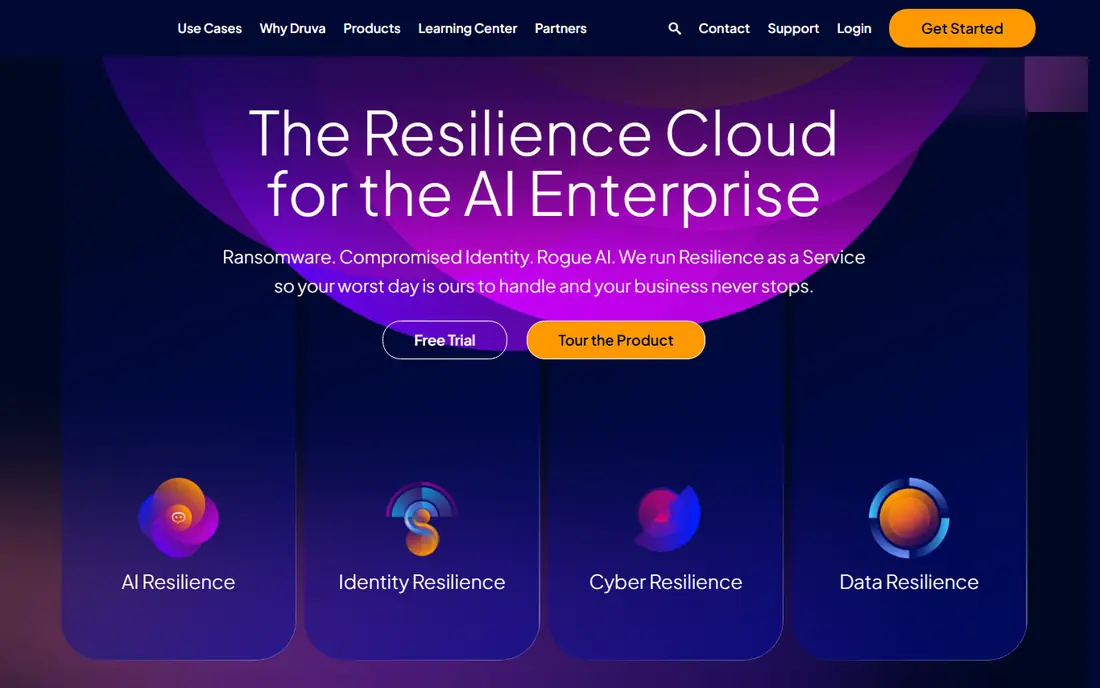
Druva runs as a fully managed platform on AWS, with no backup servers for your team to maintain. It protects Microsoft 365, Google Workspace, Salesforce, endpoints, and cloud workloads from one console, and it offers a 10 minute recovery point objective for SaaS applications. Anomaly detection flags unusual deletion or encryption patterns, and air gapped immutable copies give you a clean restore point after a ransomware event.
Pricing is the weak point for buyers who want a fast quote. Druva does not publish a price list, so you need a sales conversation to get numbers for your user count and data volume. Third party listings cite figures from $2 per user per month before storage, but storage is metered per gigabyte, so a large mailbox estate can push the total well above the headline rate. Ask for a written quote that separates the per user fee from storage and retention charges.
- Fully managed SaaS platform with no hardware to run
- Built in anomaly detection and air gapped storage
- No public price list, and storage charges can sit on top of the per user fee
Acronis Cyber Protect Cloud
Ideal for: Backup plus security in one console
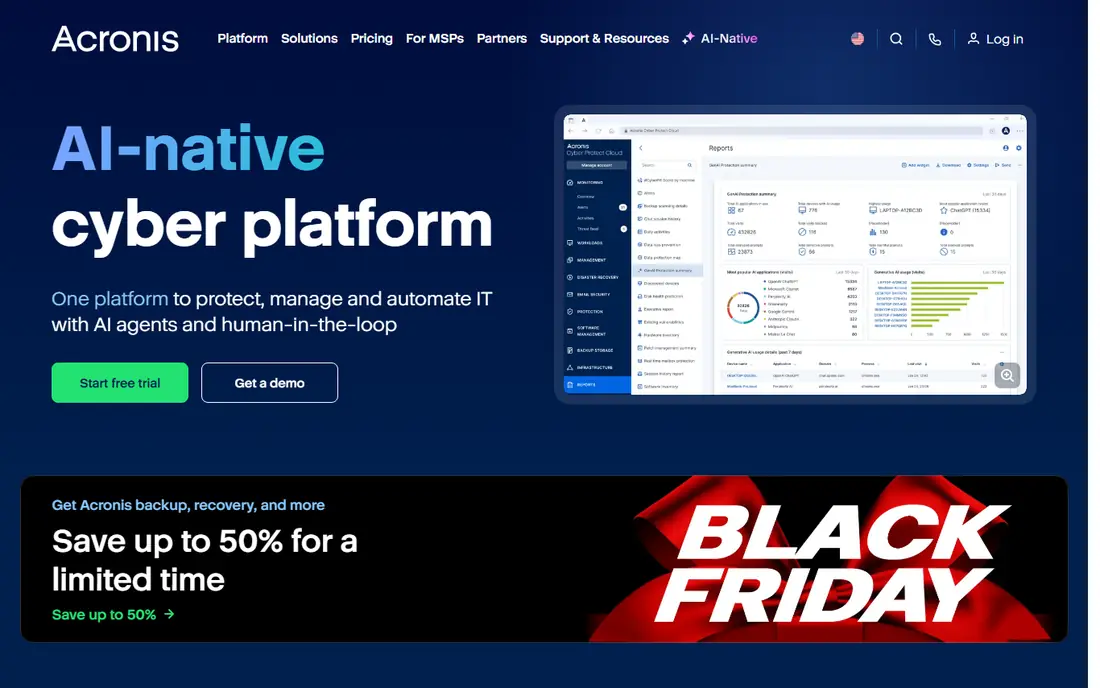
Acronis Cyber Protect Cloud combines backup, disaster recovery, and endpoint security in a single platform, which suits managed service providers and IT teams that want fewer consoles. It backs up Microsoft 365 seats, Google Workspace, servers, virtual machines, workstations, and websites. Restore options include granular recovery of mail and files, plus cloud failover that can start a critical system directly in the Acronis Cloud during an outage.
The pricing model is the part to study with care. Acronis charges per workload, so a server, a workstation, and a Microsoft 365 seat each carry a different rate, and cloud storage is billed per gigabyte on top. Partner listings show Microsoft 365 backup from about $3.74 per seat per month with storage extra, but the vendor does not publish a single list price. Request a quote that covers every workload type you plan to protect.
- Backup, anti malware, and disaster recovery in one agent
- Broad workload coverage beyond SaaS
- Per workload pricing with separate storage fees makes the total hard to predict
Keepit
Ideal for: Independent cloud backup for SaaS apps
Keepit is a pure SaaS backup platform that stores your copies in its own independent cloud, spread across seven global regions, rather than inside the same cloud that hosts your production data. That separation is the core selling point: if your Microsoft 365 tenant is compromised, the backup copy sits outside it. The platform covers Microsoft 365, Google Workspace, Salesforce, and more than a dozen other SaaS apps, with immutable backups and retention that can extend to 99 years. There are no storage caps and no egress fees, so a growing mailbox does not change the per user price.
Pricing is quote based, with Business Essentials, Enterprise Unlimited, and Governance Plus tiers for Microsoft 365. Third party listings cite about $4.95 per seat per month, but Keepit does not publish a starting price on its own site, so treat that figure as a guide only and request a written quote. Confirm which tier includes the retention period you need, since governance features and support coverage vary by package.
- Backups live in Keepit owned infrastructure, separate from Microsoft or Google
- Flat per user model with no storage caps
- No public starting price, and higher tiers reserve 24 by 7 phone support for larger plans
Spanning Backup
Ideal for: Simple daily backup for three SaaS suites
Spanning Backup, part of Kaseya, is built only for SaaS backup, and that focus keeps setup simple. It backs up Google Workspace, Microsoft 365, and Salesforce with automated daily backups, point in time restore, and unlimited retention. End users can restore their own mail, files, or records without waiting for an admin. The admin console lets you pick exactly which accounts and data types are protected, and offline access to Salesforce backups keeps data reachable even during a Salesforce outage.
Pricing starts at $48 per user per year, which works out to $4 per user per month billed annually, according to current third party listings of the vendor price. That per user model makes budgeting simple for small and mid size teams, but the bill grows in direct proportion to headcount. Coverage is the main limit: some Microsoft 365 components fall outside the backup scope, and apps beyond the three supported suites are not protected.
- Automated daily backups with unlimited retention
- End user self service restore
- Covers only Google Workspace, Microsoft 365, and Salesforce, so other SaaS apps need a second tool
HYCU
Ideal for: Small teams that want a fixed starter bundle
HYCU R-Cloud protects SaaS applications, cloud infrastructure, and on premises workloads from one platform, with support for Microsoft 365, Google Workspace, Atlassian, GitHub, Salesforce, Box, and many other apps. The Starter Bundle is the clearest entry point for smaller orgs: it starts at $5,000 per year for organisations with under 100 employees, or $7,500 per year for 100 to 200 employees, with a 12 month minimum term. The bundle covers up to 50 virtual machines, 10 TB of protected infrastructure data, and up to 100 SaaS users, with 24 by 7 support included.
One detail changes the cost picture. HYCU writes backups to a storage target your organisation owns, such as AWS, Google Cloud, or an S3 compatible service, so the bundle price is software only and your cloud bill carries storage and egress separately. Per suite SaaS pricing is also published, with the Atlassian Suite at $4.00 per user per month and Microsoft 365 at $2.25 per user per month in third party listings of vendor prices. Confirm the storage cost for your data volume before you buy.
- Starter Bundle price is published on the vendor site
- Covers more than 100 workloads including SaaS, cloud, and on premises
- Backups are written to storage you own, so cloud storage and egress sit outside the bundle price
Commvault Cloud
Ideal for: Enterprise SaaS backup with compliance search
Commvault Cloud is the SaaS form of a long standing enterprise backup platform, and it is one of the few vendors in this guide with a full pricing page on its own site. The Microsoft 365 Standard tier starts at $1.70 per user per month and includes 5 GB per user, while Enterprise starts at $3.60 per user per month with 50 GB per user, and Enterprise with Compliance starts at $4.50 per user per month with Microsoft 365 Compliance Search. Salesforce backup is $3.60 per user per month with unlimited storage. The platform also covers databases, virtual machines, Kubernetes, and file data on a per terabyte basis.
The low entry price is real, but the 5 GB storage allowance in Standard is the catch for teams with large mailboxes or heavy SharePoint use. Work out your average storage per user before you pick a tier, and ask what happens when a user passes the allowance. Commvault also offers clean room recovery testing and threat detection, which matter for larger estates with formal recovery targets.
- Published SaaS pricing page with three clear tiers
- Compliance search and eDiscovery in higher tiers
- The entry tier includes only 5 GB per user, so storage overage needs a close look
AvePoint Cloud Backup
Ideal for: Microsoft 365 governance plus backup
AvePoint Cloud Backup focuses on Microsoft 365, with additional coverage for Google Workspace, Salesforce, Dynamics 365, and Entra ID. It backs up Exchange, SharePoint, OneDrive, and Teams, and it restores at item level and permission level, so a deleted site or a changed permission set can be put back without a full tenant restore. The vendor cites restore speeds of up to 1,000 average sized SharePoint sites at a rate of up to 1 to 3 TB per hour. Governance, migration, and records tools sit alongside backup in the wider AvePoint platform.
Pricing is not published, and some licensing terms set a 500 user minimum, which can rule the product out for smaller teams. Reseller listings show Microsoft 365 backup from about $2 per user per month, but you should request a direct quote for your seat count and retention needs. Confirm whether unlimited retention is included in your quote, since retention terms vary by package. For Microsoft heavy estates with compliance duties, the governance depth is the reason to shortlist AvePoint.
- Fast restore for SharePoint and Teams, with item and permission level recovery
- Strong fit for regulated Microsoft shops
- No public price list, and the vendor sets a 500 user minimum on some licensing terms
How we chose
We checked each vendor homepage on 11 November 2026 and confirmed it loads, then reviewed vendor pricing pages, product pages, and documentation for coverage, restore options, retention, and support. Prices in this guide come from vendor pricing pages where the vendor publishes them: Commvault Cloud at $1.70 per user per month and the HYCU Starter Bundle at $5,000 per year were both read directly from vendor pricing pages today. Veeam at $2.63 per user per month and Spanning at $48 per user per year are published prices corroborated by current third party listings. Druva, Acronis, Keepit, and AvePoint do not publish a starting price, so they are listed as quote only. We compared backup frequency, granular restore, immutability, retention limits, and storage terms. No hands on testing was done for this guide.
What to check before you buy
Start with coverage. List every SaaS app that holds data your business cannot lose, then check each one against the vendor coverage page. Next, test the restore path. Ask for a demo restore of a single mail item, a single file version, and a single Salesforce record, and time each one. Then read the retention terms. Unlimited retention sounds generous, but some plans shorten retention for deleted users or charge extra after a set period.
Use the decision table below to match a shortlist to your team size and budget. The figures use the starting prices verified for this guide, and quote only tools need a written quote before you place them in a budget.
| Team size | Budget signal | Best starting point | | Under 25 users | Under $150 per month | Commvault Cloud Standard at $1.70 per user per month, or Spanning Backup at $4 per user per month | | 25 to 100 users | $150 to $500 per month | HYCU Starter Bundle at $5,000 per year, or Veeam Data Cloud Foundation at $2.63 per user per month | | 100 to 500 users | $500 to $2,500 per month | Veeam Data Cloud Advanced, Commvault Cloud Enterprise, or Keepit with a written quote | | Over 500 users | Over $2,500 per month | Commvault Cloud Enterprise with Compliance, Druva, or AvePoint Cloud Backup with volume terms |
Also confirm data residency, since some vendors store backups in a fixed region while others let you choose. Check the support hours in your plan, because 24 by 7 support is often reserved for higher tiers. Ask who owns the backup storage and what happens to your copies if you cancel. Finally, confirm the minimum term and the minimum user count, since AvePoint terms cite a 500 user minimum and HYCU requires a 12 month minimum on its Starter Bundle.
Frequently asked questions
Does Microsoft 365 include a full backup I can rely on?
Microsoft 365 keeps deleted items for a limited window, usually 30 days for mail and files in the recycle bin, and it does not promise point in time recovery of a whole mailbox or site. A separate backup tool copies your data to independent storage with its own retention rules, so you can restore items long after the native window closes.
How often should SaaS backups run?
Daily backup is the common baseline for mail, files, and CRM records, and several tools in this guide run automatically each day. Teams with fast changing records, such as sales pipelines or support tickets, may want shorter intervals. Druva cites a 10 minute recovery point objective for SaaS apps, while other vendors run on a daily schedule.
What is granular restore and why does it matter?
Granular restore lets you bring back one mail message, one file version, one SharePoint item, or one Salesforce record without restoring a whole mailbox or tenant. Full restores take longer and can overwrite good data with older copies. Every tool in this guide offers some form of granular restore, so test the exact item types you restore most often before you sign.
Is immutable backup storage worth the extra cost?
Immutable storage blocks changes to backup copies for a set period, so ransomware cannot encrypt or delete them. Veeam, Druva, Keepit, and Commvault all offer immutable copies as part of their platforms. The cost is usually bundled into the subscription rather than charged as an add on. If your risk plan includes ransomware, treat immutability as a requirement.
How do I compare quote only tools with published prices?
Ask each quote only vendor for the same written breakdown: per user fee, storage allowance and overage rate, retention period, restore and egress charges, support hours, and minimum term. Put those figures into a simple sheet next to the published prices in this guide.
Can one tool back up Microsoft 365, Google Workspace, and Salesforce together?
Yes, several tools in this guide cover all three suites from one console, including Druva, Keepit, Spanning Backup, and HYCU. Veeam covers Microsoft 365 and Salesforce, while AvePoint and Commvault focus more on Microsoft 365 with added Salesforce coverage. Shortlist the multi suite tools first if your team runs all three suites.