Best Board Management Software for Charities

- 1
 BoardEffectNonprofits needing a purpose-built portalVisit
- 2
 BoardableSmall nonprofit boards wanting clear pricingVisit
- 3
 BoardProCharities wanting per-board pricingVisit
- 4
 OnBoardBoards wanting a modern interface and AIVisit
- 5
 Diligent BoardsLarge charities needing deep governanceVisit
- BoardPro and Boardable are the only two tools here with published prices, so a small charity can budget without a sales call.
- BoardPro charges per board with unlimited users, and its nonprofit rate is $990 per board per year for charities with expenses under $1 million.
- Boardable starts at $20.99 per user per month billed annually, and its free Core plan suits very small boards.
- BoardEffect is built for nonprofits, but it is quote only with no free trial, so it suits larger charities with governance staff.
- Diligent Boards, Nasdaq Boardvantage, and Govenda are enterprise tools that are oversized and quote only for most small charities.
Quick comparison
| Product | Ideal for | Price from | Free version | |
|---|---|---|---|---|
| BoardEffect | Nonprofits needing a purpose-built portal | quote only | No | Visit |
| Boardable | Small nonprofit boards wanting clear pricing | $20.99 per user per month (billed annually) | Yes | Visit |
| BoardPro | Charities wanting per-board pricing | $165 per board per month (billed annually) | Free trial (30 days) | Visit |
| OnBoard | Boards wanting a modern interface and AI | quote only | Free trial (by request) | Visit |
| Diligent Boards | Large charities needing deep governance | quote only | No | Visit |
 Azeus Convene | International boards meeting across countries | quote only | Free trial (on request) | Visit |
 Nasdaq Boardvantage | Listed-company style governance | quote only | No | Visit |
 Govenda | Mid-market boards wanting unlimited users | quote only | No | Visit |
The best board management software for charities
BoardEffect
Ideal for: Nonprofits needing a purpose-built portal
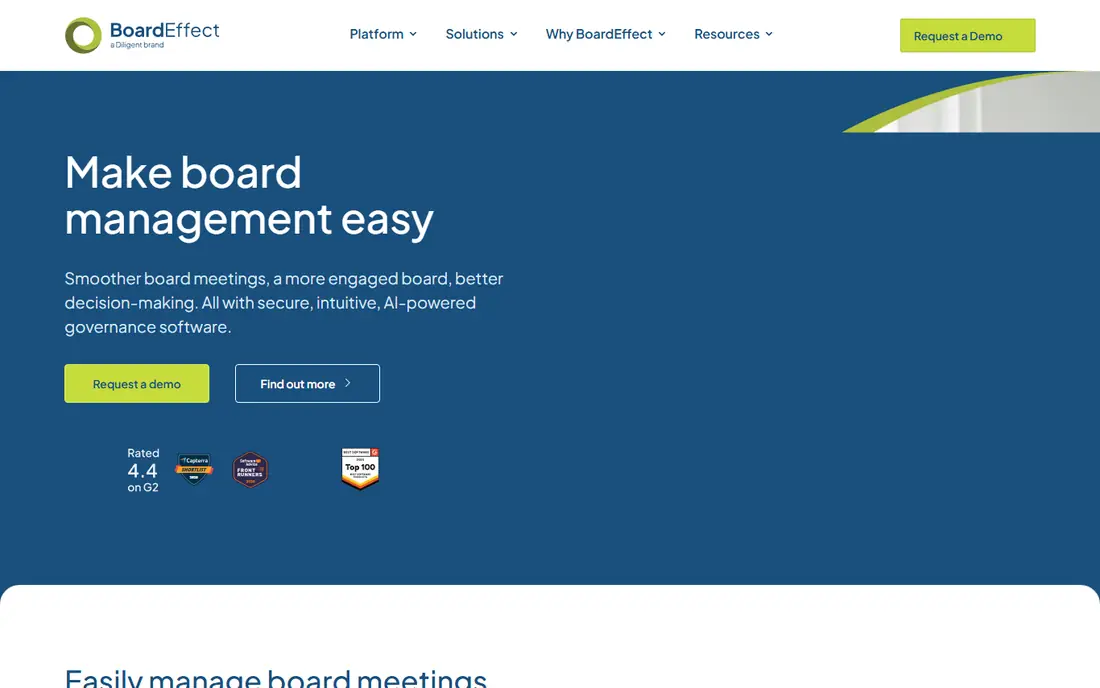
BoardEffect is the Diligent brand built for mission-driven organisations, and it shows in the feature set. Committee structures, board assessments, policy libraries, and survey templates are part of the design, not add-ons. The entry Pro tier covers one board with AI board book summarisation, an audit log, Microsoft integration, and SSO with multi-factor authentication, which gives a charity solid security from the start.
The problem for a small charity is the buying process. BoardEffect publishes no prices and offers no free trial, so you cannot budget without a sales conversation, and the Minutes tool and Messenger sit in the higher Plus tier. That makes it a better fit for a larger charity with governance staff and a budget for a sales-led purchase than for a volunteer board that needs a price on the page.
- Built for nonprofits, foundations, higher education, and healthcare
- Strong security with audit log and SSO/MFA on the entry tier
- No published pricing and no free trial
- Minutes and Messenger need the higher Plus tier
Boardable
Ideal for: Small nonprofit boards wanting clear pricing
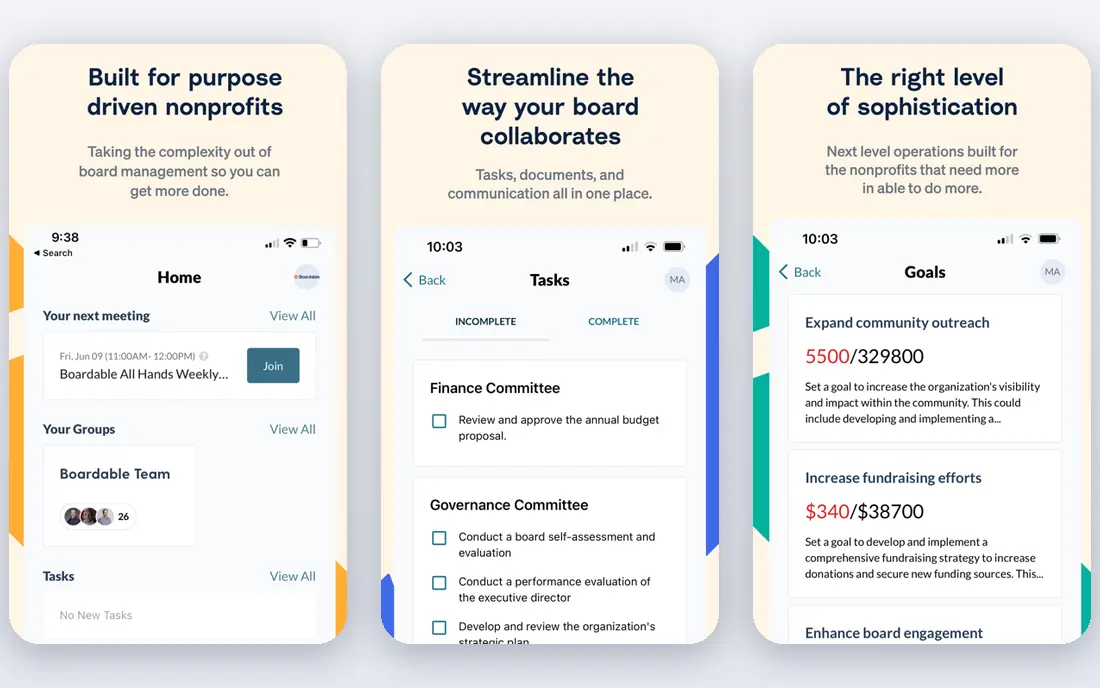
Boardable is built for nonprofit boards, with an agenda builder, board packets, tasks, and discussions arranged around the meeting cycle. Pricing is published, which is rare in this category. Core is free at $0 for up to 3 groups with secure document storage, meeting scheduling, and agendas. Essentials costs $20.99 per user per month billed annually, Professional is $29.99, and Professional+ is $35.99, so a board can see the full ladder before talking to anyone.
The catch is per-user billing. Every director, committee member, and observer who needs a seat adds to the bill, and a 15-person board on Essentials costs about $3,778 a year at list. eSignatures need Professional and AI minutes need Professional+, so check which tier holds the features your board actually uses. A 14-day trial of Professional+ features needs no credit card.
- Built for nonprofit boards with a meeting-centred workflow
- Transparent published pricing plus a free Core tier
- Per-user billing means a 15-person board costs about $3,778 a year on Essentials
- ESignatures need Professional
BoardPro
Ideal for: Charities wanting per-board pricing
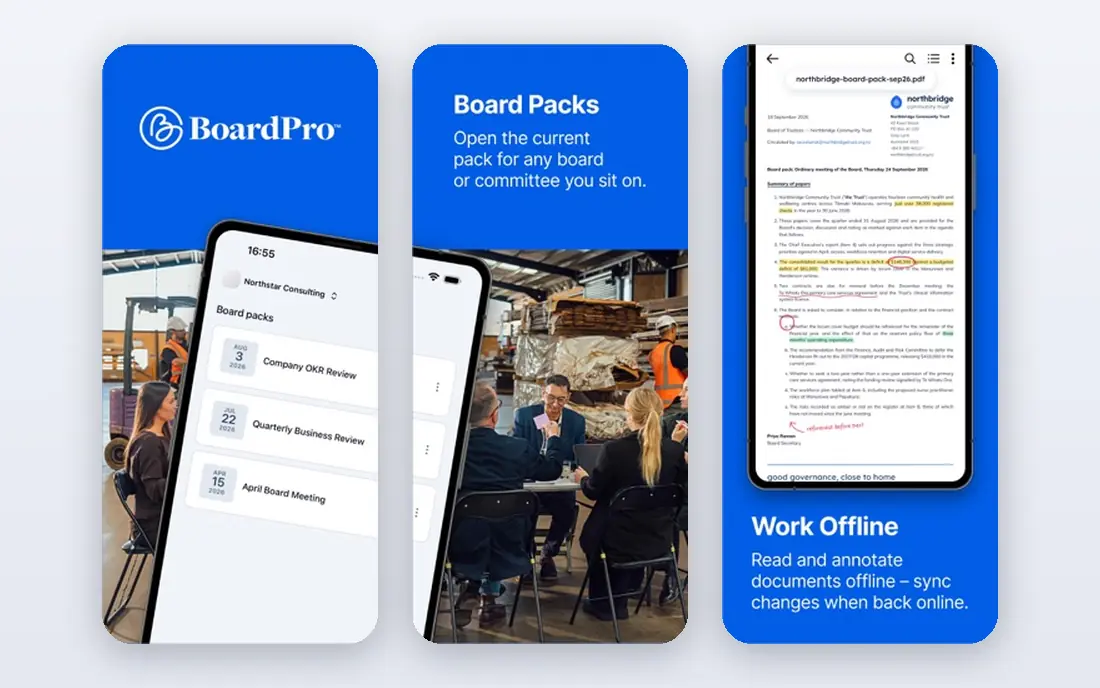
BoardPro charges per board, not per user, which suits volunteer charity boards where the director count changes often. Essentials costs $165 per board per month, or $1,650 per board per year, with unlimited users and unlimited document storage. It covers the full meeting cycle: agenda builder, board packs, minutes, actions, decision register, interest register, and annual work plan. A 30-day trial needs no credit card.
The nonprofit discount is the strongest in this list. Charities with expenses under $1 million get 40 percent off, which brings Essentials to $990 per board per year, and charities over $1 million get 20 percent off. The discount is annual billing only. Voting, minutes signing, eSignatures, and BoardPro AI need Premium at $275 per month, and each subcommittee costs $82.50 per month extra, so price those in if your board runs committees.
- Per-board pricing with unlimited users, so adding directors costs nothing extra
- Full meeting cycle covered in Essentials
- Voting, minutes signing, eSignatures, and AI need Premium at $275 per month
- Subcommittees cost $82.50 per month each
OnBoard
Ideal for: Boards wanting a modern interface and AI
OnBoard is a modern board portal with a clean interface that directors find easy to use, with mobile apps, Zoom and Teams integration, annotations, and unlimited groups and committees at no extra cost. AI Assist for board books is included on every plan, and the platform is SOC 2 Type 2 and ISO 27001 certified, which matters for charities that handle sensitive papers. A trial is available by request form, though the vendor does not state its length.
The price is quote only, with Essentials, Premium, and Ultimate tiers and no dollar figures on the pricing page. OnBoard advertises a 50 percent nonprofit discount, but it requires a multi-year contract with auto-renew, and the TechSoup route needs a minimum 3-year subscription. The minutes builder, approvals, eSignatures, and engagement analytics start on Premium, not Essentials, and the AI Suite and SSO are add-ons.
- Modern, director-friendly interface with mobile apps and Zoom and Teams integration
- AI Assist for board books on every plan
- No published pricing, so budgeting needs a demo and sales conversation
- Minutes builder and eSignatures start on Premium
Diligent Boards
Ideal for: Large charities needing deep governance
Diligent Boards is the enterprise end of this list. It covers board packs, voting, eSignatures, D and O questionnaires, board assessments, entity management, and a built-in data room, plus GovernAI cited answers drawn from board materials. More than 25,000 organisations use Diligent products, and the platform holds ISO/IEC 27001 and SOC 2 Type II certification with end-to-end encryption, which suits charities with complex governance needs.
For most small charities it is oversized. Diligent publishes no per-seat or tiered pricing, and there is no public pricing page, so every purchase starts with sales. Published terms default to a three-year initial term with auto-renewing rollover, and implementation is heavy. Diligent points nonprofit buyers toward BoardEffect instead, which is the better first stop for a charity.
- Enterprise-grade governance depth with board packs, voting, eSignatures, and assessments
- 25,000 plus organisations and strong security certifications
- Quote-only enterprise pricing with a sales-led process and heavy implementation
- Three-year default term
Azeus Convene
Ideal for: International boards meeting across countries
Azeus Convene is built for boards that meet across countries and languages, with cloud or on-premise hosting and multi-language support. The pricing page lists three plans, Lite, Standard, and Enterprise, each with a request-a-quote button and no dollar figures. Pricing is per user licence, per year, according to the vendor FAQ. Cloud setup can take as little as 24 hours, with AES-256 document encryption, multi-factor authentication, and audit trails.
The entry Lite plan covers only the meetings module, so most boards need Standard, which adds resolutions, review rooms, document library, reports, audit trails, and task management. A trial is available on request through the sales team, with no stated length. Per-user licensing means the bill grows with every director, so a charity should get the per-user figure in writing before comparing it with per-board tools like BoardPro.
- Cloud or on-premise hosting with multi-language support
- Fast cloud setup in as little as 24 hours per the vendor FAQ
- No published pricing and the entry Lite plan covers only the meetings module, so most boards need Standard
Nasdaq Boardvantage
Ideal for: Listed-company style governance
Nasdaq Boardvantage sells one all-inclusive price with no hidden fees or upcharges, and unlimited storage, so there is no tiered upsell to track. Security controls are strong for regulated boards: SOC 2 Type II audited, ISO 27001 certified, several multi-factor options, and administrators can remotely purge downloaded content. A free self-guided product tour is offered instead of a trial.
The pricing page states the one-price model but shows no dollar figure anywhere, so the cost is quote only and the implementation is sales-led, with a user-count-based one-time implementation fee. It is built for listed companies, so a small charity pays for public-company compliance machinery it does not need. It belongs on the shortlist only for a charity that already runs listed-company style governance.
- Single all-inclusive price with no feature upcharges and unlimited storage
- Strong security with remote purge of downloaded content
- Quote-based enterprise pricing with a sales-led implementation
- Built for listed companies, not small charities
Govenda
Ideal for: Mid-market boards wanting unlimited users
Govenda, formerly BoardBookit, offers unlimited users, committees, and groups on every plan with no implementation fees and 24/7 support, so the bill does not grow as the board adds members. All features come standard with no modules or add-ons to buy, and free account migration from a previous portal is offered. There is no public pricing page, and buyers are routed to contact sales, with no free trial, only a demo.
Two flags matter for a charity buyer. First, Govenda is aimed at mid-market and corporate boards rather than small charities. Second, since the 2024 OnBoard acquisition, its future as a standalone product is less clear, so a charity should ask about the product roadmap before committing. The homepage also returned a bot-verification page in a text check on 13 November 2026, so confirm it loads in a normal browser before you rely on the site.
First-year cost for a 12-person board
| Tool | First-year cost, 12 people | Notes | | Boardable Core | $0 | Free, up to 3 groups and 50 documents | | Boardable Essentials | $3,022.56 | 12 users at $251.88 per user per year | | BoardPro Essentials, nonprofit under $1m | $990 | Per board, unlimited users, 40 percent off | | BoardPro Essentials, list | $1,650 | Per board, unlimited users | | BoardEffect | Quote only | No published price | | OnBoard | Quote only | 50 percent nonprofit discount needs a multi-year contract | | Diligent Boards | Quote only | Enterprise pricing | | Azeus Convene | Quote only | Per-user licence, per year | | Nasdaq Boardvantage | Quote only | One all-inclusive price, no figure | | Govenda | Quote only | No published price |
- Unlimited users, committees, and groups on every plan with no implementation fees
- All features standard with no modules to buy
- No published pricing, so costs need a sales conversation
- Aimed at mid-market and corporate boards, not small charities
How we chose
We compared the vendor pricing pages, product pages, and docs for each tool on 13 November 2026. We checked the starting price, the free plan, trial terms, nonprofit discounts, meeting features, and security certifications. We did not run hands-on tests. Only BoardPro and Boardable publish prices, and both were read directly from the vendor pricing pages today. The other six are quote only, confirmed on their vendor pages. Govenda's homepage returned a bot-verification page in a text check today, so its homepage load needs a live browser re-check. OnBoard's nonprofit discount terms come from TechSoup and third-party reads, not from the vendor pricing page, so confirm them with the vendor.
What to check before you buy
Check the pricing model first, because per-user and per-board pricing behave very differently as a board grows. A 12-person board costs $3,022.56 a year on Boardable Essentials but $990 a year on BoardPro at the nonprofit rate under $1 million. Next, check which tier holds the features you need, since minutes, eSignatures, and voting often sit above the entry tier. Then check the trial, because BoardPro offers 30 days with no card, Boardable offers 14 days, and BoardEffect offers none. Check the nonprofit discount terms in writing, including contract length and auto-renew, before signing. Finally, check security basics such as SSO, multi-factor authentication, and audit logs, which matter when board papers are sensitive.
Frequently asked questions
Which board management software is best for a small charity?
BoardPro is the best pick for most small charities, because it charges per board with unlimited users and its nonprofit rate is $990 per board per year for expenses under $1 million. Boardable is the best alternative, with a free Core plan and Essentials at $20.99 per user per month billed annually. Both publish prices, which most tools in this category do not.
Is there free board management software for charities?
Yes, Boardable offers a free Core plan at $0 for up to 3 groups with document storage, meeting scheduling, and agendas. No other tool in this list has a free plan. BoardPro and Boardable offer free trials, 30 days and 14 days, while OnBoard and Azeus Convene offer trials on request. The rest offer a demo only.
Do charities get discounts on board management software?
Yes, some vendors offer them. BoardPro gives 40 percent off for charities with expenses under $1 million and 20 percent off above that, on annual billing. OnBoard advertises 50 percent off, but it requires a multi-year contract with auto-renew, and the TechSoup route needs a minimum 3-year subscription. Always get the discount terms in writing before signing.
What features does a charity board actually need?
A charity board needs an agenda builder, board packs, minutes, actions, and a decision register, plus secure document storage and an audit log. Voting, eSignatures, and a skills register help as the board grows. Security basics such as SSO and multi-factor authentication matter when papers are sensitive. Most of these sit in the entry tier of BoardPro and Boardable, but check each vendor's tier list.
Should a small charity buy an enterprise board portal?
Usually not. Enterprise tools like Diligent Boards and Nasdaq Boardvantage are built for listed companies, with quote-only pricing, sales-led implementation, and governance features a small charity will not use. A small charity is better served by BoardPro or Boardable, and should only move to an enterprise portal when the board outgrows the small-board tools.
Sources
- https://www.boardeffect.com/pricing/
- https://boardable.com/pricing-details/
- https://www.boardpro.com/pricing
- https://www.onboardmeetings.com/board-portal/pricing/
- https://www.diligent.com/products/boards
- https://www.azeusconvene.com/pricing
- https://www.nasdaq.com/solutions/governance/boardvantage/pricing
- https://www.govenda.com/