Best Budget App in 2026: 8 Apps Compared

- 1
 YNABHands-on budgeting that assigns every dollarVisit
- 2
 Monarch MoneyDetailed planning and forecastingVisit
- 3
 Rocket MoneyFind subscriptions and track spendingVisit
- 4
 PocketSmithForecasting and long-term planningVisit
- 5
 GoodbudgetDigital envelope budgetingVisit
- YNAB suits hands-on budgeters who assign every dollar a job, while PocketSmith and Monarch suit detailed planning and forecasting.
- Rocket Money suits users who want to find and cancel subscriptions, while Goodbudget suits envelope budgeting fans.
- Free apps like NerdWallet offer spending tracking, but full budgeting features often need a paid plan.
- Check bank sync reliability for your banks, since a budget app is only useful if transactions import accurately.
Quick comparison
| Product | Ideal for | Price from | Free version | |
|---|---|---|---|---|
| YNAB | Hands-on budgeting that assigns every dollar | See website | No | Visit |
| Monarch Money | Detailed planning and forecasting | See website | No | Visit |
| Rocket Money | Find subscriptions and track spending | See website | Yes | Visit |
| PocketSmith | Forecasting and long-term planning | See website | No | Visit |
| Goodbudget | Digital envelope budgeting | See website | Yes | Visit |
 NerdWallet | Free spending tracking and credit score | Free | Yes | Visit |
 Simplifi by Quicken | Budgeting and spending tracking by Quicken | See website | No | Visit |
 Copilot Money | Beautiful budget app for Apple users | See website | No | Visit |
The best budget apps
We compared official feature pages, pricing pages, app store listings, privacy policies and public reviews to build this list, focusing on products that fit the topic closely and are still available in October 2026.
YNAB
Ideal for: Hands-on budgeting that assigns every dollar

YNAB, short for You Need A Budget, is the best app for hands-on budgeters who want to assign every dollar a job. Its zero-based method, where income minus planned spending equals zero, helps users break the paycheck-to-paycheck cycle and plan for true expenses like car repairs. Education and community support are strong.
A subscription is required, and the method takes time to learn, especially if you are used to passive tracking. Bank sync can also be finicky for some banks, requiring manual import. YNAB suits users who will actively budget weekly and want a method, not just a spending report.
- Zero-based budgeting method
- Clear rules and education
- Good for debt payoff
- Subscription needed
- Learning curve
- Bank sync can be finicky for some banks
Monarch Money
Ideal for: Detailed planning and forecasting
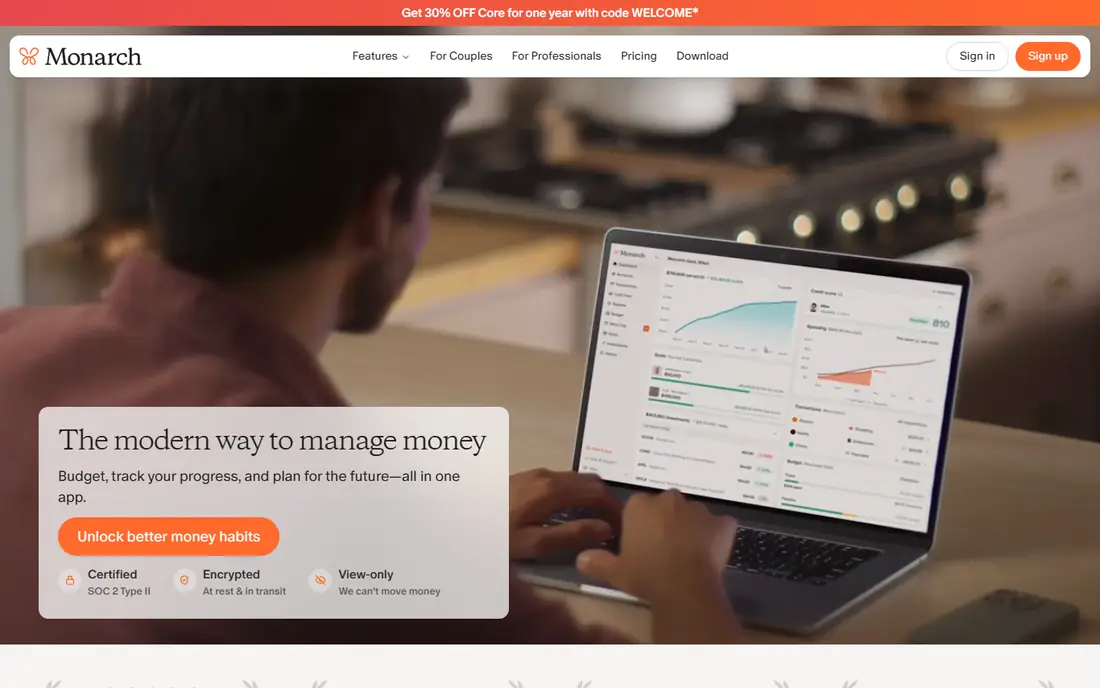
Monarch Money suits users who want detailed budgeting, cash flow forecasting, and net worth tracking in one app. Custom categories, goals, and reports give a clear view of spending, saving, and investments, with a polished interface that many former Mint users prefer. Collaboration for couples is also supported.
A subscription is required, with only a trial to test it, and bank sync reliability varies by bank. Monarch suits households that want detailed planning and are willing to pay for it. If you only need basic spending tracking, a free app may be enough.
- Detailed budgets, cash flow, and net worth tracking
- Custom categories
- Good reports
- Subscription needed
- No free tier beyond a trial
- Bank sync varies by bank
Rocket Money
Ideal for: Find subscriptions and track spending

Rocket Money, formerly Truebill, suits users whose main budget leak is subscriptions. It finds recurring charges, tracks spending, and offers bill negotiation and subscription cancellation help on some plans. That focus makes it easy to save money quickly by cutting unused services.
Full features need a Premium subscription, and bill negotiation takes a percentage of savings, so check terms before using it. Budgeting tools are thinner than YNAB or Monarch. Rocket Money suits users who want to clean up subscriptions and track spending, paired with a dedicated budget app if needed.
- Finds subscriptions and recurring charges
- Spending tracking
- Bill negotiation on some plans
- Full features need Premium
- Bill negotiation takes a cut of savings
- Budgeting is thinner than YNAB
PocketSmith
Ideal for: Forecasting and long-term planning
PocketSmith suits planners who want to see the future, not just the past. Cash flow forecasting shows how budgets, bills, and goals play out over months and years, which helps for retirement, debt payoff, and large purchases. Detailed budgets and reports support that long view.
A subscription is required, and the forecasting tools take time to learn. Bank feed availability also varies by country and bank. PocketSmith suits detailed planners and users outside the US who want strong forecasting. Casual budgeters may find YNAB or Monarch simpler.
- Cash flow forecasting up to 30 years
- Detailed budgets
- Good for planning ahead
- Subscription needed
- Learning curve
- Bank feeds vary by country and bank
Goodbudget
Ideal for: Digital envelope budgeting
Goodbudget brings envelope budgeting to a phone, with virtual envelopes for groceries, rent, transport, and fun. You allocate money to envelopes, spend from them, and see what remains, which helps users who overspend in specific categories. Shared budgets let couples manage envelopes together.
The free tier limits the number of envelopes and accounts, and bank sync is manual or limited compared with YNAB or Monarch, so you enter many transactions yourself. Goodbudget suits envelope fans and couples who want a simple, shared system and do not mind manual entry.
- Envelope method with virtual envelopes
- Shared budgets for couples
- Good for cash-style budgeting
- Free tier limits envelopes
- Bank sync is manual or limited
- Interface is simple
NerdWallet
Ideal for: Free spending tracking and credit score
NerdWallet offers free spending tracking, a net worth view, and a free credit score, alongside extensive financial education articles. That combination makes it a good starting point for users who want to see spending and credit in one free app, without paying for a dedicated budget tool.
Budgeting tools are basic compared with YNAB or Monarch, with less customisation and forecasting. Product recommendations for cards and loans are also prominent. NerdWallet suits beginners who want free tracking and education, and who will use a dedicated budget app later if they need more control.
- Free spending tracking and net worth view
- Free credit score
- Financial education
- Budgeting tools are basic
- Product recommendations are prominent
- Bank sync varies
Simplifi by Quicken
Ideal for: Budgeting and spending tracking by Quicken
Simplifi by Quicken offers spending plans, watchlists, and reports that help users track spending against a monthly plan. Bank sync covers many US banks, and the Quicken ecosystem appeals to users who already track finances with Quicken products. That combination suits households that want clear spending plans without a complex method.
A subscription is required, and zero-based budgeting features lag YNAB for hands-on budgeters. Simplifi suits users who want spending plans and reports in a clean app, especially if they already use Quicken. Check bank sync during a trial before committing.
- Spending plans, watchlists, and reports
- Good bank sync
- Quicken ecosystem
- Subscription needed
- No free tier
- Features lag YNAB for zero-based budgeting
Copilot Money
Ideal for: Beautiful budget app for Apple users
Copilot Money suits Apple users who want a beautiful, modern budget app. Smart categorisation, budgets, net worth tracking, and a clean interface make daily checking pleasant, which helps users actually open the app. That design focus is why many Apple users prefer Copilot to older budget tools.
Copilot is Apple focused, with a full app on iPhone, iPad, and Mac, and Android support is limited. A subscription is required, and bank sync varies by bank. Copilot suits Apple households that want a polished budget app and are willing to pay for design and categorisation.
- Beautiful interface
- Smart categorisation
- Budgets and net worth
- Apple focused
- Apple only for full app
- Subscription needed
- Bank sync varies by bank
How we picked these
We compared official feature pages, pricing pages, app store listings, privacy policies and public reviews for each option in this guide. We checked that each product is still offered in October 2026, that its homepage loads, and that its price or free tier could be confirmed or marked as See website when it could not. We did not claim hands-on testing. We favoured products that fit the topic closely, explain their limits clearly, and give readers a practical way to try them before paying. Where prices change often, we say so and point readers to the vendor page for the current figure.
How to choose a budget app
Start with your budgeting style. Hands-on budgeters should try YNAB, envelope fans should try Goodbudget, planners should try Monarch or PocketSmith, and subscription cleaners should try Rocket Money. Test bank sync with your main banks during a trial, since a broken feed makes any app useless. Review spending weekly, not just monthly, to catch problems early.
Before you pay,try the free tier or trial first and check the exact limits that matter to you, such as device support, export options, or cancellation terms. Read the privacy policy for any app that handles personal, financial, or health data, and check whether your data can be exported or deleted. The cheapest option is not always the best value if it lacks a feature you will use every week, and the most expensive option is rarely worth it if you only need the basics.
Frequently asked questions
What is the best budget app overall?
YNAB is best for hands-on budgeting, Monarch Money is best for detailed planning, and Rocket Money is best for finding subscriptions. NerdWallet offers good free tracking for beginners.
Are budget apps free?
NerdWallet offers free tracking, Goodbudget and Rocket Money offer free tiers with limits, and YNAB, Monarch, PocketSmith, and Copilot require subscriptions. Try free tiers first to see if paid features are worth it.
Do budget apps connect to my bank?
Most budget apps connect to banks through aggregators, but reliability varies by bank and account type. Test sync during a trial, check for duplicate or missing transactions, and be ready to import manually if a bank does not sync well.
What is zero-based budgeting?
Zero-based budgeting means assigning every dollar of income to a spending, saving, or debt category, so income minus planned spending equals zero. YNAB uses this method, which helps users plan for irregular expenses and avoid overspending.
Can a budget app help me save money?
Yes, if you review spending weekly and act on what you find, such as cancelling unused subscriptions or capping a category. An app alone does not save money, but visibility plus a weekly review often leads to better decisions.