Best Calorie Counter Apps in 2026: 8 Apps Compared

- 1
 MyFitnessPalLargest food database and device syncingVisit
- 2
 CronometerAccurate nutrient tracking on a free planVisit
- 3
 MacroFactorAdaptive targets and macro coachingVisit
- 4
 Lose It!Simple weight loss trackingVisit
- 5
 MyNetDiaryFree barcode scanning and verified foodsVisit
- Cronometer is our pick for most people who want a free tier that still tracks up to 84 nutrients, with Gold at $59.99 per year or $10.99 per month.
- MyFitnessPal has the biggest food database (20.5 million foods on its site), but barcode scanning, voice logging and custom macro goals sit behind Premium at $9.99 per month or $49.99 per year.
- MacroFactor has no free tier. It costs $71.99 per year or $11.99 per month after a 7-day trial listed on the App Store, and it adjusts your targets based on your logged weight and food.
- MyNetDiary, FatSecret and Lose It! are the easiest places to start for free, and MyNetDiary's own site says its free tier includes a barcode scanner.
- Calorie apps are tools for awareness, not medical advice. If you have a medical condition or a history of disordered eating, talk to a doctor or dietitian first.
Quick comparison
| Product | Ideal for | Price from | Free version | |
|---|---|---|---|---|
| MyFitnessPal | Largest food database and device syncing | Free | Yes | Visit |
| Cronometer | Accurate nutrient tracking on a free plan | Free | Yes | Visit |
| MacroFactor | Adaptive targets and macro coaching | $11.99 per month | Free trial (7 days) | Visit |
| Lose It! | Simple weight loss tracking | Free | Yes | Visit |
| MyNetDiary | Free barcode scanning and verified foods | Free | Yes | Visit |
 Yazio | Fasting timers and meal plans | See website | Yes | Visit |
 FatSecret | A free tracker with a community | Free | Yes | Visit |
 Cal AI | Logging meals from a photo | See website | Free trial (3 days) | Visit |
The best calorie counter apps
A good calorie counter is one you will still open in week six, so we looked at how fast each app logs food, what stays free, and how much you can trust the numbers. These eight cover everything from free basics to paid coaching.
MyFitnessPal
Ideal for: Largest food database and device syncing
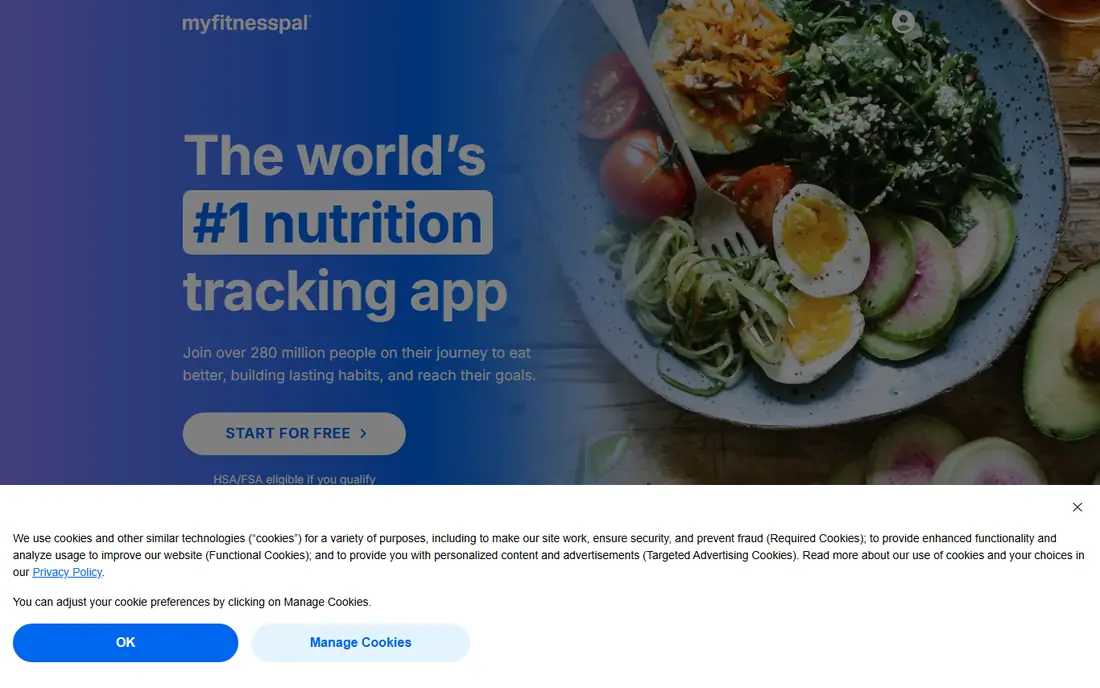
MyFitnessPal is the name most people know, and its homepage claims over 280 million people have joined. The App Store listing shows a 4.7 average from about 2.4 million ratings. The food database is its real advantage. Its site lists 20.5 million foods, including restaurant menu items, so you rarely end up creating an entry by hand.
The free plan covers nutrition, weight and exercise tracking. According to the Premium page, things like barcode and meal scan, voice log, macro goals set per day, ad-free logging and intermittent fasting are paid features. Premium costs $9.99 per month or $49.99 per year, and eligible new users can start a 7-day free trial.
The catch is that a large, user-contributed database means you still have to pick between similar entries. Choose it if you want maximum food coverage and plenty of integrations, and be ready to pay if you want scanning.
- Very large database (20.5 million foods on its site)
- Syncs with more than 35 apps and devices on Premium
- Meal Scan, Voice Log and an AI Coach available
- Barcode scan, voice logging and custom macro goals need Premium
- Free plan is limited compared with some rivals
Cronometer
Ideal for: Accurate nutrient tracking on a free plan

Cronometer is built for people who care about what is in the calories, not only the total. Its pricing page says the free Basic plan lets you log foods, exercise and biometrics, track up to 84 nutrients and compounds, set custom macro and micronutrient targets, sync with apps and devices, and use the barcode scanner. It also lists a database of more than 1 million lab-analyzed or verified foods.
Gold is listed at $59.99 per year (shown as $4.99 per month billed annually) or $10.99 per month. It adds up to 95 nutrients, Photo Log, Voice Log, a recipe importer, a fasting timer, an ad-free experience and unlimited historical data. The free plan limits reports and charts to a 7-day window.
We would send most people here first. The verified database is smaller than MyFitnessPal's, so an obscure regional product may be missing, but the entries you do find are cleaner.
- Free plan tracks up to 84 nutrients
- Database of more than 1 million verified foods
- Free plan includes the barcode scanner
- Photo Log and Voice Log are Gold only
- Interface is denser than simpler apps
MacroFactor
Ideal for: Adaptive targets and macro coaching

MacroFactor takes a different route from a plain diary. Its App Store listing describes an algorithm that estimates your energy expenditure and updates your calorie and macro targets in weekly check-ins, based on what you log rather than on how perfectly you hit last week's numbers. The listing also mentions barcode scanning, custom foods and micronutrient breakdowns.
MacroFactor's help center lists the nutrition app at $11.99 per month, $47.99 per half year or $71.99 per year, with a bundle that includes MacroFactor Workouts at $89.99 per year. The App Store listing offers a 7-day trial of the paid app. There is no permanent free plan, and prices can vary with your country and taxes.
It suits people who weigh themselves regularly and want the app to do the arithmetic. If you only want a quick diary and do not care about targets that adapt, the subscription is harder to justify.
- Adjusts calorie and macro targets from your logged data
- Ad-free with a verified food database
- Annual plan works out to about $6 per month
- No free tier
- The strength-training app is a separate product
Lose It!
Ideal for: Simple weight loss tracking

Lose It! is aimed squarely at weight loss, and the setup reflects it: you enter a goal and the app gives you a calorie budget. Its App Store description lists calorie tracking, a weight loss plan and community support as the free basics, with photo meal logging, AI voice logging and the barcode scanner under the Premium plan. Its website also mentions water tracking, macro goals and reports.
We could not confirm a single current Premium price from the company's website, and the App Store lists several Premium price points, so check the figure inside the app before you subscribe. The App Store shows a 4.8 rating from roughly 780,000 ratings.
Lose It! works well if your goal is simply to lose weight and you want a friendly, uncluttered diary. People who rely on barcode scanning every day should compare it against MyNetDiary, which keeps the scanner free.
- Free basic calorie tracking, weight loss plan and community
- Smart Camera and voice logging on Premium
- Connects to Apple Health and Google Fit
- Barcode scanner and photo logging are Premium features
- Premium price varies by plan on the App Store
MyNetDiary
Ideal for: Free barcode scanning and verified foods

MyNetDiary says it has more than 2 million staff-verified foods with up to 108 nutrients per entry, and that its team reviews 2,500 to 3,500 foods a day. Those are the company's own figures, but they point to a database that is actively maintained. The free version has no ads, per the site, and you can start without an account.
On the paid side, Premium adds advanced reports, diet plans, customizable macro targets and the Autopilot feature that adjusts your targets. Premium Plus adds Meal Scan, AI voice logging, restaurant menu scanning and a 24/7 AI Coach. The App Store lists several subscription price points, so confirm the price on your own device.
The App Store rating is 4.8 from about 170,000 ratings. Its site also says blood sugar tracking is free inside its GLP-1 Companion, which may interest people who log medication. It is a diary, not a treatment tool.
- Free tier includes a food diary, barcode scanner, macros and water tracking
- Over 2 million staff-verified foods per its site
- Premium Plus adds Meal Scan and an AI Coach
- Premium prices are not listed on its homepage
- The most advanced AI tools sit in a separate app
Yazio
Ideal for: Fasting timers and meal plans

Yazio mixes calorie tracking with fasting and recipes. Its homepage lists AI photo tracking, manual entry, barcode scanning, fasting timers with 16:8, 5:2 and 6:1 plans, more than 3,000 recipes and automatic activity tracking through fitness trackers. The App Store description says the app works with no sign-up and has a food database of more than 4 million searchable items.
The free tier includes the basics, and the App Store notes advertising. Pro is the paid upgrade, and the App Store shows more than one Pro price, so check the price in the app. We could not verify a single list price.
It is a sensible pick if you like being given a plan rather than building one yourself. Its rating is 4.7 from about 51,000 App Store ratings, a smaller base than the big names.
- Free calorie counter with barcode scanner
- Intermittent fasting plans such as 16:8 and 5:2
- Over 3,000 recipes listed on its site
- Pro price is not shown on the homepage
- Contains advertising on the free tier
FatSecret
Ideal for: A free tracker with a community
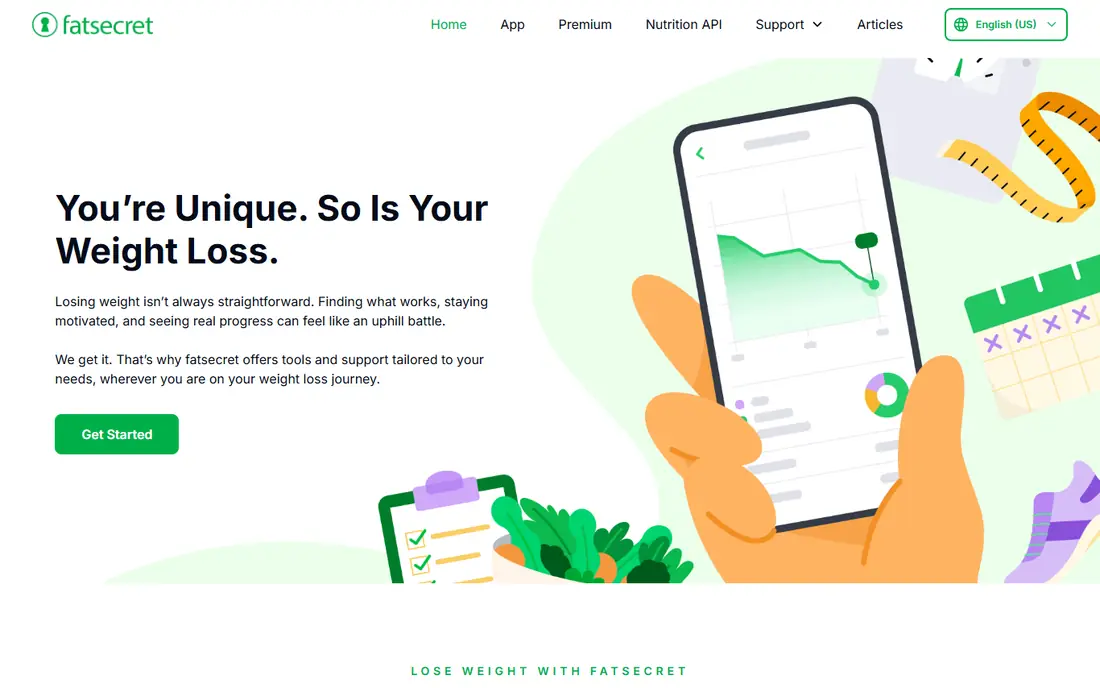
FatSecret has been around for years and says on its site that millions of people use its app. The App Store description states the app is free, with a food diary, barcode scanner, image recognition of foods, an exercise diary, a weight tracker, reminders and a community for support. It also syncs with Apple Health and Fitbit.
The App Store also lists optional subscriptions at several price points, so some features may sit behind a paid tier. We could not open its pricing details to confirm what they cover, which is why we list the starting price as free rather than naming a plan.
Pick FatSecret if you value the social side of dieting. The App Store rating is 4.7 from about 15,000 ratings, which is a smaller sample than Lose It! or MyFitnessPal.
- Described by its App Store listing as free
- Barcode scanner, photo recognition and a food diary
- Apple Watch support and Health app syncing
- The App Store lists optional subscriptions with several prices
- Customized for US foods and brands
Cal AI
Ideal for: Logging meals from a photo
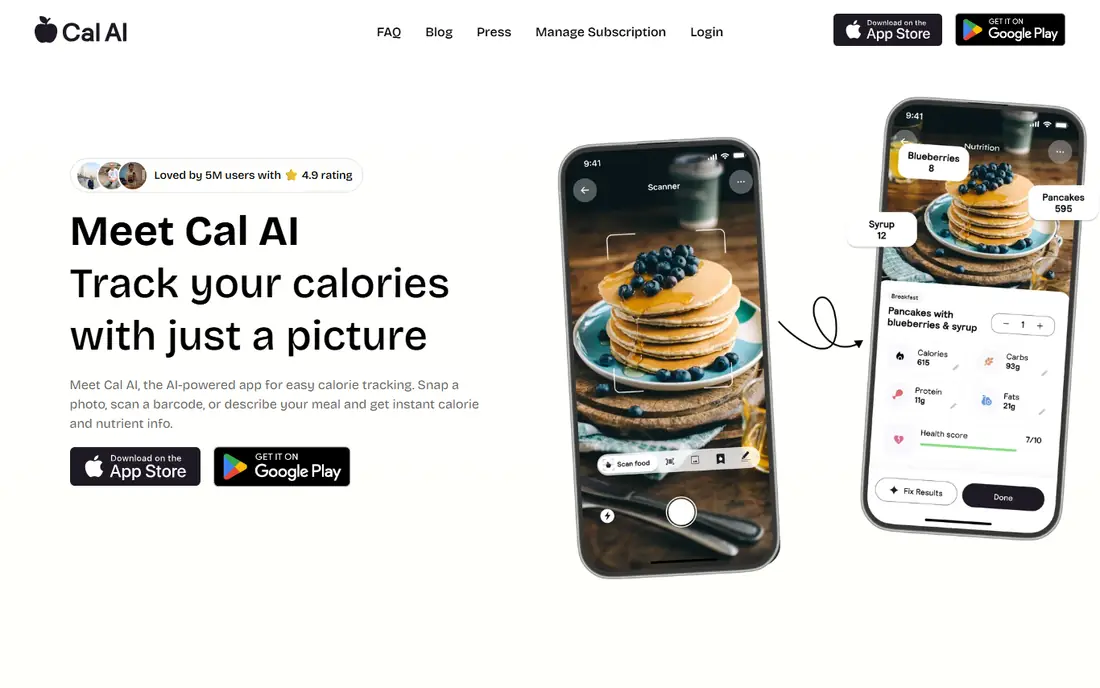
Cal AI skips the diary and asks you to take a picture. Its site says the phone's depth sensor helps estimate volume, then the AI breaks the meal into calories, protein, carbs and fat. You can also scan a barcode or describe the food. The company says the app is about 80 percent accurate and that good lighting helps, which is a fair warning that photo estimates can be off.
The App Store listing says food scanning results require a subscription, and the site offers a 3-day free trial billed through Apple or Google. The App Store shows several subscription price points, and we could not verify one current price. It also includes a note that it does not offer medical advice.
Cal AI is for people who find manual logging tedious. If you need precise numbers, pair it with a verified-database app such as Cronometer.
- Photo-based logging is quick
- Also supports barcode scans and describing your food
- IPhone and Android apps
- Food scanning requires a subscription
- The site claims about 80 percent accuracy for photo estimates
How we picked these
We compared each app's official website, pricing page, App Store listing and privacy information, and we looked at the plans and free tiers as published in October 2026. We did not run our own long-term trials, so we have not tested accuracy on real meals. Where a price was not available on the company's site, or the App Store showed several figures, we say so instead of guessing.
We looked for apps that are still actively updated, that offer a meaningful free option or trial, and that are clear about what a paid plan adds. Ratings are the App Store figures at the time of writing and will change.
How to choose a calorie counter
Start by deciding what you will actually log. If you mostly eat packaged food, a free barcode scanner matters more than a clever algorithm. If you cook from scratch, look for recipe import and a clean database, because home recipes expose weak entries quickly.
Free versus paid
Free tiers differ more than the marketing suggests. Cronometer and MyNetDiary keep barcode scanning free, MyFitnessPal puts it behind Premium, and Lose It! lists the scanner as Premium too. Check this before you commit, because switching apps later means losing your history.
Accuracy and databases
Large databases built partly from user submissions are fast but contain duplicates and errors. Verified databases are smaller and cleaner. Whichever you choose, compare packaged foods against the label for the first week, and treat photo-based estimates as rough guides.
Safety and privacy
Calorie targets from any app are general estimates. This is not medical or dietary advice, and it does not replace a doctor or registered dietitian. If you are pregnant, managing diabetes or another condition, or have ever struggled with disordered eating, talk to a professional before cutting calories, because strict tracking can make some of those situations worse. Also read each app's privacy policy, since food and weight data is personal health information.
Frequently asked questions
What is the best free calorie counter app?
Cronometer's free Basic plan is the strongest we found, with up to 84 nutrients, custom targets and a barcode scanner. MyNetDiary and FatSecret are also free to start, and MyNetDiary's site says its free version has no ads.
What is the best macro tracking app?
MacroFactor is built around macros and adaptive targets, but it is paid. Cronometer lets you set custom macro and micronutrient targets for free. MyFitnessPal offers macro goals on Premium, including different goals for each day of the week.
Which calorie tracking app is the most accurate?
Apps with verified databases, such as Cronometer, MyNetDiary and MacroFactor, tend to have cleaner entries than apps that rely heavily on user submissions. Accuracy still depends on how carefully you weigh and enter food. Photo logging in any app is an estimate.
Is a nutrition tracker app worth paying for?
It depends on the feature you need. If barcode scanning, voice logging or a coaching algorithm saves you time every day, a few dollars a month is easy to justify. If you only need a simple diary, the free tiers are enough.
Are calorie counter apps safe for everyone?
No. They can be useful for awareness, but they are not suitable for everyone. If you have a medical condition or a history of disordered eating, ask a healthcare professional before using one.
Sources
- https://www.myfitnesspal.com
- https://www.myfitnesspal.com/premium
- https://apps.apple.com/us/app/myfitnesspal-calorie-counter/id341232718
- https://cronometer.com/gold/
- https://apps.apple.com/us/app/cronometer-calorie-counter/id1145935738
- https://macrofactor.com
- https://help.macrofactorapp.com/en/articles/393-how-macrofactor-subscriptions-and-bundles-work
- https://apps.apple.com/us/app/macrofactor-macro-tracker/id1553503471
- https://www.loseit.com
- https://apps.apple.com/us/app/lose-it-calorie-counter/id297368629
- https://www.mynetdiary.com
- https://apps.apple.com/us/app/calorie-counter-mynetdiary/id287529757
- https://www.yazio.com/en
- https://apps.apple.com/us/app/ai-calorie-tracker-by-yazio/id946099227
- https://www.fatsecret.com
- https://apps.apple.com/us/app/calorie-counter-by-fatsecret/id347184248
- https://www.calai.app
- https://apps.apple.com/us/app/cal-ai-calorie-tracker/id6480417616