Best Cash Apps in 2026: 8 Apps Compared

- Cash App is our pick for most US users who want sending, a debit card, and investing in one app.
- Venmo suits social splitting, with group expenses, scheduled payments, and a familiar feed.
- Zelle is the fastest choice for bank-to-bank transfers, but only send to people you trust.
- PayPal remains the best option for online shopping and buyer protection on purchases.
- Wise is the clear pick for international transfers, with transparent fees and many currencies.
Quick comparison
| Product | Ideal for | Price from | Free version | |
|---|---|---|---|---|
 Cash App | All-in-one money app | Free | Yes | Visit |
 Venmo | Social splitting | Free | Yes | Visit |
 PayPal | Online shopping | Free | Yes | Visit |
 Zelle | Bank-to-bank transfers | Free | Yes | Visit |
 Apple Pay | iPhone tap to pay | Free | Yes | Visit |
 Google Pay | Android and Chrome checkout | Free | Yes | Visit |
 Wise | International transfers | Free | Yes | Visit |
 Revolut | Travel and multi-currency | Free | Yes | Visit |
The best cash apps
Cash apps now cover far more than sending money to a friend. They handle debit cards, direct deposits, investing, and international transfers, but they differ in fees, speed, and protection. We compared official feature pages, pricing pages, and app listings for the apps below, focusing on transfer speed, fees, bank connections, card options, and safety. A safety note first: peer-to-peer payments to strangers carry real scam risk, and some services offer little or no purchase protection, so only send money to people you know and trust.
Cash App
Ideal for: All-in-one money app
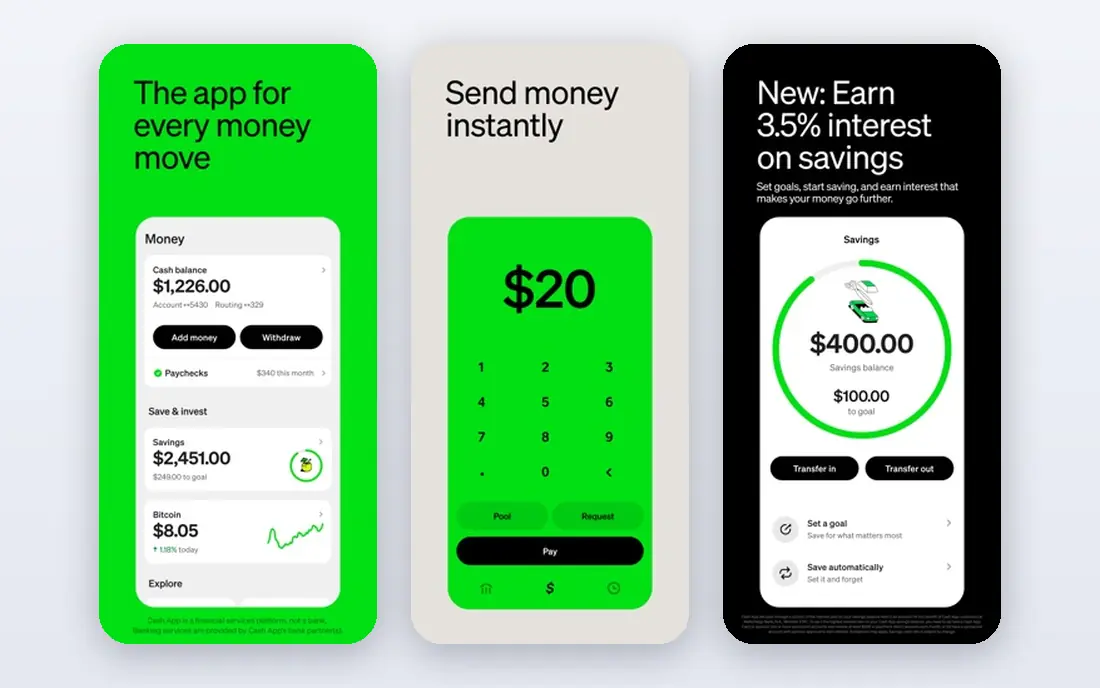
Cash App is our pick for most US users because it covers so many money jobs in one place. You can send money to friends, get a customizable debit card with weekly offers, set up direct deposit, save with interest-bearing options, and buy stocks or bitcoin in small amounts. Group pools help collect money from several people at once.
The catch is fees on some moves. Standard transfers to a bank are typically free but slower, while instant transfers can cost a fee, so check the fee shown before confirming. For an everyday money app that grows with you, Cash App is a strong default.
- Sending, debit card, savings, and investing in one app
- Early direct deposit
- Customizable card
- Instant transfers to a bank can carry a fee
- Investing features are basic next to brokers
Venmo
Ideal for: Social splitting
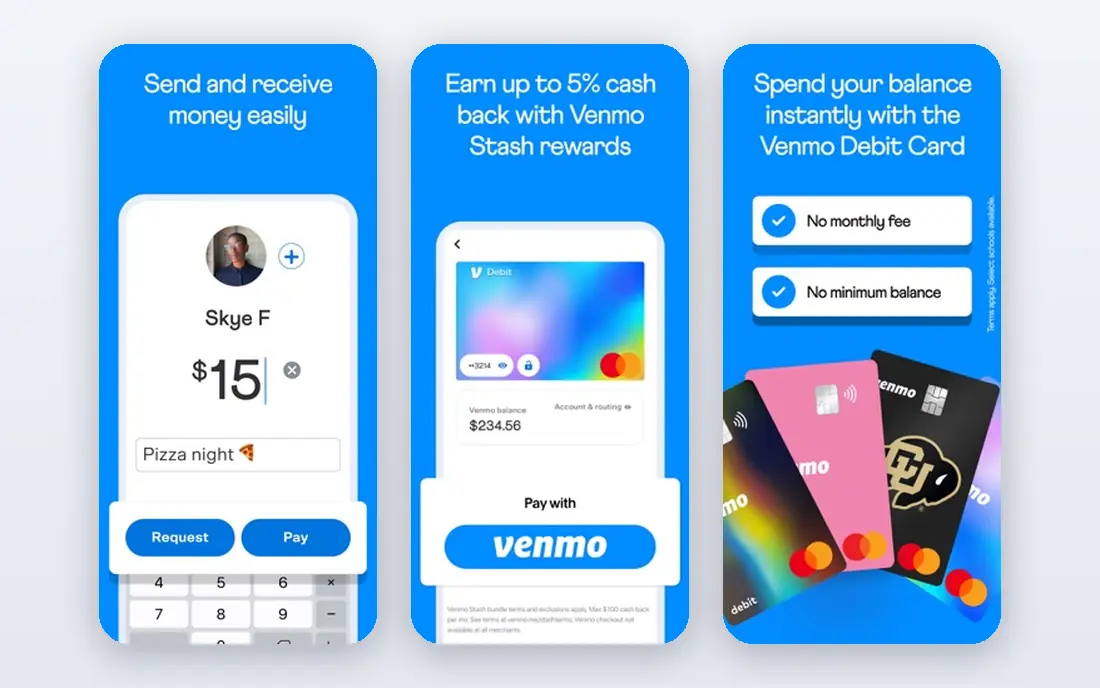
Venmo made splitting bills feel social, and it still does that job best. You can split a dinner, schedule a recurring payment to a roommate, and send gift cards, all with notes and emojis that make money feel less awkward. The Venmo debit card adds cash-back rewards at selected brands, and businesses can accept Venmo at checkout.
Check your privacy settings, since payments can be visible to friends by default, and many users prefer to set transactions to private. Instant transfers to a bank may also carry a fee. For friend groups that split costs often, Venmo remains the natural choice.
- Easy bill splitting and scheduled payments
- Debit card with rewards
- Familiar social feed
- Social feed needs privacy settings review
- Instant transfers can carry a fee
PayPal
Ideal for: Online shopping
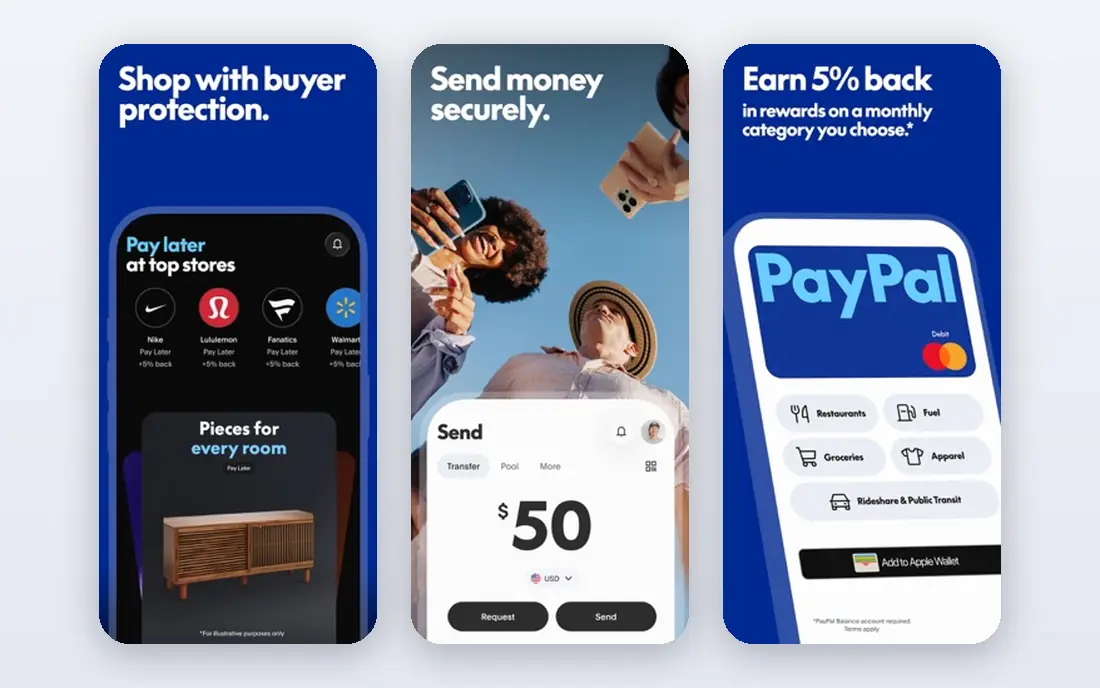
PayPal is the veteran of online payments, and its acceptance is still its biggest strength. Millions of stores accept PayPal checkout, and eligible purchases carry buyer protection that peer-to-peer apps do not offer. You can also send money to friends, hold a balance, and spend with a PayPal debit card.
Fees appear for instant transfers, some business payments, and currency conversion, so read the fee shown before sending. Sellers sometimes face holds on new accounts. For shopping and buyer protection, PayPal is still the safest mainstream option.
- Accepted at huge numbers of online stores
- Buyer protection on eligible purchases
- Debit card available
- Fees for some transfers and currency conversions
- Account holds can frustrate sellers
Zelle
Ideal for: Bank-to-bank transfers
Zelle is the fastest way to move money between US bank accounts. Because it runs through banks, money lands directly in the recipient's account, often within minutes, with no separate app balance to cash out. Most major US banks include Zelle in their own apps, so many users never need a separate download.
The honest warning matters here: Zelle payments are like cash, with no purchase protection, and banks generally will not reverse a payment you authorized, even if you were tricked. Only use Zelle with people you know and trust, and double-check the recipient's email or phone number before sending.
- Money goes straight into a bank account
- Usually arrives in minutes
- No separate balance to manage
- No purchase protection
- Only send to trusted people
- Needs a participating bank or the Zelle app
Apple Pay
Ideal for: iPhone tap to pay
Apple Pay turns an iPhone or Apple Watch into a payment card with strong privacy. Your real card number is not shared with merchants, purchases need Face ID, Touch ID, or a passcode, and Apple charges no fee for using Apple Pay itself. Apple Cash lets iPhone users send money to friends through Messages.
The limit is obvious: it only works in Apple's ecosystem. Android users need another option on this list. For iPhone owners, Apple Pay is the most convenient way to pay in stores and online.
- Fast tap to pay in stores and online
- Strong privacy with device-specific numbers
- Apple Cash for friends
- Only works on Apple devices
- Peer payments need Apple Cash setup
Google Pay
Ideal for: Android and Chrome checkout
Google Pay focuses on fast, simple checkout. Saved cards autofill on Chrome and Android, tap to pay works in stores through Google Wallet, and Google charges no fee for using the service itself. That makes it the default payment layer for many Android users.
Peer-to-peer sending features have changed over time and vary by country, so US users should check the current options in Google Wallet rather than assuming an old feature still exists. For tap to pay and online checkout on Android, Google Pay is the obvious pick.
- Fast checkout on Android and Chrome
- Tap to pay in stores via Google Wallet
- No Google fee for payments
- Peer-to-peer features vary by country
- Experience differs across Android phones
Wise
Ideal for: International transfers
Wise is the pick for anyone sending money abroad. It shows fees and the exchange rate upfront, supports transfers to many countries, and offers account details in several currencies so you can receive money like a local. A Wise debit card lets you spend abroad without hidden markups on many routes.
It is not designed as a US friend-to-friend app, so it will not replace Venmo for splitting dinner. For international family support, freelance payments, or travel money, Wise is hard to beat on clarity.
- Transparent fees shown upfront
- Real exchange rate approach
- Accounts in many currencies
- Not a full US peer-to-peer app
- Transfer speed varies by route
Revolut
Ideal for: Travel and multi-currency
Revolut combines a multi-currency account with a card, budgeting tools, and savings features, which suits frequent travelers and people paid in more than one currency. You can hold and exchange currencies in the app, freeze the card instantly, and set spending analytics to track where money goes.
The US version offers a different feature set than the UK version, so check which features apply to your country before signing up. Some premium perks sit on paid plans. For travel and multi-currency life, Revolut packs a lot into one free account.
- Multi-currency accounts and card
- Good travel features
- Budgeting and savings tools built in
- US feature set differs from the UK
- Some features need paid plans
How we picked these
We compared official feature pages, pricing pages, and app listings for each app, checking transfer speed, fees, bank connections, card options, and safety features. We favored apps that are widely available to US users in October 2026 and publish their fees clearly. Where a fee depends on the transfer type or speed, we note that rather than quoting a single number that may not apply to every transaction.
How to use cash apps safely
Start by turning on every security feature the app offers: a PIN, biometric lock, and transaction notifications. Keep your balance low in peer-to-peer apps and move larger amounts to your bank, since app balances are not always covered the same way bank deposits are. Review privacy settings on social apps such as Venmo, and set payments to private if you do not want friends seeing your transactions.
Next, treat payment requests with suspicion. Never send money to someone claiming to be support staff, a seller you have not verified, or a new romantic contact asking for help, since those are common scam patterns. Verify a recipient's details by a separate channel before a large transfer, and remember that Zelle and similar bank transfers are hard to reverse. A few seconds of checking can save a painful loss.
Frequently asked questions
What is the best cash app overall?
Cash App is our pick for most US users because it combines sending, a debit card, savings, and investing in one app. Venmo is better for social splitting, Zelle is fastest for bank transfers, and PayPal is best for online shopping protection.
Is Zelle safe to use?
Zelle is safe for sending money to people you know and trust, since transfers go directly between bank accounts. It offers no purchase protection, so never use it to pay strangers for goods or services, and double-check recipient details before sending.
Can I use Cash App without a bank account?
You can receive money and use a Cash App balance and card, but linking a bank account or debit card makes cashing out and adding money much easier. Some features, such as direct deposit, also need additional setup and verification.
What is the best cash app for international transfers?
Wise is our pick for international transfers because it shows fees upfront and supports many currencies and countries. Revolut is a strong alternative for travelers who want a multi-currency account and card in one app.
Do cash apps charge fees?
Most basic transfers between friends using a bank account or app balance are free, but instant transfers to a bank, credit card funding, and currency conversion can carry fees. Always check the fee shown in the app before confirming a transfer.