Best Cemetery Software in 2026: 7 Options Compared

- 1
 PlotBoxCemeteries that want mapping, records, and sales togetherVisit
- 2
 CemSitesSmall cemeteries that want simple records and mappingVisit
- 3
 EverArkCemeteries that want modern mapping plus online salesVisit
- 4
 PontemCemeteries that want mapping plus management toolsVisit
- 5
 SRS ComputingLarger operators that need broad cemetery softwareVisit
- PlotBox and CemSites are strong choices for mapping, records, and public search.
- EverArk and Pontem suit operators that want modern mapping and management.
- SRS Computing and OpusXenta suit larger operators with broader needs.
- Small cemeteries should favor simple setup and clear support over a long feature list.
Quick comparison
| Product | Ideal for | Price from | Free version | |
|---|---|---|---|---|
| PlotBox | Cemeteries that want mapping, records, and sales together | See website | No | Visit |
| CemSites | Small cemeteries that want simple records and mapping | See website | No | Visit |
| EverArk | Cemeteries that want modern mapping plus online sales | See website | No | Visit |
| Pontem | Cemeteries that want mapping plus management tools | See website | No | Visit |
| SRS Computing | Larger operators that need broad cemetery software | See website | No | Visit |
 OpusXenta | Operators that want a broad cemetery and funeral platform | See website | No | Visit |
 Cemify | Small to mid-size cemeteries that want simple mapping | See website | No | Visit |
The best cemetery software
Cemetery software helps cemeteries manage plots, records, mapping, and family services without relying on paper books and scattered spreadsheets. The best tools keep burial records accurate, make plots easy to find, and give staff a clear view of what is available.
We compared tools built for small cemeteries with suites for larger operators. A small cemetery needs simple mapping and records, while a large operator may need online sales, work orders, and public search, so match the tool to your size and staff capacity.
PlotBox
Ideal for: Cemeteries that want mapping, records, and sales together

PlotBox is a strong fit for cemeteries that want mapping, records, and sales together. Its strengths include strong digital mapping, clear plot records, and good sales tools. That combination is why it earned a place on this list, and why it may suit you if those points match your priorities. When we lined up the official feature pages, this one stood out for the balance it strikes between depth and ease of use. Pricing is listed as see website, and the free plan is no, so check the vendor page for the current details that apply to your team size and region. The trade-off is worth naming plainly. Watch for pricing is by quote, and for setup needs accurate existing records. If neither of those is a deal breaker for you, PlotBox is a sensible shortlist candidate, and a short trial with a real task will tell you more than any feature list can.
- Strong digital mapping
- Clear plot records
- Good sales tools
- Pricing is by quote
- Setup needs accurate existing records
CemSites
Ideal for: Small cemeteries that want simple records and mapping
CemSites is a strong fit for small cemeteries that want simple records and mapping. Its strengths include simple setup for small sites, clear mapping, and useful public search. That combination is why it earned a place on this list, and why it may suit you if those points match your priorities. On paper, the feature set looks broad, and the pricing page is the place to confirm what sits behind each tier before you commit. Pricing is listed as see website, and the free plan is no, so check the vendor page for the current details that apply to your team size and region. The trade-off is worth naming plainly. Watch for smaller feature set, and for support hours need checking. If neither of those is a deal breaker for you, CemSites is a sensible shortlist candidate, and a short trial with a real task will tell you more than any feature list can.
- Simple setup for small sites
- Clear mapping
- Useful public search
- Smaller feature set
- Support hours need checking
EverArk
Ideal for: Cemeteries that want modern mapping plus online sales
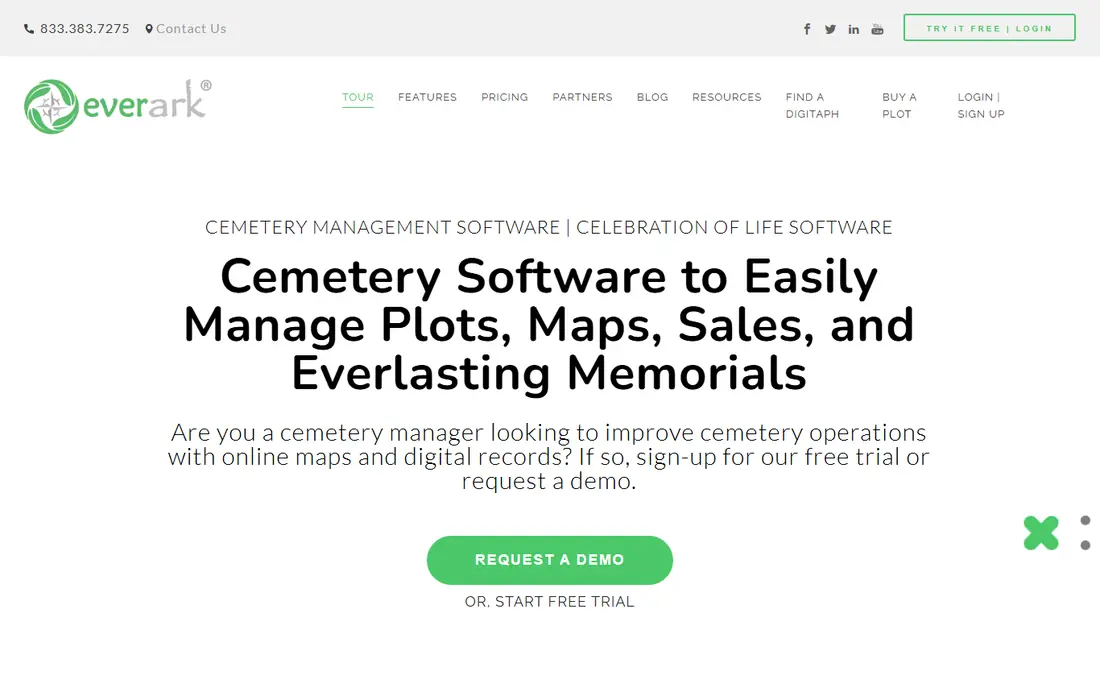
EverArk is a strong fit for cemeteries that want modern mapping plus online sales. Its strengths include modern mapping tools, online plot sales, and clear record management. That combination is why it earned a place on this list, and why it may suit you if those points match your priorities. We paid close attention to how clearly the vendor explains limits, because a tool that hides its limits tends to disappoint later. Pricing is listed as see website, and the free plan is no, so check the vendor page for the current details that apply to your team size and region. The trade-off is worth naming plainly. Watch for pricing is by quote, and for smaller vendor footprint. If neither of those is a deal breaker for you, EverArk is a sensible shortlist candidate, and a short trial with a real task will tell you more than any feature list can.
- Modern mapping tools
- Online plot sales
- Clear record management
- Pricing is by quote
- Smaller vendor footprint
Pontem
Ideal for: Cemeteries that want mapping plus management tools
Pontem is a strong fit for cemeteries that want mapping plus management tools. Its strengths include clear mapping and records, good management features, and useful public tools. That combination is why it earned a place on this list, and why it may suit you if those points match your priorities. Compared with the other options here, this one takes a narrower approach, and that focus is either a strength or a limit depending on your needs. Pricing is listed as see website, and the free plan is no, so check the vendor page for the current details that apply to your team size and region. The trade-off is worth naming plainly. Watch for pricing is by quote, and for smaller US team than some rivals. If neither of those is a deal breaker for you, Pontem is a sensible shortlist candidate, and a short trial with a real task will tell you more than any feature list can.
- Clear mapping and records
- Good management features
- Useful public tools
- Pricing is by quote
- Smaller US team than some rivals
SRS Computing
Ideal for: Larger operators that need broad cemetery software
SRS Computing is a strong fit for larger operators that need broad cemetery software. Its strengths include broad management features, strong record handling, and long industry history. That combination is why it earned a place on this list, and why it may suit you if those points match your priorities. The public reviews we read tended to praise the core workflow while noting the same trade-offs we list below. Pricing is listed as see website, and the free plan is no, so check the vendor page for the current details that apply to your team size and region. The trade-off is worth naming plainly. Watch for interface feels dated to some users, and for pricing is by quote. If neither of those is a deal breaker for you, SRS Computing is a sensible shortlist candidate, and a short trial with a real task will tell you more than any feature list can.
- Broad management features
- Strong record handling
- Long industry history
- Interface feels dated to some users
- Pricing is by quote
OpusXenta
Ideal for: Operators that want a broad cemetery and funeral platform
OpusXenta is a strong fit for operators that want a broad cemetery and funeral platform. Its strengths include broad platform coverage, good record tools, and useful integrations. That combination is why it earned a place on this list, and why it may suit you if those points match your priorities. For a team that wants to start small, the free tier or trial is worth testing with a real task before any wider rollout. Pricing is listed as see website, and the free plan is no, so check the vendor page for the current details that apply to your team size and region. The trade-off is worth naming plainly. Watch for pricing is by quote, and for scale may exceed small cemetery needs. If neither of those is a deal breaker for you, OpusXenta is a sensible shortlist candidate, and a short trial with a real task will tell you more than any feature list can.
- Broad platform coverage
- Good record tools
- Useful integrations
- Pricing is by quote
- Scale may exceed small cemetery needs
Cemify
Ideal for: Small to mid-size cemeteries that want simple mapping
Cemify is a strong fit for small to mid-size cemeteries that want simple mapping. Its strengths include simple digital mapping, fast record search, and useful public lookup. That combination is why it earned a place on this list, and why it may suit you if those points match your priorities. We looked at integrations and support options as well, since a tool rarely works alone in a real workflow. Pricing is listed as see website, and the free plan is no, so check the vendor page for the current details that apply to your team size and region. The trade-off is worth naming plainly. Watch for smaller feature set than enterprise suites, and for pricing is by quote. If neither of those is a deal breaker for you, Cemify is a sensible shortlist candidate, and a short trial with a real task will tell you more than any feature list can.
- Simple digital mapping
- Fast record search
- Useful public lookup
- Smaller feature set than enterprise suites
- Pricing is by quote
How we picked these
We compared official feature pages, pricing pages, app store listings, privacy policies, and public reviews for each option. We kept only products that exist and work in October 2026 and that truly fit the topic, and we left out options whose pricing or core features we could not verify. Where a price was unclear, we wrote See website rather than guessing a number. We also weighed who each product is really for, how clear its limits are, and how it handles privacy and support. Our pick for most people is the option that balances those points best, not the one with the longest feature list. Your shortlist should still reflect your budget, your team size, and the one task you need done every week.
What to check before you choose
Start by checking your current records. Cemetery software is only as good as the burial and plot data you load into it, so ask each vendor how they handle messy paper records, duplicate names, and unmarked plots. A vendor with a clear migration plan will save months of correction later. Test the map with real staff tasks. Ask a grounds worker to find a plot, check its status, and record a new interment using the tool, ideally on a phone in the field. If that workflow takes too many steps, the tool will not be used well, however good it looks in an office demo. Consider public search carefully. Families value an online way to find a loved one, but public records need care around privacy and accuracy. Confirm what the public can see, how corrections are handled, and who approves changes before you publish anything.
Frequently asked questions
What is cemetery software?
It is software that manages burial records, plot maps, availability, work orders, and family services for a cemetery. It replaces paper books and scattered spreadsheets with a shared record.
What is the best software for a small cemetery?
CemSites is a practical starting point for small sites, while PlotBox suits cemeteries that also want sales and public search tools.
Does cemetery software include mapping?
Most tools here do, using digital maps linked to plot records. Mapping quality varies, so test it with your own cemetery layout before you buy.
How much does it cost?
Most vendors price by quote based on cemetery size and features. Ask for a written quote that includes migration, training, and ongoing support.