8 Best Charting Platforms for Stocks and Day Trading

- 1
 TradingViewTraders and investors who want browser-based charts across many marketsVisit
- 2
 MetaTrader 5Forex and multi-asset traders who want custom indicators and automated strategiesVisit
- 3
 TrendSpiderTraders who want automated trendlines, pattern recognition, and backtestingVisit
- 4
 StockChartsStock investors who want clear charts, saved ChartLists, and screeningVisit
- 5
 NinjaTraderFutures traders who want advanced charting and a free simulatorVisit
- TradingView is the easiest starting point for most readers, because it runs in a browser, covers many markets, and has a free tier.
- StockCharts and TC2000 suit stock-focused investors who want clean charts, saved layouts, and screening without a brokerage account.
- MetaTrader 5, NinjaTrader, TradeStation, and eSignal are built for active traders who need depth, order execution, or exchange data feeds.
- TrendSpider stands out for automated pattern recognition and backtesting, but it is a paid tool aimed at committed traders.
- Real-time exchange data often costs extra, so check data fees before you compare headline subscription prices.
Quick comparison
| Product | Ideal for | Price from | Free version | |
|---|---|---|---|---|
| TradingView | Traders and investors who want browser-based charts across many markets | See website | Yes | Visit |
| MetaTrader 5 | Forex and multi-asset traders who want custom indicators and automated strategies | Free software | Yes | Visit |
| TrendSpider | Traders who want automated trendlines, pattern recognition, and backtesting | See website | No | Visit |
| StockCharts | Stock investors who want clear charts, saved ChartLists, and screening | $19.95 per month | Limited free charts | Visit |
| NinjaTrader | Futures traders who want advanced charting and a free simulator | Free platform | Yes | Visit |
 TradeStation | Active stock, options, and futures traders who want deep customization | See website | No | Visit |
 eSignal | Traders who need fast, high-quality exchange data and advanced analytics | See website | No | Visit |
 TC2000 | Stock and options traders who want fast screening and a free simulator | See website | Yes | Visit |
The best charting platforms
TradingView
Ideal for: Traders and investors who want browser-based charts across many markets
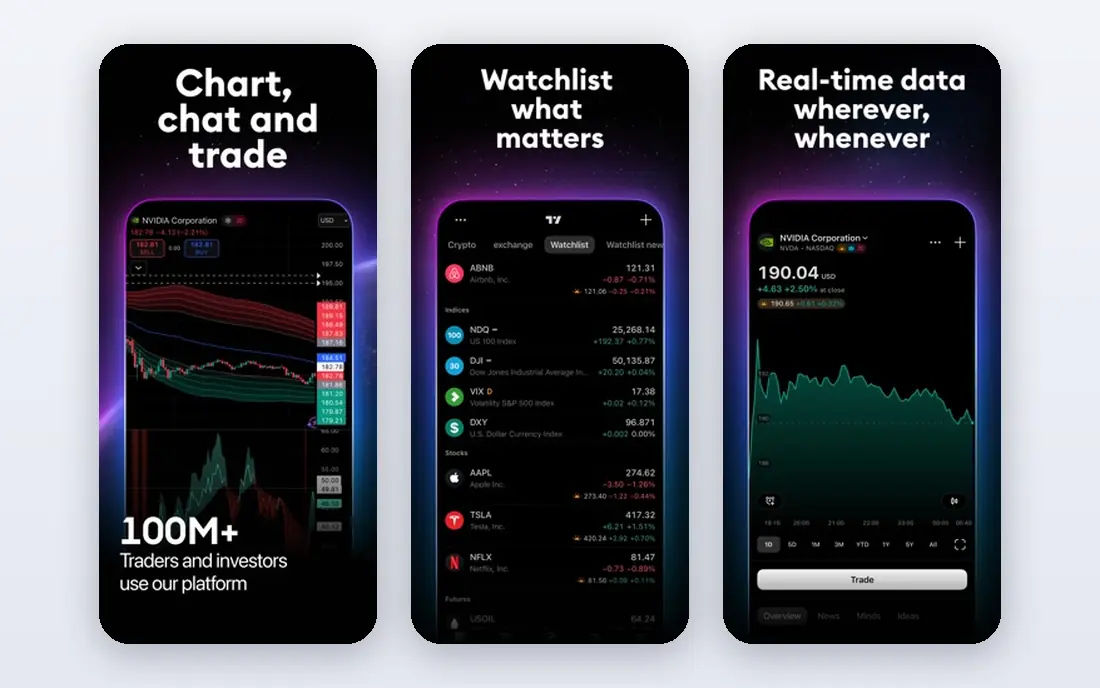
TradingView is our pick for most readers because it removes the usual setup friction. You open a browser, pick a symbol, and you are charting within a minute. The drawing tools are strong, the indicator library is large, and saved layouts carry across devices. We also like that one account can follow stocks, exchange-traded funds, forex pairs, futures, and crypto, which matters if you watch more than one market.
The free tier is genuinely useful for learning and for end-of-day review, though intraday traders should check which exchanges include real-time data on their plan. Paid tiers add more indicators per chart, more alerts, more saved layouts, and faster data. If you trade from more than one computer or you share ideas with other traders, TradingView is hard to beat on convenience.
- Runs in a browser on any computer, large indicator library, social ideas and shared scripts, covers stocks, forex, futures, and crypto
- Real-time data for some exchanges costs extra, advanced features sit behind paid tiers, the social feed can distract from your own plan
MetaTrader 5
Ideal for: Forex and multi-asset traders who want custom indicators and automated strategies
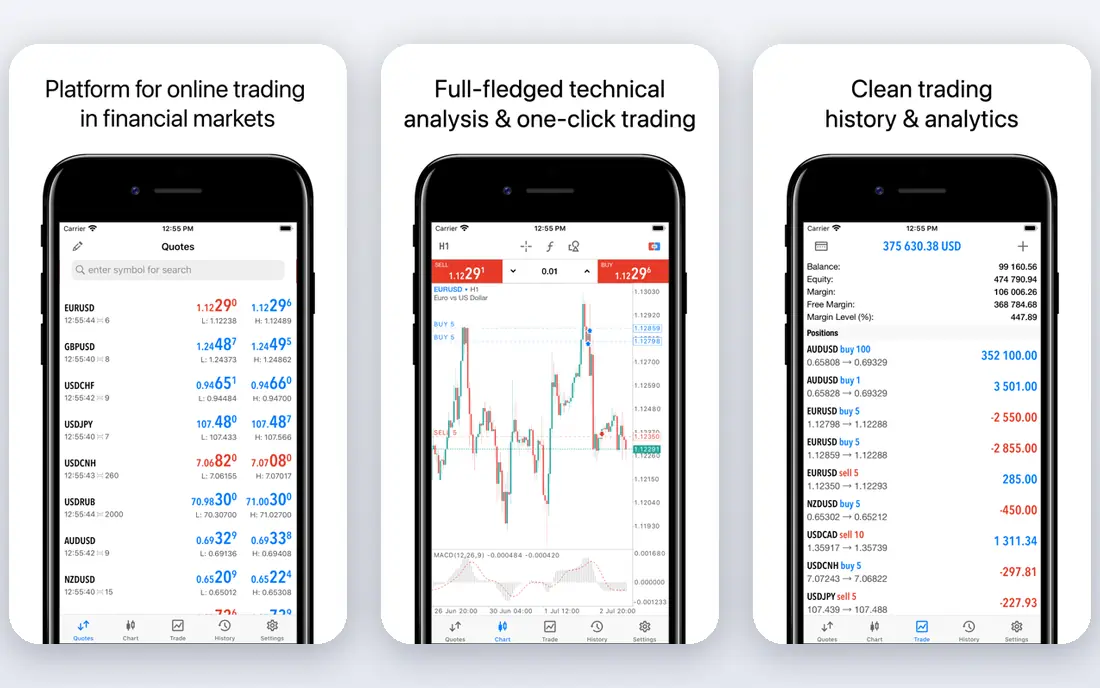
MetaTrader 5 is the industry standard platform for forex trading, and it also handles stocks and futures through supporting brokers. Its strength is depth: dozens of built-in indicators, custom indicators written in MQL5, and a strategy tester for checking ideas against past price data. The community around it is large, so finding indicators, scripts, and help is usually easy.
The catch is that MetaTrader 5 is software, not a broker. You download it, then connect it to a broker account for live prices and orders. That means your data quality, spreads, and available symbols depend on the broker you pick. If you already trade forex or you want to automate a strategy, this is a strong and cost-effective choice.
- Free platform software, large library of custom indicators and robots, strategy testing built in, offered by many brokers worldwide
- You need a broker account for live data and trading, the interface feels dated, stock coverage depends on your broker
TrendSpider
Ideal for: Traders who want automated trendlines, pattern recognition, and backtesting
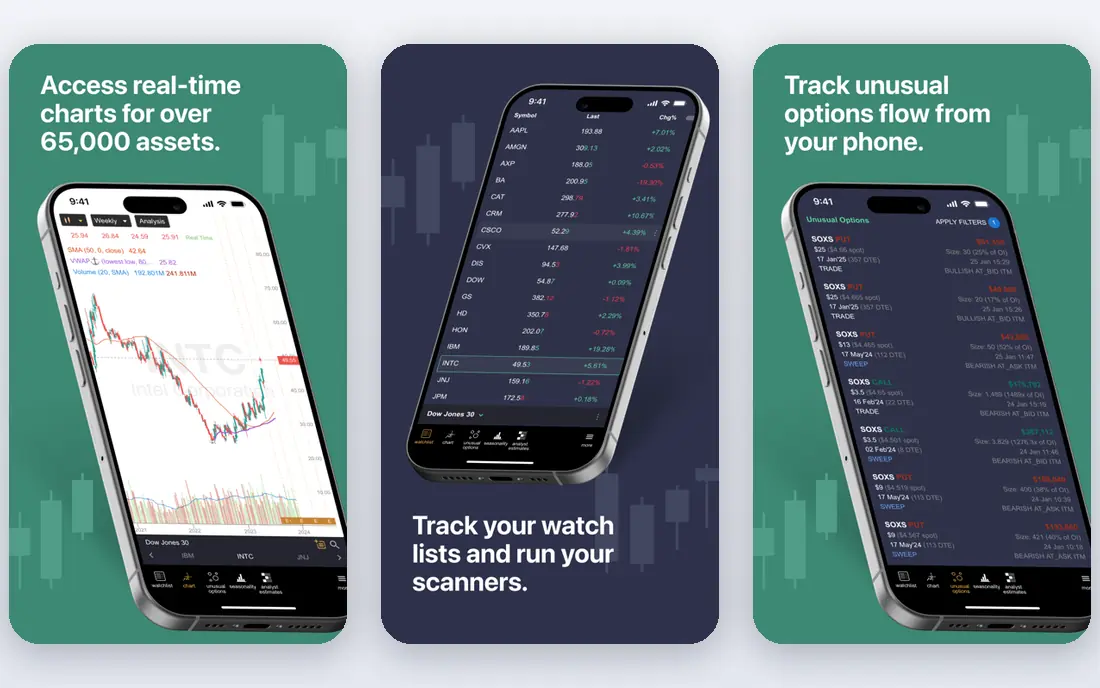
TrendSpider tries to remove the manual work from technical analysis. It draws trendlines automatically, spots chart patterns, and lets you test a strategy across long stretches of past data without writing code. The multi-timeframe view is useful for checking whether a short-term setup lines up with the longer trend, which is a habit many traders say improves their discipline.
Because there is no free tier, TrendSpider suits traders who already chart every day and will use the automation. Casual investors who check charts once a week will likely get more value from a free tool. For active traders, though, the time saved on drawing and testing can justify the subscription.
- Automated trendlines and pattern detection, multi-timeframe analysis, strategy testing without coding, more than 200 built-in indicators
- No free plan, pricing is aimed at committed traders, the feature set can feel large at first
StockCharts
Ideal for: Stock investors who want clear charts, saved ChartLists, and screening
StockCharts has been around since 1999, and that history shows in its focus. The charts are clean, annotations are easy to manage, and ChartLists make it simple to work through a watchlist symbol by symbol. Screening and scanning are strong too, with technical and fundamental filters for finding stocks that match a defined setup.
Pricing starts at 19.95 dollars per month for the Basic level, with higher tiers adding more saved layouts, lists, scans, and alerts. Note that official real-time data plans for exchanges are an added cost, so the headline price is not the full cost for intraday traders. For investors who review charts daily and value clarity over breadth, StockCharts remains a fine pick.
- Clean and readable charts, ChartLists for organizing watchlists, strong screening and scanning tools, long track record since 1999
- Real-time data plans cost extra, no built-in brokerage, fewer asset classes than TradingView
NinjaTrader
Ideal for: Futures traders who want advanced charting and a free simulator
NinjaTrader is a futures-first platform, and it shows in the charting and order tools. You get customizable charts, a depth-of-market ladder, and strategy development through NinjaScript, plus a free simulator that lets you practice without risking real money. The platform itself is free to download, and simulated trading is unlimited.
Live trading costs come from brokerage commissions and market data, and intraday margin requirements apply to futures positions, so read the fee schedule before funding an account. If futures are your main market, NinjaTrader gives you professional tools without a platform subscription. Stock and forex traders will find other tools on this list a better fit.
- Free platform and unlimited simulated trading, strong futures charting and order tools, desktop, web, and mobile versions, large add-on library
- Built mainly for futures, live brokerage fees and data costs apply, some advanced features need a paid license
TradeStation
Ideal for: Active stock, options, and futures traders who want deep customization
TradeStation pairs a brokerage with a charting platform built for active traders. The charts support extensive customization, and the strategy tools let you build, test, and automate ideas within the same environment where you place orders. Options traders get position grouping and analysis tools that simpler charting apps do not offer.
The trade-off is complexity and cost structure. There is no free tier, and the platform rewards traders who use it daily. Occasional investors will likely find it more than they need. But if you trade often and want charting, screening, and execution in one place, TradeStation is one of the most complete packages available.
- Deep charting and strategy tools, desktop and web platforms, direct market access brokerage, strong options analysis
- No free plan, learning curve for new users, best value for active traders rather than occasional investors
eSignal
Ideal for: Traders who need fast, high-quality exchange data and advanced analytics
eSignal is built around data quality. It delivers real-time market data across equities, futures, forex, and commodities, with granularity from tick data up to yearly bars. The charting and analytics tools are advanced, and the EFS scripting language lets you build custom studies for your own setups. Broker integration means you can link an approved broker and trade from the platform.
That data quality comes at a price, and eSignal is aimed at serious traders rather than beginners. If you rely on fast, accurate intraday data and you trade size, the cost can be justified. If you mainly review daily charts, a cheaper tool will serve you just as well.
- Real-time data from major exchanges, wide instrument coverage, custom scripting with EFS, broker integration for trading
- No free plan, pricing reflects professional data costs, setup takes more effort than browser tools
TC2000
Ideal for: Stock and options traders who want fast screening and a free simulator
TC2000 is known for its screening engine. You can build a condition step by step, without writing a formula, and test it across millions of data points in seconds. The charts are smooth and responsive, and the options views shade profit and loss zones directly on the chart, which helps options traders see risk at a glance.
A free version includes a fully functional trading simulator with a basic layout, so you can learn the platform before paying. Paid software plans and data packages add more depth. TC2000 is stock-focused, so forex and futures traders should look elsewhere, but for stock screening it is one of the fastest tools we compared.
- Fast condition-based screening, free practice simulator, clean dynamic charting, options profit and loss zones on charts
- Stock-focused coverage, brokerage available but charting is the main draw, paid data plans for full features
How we picked these
We compared official feature pages, pricing pages, app listings, and public reviews for charting tools that were live and working in October 2026. We favored platforms with a clear charting focus, a working free tier or trial where offered, and coverage that matches how readers actually trade. We dropped thinkorswim from this list because its official Schwab page returned an authorization error during our check and its standalone domain returned no usable content, so we could not confirm its homepage. We kept only platforms whose official homepages we could load and confirm. We did not claim hands-on testing of live brokerage accounts, and we treated vendor feature claims as claims, not verified results.
A note on cost: charting prices and data fees change often, and exchange data is frequently billed separately from the platform subscription. We list "See website" where we could not verify a current starting price on the vendor homepage at check time, and we quote StockCharts pricing only where the homepage showed it plainly. This article is general information, not financial advice, and charting tools do not guarantee trading results.
What to look for in a charting platform
Start with the markets you actually follow. A futures trader needs depth-of-market tools and futures data, while a long-term stock investor needs clean daily charts, dividends, and splits handled correctly. A tool that covers everything may still be weaker in your one market than a focused alternative, so match the platform to your market first.
Next, check the data question carefully. Delayed data is fine for end-of-day review, but day traders need real-time data, and that data often costs extra per exchange. Ask whether your plan includes the exchanges you trade, whether intraday history goes back far enough for your backtests, and whether futures or forex data is included or billed separately. A low headline price can become a high monthly bill once data is added.
Then weigh the workflow. Do you want a browser tool you can open anywhere, or a desktop platform with deeper customization? Do you need alerts, screening, backtesting, or automation? List the three features you will use every week, and pick the platform that does those three well rather than the one with the longest feature list. Finally, use the free tier or trial to test your own routine: build your usual layout, run your usual screen, and set your usual alerts before you pay.
Frequently asked questions
What is the best free stock charting software?
TradingView has the strongest free tier for most readers, with browser charts, many indicators, and saved layouts. StockCharts offers limited free charts, and TC2000 and NinjaTrader offer free versions with limits. Free tiers usually carry delayed data on some exchanges, so check data timing if you trade intraday.
What is the best charting software for day trading?
Day traders usually need real-time data, fast charts, and hotkeys or ladder tools for quick orders. TradingView, TradeStation, NinjaTrader, and eSignal all serve day traders, but the right pick depends on your market: NinjaTrader for futures, TradeStation for stocks and options, and eSignal where data speed matters most.
Do I need a broker account to use a charting platform?
Not always. TradingView, StockCharts, TC2000, and TrendSpider work as standalone charting tools. MetaTrader 5, NinjaTrader, and TradeStation connect to brokerage accounts for live data and orders, though NinjaTrader also offers free simulated trading without funding an account.
What is the best technical analysis software for beginners?
TradingView is the easiest place to start because it runs in a browser and the basic tools are free. StockCharts is another gentle option for investors who want clean charts without trading features. Start with one platform, learn a small set of indicators well, and add complexity only when your routine needs it.
How much does a good charting platform cost?
Free tiers cover basic charting, while paid plans vary widely and exchange data often adds to the bill. StockCharts starts at 19.95 dollars per month before data plans, and other vendors price by tier on their own sites. Compare the total monthly cost, including data, rather than the headline subscription alone.
Can I backtest a trading strategy on these platforms?
Yes, several tools on this list support backtesting. TrendSpider and TradeStation offer strategy testing without deep coding, MetaTrader 5 includes a built-in strategy tester, and NinjaTrader supports strategy development through NinjaScript. Backtest results describe the past, not the future, so treat them as one input among many.