Best Cleaning Schedule Apps in 2026: 8 Apps Compared

- Tody and Sweepy are the strongest pure cleaning planners, with rooms, tasks and reminders built around real homes.
- OurHome and Homey work best for families and housemates who need to share chores fairly and visibly.
- Handy, TaskRabbit and Thumbtack suit people who would rather book a cleaner than manage a schedule themselves.
- Free tiers cover a single household well, while family sharing and advanced reminders usually need a paid plan.
Quick comparison
| Product | Ideal for | Price from | Free version | |
|---|---|---|---|---|
 Tody | Detailed room-by-room schedules | See website | Yes | Visit |
 Sweepy | Simple cleaning plans for busy homes | See website | Yes | Visit |
 OurHome | Families sharing chores | Free | Yes | Visit |
 Homey | Housemates and families | See website | Yes | Visit |
 Home Routines | Daily routine checklists | See website | Yes | Visit |
 Handy | Booking a professional cleaner | See website | No | Visit |
 TaskRabbit | One-off cleaning help | See website | No | Visit |
 Thumbtack | Comparing local cleaning pros | See website | No | Visit |
The best cleaning schedule app
We picked apps that turn cleaning into a repeatable routine rather than a one-off checklist. The best ones track when each room was last cleaned, remind you before tasks go stale, and let everyone in the home see who owes what. Our pick for most households is Tody, while Sweepy is the friendlier choice if you want a simpler setup.
Tody
Ideal for: Detailed room-by-room schedules
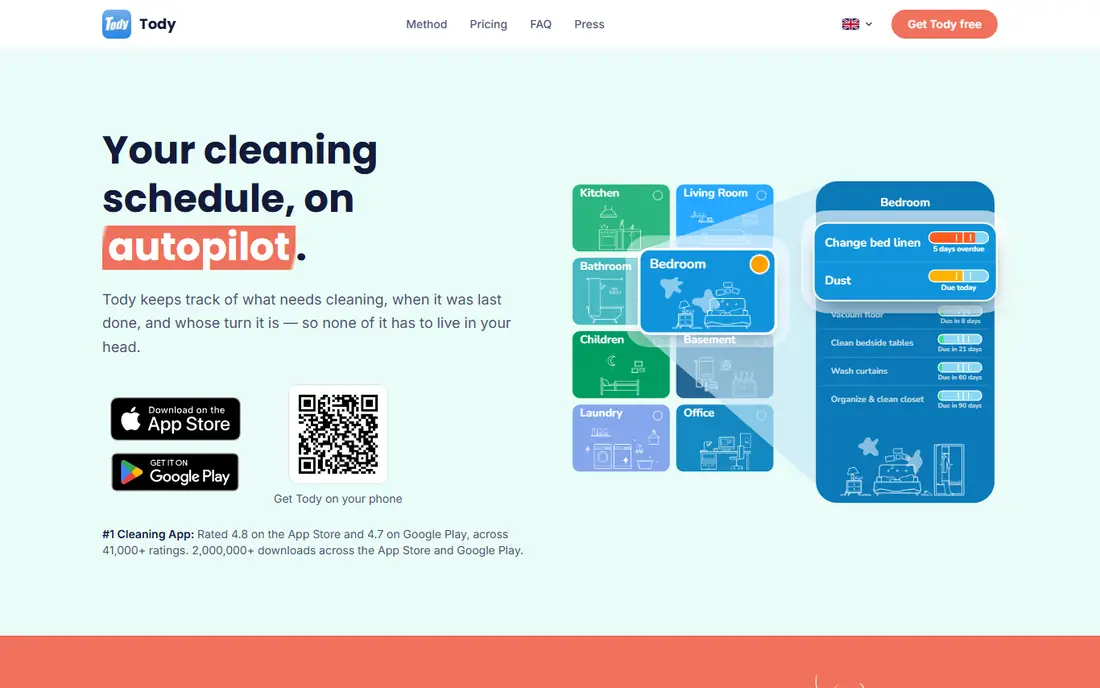
Tody treats cleaning as a cycle, not a list. Each task carries a rhythm, such as every two weeks, and the app shows what is due, overdue or done at a glance. That view is genuinely useful in a larger home, where it is easy to forget the last time the oven or the guest bathroom was cleaned. The setup asks for more detail than rivals, so allow an evening to enter your rooms properly.
For most readers, the deciding question with Tody is fit rather than raw feature count. Check the plan limits that matter to you, such as seats, usage caps and what happens when a trial ends, before you commit to a paid tier. If the free tier or trial covers your core task, use it for a full week of real work before paying, and keep an eye on renewal terms and cancellation steps. That short test usually tells you more than any feature list, and it keeps the choice grounded in how you actually work day to day.
- Tracks last-cleaned dates per task
- Flexible scheduling
- Works for shared homes
- Interface takes a little learning
- Some features need a paid plan
Sweepy
Ideal for: Simple cleaning plans for busy homes
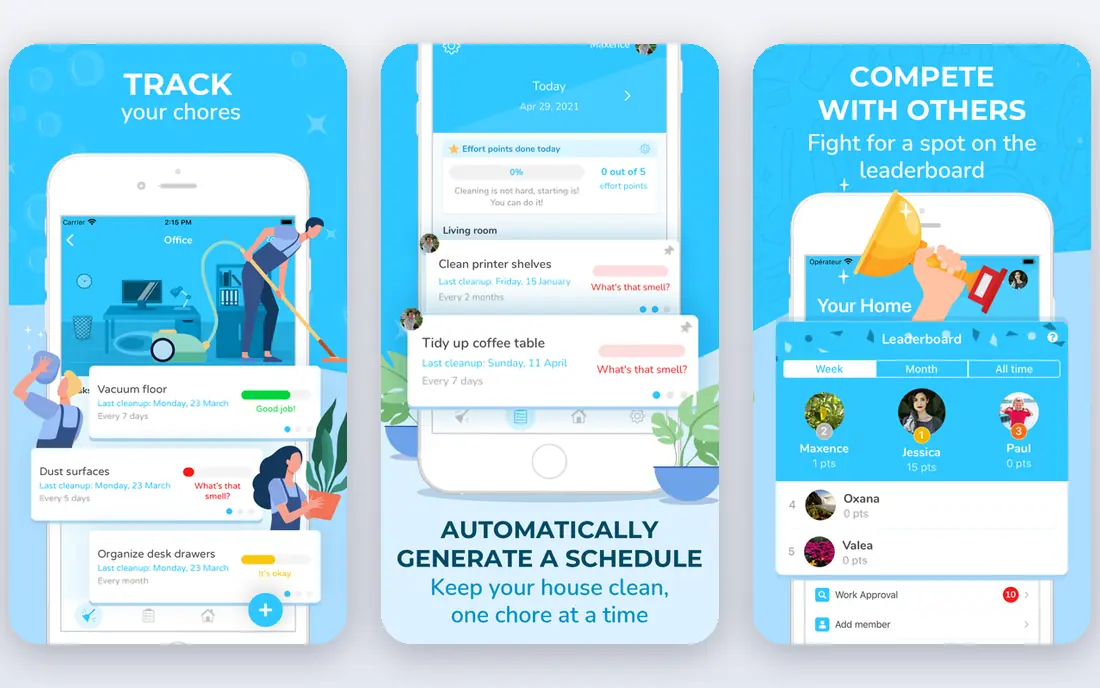
Sweepy gets you started faster than Tody. You pick your rooms, answer a few questions, and the app builds a schedule with reminders and progress tracking. Streaks and completion views add a light push on days when motivation is low. The trade-off is less depth for unusual tasks, though most standard homes will not notice.
For most readers, the deciding question with Sweepy is fit rather than raw feature count. Check the plan limits that matter to you, such as seats, usage caps and what happens when a trial ends, before you commit to a paid tier. If the free tier or trial covers your core task, use it for a full week of real work before paying, and keep an eye on renewal terms and cancellation steps. That short test usually tells you more than any feature list, and it keeps the choice grounded in how you actually work day to day.
- Guided setup by room
- Progress tracking
- Motivational streaks
- Some advanced features are paid
- Task library is less deep than Tody
OurHome
Ideal for: Families sharing chores
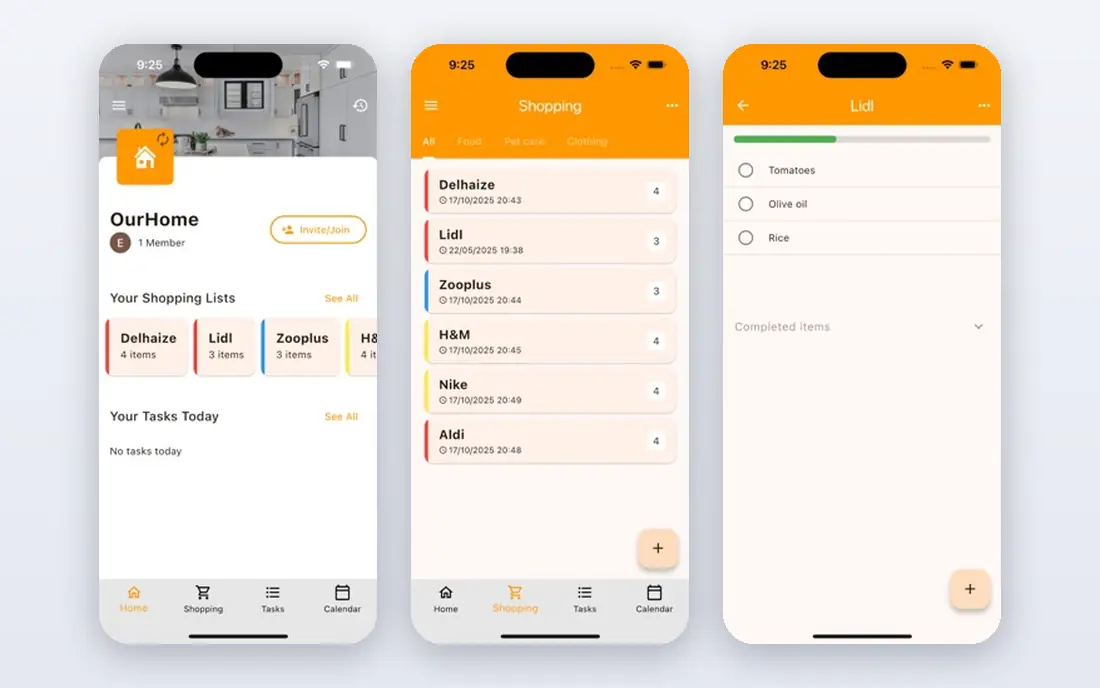
OurHome is built for households, not individuals. Parents assign chores, kids earn points, and everyone sees the same list, which ends most arguments about who did what. Grocery lists and a shared calendar sit alongside chores, so the app doubles as a light household hub. The design is plain, but the shared accountability is the feature that matters.
For most readers, the deciding question with OurHome is fit rather than raw feature count. Check the plan limits that matter to you, such as seats, usage caps and what happens when a trial ends, before you commit to a paid tier. If the free tier or trial covers your core task, use it for a full week of real work before paying, and keep an eye on renewal terms and cancellation steps. That short test usually tells you more than any feature list, and it keeps the choice grounded in how you actually work day to day.
- Assign tasks to family members
- Points and rewards for kids
- Shared grocery lists
- Design feels basic
- No professional booking option
Homey
Ideal for: Housemates and families
Homey focuses on fairness. It rotates chores, tracks who has done what, and shows the balance across the household, which is exactly what shared homes argue about. The interface is clean and the reminders are reliable. Its community is smaller than the big names, so expect fewer public templates and guides.
For most readers, the deciding question with Homey is fit rather than raw feature count. Check the plan limits that matter to you, such as seats, usage caps and what happens when a trial ends, before you commit to a paid tier. If the free tier or trial covers your core task, use it for a full week of real work before paying, and keep an eye on renewal terms and cancellation steps. That short test usually tells you more than any feature list, and it keeps the choice grounded in how you actually work day to day.
- Chore rotation and fairness tracking
- Shared household view
- Reminders
- Smaller user community
- Some features need a subscription
Home Routines
Ideal for: Daily routine checklists
Home Routines builds cleaning around morning and evening checklists plus a rotating zone focus, so each day has a short, defined set of tasks. That structure suits people who prefer steady daily progress over large weekend sessions. Sharing is limited compared with OurHome, so it fits single-person homes and couples better than large shared households.
For most readers, the deciding question with Home Routines is fit rather than raw feature count. Check the plan limits that matter to you, such as seats, usage caps and what happens when a trial ends, before you commit to a paid tier. If the free tier or trial covers your core task, use it for a full week of real work before paying, and keep an eye on renewal terms and cancellation steps. That short test usually tells you more than any feature list, and it keeps the choice grounded in how you actually work day to day.
- Morning and evening routine lists
- Zone cleaning support
- Simple design
- IOS focused
- Limited family sharing
Handy
Ideal for: Booking a professional cleaner
Handy is for people who want the cleaning done rather than scheduled. You pick a date, time and home size, see the price up front, and book a cleaner through the platform. Recurring bookings turn it into a hands-off routine. Costs add up compared with doing it yourself, and availability depends on your city.
For most readers, the deciding question with Handy is fit rather than raw feature count. Check the plan limits that matter to you, such as seats, usage caps and what happens when a trial ends, before you commit to a paid tier. If the free tier or trial covers your core task, use it for a full week of real work before paying, and keep an eye on renewal terms and cancellation steps. That short test usually tells you more than any feature list, and it keeps the choice grounded in how you actually work day to day.
- Book vetted cleaners by date and time
- Transparent pricing before booking
- Recurring bookings
- You pay per clean, not a flat app fee
- Availability varies by city
TaskRabbit
Ideal for: One-off cleaning help
TaskRabbit connects you with local people who take on cleaning jobs alongside other household tasks. Reviews and hourly rates are visible before you book, which helps you judge value. Because cleaning shares the platform with furniture assembly and moving help, the experience is less specialised than Handy, but the flexibility is greater.
For most readers, the deciding question with TaskRabbit is fit rather than raw feature count. Check the plan limits that matter to you, such as seats, usage caps and what happens when a trial ends, before you commit to a paid tier. If the free tier or trial covers your core task, use it for a full week of real work before paying, and keep an eye on renewal terms and cancellation steps. That short test usually tells you more than any feature list, and it keeps the choice grounded in how you actually work day to day.
- Find local taskers for cleaning and odd jobs
- Read reviews before booking
- Flexible scheduling
- Prices vary by tasker
- Cleaning is one of many services, not the focus
Thumbtack
Ideal for: Comparing local cleaning pros
Thumbtack works like a marketplace for local cleaning services. You describe the job, receive quotes from nearby pros, and compare reviews and prices before hiring. That comparison step is valuable for recurring cleaning, where a small price difference adds up over a year. The quote process takes longer than instant booking, so it suits planned hires rather than same-day needs.
For most readers, the deciding question with Thumbtack is fit rather than raw feature count. Check the plan limits that matter to you, such as seats, usage caps and what happens when a trial ends, before you commit to a paid tier. If the free tier or trial covers your core task, use it for a full week of real work before paying, and keep an eye on renewal terms and cancellation steps. That short test usually tells you more than any feature list, and it keeps the choice grounded in how you actually work day to day.
- Get quotes from several local cleaners
- Compare reviews and prices
- Hire in one place
- Quote process takes time
- Quality varies by provider
How we picked these
We compared official feature pages, pricing pages, app store listings, privacy policies and public reviews for each option below. We kept only products that exist and work now, that fit the topic directly, and whose official homepage we could confirm. Where a price was not published clearly, we wrote See website rather than guessing, and we favoured options with a free tier or trial where one exists.
Picking a routine you will actually keep
Match the app to the size of the job. A single person in a small flat needs a short daily list, not a full room-by-room system, while a family home needs sharing, rotation and visible accountability. Overbuying complexity is the most common reason cleaning apps get abandoned within a month.
Set rhythms honestly. A task marked weekly that you only do monthly will sit overdue forever and teach you to ignore the app. Start with longer intervals, then tighten them once the habit sticks. Most apps here let you adjust rhythms per task, so use that freedom.
If you hire help, treat the app as the record, not the replacement. Note what the cleaner covered, when they came, and what still needs attention between visits. That record stops double work and makes it easy to change providers without losing your household history.
Frequently asked questions
What is the best cleaning schedule app for families?
OurHome and Homey lead for families because chores are assigned, visible and tracked across members. Tody also supports shared homes, but its strength is detailed scheduling rather than kid-friendly motivation.
Are cleaning schedule apps free?
Several offer useful free tiers for a single household, including Tody, Sweepy, OurHome and Homey. Paid plans usually add unlimited members, advanced reminders or extra rooms, so try the free tier first and upgrade only if you hit a limit.
How often should I clean each room?
It depends on use, pets and household size, but a common pattern is weekly for kitchens and bathrooms, every two weeks for living areas, and monthly for deep tasks such as ovens and windows. Start with longer intervals and tighten them once the routine holds.
Can I use a cleaning app and hire a cleaner?
Yes, and the combination works well. Use the app to track what was done and when, and use Handy, TaskRabbit or Thumbtack to book the actual cleaning. That way you keep a record even if you change providers.
Do cleaning apps work for housemates?
Yes, if the app shows who did what. Homey and OurHome both track fairness across members, which prevents the usual disputes. Agree on the chore list together before anyone starts, or the app will simply record an argument.