Knowify leads the list, best for trade contractors managing jobs and invoicing. Listed starting prices: Knowify from $19 per unit per month. For a different need, Procore covers connecting site and office visibility and CoConstruct covers client-facing construction project management. The other 3 tools in the list cover narrower or pricier cases.
This Ainotely guide covers 6 client portal software for contractors. Each profile lists a starting price, free plan details, strengths and drawbacks, so you can drop poor fits quickly.
Key takeaways
Knowify takes the first slot, best suited to trade contractors managing jobs and invoicing.
Neither Knowify nor Houzz Pro, nor any of the other 4 tools, has a permanent free plan; trials and quotes are the norm.
Houzz Pro is the one to check for design-led builders and remodelers.
A fair warning about Procore: centred on project management instead of client portals.
Best for: Trade contractors managing jobs and invoicing
Knowify is a good fit for trade contractors managing jobs and invoicing. Knowify offers construction management software for trade contractors, helping them bid, run and invoice commercial and residential jobs on time and on budget, based on its homepage.
Trade-offs to know: Client portal is part of a job management suite.
It suits specialty trades that want job costing and client-facing job tracking connected to their billing workflow. On cost, Knowify starts like this: $19 per unit per month. As for free access: Free trial.
Procore is aimed squarely at connecting site and office visibility. Procore is construction project management software that, per its homepage, links the site and the office to provide live visibility for delivering quality projects on time.
Worth adding: review current modules on the vendor site. Procore centers on project management instead of a dedicated client-facing portal, so client experience depends on how you configure access. Procore does not show a starting price in this comparison, so check the vendor site for current pricing. Free plan details: Not stated.
Honest limits: May suit bigger project teams best.
Best for: Client-facing construction project management
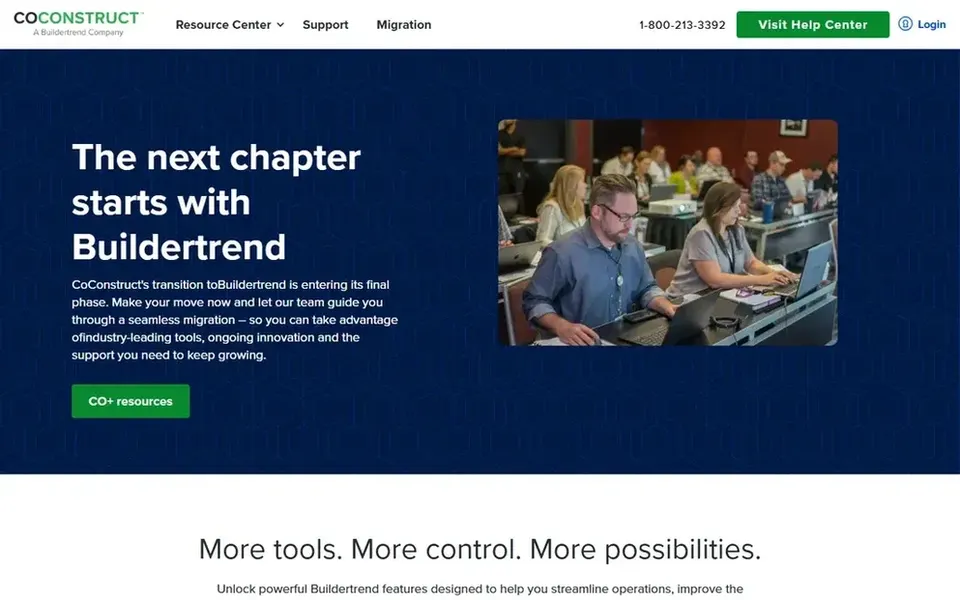
CoConstruct works best for client-facing construction project management. CoConstruct is construction management software geared toward builders and remodelers who want clients involved throughout a project. In daily use, teams that mainly need quoting and invoicing for maintenance work should look at lighter service software instead.
Honest limits: May be more than small service jobs need.
On top of that, since it is oriented toward residential construction workflows, service companies with short repeat visits may find it heavier than needed. On top of that, confirm current feature scope on the vendor site before committing. This comparison lists no price for CoConstruct; ask the vendor. Free plan details: Not stated.
ServiceTitan targets home and commercial trade contractors. ServiceTitan gives you all-in-one software aimed at home and commercial contractors, based on its homepage, keeping service visits and construction projects running smoothly.
Also, contractors wanting a minimal client portal for occasional updates may prefer a lighter choice. On top of that, confirm fit with your operating model on the vendor site. ServiceTitan does not show a starting price in this comparison, so check the vendor site for current pricing. On free options: Free trial.
Honest limits: Enterprise orientation can feel complex.
Choose Contractor Foreman for all-in-one construction management. Contractor Foreman markets all-in-one construction management software for contractors, including estimates, scheduling, time cards and invoicing. Its homepage also mentions a trial and a guarantee, signaling confidence in the product.
Worth adding: because it spans plenty of functions, some modules may be less refined than dedicated point tools. Contractors wanting a highly refined standalone client portal should compare alternatives. No starting price is listed for Contractor Foreman here; confirm pricing on the vendor site. Trial and free access: Not stated.
Houzz Pro serves design-led builders and remodelers. The breadth of the system means onboarding takes effort, and businesses with narrow operational needs may not use much of it.
Trade-offs to know: Wide feature set takes time to learn.
In practice, the vendor states it is the only construction and design software with AI trained on the industry, positioning speed and efficiency across the business as its core promise. From a buyer's view, verify which modules matter for your workflow on the vendor site. No starting price is listed for Houzz Pro here; confirm pricing on the vendor site. Free access: Not stated.
Confirm the entry price on the vendor page. For Procore, CoConstruct, ServiceTitan and others that means a quote rather than a fixed price.
Take the trial from Knowify and ServiceTitan and push a live task through it before you pay.
Before choosing Knowify, weigh its main limit: trade focus may limit broader general contracting needs.
Ask Contractor Foreman how an export works before you move any records in; an easy exit lowers the risk.
Pick one real project and run it in CoConstruct first; a small pilot shows fit faster than a checklist.
How we picked
Ainotely looked at what each vendor publishes: pricing, plan limits, feature coverage for client portal software for contractors and stated drawbacks. No hands-on testing is claimed. Figures are shown as the vendors publish them. Billing terms, seat minimums and add-ons can change the real cost. The sequence is a judgement call: typical use case first, then pricing transparency, then free access. Use the profiles to check fit.
Every price and plan detail on this page comes from the vendors’ own websites. We did not run hands-on tests unless the text says so, and we do not publish star ratings or review scores. See how we score and our disclosure.
Keep your shortlist in one place
Paste prices, trial dates and notes from this guide into Ainotely, our AI note app. It files them into a topic and pulls out tasks like “cancel trial by Friday”. Free 7-day trial, no card needed.
Does any tool for client portal software for contractors here have a free plan?
A permanent free plan is not offered by Knowify, Houzz Pro or the other tools here. Knowify, ServiceTitan offer a trial. Plan a short evaluation period instead.
Can I try these tools before paying?
Often, yes. Knowify and ServiceTitan offer a free trial. Use your own data and a real task during the test, and check what the free tier or trial limits before you rely on it.
What is the cheapest option for client portal software for contractors in this list?
On published monthly entry prices, Knowify is the lowest here at $19 per unit per month. Entry price is only part of the cost, because seats, add-ons and billing terms can change the total. For the full picture, the cards above cover all 6 entries of this client portal software for contractors list, including price, free plan and limits.
Do these tools publish their prices?
Not all of them. Procore, CoConstruct, ServiceTitan and others publish no starting price, so expect a quote request for those. The rest, Knowify included, show a starting price, though seats and billing terms still change the final cost.
Is construction management software the same as a client portal?
Construction management products commonly contain client-facing features, but the portal is one part of a broader system. Decide whether you need a dedicated portal or a full operations system.