Best Cloud-Based Brainstorming Software in 2026: 8 Tools Compared

- 1
 MiroTeam whiteboard brainstormingVisit
- 2
 MuralFacilitated workshopsVisit
- 3
 FigJamFigma users brainstormingVisit
- 4
 LucidsparkMind maps and whiteboardsVisit
- 5
 MindMeisterOnline mind mappingVisit
- Miro and FigJam lead for visual team brainstorming on infinite whiteboards, while Mural suits facilitated workshops with structured templates.
- Lucidspark, MindMeister, and Whimsical suit teams that want mind maps, diagrams, or a simpler whiteboard without enterprise complexity.
- Milanote and Stormboard help individuals and small teams organize ideas visually, with boards that feel closer to a mood board than a meeting tool.
- Free plans vary widely in board and collaborator limits, so check those limits before running a large team session.
Quick comparison
| Product | Ideal for | Price from | Free version | |
|---|---|---|---|---|
| Miro | Team whiteboard brainstorming | Free | Yes | Visit |
| Mural | Facilitated workshops | See website | Free trial | Visit |
| FigJam | Figma users brainstorming | Free | Yes | Visit |
| Lucidspark | Mind maps and whiteboards | Free | Yes | Visit |
| MindMeister | Online mind mapping | Free | Yes | Visit |
 Stormboard | Sticky-note brainstorming | See website | Free trial | Visit |
 Milanote | Visual idea organization | Free | Yes | Visit |
 Whimsical | Simple whiteboards and mind maps | Free | Yes | Visit |
The best cloud-based brainstorming software
Cloud brainstorming software gives teams a shared visual space for sticky notes, mind maps, diagrams, and sketches, so ideas can be captured and organized in real time, even when people are in different places. The best tools balance freedom to brainstorm with structure to turn ideas into decisions. We compared official feature pages, pricing pages, and public reviews, focusing on whiteboards, mind maps, templates, collaboration, and free plan limits.
Miro
Ideal for: Team whiteboard brainstorming

Miro is the most popular cloud whiteboard for brainstorming, with an infinite canvas, sticky notes, mind maps, diagrams, and a large template library for retrospectives, journey maps, and ideation sessions. Real-time collaboration, comments, voting, and timer tools help facilitators run structured sessions, and integrations with Slack, Jira, and other tools connect boards to work. For most teams, Miro is the default brainstorming space.
The free plan limits the number of editable boards, so teams that brainstorm often will need a paid plan. Very large boards can also feel cluttered without good facilitation. For team brainstorming at scale, Miro is our pick.
- Infinite canvas with many templates
- Real-time collaboration
- Strong integrations
- Free plan limits boards
- Large boards can feel busy
Mural
Ideal for: Facilitated workshops
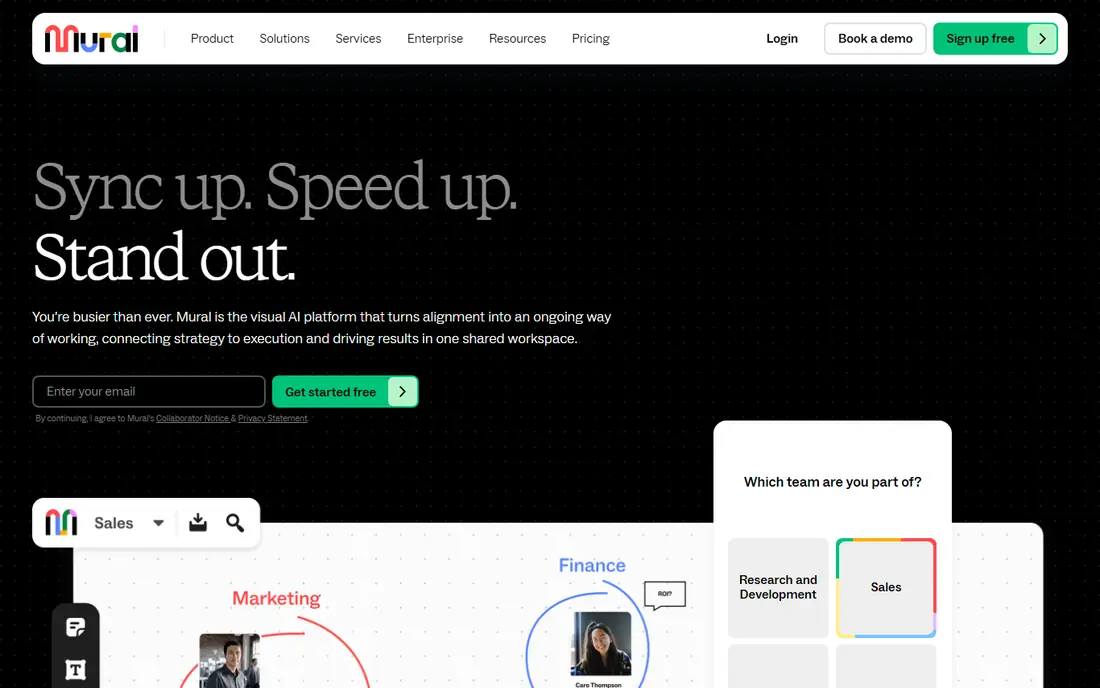
Mural is built for facilitated workshops, with templates for design thinking, agile ceremonies, and strategy sessions, plus features such as private brainstorming mode, voting, and facilitator controls. That structure helps consultants and product teams run sessions that end in decisions, not just a wall of notes. Enterprise controls and security suit larger organizations.
Pricing is aimed at teams and enterprises, and casual users may find Mural more structured than they need. For facilitated workshops and design thinking, Mural is a leading choice.
- Strong facilitation and workshop templates
- Private mode and voting
- Enterprise controls
- Priced for teams and enterprises
- Learning curve for casual users
FigJam
Ideal for: Figma users brainstorming
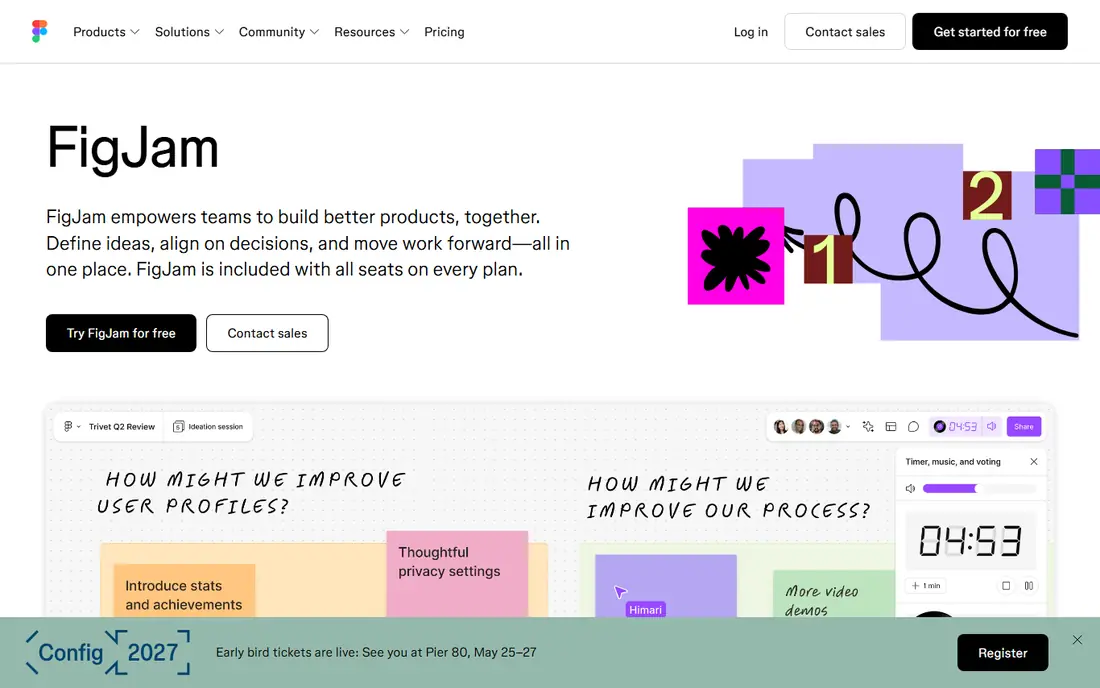
FigJam is Figma's whiteboard for brainstorming, with sticky notes, shapes, connectors, and templates in a simple, playful interface. Its strength is integration: product teams can brainstorm in FigJam and move ideas into Figma designs without switching tools or losing context. That closeness suits design and product teams already using Figma daily.
FigJam is simpler than Miro for complex diagrams and large workshop programs, and it works best inside the Figma ecosystem. For Figma teams that brainstorm often, FigJam is a natural and easy choice.
- Tight Figma integration
- Simple, playful whiteboard
- Good for product teams
- Simpler than Miro for complex diagrams
- Figma ecosystem focus
Lucidspark
Ideal for: Mind maps and whiteboards
Lucidspark, from the makers of Lucidchart, combines whiteboarding with mind mapping and diagramming, so a brainstorm can become a structured diagram in the same tool. Templates cover brainstorming, planning, and retrospectives, and integration with Lucidchart helps teams that also diagram systems and processes. That bridge from freeform ideas to structured diagrams is useful for technical teams.
Free plans limit boards and features, and the interface offers many options that can feel busy at first. For teams that want brainstorming plus diagramming, Lucidspark is a strong pick.
- Whiteboard plus mind mapping and diagramming
- Lucid suite integration
- Good templates
- Free plan limits boards and features
- Interface has many options
MindMeister
Ideal for: Online mind mapping
MindMeister focuses on online mind mapping, with a clean interface for building branching idea maps, adding notes, links, and attachments, and collaborating in real time. That focus suits planning, study, project outlines, and idea organization, where a tree structure helps more than a freeform canvas. Presentation mode turns a map into a slideshow for sharing.
Mind maps are the core, so teams wanting a freeform whiteboard with sticky notes and diagrams may prefer Miro or FigJam. Free plans limit the number of maps. For mind mapping specifically, MindMeister is a polished and proven tool.
- Clean online mind mapping
- Real-time collaboration
- Good for planning and study
- Mind-map focused, less of a freeform whiteboard
- Free plan limits maps
Stormboard
Ideal for: Sticky-note brainstorming
Stormboard offers online sticky-note boards with templates for agile, business planning, and brainstorming, plus reporting that summarizes ideas, votes, and comments. That reporting helps facilitators turn a session into a shareable summary without manual transcription. Remote teams benefit from real-time boards and commenting.
The community and template range are smaller than Miro's, and larger plans are quote-based. For sticky-note brainstorming with built-in reporting, Stormboard is a solid option.
- Sticky-note boards with reporting
- Templates for agile and business
- Good for remote teams
- Smaller community than Miro
- Pricing by quote for larger plans
Milanote
Ideal for: Visual idea organization
Milanote is a visual note-taking and organization tool that suits creatives, writers, and small teams collecting ideas, images, links, and references on boards. Its boards feel closer to a mood board than a meeting whiteboard, which helps early-stage creative work where collecting and arranging matters more than live voting. Sharing and commenting support small team collaboration.
Large live workshops with voting and facilitation are not Milanote's strength, and free plans limit notes and boards. For visual idea collection and creative planning, Milanote is a lovely and practical tool.
- Beautiful visual boards for notes, images, and links
- Good for creatives
- Easy sharing
- Less suited to large live workshops
- Free plan limits notes and boards
Whimsical
Ideal for: Simple whiteboards and mind maps
Whimsical offers fast whiteboards, mind maps, flowcharts, and docs in a clean interface that prioritizes speed over feature depth. Small teams can start a board in seconds, sketch an idea, and share a link, without learning a complex tool. That simplicity is the appeal for teams that brainstorm informally and often.
Template range and workshop facilitation features are lighter than Miro or Mural. For simple, fast brainstorming and diagramming, Whimsical is an excellent low-friction choice.
- Fast, simple whiteboards, mind maps, and flowcharts
- Clean interface
- Good for small teams
- Fewer templates than Miro
- Collaboration features are lighter than Mural
How we picked these
We compared official feature pages, pricing pages, and public reviews for cloud tools built for brainstorming, mind mapping, or visual ideation, not general note apps or meeting tools. We looked at whiteboard and mind-map features, templates, real-time collaboration, voting and facilitation, and free plan limits. Tools that had shut down were left out.
What to check before you choose brainstorming software
Start with how you brainstorm. Freeform whiteboard teams need Miro, FigJam, or Lucidspark, while mind-map teams need MindMeister or Whimsical, and workshop facilitators need Mural. Testing with a real session, not just a solo board, will show whether voting, timers, and private mode work for your group.
Next, check free plan limits for boards, collaborators, and guests, since a large session can hit limits mid-workshop. Confirm integrations with your chat, docs, and project tools, so ideas can move into work after the session. Finally, check export and sharing: boards should export to images or PDFs for stakeholders who were not in the session.
Also think about what happens after the session ends, since a board full of ideas with no owners is quickly forgotten. Check whether action items can be assigned, exported, or sent to a project tool, and whether boards stay searchable months later. A good brainstorming tool should make it easy to revisit old ideas, since an idea that seems weak today may fit a future project, and losing it wastes the session's work.
One more practical check is guest access. Many brainstorming sessions include clients, contractors, or stakeholders who should not need a paid account to contribute, so confirm how guests join, what they can edit, and whether guest access expires. A tool that forces every participant to create a paid account will slow sessions and exclude people, while generous guest access keeps collaboration open and sessions moving.
Frequently asked questions
What is the best cloud-based brainstorming software?
Miro is the best default for team whiteboard brainstorming, FigJam suits Figma teams, and Mural suits facilitated workshops. MindMeister leads for mind mapping, while Milanote suits visual idea collection for creatives.
Is there a free brainstorming tool?
Yes, Miro, FigJam, Lucidspark, MindMeister, Milanote, and Whimsical all offer free plans, though board, collaborator, and feature limits vary. Check the current free plan terms before running a large team session.
Can brainstorming software replace in-person workshops?
It can replace many parts, especially for distributed teams, with real-time boards, voting, and timers. In-person workshops still suit sensitive or complex sessions where body language and informal conversation matter, so many teams use a mix.
How do I run a remote brainstorming session?
Set a clear question, use private brainstorming before group discussion to avoid groupthink, add voting to prioritize, and end with owners and next steps. A facilitator, a timer, and a template help remote sessions stay focused.
Do brainstorming tools integrate with project software?
Yes, Miro, Mural, Lucidspark, and FigJam integrate with tools such as Slack, Jira, and Figma, letting teams turn ideas into tasks. Check the specific integration for your project tool before committing.