Best Cloud Inventory Management Software in 2026: 8 Options Compared

- 1
 Zoho Inventorysmall businesses selling on several channelsVisit
- 2
 Cin7growing brands with warehouses and 3PLVisit
- 3
 NetSuitelarger companies wanting inventory inside ERPVisit
- 4
 Odoo Inventorybusinesses wanting inventory inside a flexible ERPVisit
- 5
 Katanasmall manufacturers needing production plus inventoryVisit
- Zoho Inventory suits small businesses selling on several channels.
- Cin7 suits growing brands with warehouses and third-party logistics.
- NetSuite suits larger companies that want inventory inside a full ERP.
- Check order and item limits, since cloud pricing often follows volume.
Quick comparison
| Product | Ideal for | Price from | Free version | |
|---|---|---|---|---|
| Zoho Inventory | small businesses selling on several channels | See website | Yes | Visit |
| Cin7 | growing brands with warehouses and 3PL | See website | No | Visit |
| NetSuite | larger companies wanting inventory inside ERP | See website | No | Visit |
| Odoo Inventory | businesses wanting inventory inside a flexible ERP | See website | Yes | Visit |
| Katana | small manufacturers needing production plus inventory | See website | Free trial | Visit |
 Unleashed | product businesses needing strong inventory control | See website | Free trial | Visit |
 inFlow Inventory | small manufacturers and wholesalers in the cloud | See website | Free trial | Visit |
 Cin7 Core | smaller brands moving up from basic tools | See website | Free trial | Visit |
The best cloud inventory management software
Cloud inventory management software tracks stock, orders, and warehouses from any browser, so teams in different locations share one accurate record. It differs from simple tracking by adding purchasing, fulfillment, and accounting links. We compared cloud platforms for growing product businesses.
Zoho Inventory
Ideal for: small businesses selling on several channels
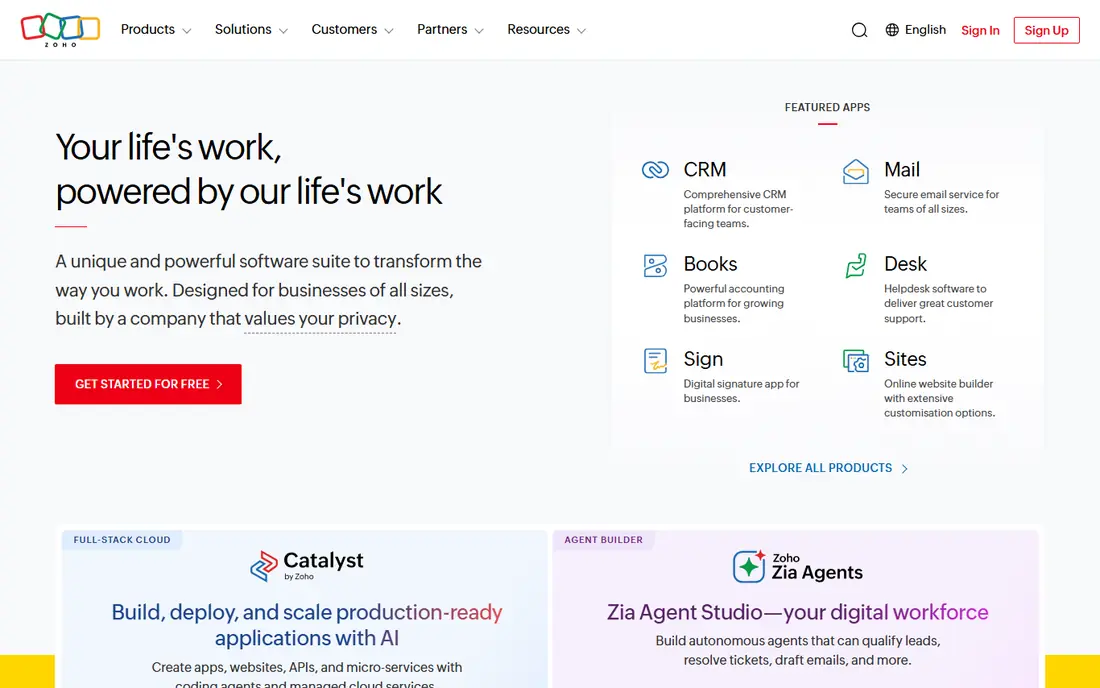
Zoho Inventory syncs orders across channels, manages purchase orders and shipments, and connects to Zoho Books. It suits small businesses selling on several marketplaces. The free plan covers only a limited monthly order count. That focus makes it a practical match for small businesses selling on several channels. On pricing, the starting point is see website, and the free plan status is yes. Its strengths include multi-channel order sync; zoho integrations; shipping tools. The trade-off to weigh is free plan limits orders; advanced features need paid plans. We suggest checking the current plan limits on the vendor site before you commit, since tiers and trial terms change, and confirming that the plan you pick covers the seats, storage, or usage your team actually needs.
- Multi-channel order sync
- Zoho integrations
- Shipping tools
- Free plan limits orders
- Advanced features need paid plans
Cin7
Ideal for: growing brands with warehouses and 3PL

Cin7 manages inventory across sales channels, warehouses, and third-party logistics providers, with manufacturing and fulfillment workflows for growing brands. It suits companies outgrowing simple tools. Pricing is quoted and setup needs planning. That focus makes it a practical match for growing brands with warehouses and 3PL. On pricing, the starting point is see website, and the free plan status is no. Its strengths include multi-channel and warehouse tools; 3pl support; strong integrations. The trade-off to weigh is pricing by quote; setup takes effort. We suggest checking the current plan limits on the vendor site before you commit, since tiers and trial terms change, and confirming that the plan you pick covers the seats, storage, or usage your team actually needs.
- Multi-channel and warehouse tools
- 3PL support
- Strong integrations
- Pricing by quote
- Setup takes effort
NetSuite
Ideal for: larger companies wanting inventory inside ERP

NetSuite, from Oracle, puts inventory inside a full ERP with financials, CRM, and e-commerce, plus advanced warehousing for larger operations. It suits companies standardizing on one ERP. Smaller firms will find cost and implementation heavy. That focus makes it a practical match for larger companies wanting inventory inside ERP. On pricing, the starting point is see website, and the free plan status is no. Its strengths include full erp with inventory; advanced warehousing; financial integration. The trade-off to weigh is enterprise pricing; implementation is significant. We suggest checking the current plan limits on the vendor site before you commit, since tiers and trial terms change, and confirming that the plan you pick covers the seats, storage, or usage your team actually needs.
- Full ERP with inventory
- Advanced warehousing
- Financial integration
- Enterprise pricing
- Implementation is significant
Odoo Inventory
Ideal for: businesses wanting inventory inside a flexible ERP
Odoo Inventory connects stock to sales, purchasing, manufacturing, and accounting inside the wider Odoo suite. It suits businesses that want a flexible platform to grow into. Configuration and app pricing need careful totaling. That focus makes it a practical match for businesses wanting inventory inside a flexible ERP. On pricing, the starting point is see website, and the free plan status is yes. Its strengths include inventory plus sales and accounting apps; open source option; flexible. The trade-off to weigh is configuration takes effort; app pricing adds up. We suggest checking the current plan limits on the vendor site before you commit, since tiers and trial terms change, and confirming that the plan you pick covers the seats, storage, or usage your team actually needs.
- Inventory plus sales and accounting apps
- Open source option
- Flexible
- Configuration takes effort
- App pricing adds up
Katana
Ideal for: small manufacturers needing production plus inventory
Katana combines manufacturing planning with inventory for small makers and manufacturers, showing production schedules visually. It suits businesses that make products to order or in batches. Pure resellers will find the manufacturing focus unnecessary. That focus makes it a practical match for small manufacturers needing production plus inventory. On pricing, the starting point is see website, and the free plan status is free trial. Its strengths include manufacturing plus inventory; visual production planning; shop floor app. The trade-off to weigh is pricing per user; manufacturing focus. We suggest checking the current plan limits on the vendor site before you commit, since tiers and trial terms change, and confirming that the plan you pick covers the seats, storage, or usage your team actually needs.
- Manufacturing plus inventory
- Visual production planning
- Shop floor app
- Pricing per user
- Manufacturing focus
Unleashed
Ideal for: product businesses needing strong inventory control
Unleashed offers detailed inventory, purchasing, sales, and production control for product businesses, with multi-location support. It suits companies that need accurate stock and cost data. Pricing is per user and setup needs attention. That focus makes it a practical match for product businesses needing strong inventory control. On pricing, the starting point is see website, and the free plan status is free trial. Its strengths include strong inventory and purchasing; multi-location; accounting integrations. The trade-off to weigh is pricing per user; setup takes care. We suggest checking the current plan limits on the vendor site before you commit, since tiers and trial terms change, and confirming that the plan you pick covers the seats, storage, or usage your team actually needs.
- Strong inventory and purchasing
- Multi-location
- Accounting integrations
- Pricing per user
- Setup takes care
inFlow Inventory
Ideal for: small manufacturers and wholesalers in the cloud
inFlow Inventory handles purchase orders, sales orders, work orders, and stock across locations for small manufacturers and wholesalers, with cloud and desktop options. It suits teams that want order management plus inventory. Check which version fits your workflow. That focus makes it a practical match for small manufacturers and wholesalers in the cloud. On pricing, the starting point is see website, and the free plan status is free trial. Its strengths include purchase and sales orders; manufacturing; barcode scanning. The trade-off to weigh is web and desktop features differ; pricing per plan. We suggest checking the current plan limits on the vendor site before you commit, since tiers and trial terms change, and confirming that the plan you pick covers the seats, storage, or usage your team actually needs.
- Purchase and sales orders
- Manufacturing
- Barcode scanning
- Web and desktop features differ
- Pricing per plan
Cin7 Core
Ideal for: smaller brands moving up from basic tools
Cin7 Core, formerly DEAR, gives smaller brands inventory, order, and manufacturing tools with channel integrations, as a step up from basic trackers. It suits growing product businesses. Advanced warehouse features sit on higher tiers. That focus makes it a practical match for smaller brands moving up from basic tools. On pricing, the starting point is see website, and the free plan status is free trial. Its strengths include inventory plus order management; channel integrations; growing-brand focus. The trade-off to weigh is pricing varies by plan; advanced warehouse features sit higher. We suggest checking the current plan limits on the vendor site before you commit, since tiers and trial terms change, and confirming that the plan you pick covers the seats, storage, or usage your team actually needs.
- Inventory plus order management
- Channel integrations
- Growing-brand focus
- Pricing varies by plan
- Advanced warehouse features sit higher
How we picked these
We compared official feature pages, pricing pages, app store listings, privacy policies, and public reviews for each option, and we kept only products that exist, work in October 2026, and fit the topic directly. We did not claim hands-on testing we did not do, and we left out products whose fit was weak even when they are well known in a nearby category. Price and plan details change often, so where a vendor does not publish a clear price we write See website rather than guessing. The notes below reflect what each vendor publishes about its own product, not a promise about results for any single team.
How to choose cloud inventory management software
Start with your sales and fulfillment model: direct-to-consumer, wholesale, marketplace, or a mix each need different order and warehouse workflows. A tool built for retail point of sale may handle wholesale poorly, and vice versa. Map your top order flows before you compare. Check integrations with sales channels, shipping carriers, and accounting, since manual order entry defeats the purpose of a cloud system. Ask about multi-location stock, lot and serial tracking, and landed costs, and test with your real catalog, including variants and bundles. Migrate with a clean stock count, and keep the old system read-only during the transition. Train warehouse and sales staff on the new workflow together, since inventory accuracy depends on both sides entering data correctly, and review stock accuracy weekly at first.
Frequently asked questions
What is cloud inventory management software?
It manages stock, orders, purchasing, and warehouses over the internet, so teams in different locations share one live record. It usually connects to sales channels, shipping, and accounting.
How is it different from inventory tracking?
Tracking mainly records counts and locations, while management adds purchase orders, sales orders, fulfillment, manufacturing, and accounting links. Growing businesses usually need management, not just tracking.
Do I need multi-warehouse support?
Only if you stock in more than one place, including third-party warehouses. Multi-location tools track transfers and availability per location, which matters once stock splits across sites.
How much does cloud inventory software cost?
Pricing ranges from free tiers for small catalogs to monthly plans and enterprise quotes, often varying with orders, users, and locations. Check limits before choosing.
Can cloud inventory work offline?
Most cloud tools need a connection for live data, though some offer limited offline modes. Warehouses with poor coverage should check offline behavior before committing.