Best Cloud Service in 2026: 7 Services Compared

- 1
 Google DriveBest all-round cloud storageVisit
- 2
 DropboxMost reliable sync and sharingVisit
- 3
 iCloudApple device backup and storageVisit
- 4
 Microsoft OneDriveMicrosoft and Windows usersVisit
- 5
 BoxBusiness file sharing and collaborationVisit
- Google Drive gives the most free storage value for Android and Google users, with 15 GB free.
- Dropbox leads on sync reliability and sharing simplicity, though its free tier is small.
- iCloud suits Apple users, with deep device backup and photo sync.
- Sync.com and pCloud suit privacy-focused users who want encryption and clear data policies.
Quick comparison
| Product | Ideal for | Price from | Free version | |
|---|---|---|---|---|
| Google Drive | Best all-round cloud storage | Free | Yes | Visit |
| Dropbox | Most reliable sync and sharing | Free | Yes | Visit |
| iCloud | Apple device backup and storage | Free | Yes | Visit |
| Microsoft OneDrive | Microsoft and Windows users | Free | Yes | Visit |
| Box | Business file sharing and collaboration | Free | Yes | Visit |
 pCloud | Lifetime plans and privacy options | Free | Yes | Visit |
 Sync.com | Privacy-first encrypted storage | Free | Yes | Visit |
The best cloud services
Cloud services store files online, sync them across devices and let you share with others, but they differ in free storage, privacy, price and ecosystem. The list below covers the major services plus privacy-focused options, with notes on free tiers and security. We compared them on storage value, sync reliability, sharing ease and privacy controls.
Google Drive
Ideal for: Best all-round cloud storage
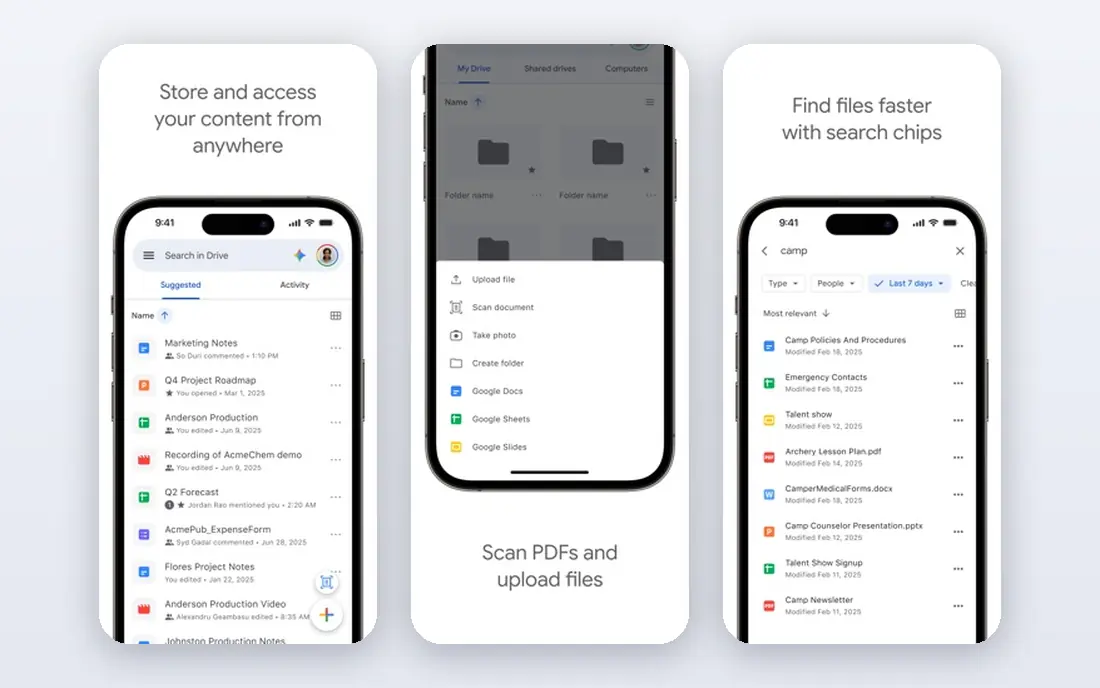
Google Drive is the best all-rounder for most users, with 15 GB free shared across Drive, Gmail and Photos, strong sharing controls and deep Google Docs collaboration. Its apps work on every platform, and its search finds files fast. Android and Google Workspace users get the most from it.
Its privacy follows Google standard policies, not client-side encryption, and the 15 GB fills fast with photos and mail. Paid Google One plans solve storage but not encryption concerns. For everyday storage and sharing, Drive is the default.
For readers focused on best all-round cloud storage, Google Drive is worth a trial before deciding, since the free tier or trial shows its real feel fast. Check the current plan details on the vendor site, since prices and limits change, and confirm that the version you need works on your devices.
- 15 GB free
- Strong sharing and collaboration
- Google Docs integration
- Privacy is Google-standard, not encrypted client-side
- Storage shared with Gmail
Dropbox
Ideal for: Most reliable sync and sharing
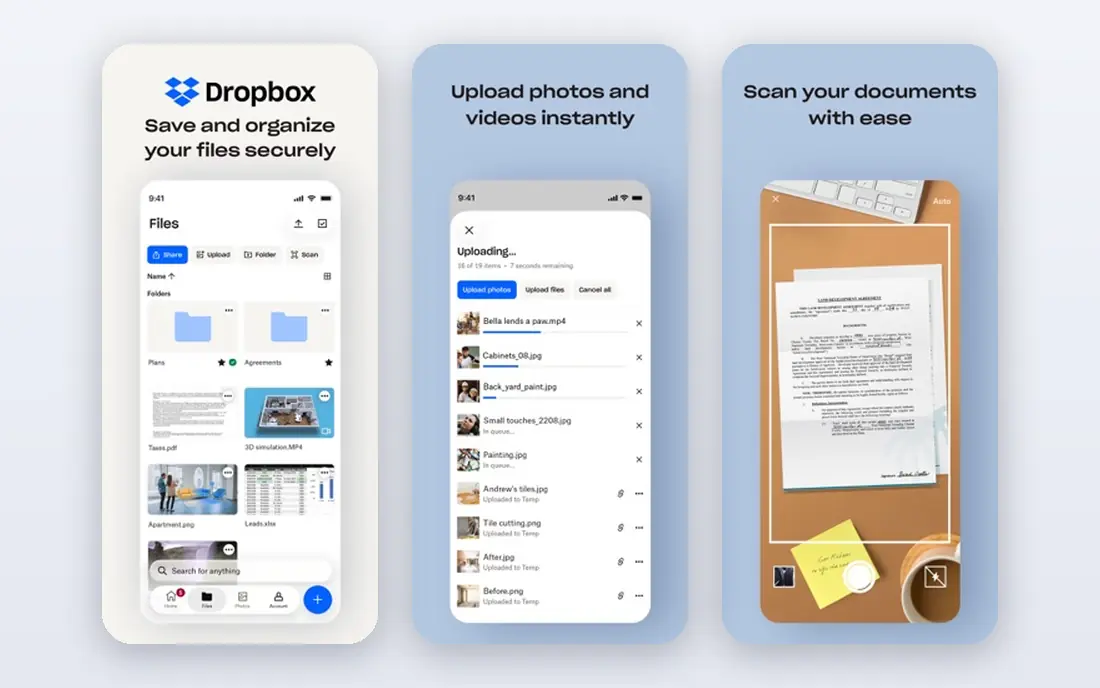
Dropbox built its reputation on sync that just works, with simple sharing, file requests and strong integrations across apps. Its desktop and mobile apps are polished, and its version history rescues overwritten files. Teams and individuals who share constantly rely on it daily.
Free storage is only 2 GB, and paid plans cost more per gigabyte than Google or Microsoft options. Privacy-focused users may also prefer encrypted rivals. For sync reliability and sharing simplicity, Dropbox remains excellent.
We would shortlist Dropbox for most reliable sync and sharing, and compare it directly with the two options nearest it in price before paying. Check the current plan details on the vendor site, since prices and limits change, and confirm that the version you need works on your devices.
- Reliable sync
- Simple sharing
- Strong third-party integrations
- Only 2 GB free
- Paid plans cost more per GB than rivals
iCloud
Ideal for: Apple device backup and storage
iCloud is the natural cloud service for Apple users, backing up iPhones and iPads, syncing Photos, and sharing storage with family plans. Its integration means backups happen automatically, and its apps work across Apple devices without setup. The 5 GB free tier covers basics.
Free storage is small for photo libraries, and Windows and Android support is limited. Users outside Apple get less value. For Apple households, iCloud is the simplest storage and backup choice.
If apple device backup and storage is your main need, iCloud deserves a place on a shortlist, provided you test the catch described above first. Check the current plan details on the vendor site, since prices and limits change, and confirm that the version you need works on your devices.
- Deep Apple backup and photo sync
- 5 GB free
- Family sharing
- Apple focus
- Windows and Android support is limited
Microsoft OneDrive
Ideal for: Microsoft and Windows users
OneDrive integrates deeply with Windows and Microsoft 365, syncing Documents, Desktop and Photos, and co-authoring Office files in real time. Windows users get backup without extra setup, and Microsoft 365 subscribers get 1 TB included. Its sharing and version tools suit work files.
The free tier is only 5 GB, and the best value needs a Microsoft 365 subscription. Non-Windows users get less integration benefit. For Microsoft households and offices, OneDrive is the natural pick.
Our view is that Microsoft OneDrive earns its place here for microsoft and Windows users, even with the limits noted above. Check the current plan details on the vendor site, since prices and limits change, and confirm that the version you need works on your devices.
- 5 GB free
- Office integration
- Windows backup
- Free tier is small
- Best value needs Microsoft 365
Box
Ideal for: Business file sharing and collaboration
Box focuses on business file sharing, with strong admin controls, compliance features and integrations across enterprise apps. Its free tier offers 10 GB, and its collaboration tools suit teams sharing work files with clients. Larger organizations use Box for governed sharing.
Consumer features trail Google and Dropbox, and paid plans are priced for business. Individuals wanting simple photo backup may prefer Drive or iCloud. For business sharing with controls, Box is a strong platform.
For readers focused on business file sharing and collaboration, Box is worth a trial before deciding, since the free tier or trial shows its real feel fast. Check the current plan details on the vendor site, since prices and limits change, and confirm that the version you need works on your devices.
- 10 GB free
- Strong business controls
- Many integrations
- Consumer features trail rivals
- Paid plans are business priced
pCloud
Ideal for: Lifetime plans and privacy options
pCloud offers cloud storage with a lifetime purchase option, client-side encryption as an add-on, and built-in media playback for music and video. Its one-time lifetime plans appeal to users tired of subscriptions, and its apps cover all major platforms. Privacy-conscious buyers like its Swiss base and encryption option.
The free tier is modest, and lifetime pricing requires a larger upfront payment. Encryption costs extra on most plans. For users who want a subscription-free option with privacy controls, pCloud is distinctive.
We would shortlist pCloud for lifetime plans and privacy options, and compare it directly with the two options nearest it in price before paying. Check the current plan details on the vendor site, since prices and limits change, and confirm that the version you need works on your devices.
- Lifetime purchase option
- Client-side encryption add-on
- Media playback
- Free tier is modest
- Lifetime pricing is upfront
Sync.com
Ideal for: Privacy-first encrypted storage
Sync.com puts privacy first, with client-side encryption by default, so files are encrypted before upload and the provider cannot read them. Its Canadian jurisdiction and clear privacy policy appeal to users handling sensitive files, and its sharing controls include link expiry and passwords.
The free tier is small, and collaboration features trail Google Drive, since encryption limits real-time co-editing. Teams needing Docs-style collaboration should look elsewhere. For private storage, Sync.com is the strongest choice here.
If privacy-first encrypted storage is your main need, Sync.com deserves a place on a shortlist, provided you test the catch described above first. Check the current plan details on the vendor site, since prices and limits change, and confirm that the version you need works on your devices.
- Client-side encryption by default
- Canadian privacy laws
- Sharing controls
- Free tier is small
- Collaboration features trail Google
How we picked these
We compared official feature pages, pricing pages, app store listings, privacy policies and public reviews for each option below. We checked that each product is still available and that its stated plans match what the vendor publishes. We did not run hands-on tests, so our picks rest on documented features, pricing and the fit for the reader described in each section, not on lab results. Where a price could not be confirmed on the vendor site at the time of writing, we wrote See website rather than guessing. We also looked at how each option handles the everyday details that decide whether a tool gets used: setup time, device support, what happens when you cancel or downgrade, and whether help is available when something breaks. A product that looks strong on a feature list but is hard to set up, hard to leave, or poorly supported will cost more in time than it saves, so we weighed those practical points alongside price and features. Where reviewers or users reported a recurring problem, we noted it in the honest catch for that product, rather than leaving it out because the vendor page did not mention it.
How to choose a cloud service for your files
Start with your devices: Apple users get the most from iCloud, Google users from Drive, and Microsoft users from OneDrive, since backups and photos integrate deeply. Check free storage against your real needs, because 2 GB will not hold a photo library. Look at sharing controls, since work files need link expiry and password options. For sensitive files, check encryption: some services encrypt files in transit and at rest, while privacy-focused services add client-side encryption that even the provider cannot read. Finally, keep a local backup too, because cloud sync is not the same as backup.
A final check before you commit
Run a short trial on a real task before you pay for a year or move a whole team. Use the free plan or trial to complete one full job, from setup to export or delivery, and note where you got stuck. Check the cancellation path too: can you leave and keep your data, or does leaving mean starting over? Read the pricing page for renewal rates, not just the first-year offer, and confirm what support you get on the plan you will actually buy. Finally, ask one current user about the worst part of the product, since that answer tells you more than any feature list. If the trial feels good on a real task and the exit path is clear, the choice is much safer.
Frequently asked questions
What is the best cloud service?
Google Drive is the best all-rounder for most users, with 15 GB free and strong sharing. Dropbox leads on sync reliability, iCloud suits Apple users, and Sync.com leads for privacy-focused storage.
How much free cloud storage do I get?
Google Drive offers 15 GB free, OneDrive 5 GB, Dropbox 2 GB, iCloud 5 GB, and Box 10 GB, while pCloud and Sync.com offer smaller free tiers with paid upgrades. Check current free tiers, since they change.
What is the most private cloud service?
Sync.com and pCloud offer client-side encryption options that keep files private from the provider. Proton Drive, from the makers of Proton Mail, is another privacy-focused option worth comparing.
Is cloud storage the same as backup?
No. Cloud sync mirrors files across devices, so a deleted file can vanish everywhere unless version history saves it. True backup keeps separate copies, so use both sync and a backup service for important files.
Can I share large files with cloud services?
Yes. Most services let you share files and folders by link, with size limits depending on plan. Paid plans raise limits, and some services offer file request links for collecting files from others.