Best Cloud Storage Apps for Free in 2026: 8 Apps Compared

- 1
 Google DriveLargest mainstream free tier for Google usersVisit
- 2
 MEGALarge free tier with end-to-end encryptionVisit
- 3
 Microsoft OneDriveFree storage for Windows and Office usersVisit
- 4
 Apple iCloudFree storage and backup for Apple devicesVisit
- 5
 DropboxReliable sync despite a small free tierVisit
- Google Drive offers the largest mainstream free tier at 15 GB, shared across Gmail, Drive and Photos.
- MEGA offers 20 GB free with end-to-end encryption, which suits privacy-conscious users.
- Dropbox offers only 2 GB free, but its sync reliability remains a reason many users pay for it.
- Free tiers fill fast with photos and video, so check what counts toward storage before relying on one service.
Quick comparison
| Product | Ideal for | Price from | Free version | |
|---|---|---|---|---|
| Google Drive | Largest mainstream free tier for Google users | Free | Yes | Visit |
| MEGA | Large free tier with end-to-end encryption | Free | Yes | Visit |
| Microsoft OneDrive | Free storage for Windows and Office users | Free | Yes | Visit |
| Apple iCloud | Free storage and backup for Apple devices | Free | Yes | Visit |
| Dropbox | Reliable sync despite a small free tier | Free | Yes | Visit |
 pCloud | Free storage with a lifetime purchase option | Free | Yes | Visit |
 Proton Drive | Privacy-first free storage from Proton | Free | Yes | Visit |
 Sync.com | Private free storage with team features | Free | Yes | Visit |
The best cloud storage apps for free
We compared official feature pages, pricing pages, app store listings, privacy policies and public reviews to build this list of 8 options for best cloud storage app for free. Prices were checked in October 2026 and can change, so confirm the current price on the vendor site before you buy. Our pick for most people is the first option that fits your budget and workflow, not necessarily the most expensive tool on the list. Read the quick comparison first to narrow the field, then read the full write-ups for the two or three options that fit your needs best.
Google Drive
Ideal for: Largest mainstream free tier for Google users
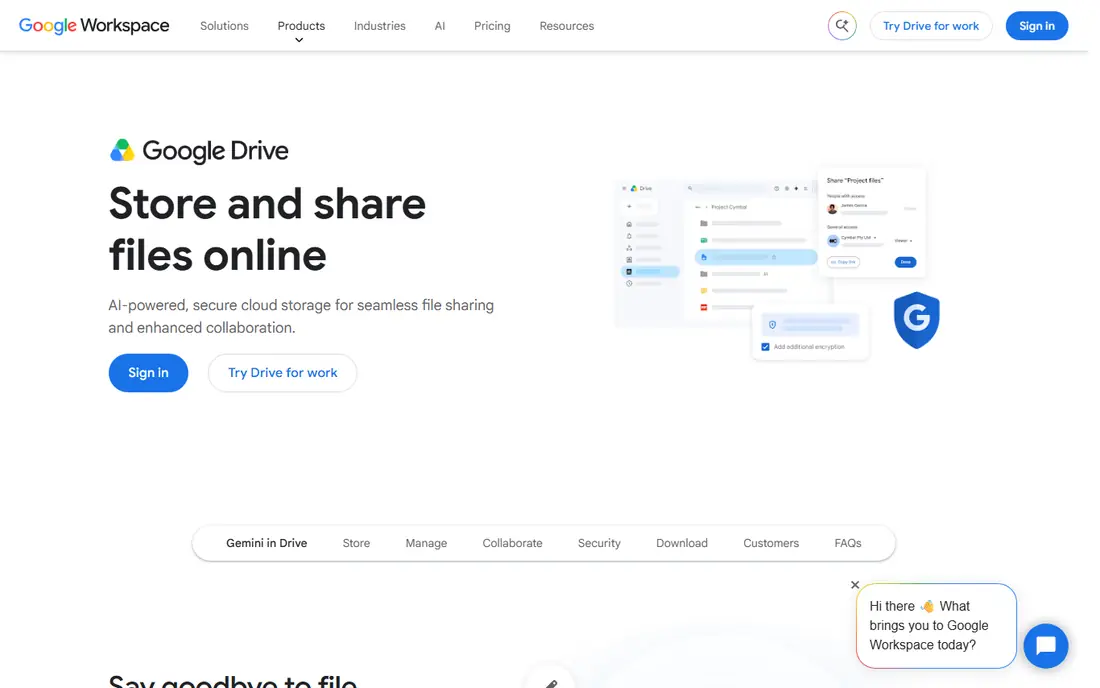
Google Drive offers 15 GB free, shared across Gmail, Drive and Photos, with Docs, Sheets and collaboration built in. That makes it the best free starting point for most people, especially Android and Gmail users. Sharing and search are excellent.
The shared 15 GB fills fast once photos and email attachments count, and the desktop app is heavier than Dropbox. Privacy-conscious users also miss zero-knowledge encryption. For free, general cloud storage, Drive leads.
- 15 GB free
- Docs, Sheets and Gmail integration
- Strong search
- 15 GB is shared across Gmail and Photos
- Desktop app is heavy
- No zero-knowledge encryption by default
MEGA
Ideal for: Large free tier with end-to-end encryption

MEGA offers 20 GB free with end-to-end encryption by default, so files are private even from MEGA itself. Transfer speeds are good, and the free tier is the largest among major privacy-focused services. For free storage with privacy, MEGA is strong.
Free storage can shrink if an account is inactive, and collaboration lags Google Docs. The interface is also simpler. For private free storage, MEGA is a top pick.
- 20 GB free
- End-to-end encryption by default
- Fast transfers
- Free tier can shrink if inactive
- Interface is simpler than Drive
- Collaboration lags Google
Microsoft OneDrive
Ideal for: Free storage for Windows and Office users
OneDrive is built into Windows and Microsoft 365, with 5 GB free and Office co-editing for paid users. Personal Vault adds extra protection for sensitive files. For Windows and Office users, the integration is smooth and familiar.
Only 5 GB is free, and the best value comes with a Microsoft 365 subscription. Mac and mobile experiences also lag Windows. For Windows users wanting free storage, OneDrive is a natural, if small, start.
- 5 GB free
- Windows and Office integration
- Personal Vault for sensitive files
- Only 5 GB free
- Best value needs Microsoft 365
- Mac and mobile experience lags Windows
Apple iCloud
Ideal for: Free storage and backup for Apple devices
iCloud offers 5 GB free with invisible backup for iPhone, iPad and Mac, preserving photos, settings and app data. That makes it essential for Apple users, even if the free tier is small. Family sharing on paid plans spreads storage costs.
Only 5 GB is free, so most users need a paid plan for photos. Windows file management also lags Drive and Dropbox. For Apple device backup, iCloud is necessary; for general free storage, it is small.
- 5 GB free
- Invisible iPhone and Mac backup
- Family sharing on paid plans
- Only 5 GB free
- Windows experience is limited
- File management lags Drive
Dropbox
Ideal for: Reliable sync despite a small free tier
Dropbox offers only 2 GB free, but its sync reliability and broad app integrations keep many users loyal. Files sync fast and conflict-free across devices, and sharing is simple. For users who value sync over free space, Dropbox remains a benchmark.
The free tier is tiny, and paid plans start higher than Google or Microsoft for the same storage. Privacy also lacks zero-knowledge encryption by default. For free storage alone, Dropbox loses; for sync quality, it still wins.
- Best sync reliability
- Broad app integrations
- Simple sharing
- Only 2 GB free
- Paid plans start higher than rivals
- No zero-knowledge encryption by default
pCloud
Ideal for: Free storage with a lifetime purchase option
pCloud offers 10 GB free, with lifetime purchase options that avoid subscriptions for users who buy storage once. Media streaming and file versioning suit users with large photo and video libraries. For a one-time storage purchase, pCloud is distinctive.
The full free 10 GB needs activation steps, and end-to-end encryption is a paid add-on. Collaboration also lags Google Drive. For free storage with a lifetime upgrade path, pCloud is a good pick.
- 10 GB free
- Lifetime plans available
- Media streaming features
- Free tier needs activation steps for full 10 GB
- Encryption is a paid add-on
- Collaboration lags Drive
Proton Drive
Ideal for: Privacy-first free storage from Proton
Proton Drive offers end-to-end encrypted storage by default, with Swiss hosting and integration into Proton Mail, Calendar and VPN. That suits privacy-conscious users who want one encrypted ecosystem. The free tier covers basic files and photos.
The free tier is small, at 2 to 5 GB depending on account, and collaboration lags Google Drive. Large storage needs a paid plan. For private free storage inside Proton, it is a strong pick.
- End-to-end encryption by default
- Swiss hosting
- Proton ecosystem integration
- Free tier is small at 2 to 5 GB
- Collaboration lags Drive
- Paid plans needed for large storage
Sync.com
Ideal for: Private free storage with team features
Sync.com offers 5 GB free with zero-knowledge encryption, so only the user can read stored files. Sharing controls and team features suit small businesses that need privacy without complexity. For private team storage, it is a solid option.
Only 5 GB is free, and the interface is simpler than Google Drive. Large teams also need paid plans. For private free storage with sharing controls, Sync.com is worth a trial.
- 5 GB free
- Zero-knowledge encryption
- File sharing with controls
- Only 5 GB free
- Interface is simpler than Drive
- Paid plans needed for large teams
How we picked these
We started from the topic and shortlisted products that exist and work today, then checked each vendor homepage, pricing page and free tier. We compared feature pages, app store listings, privacy policies and public reviews, and we dropped any product whose homepage could not be verified or whose price could not be checked. Where a price was unclear or varied by region, we wrote See website rather than guessing a number. That rule kept the list honest, even where a neat price would have made the comparison table look tidier.
We also weighed fit over fame. A well-known product stayed on the list only if it truly fits the topic, and smaller tools earned a place when they served a clear use case better. No product here was tested hands-on for this article, and no vendor paid for placement.
Price and free-tier details matter most when plans change often, so we favoured products with clear published pricing and a trial or free tier where one exists. If a vendor changed a plan after our check, the vendor site is the correct source, and the ranking here still reflects fit, not just price. That check takes extra time, but it prevents a shortlist built on outdated pricing or a product that no longer exists.
Choosing a free cloud storage app by ecosystem and photo habits
Start with your phone and computer ecosystem: Apple users get the most from iCloud, Google users from Drive, and Windows users from OneDrive. Then check photo backup: a free tier that counts every photo will fill in months. Use one service for files and another for photos if needed, and keep a local backup too.
Before you pay, run a trial on a real task from your own work, not a demo file. Check export formats, mobile access and support hours, because those details decide whether a tool survives daily use. Also check renewal terms and cancellation steps, since a cheap first year can become an expensive second year if renewal jumps. Finally, ask who will own setup and training, because a tool nobody is responsible for tends to fall out of use within a few months. Keep a short note on why you picked the winner, so a future review can judge it against the same criteria instead of starting from scratch.
A useful final test is to imagine the tool in six months, when the first excitement has faded and the work is routine. If the daily steps are still quick, the cost is still clear, and the support route is still obvious, the choice is likely sound. If any of those three answers is unclear, use the trial period to get a clear answer before committing to an annual plan.
Frequently asked questions
What is the best free cloud storage app?
Google Drive offers 15 GB free, the largest mainstream tier, while MEGA offers 20 GB with encryption. iCloud and OneDrive offer 5 GB free, and Dropbox offers 2 GB.
Is Google Drive really free?
Yes, with 15 GB shared across Gmail, Drive and Photos. Paid Google One plans add storage from $1.99 a month for 100 GB.
Which free cloud storage is best for privacy?
MEGA and Proton Drive offer end-to-end encryption by default, which suits privacy-conscious users. Google Drive and Dropbox do not offer zero-knowledge encryption by default.
Can I combine free cloud storage accounts?
Yes, many users combine services, such as Drive for files and iCloud for phone backup. Keep track of what lives where, and keep a local backup for important files.