Start with Fluke MET/TEAM if you need Calibration asset and workflow management. Beamex LOGiCAL fits cloud-based calibration documentation; Beamex CMX fits regulated calibration management. The remaining 3 options are covered below with prices and limits.
Ainotely put together this guide to CMM software for calibration and testing for readers who want a clear shortlist without reading every vendor page. It compares 6 tools on starting price, free plans, who each one suits and where each one falls short.
Key takeaways
Fluke MET/TEAM is the opening pick, best for Calibration asset and workflow management.
Check the limits for Beamex LOGiCAL before you commit: centred on documentation workflows.
For temperature calibration workflows, Isotech Calibration Software is worth a look.
Pricing across the list, from Fluke MET/TEAM to Isotech Calibration Software, is by quote only.
A permanent free plan is missing from all 6 tools, Fluke MET/TEAM and Isotech Calibration Software included; plan for a trial or a premium start.
Best for: Calibration asset and workflow management
Fluke MET/TEAM was built for Calibration asset and workflow management. Confirm integration details and supported workflows with Fluke before choosing between the two.
Fluke MET/TEAM does not show a starting price in this comparison, so check the vendor site for current pricing. Free plan details: Not stated.
Watch-outs: Best with Fluke-centered environments.
Think of Beamex LOGiCAL for cloud-based calibration documentation. Beamex LOGiCAL is calibration software from Beamex geared toward documenting calibration work and maintaining records. It works within the broader Beamex calibration ecosystem of instruments and software.
As for the details, LOGiCAL is oriented toward documentation instead of full asset lifecycle management, so complicated regulated programs may call for Beamex CMX. Confirm feature boundaries and integration choices with Beamex. It is a practical choice when record keeping is the primary gap to close. This comparison lists no price for Beamex LOGiCAL; ask the vendor. Free access: Not stated.
Points against: May need CMX for complicated programs.
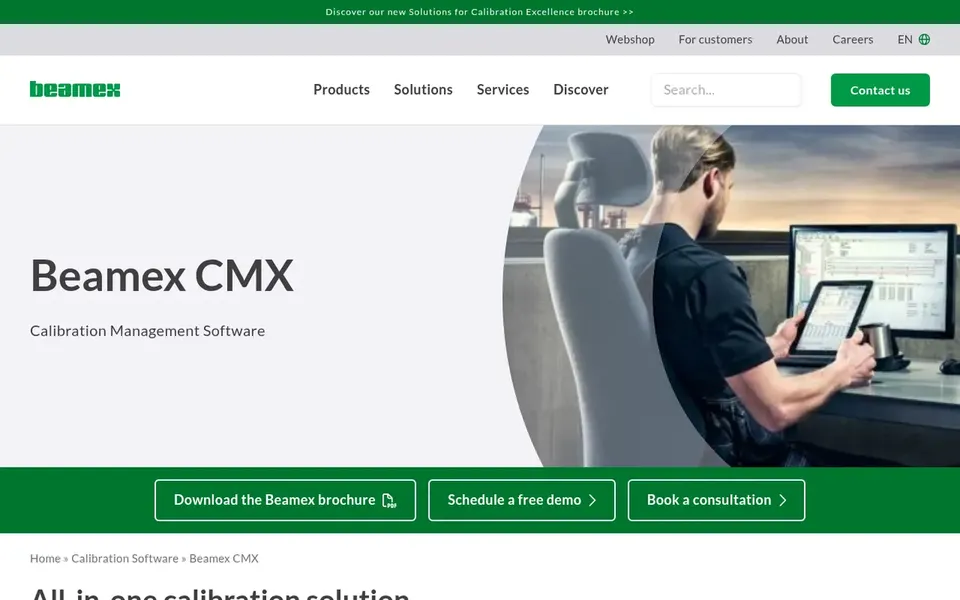
Beamex CMX targets regulated calibration management. It is geared toward organizations in highly regulated industries that require to document calibration activities and demonstrate compliance. Implementation needs mapping your calibration processes and asset structure.
Where it falls short: May be more than small teams need.
Beyond that, CMX is a management product first, so teams wanting only procedure automation may find it broader than needed. In practice, consider it when compliance documentation and asset tracking are central requirements instead of an afterthought. No starting price is listed for Beamex CMX here; confirm pricing on the vendor site. Free plan details: Not stated.
Best for: Automatic calibration procedures and results
Fluke MET/CAL serves automatic calibration procedures and results. Adopting MET/CAL involves building or importing procedure libraries, which takes time and planning.
What to check first: Setup effort for procedure libraries.
The software is built to work alongside Fluke calibrators and instrumentation, making it a natural choice where Fluke hardware is already in use. Also, confirm supported instruments and procedure coverage with Fluke before committing. This comparison lists no price for Fluke MET/CAL; ask the vendor. Trial and free access: Not stated.
Additel ADT875 targets Pressure calibration and testing. Additel ADT875 is associated with Additel pressure calibration products and software support for pressure testing workflows.
What to check first: Narrower scope than full management suites.
No starting price is listed for Additel ADT875 here; confirm pricing on the vendor site. As for free access: Not stated.
Isotech Calibration Software targets temperature calibration workflows. Confirm software features and hardware compatibility with Isotech.
Where it is weaker: Less suited to multi-discipline labs.
It is a capable candidate when temperature calibration is the core workload and hardware integration matters. Pricing for Isotech Calibration Software is not stated here, so ask the vendor for current figures. Free access: Not stated.
Confirm the entry price with every vendor: no tool from Fluke MET/TEAM to Isotech Calibration Software shows a fixed starting price.
Read the limits listed for Fluke MET/TEAM first: needs planning for deployment.
Involve the people who will use Beamex LOGiCAL daily; a short pilot beats a long feature checklist.
Ask Beamex CMX how an export works before you move any records in; an easy exit lowers the risk.
Ask whether Additel ADT875 integrates with your current software, and whether that comes standard or as an add-on.
How we picked
We compared the tools on published pricing, free plan or trial availability, feature coverage for CMM software for calibration and testing, and the limits each vendor documents. Prices and plan limits come from vendor pages and can change, so confirm them on the vendor site before you buy. Position on the page reflects fit for a typical buyer first, with price clarity and free access breaking ties. Treat it as a guide, not a ruling.
Every price and plan detail on this page comes from the vendors’ own websites. We did not run hands-on tests unless the text says so, and we do not publish star ratings or review scores. See how we score and our disclosure.
Keep your shortlist in one place
Paste prices, trial dates and notes from this guide into Ainotely, our AI note app. It files them into a topic and pulls out tasks like “cancel trial by Friday”. Free 7-day trial, no card needed.
No. None of the tools, from Fluke MET/TEAM to Isotech Calibration Software, shows a fixed starting price here, so budget time for quotes.
Is Fluke MET/TEAM the right pick for everyone comparing CMM software for calibration and testing?
No single tool suits every team. Fluke MET/TEAM comes first because it fits Calibration asset and workflow management, while Beamex LOGiCAL suits cloud-based calibration documentation and Beamex CMX suits regulated calibration management. Match the tool to your own size, budget and workflow before deciding.
What should I look for in CMM software for calibration?
Focus on procedure automation, asset tracking, result documentation and compatibility with your calibrators. If you work in a regulated industry, confirm how the software supports audit trails and compliance records.
How are the tools for CMM software for calibration and testing ordered?
The order follows typical fit for CMM software for calibration and testing, with Fluke MET/TEAM first and Isotech Calibration Software last, then price clarity and free access. It is editorial judgement, not a score, so another team could rank the tools differently.
Can I try these tools before paying?
Not by default. None of the tools, from Fluke MET/TEAM to Isotech Calibration Software, lists a free plan or a free trial here, so ask each vendor for a demo before committing.