The 8 Best Cold Calling Software Options to Shortlist in 2026

- 1
 JustCallExpanding teams that want a sales dialerVisit
- 2
 PhoneBurnerSolo SDRs and small North American outbound teamsVisit
- 3
 OrumHigh-volume SDR floors running parallel dialing at scaleVisit
- 4
 CloudTalkRemote SMB and expanding B2B sales teams that call into several countriesVisit
- 5
 CloseSMB outbound sales teams that want CRMVisit
- JustCall is the opening pick, best for expanding teams that want a sales dialer with sequences, SMS/WhatsApp and AI coaching on one product.
- For outbound teams consolidating calling, sequencing, signals and coaching on one AI product, Nooks is worth a look.
- JustCall, Nooks and the 6 others all need a premium plan or a trial, since no free plan is listed.
- Starting prices begin at Solo $9/user/month with Close.
Direct answer
Our first pick is JustCall, best for expanding teams that want a sales dialer. PhoneBurner fits solo SDRs and small North American outbound teams; Orum fits high-volume SDR floors running parallel dialing at scale. The full list of 8 tools follows, with prices and free plan facts.
Quick comparison
| Product | Ideal for | Price from | Free version | |
|---|---|---|---|---|
| JustCall | Expanding teams that want a sales dialer | Team $29/user/month (annual, 2-user minimum); Pro $49; Pro Plus $89 | Free trial (14 days) | Visit |
| PhoneBurner | Solo SDRs and small North American outbound teams | From $149/month, no contracts or setup fees | Free trial | Visit |
| Orum | High-volume SDR floors running parallel dialing at scale | See website (per-user, billed yearly; quote-only) | No | Visit |
| CloudTalk | Remote SMB and expanding B2B sales teams that call into several countries | From €19/user/month (annual; Lite €19, Starter €25, Essential €29, Expert €49) | Free trial (14 days) | Visit |
| Close | SMB outbound sales teams that want CRM | Solo $9/user/month (annual); Essentials $35; Growth $99 (power dialer); Scale $139 (predictive dialer) | Free trial (14 days) | Visit |
 Aircall | Mixed inbound/outbound sales teams | From $30/user/month (Essentials, annual billing); Professional $50 | Free trial | Visit |
 Kixie | US sales teams on HubSpot or Pipedrive | See website (three tiers; unlimited US/Canada minutes FAQ at $30/mo per user) | Free trial (7 days) | Visit |
 Nooks | Outbound teams consolidating calling, sequencing, signals and coaching on one AI product | See website (quote-only; seats plus usage-based AI action credits) | No | Visit |
The best cold calling software
If you are comparing cold calling software, this page covers 8 tools in one place: what each is best for, what it costs to start, whether it has a free plan, and the main limit to know about.
JustCall
Ideal for: Expanding teams that want a sales dialer

Where JustCall fits: expanding teams that want a sales dialer with sequences, SMS/WhatsApp and AI coaching on one system. Setup takes minutes: import contacts, link CRM, call the same day.
Drawbacks to consider: The $29 Team plan lacks it.
What JustCall does well: Number health management (registration, CNAM, DNC scrubbing) and smart reattempt rules.
Also, JustCall is the all-channel dialer. The dynamic 10-line dialer on Pro Plus competes with specialist parallel dialers, plus SMS and WhatsApp campaigns from the same workspace. What you pay to start with JustCall: Team $29/user/month. On free options: Free trial (14 days).
- 3-in-1 dialers (power, predictive, dynamic up to 10 lines) plus AI voice agents, transcription
- WhatsApp campaigns and email follow-ups from the same workspace
- Advanced AI features are 1.8x+ more pricey than the base plan
PhoneBurner
Ideal for: Solo SDRs and small North American outbound teams

PhoneBurner was built for solo SDRs and small North American outbound teams that prioritize link quality over raw volume. Setup is minimal: import contacts and start dialing in minutes, with onboarding specialist help. ARMOR keeps numbers clean and skips dead numbers, and one-click dispositions make reps quick (up to ~80 dials/hour).
For teams where link rate and compliance matter more than dial volume, it leads. Beyond that, PhoneBurner is the quality-over-volume dialer. Its philosophy is deliberate: no predictive or parallel dialing, so every connection is clean with no dead air when a prospect answers. What you pay to start with PhoneBurner: From $149/month, no contracts or setup fees. Trial and free access: Free trial.
Where it falls short: Single-line dialing by design, so it never matches parallel-dialer throughput.
- Spam-flag monitoring and Connect Scores
- Drop voicemails and send emails/SMS in one click
- Dedicated dialer instead of a full phone system, so teams still need separate inbound
Orum
Ideal for: High-volume SDR floors running parallel dialing at scale
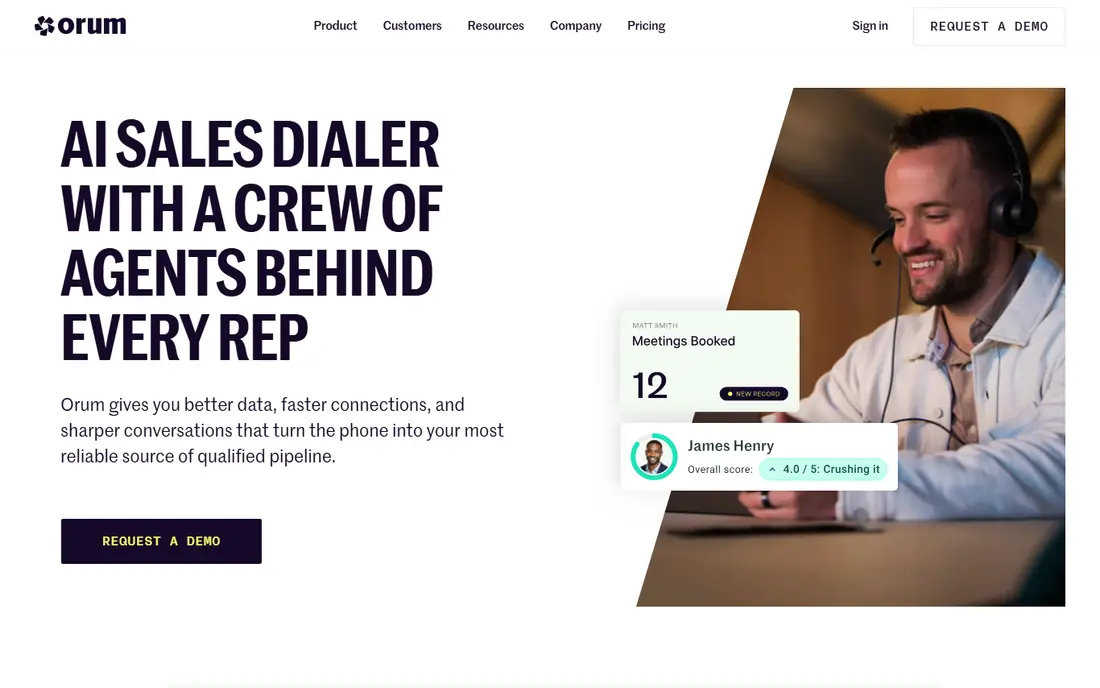
Pick Orum if this describes you: high-volume SDR floors running parallel dialing at scale. Orum is the volume machine.
Where it falls short: Purpose-built parallel dialing only; it complements but does not replace a full phone system.
The honest catch is cost structure: annual contracts, team-size minimums and premium per-user pricing make it a SDR-team tool, not a budget pick. Check the vendor site for Orum pricing; none is listed in this comparison. Orum has no free tier.
- AI parallel dialer (up to 10 lines) with sub-second link time and 20+ language live-answer detection
- Layers on top of existing CRM/SEP stack so calls and outcomes flow where the team already works
- Quote-only annual contracts with minimums
CloudTalk
Ideal for: Remote SMB and expanding B2B sales teams that call into several countries
CloudTalk targets remote SMB and expanding B2B sales teams that call into several countries. CloudTalk is the international pick. For everyday use, local presence dialing across 160+ countries with automatic number rotation to avoid spam flags, plus live call monitoring and AI voice agents billed separately by the minute.
Every plan bundles a calling package, so domestic calls are not metered on top of the licence. Setup is low friction: same-day calling, number porting in as little as two weeks, month-to-month billing available. For everyday use, for teams dialing across borders, it is the most complete single stack. Entry price for CloudTalk: From €19/user/month. Trial and free access: Free trial (14 days).
The main drawbacks: Parallel dialing and higher AI features sit on the Expert level (€49), so the real cold-calling cost is higher.
- Onboarding on every plan
- No setup fees
- Prices in EUR, so USD teams face currency swings
Close
Ideal for: SMB outbound sales teams that want CRM
Close makes the most sense for SMB outbound sales teams that want CRM. Setup takes minutes to hours: import leads and start calling the same day.
Points against: As a CRM; The power dialer only starts on Growth ($99/user/month), so effective dialer cost is the Growth price.
As for the details, one-click calling and power dialing straight from lead lists, with calls, transcripts and AI summaries logged automatically to the contact. Price to start with Close: Solo $9/user/month. Trial and free access: Free trial (14 days).
Reasons to shortlist it: Transparent self-serve pricing and a real free trial.
- Qualifies and books meetings automatically
- Chloe AI sales agent calls leads within minutes
- Its phone system is entry-level compared with cloud-contact-center specialists
Aircall
Ideal for: Mixed inbound/outbound sales teams
Aircall serves mixed inbound/outbound sales teams that value integrations and reliability over specialist dialer depth. Aircall is the steady generalist.
What Aircall does well: sentiment analysis and live coaching; AI transcription, summaries.
Also, the honest catch is specialization: SDR floors needing parallel dialing will need a second tool. Also, CRM-first calling means calls, notes and recordings sync automatically, and setup takes minutes. Price to start with Aircall: From $30/user/month. Free access: Free trial.
Where it is weaker: Advanced AI and sales engagement features need higher levels.
- 100+ integrations on all plans (200+ claimed in newer content) with deep HubSpot/Salesforce/Zendesk sync
- Smart routing
- Outbound SMS only in select countries
Kixie
Ideal for: US sales teams on HubSpot or Pipedrive
Kixie was built for US sales teams on HubSpot or Pipedrive that want a straightforward combined phone system and power dialer. The 2-minute signup and free porting make evaluation painless.
Honest limits: weaker proposition for teams dialing internationally.
Where it shines: One product combining business phone; CRM integration.
Worth adding: the honest catch is opacity: you cannot self-serve a full price from the pricing page, and international rates vary. No starting price is listed for Kixie here; confirm pricing on the vendor site. Free options: Free trial (7 days).
- Setup in 2 minutes with free number porting
- SMS and multi-line power dialing (up to 4 lines) with unlimited US/Canada minutes
- Concentrated on US/Canada calling
Nooks
Ideal for: Outbound teams consolidating calling, sequencing, signals and coaching on one AI product
Pick Nooks if this describes you: outbound teams consolidating calling, sequencing, signals and coaching on one AI platform. Nooks is the AI-native SDR system.
Highlights: signals and account research in one execution layer; live call coaching and AI scoring.
The main drawbacks: Small teams find it overwhelming and overpriced. Pricing for Nooks is not stated here, so ask the vendor for current figures. Nooks does not include a free plan.
- Virtual sales floor with live battlecards
- AI-native parallel dialer unified with AI sequencing
- No public pricing and no self-serve trial, so evaluation needs a sales process
How the list was put together
We compared the tools on published pricing, free plan or trial availability, feature coverage for cold calling software, and the limits each vendor documents. Where a price is missing, the vendor does not list one publicly or ties it to a quote. Always confirm before budgeting. The sequence is a judgement call: typical use case first, then pricing transparency, then free access. Use the profiles to check fit.
Before you commit
- Ask Orum, Kixie and Nooks for a written quote, since no starting price is shown.
- Use real work to test the free trial from JustCall, PhoneBurner, CloudTalk and others, rather than a demo project.
- Read the limits listed for JustCall first: the actual dialer starts on Pro ($49/user/month annual).
- A short pilot of Aircall with your real workflow tells you more than a feature table.
- Ask CloudTalk about contract length, onboarding fees and user minimums before you sign.
Frequently asked questions
Can I try these options before paying?
Often, yes. JustCall, PhoneBurner, CloudTalk and others offer a free trial. Use your own data and a real task during the test, and check what the free tier or trial limits before you rely on it.
What is the cheapest option for cold calling software in this list?
On published monthly entry prices, Close is the lowest here at Solo $9/user/month. Entry price is only part of the cost, because seats, add-ons and billing terms can change the total.
How do I avoid "spam likely" flags when cold calling?
Use local presence numbers, rotate numbers automatically, register numbers with carriers (STIR/SHAKEN), monitor flags and remediate quick. Tools with built-in protection: PhoneBurner ARMOR, Orum Hot Numbers, Kixie ConnectionBoost, JustCall's number health management and CloudTalk's automatic rotation.
How are the tools for cold calling software ordered?
The order follows typical fit for cold calling software, with JustCall first and Nooks last, then price clarity and free access. It is editorial judgement, not a score, so another team could rank the tools differently.
Do these tools publish their prices?
Not all of them. Orum, Kixie and Nooks publish no starting price, so expect a quote request for those. The rest, JustCall included, show a starting price, though seats and billing terms still change the final cost.