Best Collage Maker App in 2026: 8 Apps Compared

- 1
 CanvaAll-round designVisit
- 2
 PicCollagePhone collagesVisit
- 3
 Adobe ExpressPolished templatesVisit
- 4
 FotorOnline editing plus collageVisit
- 5
 PicsArtCreative effectsVisit
- Canva suits most people who want collages plus full design tools in one place.
- PicCollage suits phone users who want quick, fun collages with stickers and cards.
- Adobe Express suits people who want polished templates with Adobe's design quality.
- BeFunky and FotoJet suit browser users who want collage tools without installing an app.
- Check export quality and watermarks on free plans before you print or post a collage.
Quick comparison
| Product | Ideal for | Price from | Free version | |
|---|---|---|---|---|
| Canva | All-round design | See website | Yes | Visit |
| PicCollage | Phone collages | See website | Yes | Visit |
| Adobe Express | Polished templates | See website | Yes | Visit |
| Fotor | Online editing plus collage | See website | Yes | Visit |
| PicsArt | Creative effects | See website | Yes | Visit |
 BeFunky | Browser collage maker | See website | Yes | Visit |
 FotoJet | No-signup collage | See website | Yes | Visit |
 piZap | Fun browser editor | See website | Yes | Visit |
The best collage maker app
A collage maker should make it easy to combine photos into a layout that looks good, then export it at a quality fit for sharing or printing. Some apps focus on quick phone grids, while others add full photo editing, templates, and design tools. We compared official product pages, pricing, and public reviews for the apps below, looking at layouts, templates, editing depth, export quality, watermarks, and cost. Where we could not verify a current price on the vendor's own page, we list See website rather than guessing.
Canva
Ideal for: All-round design
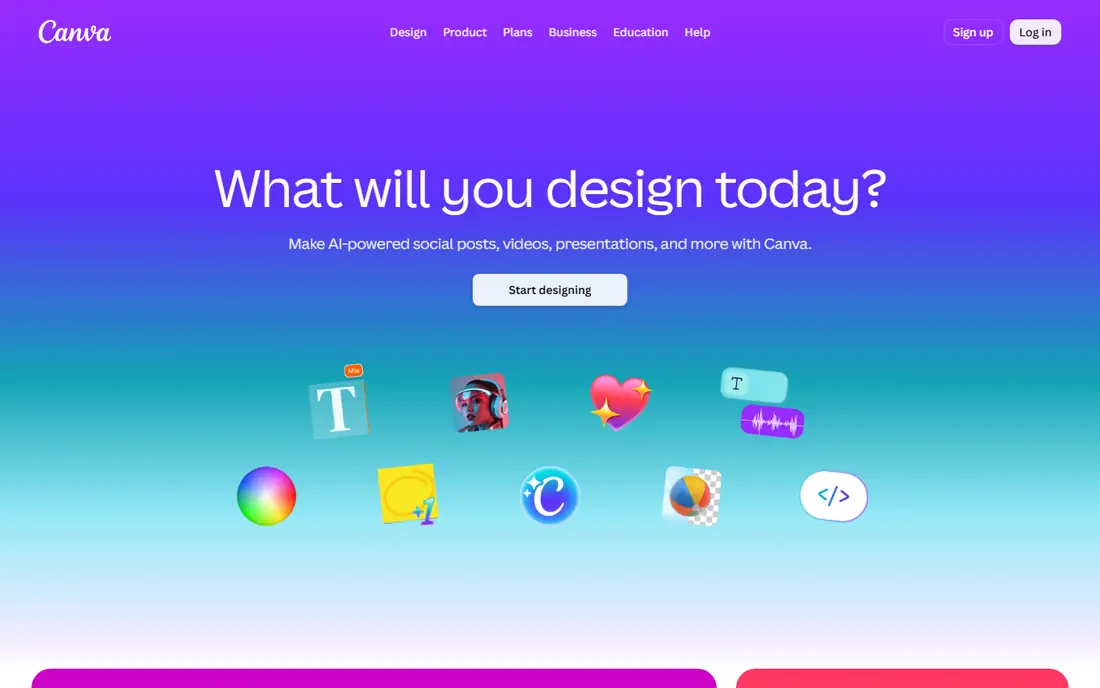
Canva is the most versatile option here, with collage grids and templates alongside a full design suite for social posts, cards, presentations, and print. You can drag photos into a grid, adjust spacing, add text and stickers, and resize the result for any platform. A free plan covers a large template range, while a paid plan adds premium assets, background removal, and brand kits.
Canva suits people who want one tool for collages and everything else visual. If you only need a quick phone grid, PicCollage is faster, but for design depth Canva leads this list.
- Huge template library
- Collage grids plus full design tools
- Works on web and mobile
- Team and brand features
- Some templates and assets need a paid plan
- Free exports can include limits on some content
PicCollage
Ideal for: Phone collages
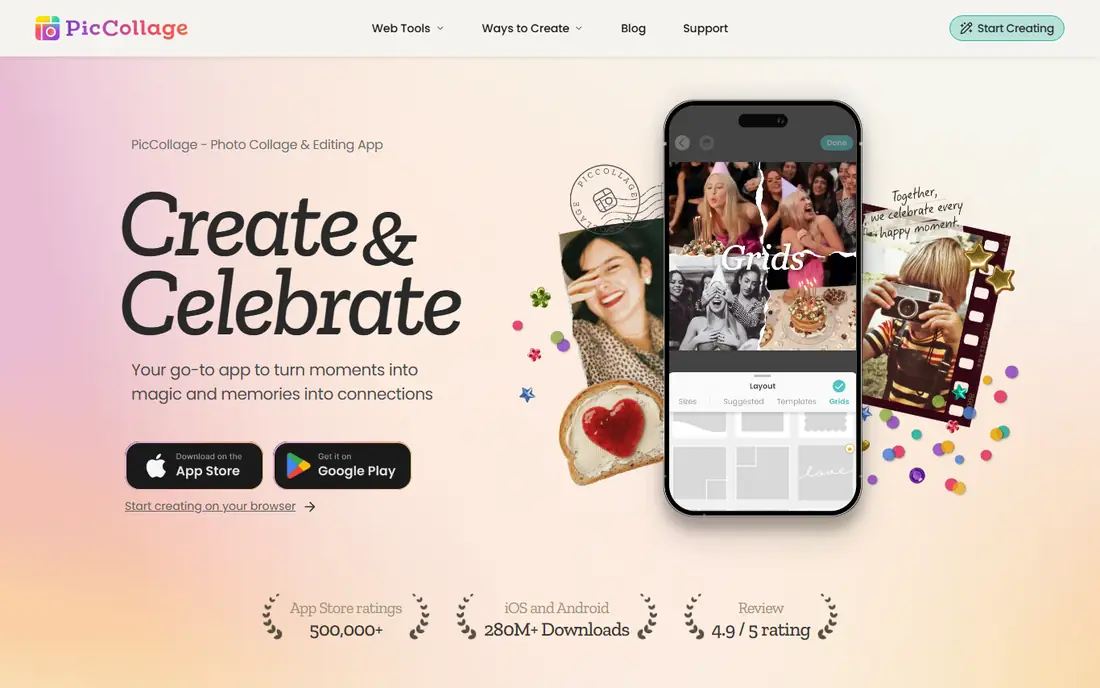
PicCollage is built for phone collages, with grid layouts you can adjust by dragging, plus freestyle mode for scattered photo arrangements. Templates, stickers, backgrounds, and fonts arrive weekly for birthdays, holidays, and scrapbooks, and AI tools can remove busy backgrounds or expand a shot to fill a frame. Greeting cards are a nice extra for birthdays and holidays.
PicCollage suits casual creators who make collages on their phone for sharing with friends and family. Desktop users may prefer a browser tool such as BeFunky or FotoJet.
- Very easy grid and freestyle layouts
- Stickers, backgrounds, and fonts
- Greeting cards
- AI background tools
- Best on mobile
- Some designs and features need a subscription
Adobe Express
Ideal for: Polished templates
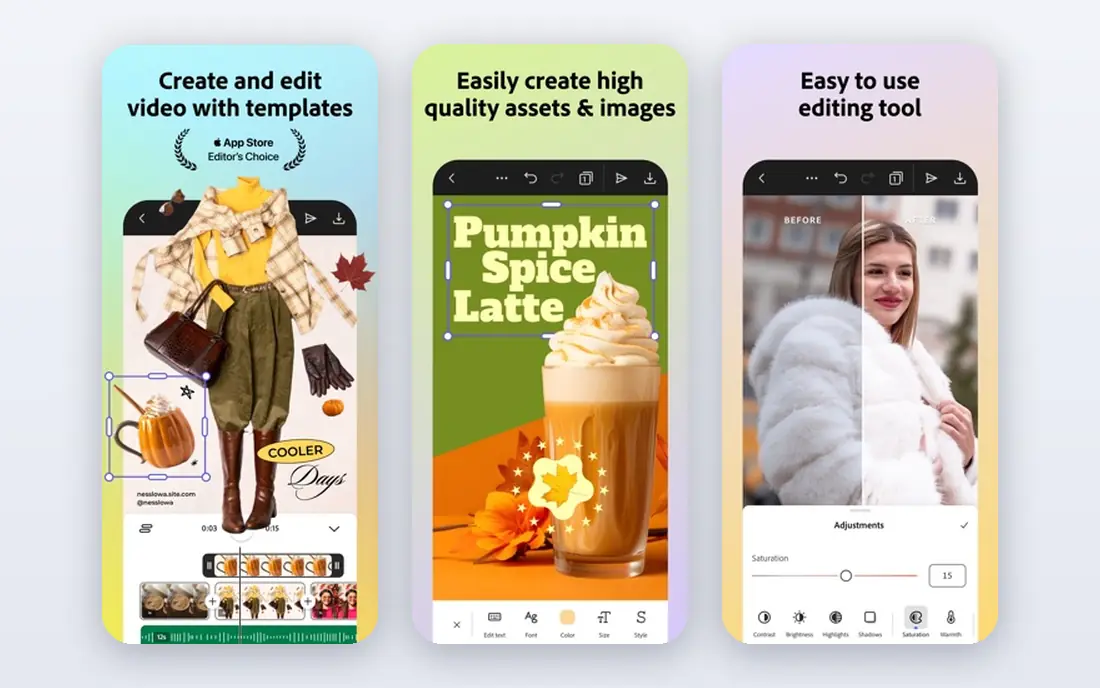
Adobe Express brings Adobe design quality to a simpler app, with templates for social posts, flyers, and collages, plus one-click edits such as background removal, resize, and crop. Generative AI can create images, templates, and similar designs from a prompt, and a free plan covers core creation with a trial available for premium features.
Adobe Express suits people who want polished, professional-looking collages without learning a complex editor. It pairs well with Canva as a second option when you want a different template style.
- High-quality templates
- One-click photo edits
- Generative AI tools
- Free plan available
- Adobe stock assets
- Premium plan needed for full asset access
- Some AI features are desktop only
Fotor
Ideal for: Online editing plus collage
Fotor combines a full online photo editor with a collage maker, so you can edit photos and build collages in one place. Collage templates cover birthdays, weddings, family, and travel, with control over size, spacing, and position, and the free plan exports edited photos without watermarks. Batch editing helps when you need to process many photos at once, and AI tools cover generation, replacement, and expansion.
Fotor suits browser users who want editing depth plus collage tools without installing software. The wide feature set can feel busy at first, but it rewards a short learning period.
- Free online editor with collage maker
- Many templates and grids
- Batch editing
- AI tools for generation and expansion
- Free plan limits some advanced features
- Interface is busy with many options
PicsArt
Ideal for: Creative effects
PicsArt is an all-in-one creative platform with photo and video editing, collage tools, templates, stickers, and AI generation across many models. Collages sit inside a much larger toolkit, so you can retouch photos, add effects, and animate results for social posts. A free tier covers core tools, while paid plans add advanced AI features, premium assets, and larger storage.
PicsArt suits creators who want collages as part of a bigger creative workflow, especially for social content. If you only need simple grids, a lighter app such as PicCollage or FotoJet will be faster.
- Huge creative toolset
- AI image and video generation
- Templates and stickers
- Community challenges
- Subscription needed for full access
- App can feel crowded with features
BeFunky
Ideal for: Browser collage maker
BeFunky has offered online photo editing since 2007, and its collage maker combines customizable layouts and templates with automatic image placement. The free plan works in a browser with no account required, covering a wide set of editing, collage, and design tools, while Plus and Pro plans add premium effects, AI tools, and batch workflows. Privacy terms state that uploaded photos are encrypted and not used without consent.
BeFunky suits browser users who want a capable free collage maker with real editing depth. It is a strong pick for desktop creators who dislike installing apps.
- Free browser use with no account needed
- Strong collage layouts
- Photo editor and designer in one platform
- Batch editing on paid plans
- Premium effects and AI tools need a paid plan
- Mobile app is secondary to the browser
FotoJet
Ideal for: No-signup collage
FotoJet is a browser design tool with a collage maker offering hundreds of layouts and templates for birthdays, weddings, babies, family, and love themes, plus photo cards, grids, and creative collages. You can try it free with no download or registration, then add text, clip art, effects, and frames through its photo editor. The template-first approach makes it easy for beginners to get a good result quickly.
FotoJet suits people who want to make a collage right now in a browser without signing up. It is less deep than Canva for full design work, but it is one of the fastest ways to a finished collage.
- No registration needed to try
- 800 plus collage layouts and templates
- Photo editor included
- Simple workflow
- Advanced features need a paid plan
- Smaller community than Canva or PicsArt
piZap
Ideal for: Fun browser editor
piZap is a fun browser editor that covers collages, photo editing, memes, social posts, and AI image generation without a download. The collage maker lets you pick a layout, drop in photos, and adjust colors, spacing, stickers, and text, with templates for cards, flyers, and invitations alongside. Mobile apps for iOS and Android let you continue on your phone.
piZap suits casual creators who want a light, playful collage tool with social and meme extras. For polished professional design, Canva or Adobe Express are better fits.
- Free browser editor with no download
- Collage maker plus meme and social tools
- Many stickers and fonts
- Mobile apps available
- Design is playful rather than professional
- Premium features need a paid plan
How we picked these
We compared official product pages, pricing, and public reviews, checking layouts, templates, editing depth, export quality, watermarks, and cost. We favored apps that are active in October 2026, offer a usable free tier, and publish clear feature and pricing information. Where we could not verify a current price on the vendor's own page, we list See website rather than guessing.
How to choose a collage maker app
Start with your device. Phone-first creators should try PicCollage or PicsArt, while browser users should try BeFunky, FotoJet, or piZap, and design-heavy users should try Canva or Adobe Express. Next, check the free plan limits that matter to you: export resolution, watermarks, and whether the templates you like need a paid plan.
Then test a real collage before committing. Use your own photos, try a grid and a freestyle layout, add text, and export at the size you need for print or social. If you print collages, confirm the export resolution is high enough for your print size, since a collage that looks fine on a phone can look soft on paper.
Frequently asked questions
What is the best free collage maker?
Canva, BeFunky, and FotoJet all offer strong free tiers. Canva gives the widest template range, BeFunky gives deep browser editing with no account needed, and FotoJet gives fast no-signup collages, so the best free pick depends on your device and style.
Can I print a collage made in an app?
Yes, if the export resolution is high enough for your print size. Export at the largest size the app offers, and check the file before printing, since low-resolution exports can look soft on paper even when they look fine on a phone screen.
Do collage apps add watermarks?
Some free plans add watermarks to premium templates or exports, while others export free work cleanly. Check the app's free plan terms before you invest time in a design you plan to share or print.
What is the difference between grid and freestyle collages?
Grid collages place photos in neat rows and columns with even spacing, while freestyle collages let you place, rotate, and layer photos freely for a scrapbook look. Most apps on this list offer both, so you can switch styles for different projects.
Can I make a collage on my phone and finish it on a computer?
Yes, with apps that sync across devices through an account, such as Canva, Adobe Express, and PicsArt. Browser tools such as BeFunky and FotoJet also work on desktop browsers, so you can start on one device and finish on another.