Best Construction Inventory Software in 2026: 8 Tools Compared

- 1
 ProcoreContractors that want inventory inside project managementVisit
- 2
 Autodesk BuildConstruction firms already using Autodesk toolsVisit
- 3
 Jonas PremierContractors that want accounting plus inventoryVisit
- 4
 Sage 100 ContractorSmall and mid-size contractors that want job cost plus inventoryVisit
- 5
 AcumaticaGrowing contractors that want cloud ERP with inventoryVisit
- Procore stands out for contractors that want inventory inside project management, which makes it a strong starting point for that need.
- Autodesk Build stands out for construction firms already using autodesk tools, which makes it a strong starting point for that need.
- Jonas Premier stands out for contractors that want accounting plus inventory, which makes it a strong starting point for that need.
- Sage 100 Contractor stands out for small and mid-size contractors that want job cost plus inventory, which makes it a strong starting point for that need.
- Prices and free plans vary widely across this list, so check the vendor pricing page for your team size or usage before you commit.
Quick comparison
| Product | Ideal for | Price from | Free version | |
|---|---|---|---|---|
| Procore | Contractors that want inventory inside project management | See website | No | Visit |
| Autodesk Build | Construction firms already using Autodesk tools | See website | No | Visit |
| Jonas Premier | Contractors that want accounting plus inventory | See website | No | Visit |
| Sage 100 Contractor | Small and mid-size contractors that want job cost plus inventory | See website | No | Visit |
| Acumatica | Growing contractors that want cloud ERP with inventory | See website | No | Visit |
 ToolWatch | Contractors focused on tool and equipment tracking | See website | No | Visit |
 Sortly | Small contractors that want simple visual inventory | $29 per month | Free trial | Visit |
 Tenna | Contractors that want asset tracking for equipment fleets | See website | No | Visit |
The best construction inventory software
We compared official feature pages, pricing pages, app store listings, privacy policies, and public reviews to build this list, and we focused on tools that truly fit best construction inventory software reviews rather than general tools with a passing connection. The eight options below cover different budgets, team sizes, and priorities, so start with the best-for notes and read the full write-up for any tool that matches your situation.
Procore
Ideal for: Contractors that want inventory inside project management
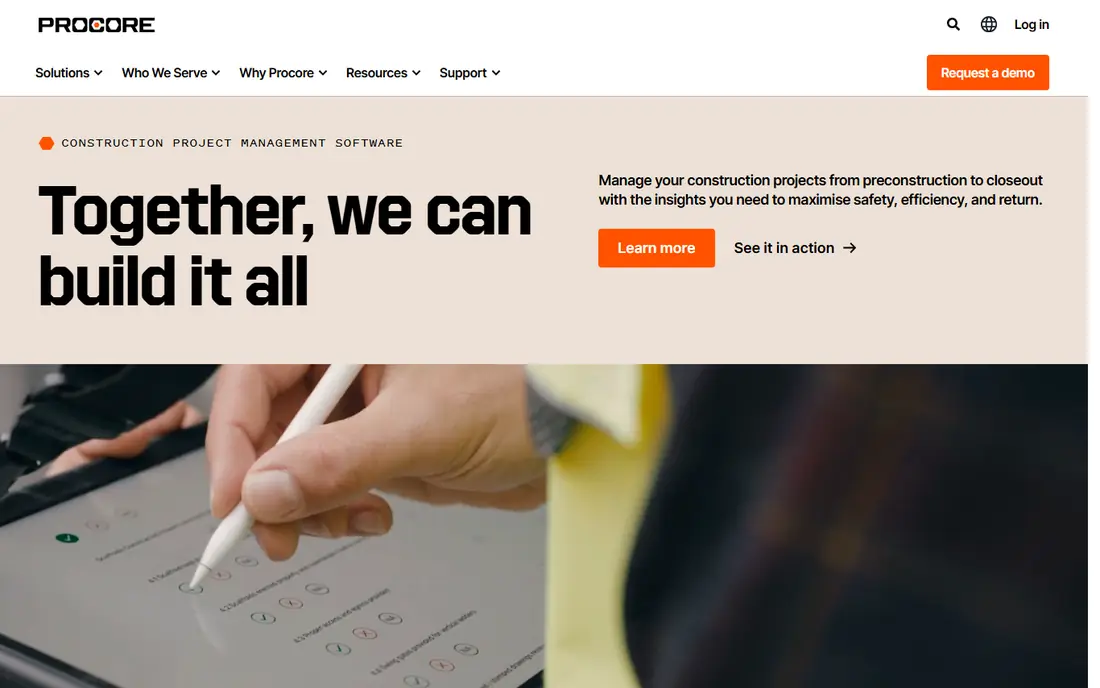
Procore is the project platform many contractors already use, and its materials, equipment, and cost tools extend it into inventory. Tracking deliveries, equipment, and job costs inside the same project system keeps field and office data aligned. That integration is why large contractors adopt it.
Pricing is enterprise and quote-based, and inventory features depend on modules chosen. For contractors already on Procore, adding inventory there beats a separate system. Firms that only need inventory may find a focused tool cheaper.
Before you commit, check the current pricing page and trial terms for your team size, since plans change and the right tier depends on how many people will actually use the tool daily.
- Project management plus materials and equipment tracking
- Widely used in construction
- Enterprise pricing
- Inventory depth varies by module
Autodesk Build
Ideal for: Construction firms already using Autodesk tools
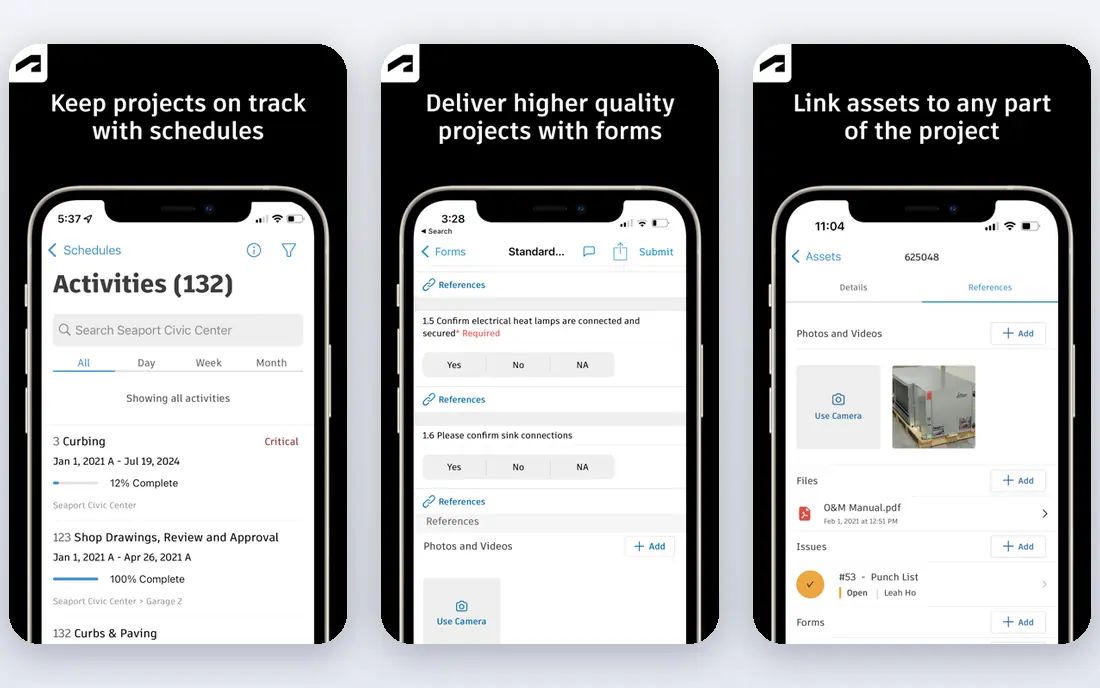
Autodesk Build, part of Autodesk Construction Cloud, covers project management, cost, and materials tracking for construction firms. Firms using Revit or other Autodesk design tools benefit from shared data between design and field. Materials and equipment tracking sit alongside schedules and budgets.
Pricing is enterprise and the platform works best inside Autodesk workflows. For Autodesk firms, the shared data and cost tools are strong advantages. Smaller contractors may prefer a simpler inventory tool.
Before you buy, run a short trial with your real data and your real workflow, since a demo with sample data hides the friction points that matter once the whole team is involved.
- Project and cost management with materials tracking
- Autodesk ecosystem
- Enterprise pricing
- Best inside Autodesk workflows
Jonas Premier
Ideal for: Contractors that want accounting plus inventory
Jonas Premier gives contractors construction accounting, job costing, and inventory in one system. Materials and equipment costs flow into job costs automatically, which helps project managers see true margins. That accounting link is its main advantage over standalone inventory apps.
Pricing is quote-based and implementation needs planning. For contractors that want inventory tied to accounting and job cost, Jonas Premier is a solid pick. Smaller firms may find the accounting depth more than they need.
Before you decide, confirm integration with the tools you already use and check what support hours and onboarding help are included, since those details matter more than a feature list once you are live.
- Construction accounting, job costing, and inventory in one system
- Quote-based pricing
- Implementation needs planning
Sage 100 Contractor
Ideal for: Small and mid-size contractors that want job cost plus inventory
Sage 100 Contractor, formerly Sage Master Builder, offers construction accounting, job costing, payroll, and inventory for small and mid-size contractors. Materials costs and equipment usage feed job cost reports, giving owners a clear view of project profitability. Its long history means many accountants know it.
The interface reflects its desktop heritage and feels functional rather than modern. For contractors that want proven accounting plus inventory in one system, Sage 100 Contractor remains dependable. Cloud-focused firms should check the current deployment options.
Before you commit, ask for a quote that covers every user, module, and add-on you need, and compare that total against at least one other tool on this list for the same scope.
- Construction accounting, job costing, and inventory
- Long track record
- Desktop heritage
- Interface is functional
Acumatica
Ideal for: Growing contractors that want cloud ERP with inventory
Acumatica offers cloud ERP with construction editions covering project accounting, inventory, and financials. Growing contractors benefit from one system for materials, equipment, projects, and accounting, with mobile access for field staff. That breadth suits firms outgrowing separate tools.
Acumatica is ERP software, so scope and implementation reflect that. Smaller contractors may find it heavy. For growing firms that need inventory, projects, and accounting together in the cloud, Acumatica is a strong choice.
Before you commit, check the current pricing page and trial terms for your team size, since plans change and the right tier depends on how many people will actually use the tool daily.
- Cloud ERP with construction, inventory, and project accounting
- ERP scope and pricing
- Implementation is a project
ToolWatch
Ideal for: Contractors focused on tool and equipment tracking
ToolWatch specializes in tracking tools and equipment across jobsites, with check-in and check-out, assignments, and loss alerts. Contractors lose expensive tools to poor tracking, and ToolWatch directly targets that cost. It suits firms where equipment, not bulk materials, is the inventory problem.
Materials inventory is thinner than in ERP tools, so firms needing both may pair ToolWatch with another system. For tool-heavy contractors, the focused tracking and accountability tools pay for themselves in reduced loss. Demo check-out workflows with field staff.
Before you buy, run a short trial with your real data and your real workflow, since a demo with sample data hides the friction points that matter once the whole team is involved.
- Tool and equipment tracking, check-in and check-out, and loss prevention
- Focused on tools, so materials inventory is thinner
Sortly
Ideal for: Small contractors that want simple visual inventory
Sortly gives small contractors a visual inventory system with photos, barcodes, and folders, starting at $29 per month. Field staff can scan items, check stock, and update quantities from a phone, which suits small crews without IT support. The interface is the easiest on this list.
Job costing depth is lighter than Jonas or Sage, so firms that need inventory tied to accounting should look elsewhere. For small contractors that mainly need to know what they have and where it is, Sortly simplicity wins. Try the trial with your actual materials list.
Before you decide, confirm integration with the tools you already use and check what support hours and onboarding help are included, since those details matter more than a feature list once you are live.
- Visual inventory with photos and barcodes
- Easy mobile app
- Less job costing depth than construction ERP tools
Tenna
Ideal for: Contractors that want asset tracking for equipment fleets
Tenna tracks construction equipment fleets with GPS, telematics, and asset management tools, showing where machines are and how they are used. Firms managing many pieces of equipment across jobsites benefit from location, utilization, and maintenance data in one system. That fleet view helps managers move equipment where it is needed instead of renting duplicates.
Pricing is quote-based and Tenna suits firms with sizable fleets better than small crews with a few tools. For contractors managing large equipment fleets, Tenna tracking and utilization data are strong. Smaller firms may find Sortly or ToolWatch simpler and cheaper.
Before you commit, ask for a quote that covers every user, module, and add-on you need, and compare that total against at least one other tool on this list for the same scope.
- Asset tracking for equipment fleets
- GPS, telematics, and maintenance tools
- Quote-based pricing
- Best for firms with sizable fleets
How we picked these
We started from the topic itself and looked for products that genuinely serve it, not tools that mention it in passing. For each candidate we checked the vendor's own feature and pricing pages, app store listings where relevant, privacy and security pages, and public user reviews, and we dropped any product we could not verify as real and available in October 2026.
We then compared the remaining tools on fit for the stated need, pricing transparency, free or trial options, ease of adoption, and honest weaknesses. Every list below mixes well-known leaders with strong smaller options, and every write-up names a real trade-off, since no tool is best for every team.
Tracking materials and tools without the spreadsheet chaos
Start by listing what you actually lose or miscount. Bulk materials, small tools, and large equipment need different tracking, so a tool built for one may fail on another. That list narrows the choice fast.
Next, test mobile use on a real jobsite. Field staff need fast scanning, offline tolerance, and simple check-out, or they will skip the system. Involve foremen in the trial and watch whether updates happen without office chasing.
Finally, check the job cost link. Inventory that never reaches job cost reports hides true project margins, so confirm how materials and equipment usage flow into accounting. A system that ties stock to costs beats a prettier tracker that stays separate.
Frequently asked questions
What does construction inventory software track?
It tracks materials, tools, and equipment across jobsites, including quantities, locations, assignments, and costs. Good tools tie inventory usage to job costs so project margins stay accurate.
How is it different from general inventory software?
Construction tools handle jobsites, mobile field use, equipment check-out, and job costing. General inventory software often assumes a fixed warehouse and misses the mobile, project-based nature of construction.
Do contractors need ERP, or just an inventory app?
Small crews often do well with Sortly or ToolWatch. Larger contractors that need job costing and accounting should look at Jonas, Sage, or Acumatica, where inventory feeds financials directly.
Can inventory software reduce tool loss?
Yes. Check-in and check-out, assignments, and location tracking in ToolWatch and Tenna cut loss by making responsibility clear. Firms should still pair software with site procedures.
How much does construction inventory software cost?
Sortly starts at $29 per month, while Procore, Autodesk, and ERP tools use quote-based enterprise pricing. Compare total cost for your crew size and sites, not just the license fee.