7 Best Construction Project Scheduling Software Options for 2026

- 1
 FieldwireField crews and foremen coordinating tasks, punch lists, and drawingsVisit
- 2
 BuildxactResidential builders and remodelers who estimate before they scheduleVisit
- 3
 BuildertrendHome builders, remodelers, and specialty contractorsVisit
- 4
 Contractor ForemanSmall contractors wanting estimatingVisit
- 5
 Microsoft ProjectTeams that require real CPM scheduling without enterprise software budgetsVisit
- Fieldwire takes the first slot, best suited to field crews and foremen coordinating tasks, punch lists, and drawings.
- A fair warning about Fieldwire: scheduling depth is lighter than CPM tools, concentrated on tasks and short look-aheads instead of full program schedules.
- Fieldwire is the only tool of the 7 with a free plan.
- Oracle Primavera P6 suits schedulers and project controls teams on heavy civil, infrastructure, and energy projects.
- The cheapest monthly starting price in the list is $10/user/month, offered by Microsoft Project.
Direct answer
Start with Fieldwire if you need field crews and foremen coordinating tasks, punch lists, and drawings. Buildxact fits residential builders and remodelers who estimate before they schedule; Buildertrend fits home builders, remodelers, and specialty contractors. The other 4 tools in the list cover narrower or pricier cases.
Quick comparison
| Product | Ideal for | Price from | Free version | |
|---|---|---|---|---|
| Fieldwire | Field crews and foremen coordinating tasks, punch lists, and drawings | $39/user/month (Pro, billed annually) | Yes | Visit |
| Buildxact | Residential builders and remodelers who estimate before they schedule | $199/month (Foundation; $169/month billed yearly) | Free trial (14 days) | Visit |
| Buildertrend | Home builders, remodelers, and specialty contractors | Pricing on request (custom quote) | No | Visit |
| Contractor Foreman | Small contractors wanting estimating | $49/month (Basic, 1 user, billed yearly) | Free trial (30 days) | Visit |
| Microsoft Project | Teams that require real CPM scheduling without enterprise software budgets | $10/user/month (Planner Plan 1, billed yearly) | Free trial | Visit |
 Procore | General contractors, owners, and specialty contractors on complicated commercial projects | Pricing on request (annual fee by product and construction volume) | No | Visit |
 Oracle Primavera P6 | Schedulers and project controls teams on heavy civil | Pricing on request | No | Visit |
Construction Project Scheduling Software compared in detail
Ainotely put together this guide to construction project scheduling software for readers who want a clear shortlist without reading every vendor page. It compares 7 tools on starting price, free plans, who each one suits and where each one falls short.
Fieldwire
Ideal for: Field crews and foremen coordinating tasks, punch lists, and drawings

Think of Fieldwire for field crews and foremen coordinating tasks, punch lists, and drawings. Estimating and job costing are thin until the top level. Its strength is execution: drawings, punch lists, inspections, and tasks that the field team actually opens every day.
In daily use, premium tiers add sheet compare, custom forms, a BIM viewer, and, on Business Plus, RFIs, submittals, change orders, and budgets. Be clear about what it is not. From a buyer's view, the free Basic plan spans 5 users, 3 projects, and 100 sheets with plan viewing, task management, and checklists, which is enough for a small crew to run real work without paying anything. Fieldwire schedules tasks and look-aheads well, but it is not a CPM scheduling engine and it will not replace P6 or Project for complicated programs. Entry price for Fieldwire: $39/user/month. Fieldwire has a free plan.
Limits to weigh: Estimating, budgeting; accounting live on the top level or need other tools.
- Usable for a small crew's real work
- Plan viewing with markups, versioning
- Concentrated on tasks and short look-aheads instead of full program schedules
Buildxact
Ideal for: Residential builders and remodelers who estimate before they schedule

Pick Buildxact if this describes you: residential builders and remodelers who estimate before they schedule. Buildxact starts where most scheduling tools stop: the estimate. In daily use, note the level split: the free Go plan includes AI estimates and proposals, Foundation at $199 a month spans estimating and quoting, and schedules arrive on Pro at $399 a month.
What works well: Estimating, takeoffs.
Where it falls short: Schedules start on the $399/month Pro plan ($339 billed yearly). From a buyer's view, if your bottleneck is field coordination, look at Fieldwire instead. On top of that, pricing is flat per company with unlimited users, and annual billing saves 15 percent with a 12-month commitment. You get schedules and job management, but not the RFI, submittal, and multi-trade coordination workflows that commercial GCs need. Entry price for Buildxact: $199/month. Free options: Free trial (14 days).
- Flat pricing with unlimited users, so the entire crew can be in the system
- Live dealer and supplier pricing feeds into bids
- Scheduling and field coordination are lighter than Procore or Fieldwire, with no deep RFI or submittal workflows
Buildertrend
Ideal for: Home builders, remodelers, and specialty contractors
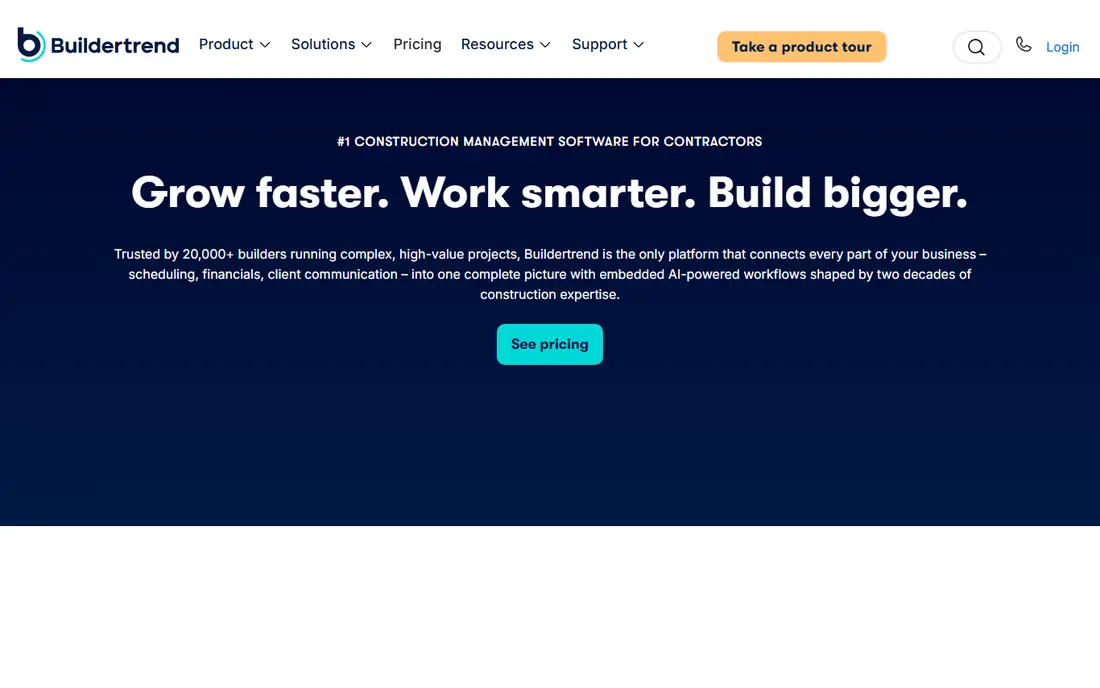
Where Buildertrend fits: home builders, remodelers, and specialty contractors. The commercial reality is the quote.
What Buildertrend does well: Solid QuickBooks and Xero sync plus built-in payment processing.
Residential builders pick Buildertrend for one reason above the others: the client portal that keeps homeowners from calling the office. There is no free trial, only free personalized demos. Buildertrend pricing: Pricing on request. Buildertrend does not include a free plan.
Limits to weigh: Custom quotes only.
- Payment visibility without phone calls
- Unlimited users on every subscription, so expanding the crew does not raise the bill
- Premium annually or quarterly, no free trial
Contractor Foreman
Ideal for: Small contractors wanting estimating
Contractor Foreman is designed for small contractors wanting estimating, scheduling, and job costing in one cheap suite. Contractor Foreman is the value play: a wide construction management suite for the price of one project-management seat elsewhere. The $49 Basic plan, billed yearly for one user, contains scheduling, estimates, daily logs, time cards, invoices, and document management, which is more coverage than tools costing multiple times as much.
Downsides: Polish and mobile depth lag the premium tools.
More specifically, higher levels add more users, crew scheduling, the client portal, and QuickBooks integrations. For everyday use, every plan includes a 30-day free trial and a 100-day money-back guarantee. What you pay to start with Contractor Foreman: $49/month. As for free access: Free trial (30 days).
Highlights: time cards; Flat-rate levels by user band instead of per seat.
- Daily logs
- Scheduling, estimates
- The Basic level handles one user, so teams step up to higher levels rapidly
Microsoft Project
Ideal for: Teams that require real CPM scheduling without enterprise software budgets
Microsoft Project targets teams that require real CPM scheduling without enterprise software budgets. Planner Plan 1 at $10 per user a month, premium yearly, brings the timeline Gantt view and task dependencies to the Planner experience inside Microsoft 365, with a one-month free trial. Step up to Planner and Project Plan 3 at $30 and you get the Project desktop client, baselines, critical path, and resource management, which is still far less than any enterprise construction product.
What users get: The desktop client is the tool most schedulers already know.
From a buyer's view, note that Microsoft retired Project Online, the older web portfolio service, on 30 September 2026. Planner and the Project desktop client continue. On cost, Microsoft Project starts like this: $10/user/month. Free access: Free trial. Honest limits: Construction-specific workflows like daily logs, punch lists; the full desktop experience sits on the $30/month Plan 3 level.
- Genuine critical-path scheduling, baselines
- Deep integration with Teams, SharePoint
- Change orders need workarounds or extras
Procore
Ideal for: General contractors, owners, and specialty contractors on complicated commercial projects
Procore was built for general contractors, owners, and specialty contractors on complex commercial projects. Procore is the product GCs buy when a project has more stakeholders than the office has people to handle them. In daily use, Procore publishes no prices, sells annual contracts, and expects an implementation period with its own onboarding team.
The hurdles are the entry price and the sales process. On top of that, a five-person residential shop will pay enterprise money for depth it will never use. Price to start with Procore: Pricing on request. Procore has no permanent free option.
Watch-outs: Annual contracts priced by construction volume put it out of reach for most small contractors.
- Deep project financials with budget
- Change order
- Implementation takes real effort, with dedicated onboarding that smaller teams may find heavy
Oracle Primavera P6
Ideal for: Schedulers and project controls teams on heavy civil
Oracle Primavera P6 is designed for schedulers and project controls teams on heavy civil, infrastructure, and energy projects. It takes care of true CPM scheduling with resource leveling, baselines, portfolio management. The kind of multi-project analysis that owners and EPC businesses need on very large programs.
Limits to weigh: The interface and workflow assume trained schedulers, so general contractors without a planning team will struggle.
Everything about P6 assumes scale. More specifically, P6 Professional serves individual planners who require practical schedule control, whereas P6 EPPM layers on the web-based portfolio layer for executives and program managers. Also, the product expects trained schedulers, not PMs who schedule on the side. Beyond that, Oracle sells it through sales quotes; its last public price list (2016) put a P6 Professional license at $2,500 per user, before support. Entry price for Oracle Primavera P6: Pricing on request. Oracle Primavera P6 has no free plan.
- Scales to tens of thousands of users and millions of activities
- Complicated programs, with resource leveling and multi-project portfolios
- Enterprise pricing with no published numbers and a sales-led buying process
How we compared the tools
Pricing pages, product documentation and feature lists were the main sources, and every entry carries at least one honest drawback. Where a price is missing, the vendor does not list one publicly or ties it to a quote. Always confirm before budgeting. The ranking is editorial: typical fit first, then clear pricing, then free access. If your needs are unusual, read the profiles rather than relying on position.
Things to verify first
- Check the vendor page for the current price: Microsoft Project starts at $10/user/month here, and seats or billing terms can move it.
- Look at the free plan from Fieldwire closely: its caps decide whether it is usable for real work.
- Run a trial of Buildxact, Contractor Foreman and Microsoft Project with real work before paying for a year; your own workflow is the best test.
- Read the limits listed for Fieldwire first: scheduling depth is lighter than CPM tools, concentrated on tasks and short look-aheads rather than full program schedules.
- Compare total cost, not headline price: for Oracle Primavera P6, add extra seats, add-ons and any usage-based charges.
- Confirm that Microsoft Project connects to the apps your team already uses, on the plan you would actually buy.
Frequently asked questions
Can I try these options before paying?
Often, yes. Fieldwire has a free plan and Buildxact, Contractor Foreman and Microsoft Project offer a free trial. Use your own data and a real task during the test, and check what the free tier or trial limits before you rely on it.
Which options for construction project scheduling software have a free plan?
Fieldwire is the only tool in this list with a free plan. Free plans usually cap users, projects or features, so check the limits on the vendor page. Several others offer a trial instead.
Is Fieldwire the right pick for everyone comparing construction project scheduling software?
No single tool suits every team. Fieldwire comes first because it fits field crews and foremen coordinating tasks, punch lists, and drawings, while Buildxact suits residential builders and remodelers who estimate before they schedule and Buildertrend suits home builders, remodelers, and specialty contractors. Match the tool to your own size, budget and workflow before deciding.
How are the tools for construction project scheduling software ordered?
The order follows typical fit for construction project scheduling software, with Fieldwire first and Oracle Primavera P6 last, then price clarity and free access. It is editorial judgement, not a score, so another team could rank the tools differently.