Best Content Marketing Automation Tools in 2026: 8 Tools Compared

- 1
 HubSpotFull marketing automationVisit
- 2
 Marketo EngageEnterprise B2B automationVisit
- 3
 ActiveCampaignEmail and marketing automationVisit
- 4
 MailchimpEmail marketing automationVisit
- 5
 CoScheduleContent calendar and planningVisit
- HubSpot and Marketo lead for full marketing automation, with HubSpot suiting mid-size teams and Marketo suiting enterprise B2B marketers.
- ActiveCampaign and Mailchimp suit smaller teams that want email automation and content workflows without enterprise complexity.
- CoSchedule, StoryChief, Buffer, and Hootsuite focus on planning, publishing, and social distribution, which suits content teams more than lead scoring.
- Content automation only helps if content quality stays high, so use automation for distribution and follow-up, not as a substitute for good writing.
Quick comparison
| Product | Ideal for | Price from | Free version | |
|---|---|---|---|---|
| HubSpot | Full marketing automation | Free | Yes | Visit |
| Marketo Engage | Enterprise B2B automation | See website | No | Visit |
| ActiveCampaign | Email and marketing automation | See website | Free trial | Visit |
| Mailchimp | Email marketing automation | Free | Yes | Visit |
| CoSchedule | Content calendar and planning | See website | Free trial | Visit |
 StoryChief | Content planning and distribution | See website | Free trial | Visit |
 Buffer | Social publishing automation | Free | Yes | Visit |
 Hootsuite | Social management at scale | See website | Free trial | Visit |
The best content marketing automation tools
Content marketing automation tools help teams plan, create, publish, distribute, and measure content, with workflows that save time on repetitive tasks such as social posting, email follow-up, and lead nurturing. The best tool depends on whether you need full marketing automation, email automation, or content planning and publishing. We compared official feature pages, pricing pages, and public reviews, focusing on planning, automation, distribution, and analytics.
HubSpot
Ideal for: Full marketing automation

HubSpot Marketing Hub, built on the HubSpot CRM, covers content planning, email automation, landing pages, social publishing, lead scoring, and analytics in one platform. That breadth suits mid-size teams that want content, email, and CRM data connected, so a blog reader can become a nurtured lead without manual handoffs. A free CRM tier lets small teams start without cost.
Paid tiers rise with contacts and features, and full setup takes planning, including lists, workflows, and reporting. For teams that want one platform for content and marketing automation, HubSpot is our pick.
- Full CRM plus marketing automation
- Content, email, and social in one platform
- Free CRM tier
- Paid tiers rise with contacts and features
- Setup takes time for full use
Marketo Engage
Ideal for: Enterprise B2B automation
Marketo Engage, part of Adobe, is an enterprise B2B marketing automation platform with deep lead nurturing, scoring, segmentation, and campaign automation, plus content and email workflows. It suits large B2B teams with complex buying journeys, multiple segments, and CRM integration needs, especially Salesforce users. Its automation depth is why many enterprise marketers standardize on it.
Pricing and complexity are enterprise-level, and running Marketo well needs skilled marketers or an agency. Smaller teams will find HubSpot or ActiveCampaign easier. For enterprise B2B content and lead automation, Marketo is a leading choice.
- Deep B2B lead nurturing and scoring
- Strong enterprise integrations
- Advanced automation
- Enterprise pricing and complexity
- Needs skilled marketers to run well
ActiveCampaign
Ideal for: Email and marketing automation
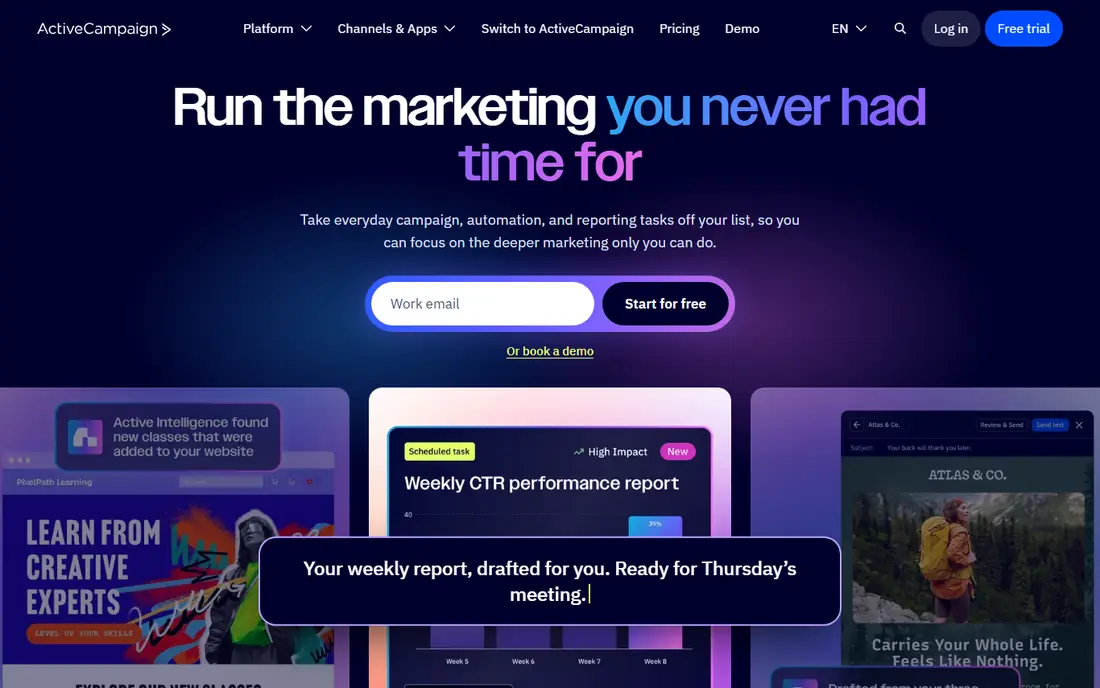
ActiveCampaign combines email marketing, automation, and CRM, with a visual automation builder that lets teams design welcome series, nurture flows, and content follow-ups without code. That focus suits small to mid-size teams that live on email and want content to drive measurable follow-up, rather than just publishing. Segmentation and site tracking help personalize sends.
Content calendar and multi-channel publishing features are lighter than CoSchedule or StoryChief. Pricing rises with contacts. For email-led content automation, ActiveCampaign is a strong value pick.
- Strong visual automation builder
- Email plus CRM
- Good value for small to mid-size teams
- Content planning features are lighter than CoSchedule
- Pricing rises with contacts
Mailchimp
Ideal for: Email marketing automation
Mailchimp is a widely used email marketing platform with automation for welcome emails, abandoned cart flows, and content newsletters, plus templates, landing pages, and basic social posting. Its free tier suits small lists and beginners, and its interface is approachable for teams without marketing automation experience. That ease explains its popularity with small businesses.
Advanced automation, segmentation, and multivariate testing need higher plans, and pricing rises with contacts. For small teams starting email content automation, Mailchimp is an easy and familiar choice.
- Easy email automation and templates
- Free tier for small lists
- Good for beginners
- Advanced automation needs higher plans
- Pricing rises with contacts
CoSchedule
Ideal for: Content calendar and planning
CoSchedule centers on a marketing calendar that unifies blog, social, email, and campaign planning, with workflows for assigning, approving, and publishing content. That calendar view helps content teams see gaps, avoid clashes, and keep campaigns on schedule, which is often the real bottleneck in content marketing. Social scheduling with best-time features supports distribution.
Full marketing automation, such as lead scoring and CRM nurturing, is lighter than HubSpot or Marketo. Pricing is per user. For content teams that need planning and publishing discipline, CoSchedule is a strong pick.
- Strong marketing calendar
- Content planning and social scheduling
- Team workflows
- Automation depth is lighter than HubSpot
- Pricing per user
StoryChief
Ideal for: Content planning and distribution
StoryChief helps content teams plan, collaborate on, and publish articles to websites, social channels, newsletters, and partner sites from one platform, with SEO checks and analytics. That multichannel distribution suits agencies and content teams that publish the same story in many places and need to track where it went. Collaboration features, including approvals and roles, support team workflows.
The ecosystem is smaller than HubSpot's, and pricing varies by seats and channels. For content planning and distribution, StoryChief is a focused and practical choice.
- Content planning, collaboration, and multichannel publishing
- SEO and analytics tools
- Good for agencies
- Smaller ecosystem than HubSpot
- Pricing varies by seats and channels
Buffer
Ideal for: Social publishing automation
Buffer is a simple social publishing tool that lets teams queue posts, schedule across channels, and view basic analytics, with a free tier for small teams. That simplicity suits content teams whose main automation need is consistent social distribution, rather than full lead nurturing. Its clean interface makes scheduling fast and repeatable.
Content calendar depth, email automation, and advanced analytics are limited compared with CoSchedule or HubSpot. For social publishing automation on a budget, Buffer is an excellent starting point.
- Simple social scheduling and analytics
- Free tier
- Easy for small teams
- Content planning and email automation are limited
- Analytics depth varies by plan
Hootsuite
Ideal for: Social management at scale
Hootsuite is a social media management platform with scheduling, monitoring, engagement, analytics, and team workflows across many social channels. That breadth suits larger content and social teams that manage many accounts, monitor brand mentions, and report on social performance alongside content publishing. Team permissions and approvals support scaled operations.
Pricing rises with users and features, and the interface offers many options that can feel busy. For social management at scale, Hootsuite is a proven platform.
- Broad social channel support
- Scheduling, monitoring, and analytics
- Team workflows
- Pricing rises with users and features
- Interface has many options
How we picked these
We compared official feature pages, pricing pages, and public reviews for tools that automate content marketing work, including planning, publishing, email automation, and lead nurturing. We covered full automation platforms and focused planning and social tools, since content teams differ, and we noted where automation depth is limited. Pricing varies with contacts, users, and features, so we marked most as plan-based.
What to check before you choose content automation software
Start with your bottleneck. If planning is the problem, choose CoSchedule or StoryChief. If email follow-up is the problem, choose ActiveCampaign, Mailchimp, or HubSpot. If lead nurturing at enterprise scale is the problem, choose Marketo or HubSpot. Buying a full platform for a planning problem wastes money and training time.
Next, check integrations with your website, CRM, and social channels, since automation breaks when data does not flow. Test a full workflow, from content publish to email follow-up to CRM record, before committing. Finally, keep content quality central: automation should distribute and follow up on good content, not generate low-value posts at scale, which hurts trust and search performance over time.
Also consider measurement from the start, since automation without analytics hides whether content actually works. Check whether the tool reports traffic, leads, and conversions by content piece and channel, not just publish counts. A platform that shows which articles drive signups will guide future topics far better than one that only shows how many posts went out, and that feedback loop is where content automation earns its cost.
One more check is team roles and approvals, since content often needs review before publishing. Confirm that drafts, approvals, and publishing permissions match your editorial process, so junior writers cannot publish unreviewed work by accident. Clear roles also help agencies and larger teams, where clients or managers should approve content without editing the underlying automation setup.
Frequently asked questions
What is the best content marketing automation tool?
HubSpot leads for full marketing automation, Marketo leads for enterprise B2B, ActiveCampaign and Mailchimp suit email-led teams, and CoSchedule suits content planning. The best choice depends on whether your bottleneck is planning, email, social, or lead nurturing.
Can small businesses use marketing automation?
Yes, Mailchimp, Buffer, and HubSpot's free tiers let small businesses automate email and social publishing without enterprise cost. Start with one workflow, such as a welcome email series, and expand only when it proves useful.
Does automation replace content writers?
No, automation handles planning, publishing, distribution, and follow-up, but content quality still needs human writers and editors. Automated distribution of weak content will not build an audience, and may harm trust.
How much does content marketing automation cost?
Costs range from free tiers for small lists and social accounts to enterprise pricing for HubSpot and Marketo, usually based on contacts, users, or features. Check contact and user limits carefully, since those drive price growth.
What should I automate first in content marketing?
Start with social scheduling, email welcome and nurture flows, and content calendar reminders, since those save time reliably. Add lead scoring and complex workflows only after basic publishing and follow-up run smoothly.