Best Contractor Management Software in 2026: 8 Tools Compared

- 1
 JobberSmall field-service businessesVisit
- 2
 BuildertrendHome builders and remodelersVisit
- 3
 ProcoreLarge construction projectsVisit
- 4
 CoConstructCustom builders and remodelersVisit
- 5
 Housecall ProHome service prosVisit
- Jobber and Housecall Pro are the best picks for small field-service businesses, with quoting, scheduling and invoicing in one app.
- Buildertrend and CoConstruct suit home builders and remodelers, with client portals and project tracking.
- Procore suits large construction projects with many stakeholders, while ServiceTitan suits larger home-service companies.
- Fieldwire and Knowify fill specialist niches, with Fieldwire best for field plans and Knowify for job costing.
Quick comparison
| Product | Ideal for | Price from | Free version | |
|---|---|---|---|---|
| Jobber | Small field-service businesses | See website | Free trial | Visit |
| Buildertrend | Home builders and remodelers | See website | No | Visit |
| Procore | Large construction projects | See website | No | Visit |
| CoConstruct | Custom builders and remodelers | See website | No | Visit |
| Housecall Pro | Home service pros | See website | Free trial | Visit |
 ServiceTitan | Larger home-service companies | See website | No | Visit |
 Fieldwire | Field plans and task tracking | Free | Yes | Visit |
 Knowify | Job costing for contractors | See website | Free trial | Visit |
The best contractor management software
Contractor management software handles quotes, scheduling, jobs, invoices, payments and client communication for construction and field-service businesses. The eight tools below cover small crews through large projects, and they differ in trade focus, project depth and price. We compared official product pages, pricing pages and documentation.
Jobber
Ideal for: Small field-service businesses
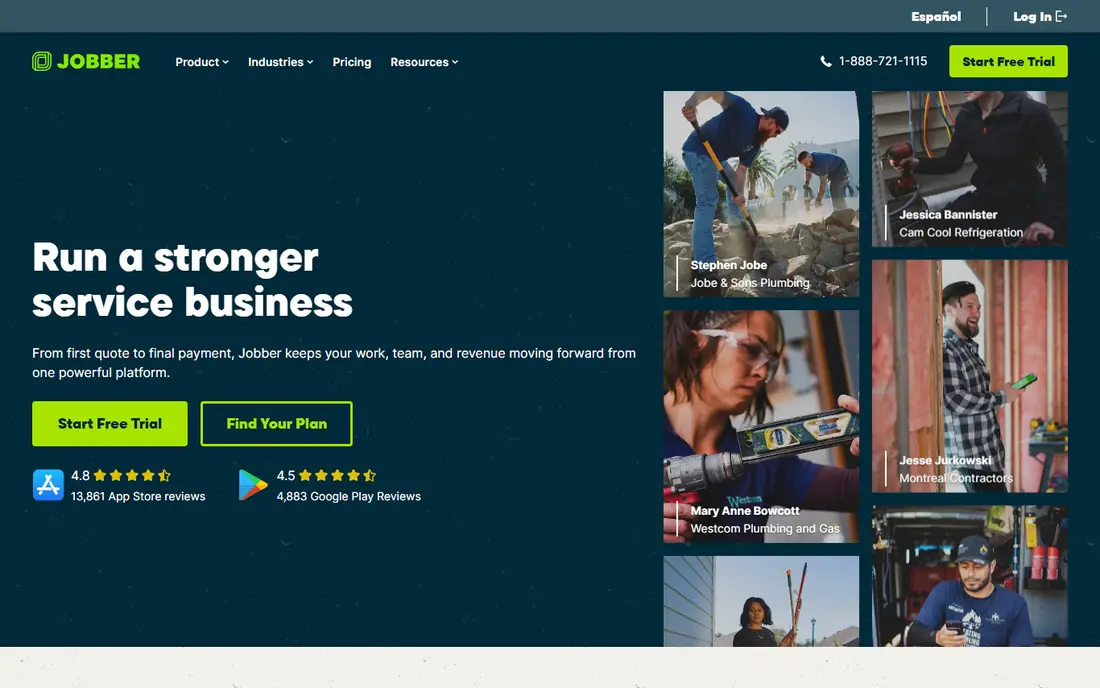
Jobber is built for lawn care, cleaning, plumbing, HVAC and other field services: quote a job, schedule it, dispatch a crew, invoice and take payment from one app, with a client hub for approvals and messages. Its mobile app keeps field teams connected without paperwork.
It is less suited to large construction projects with complex budgets and subcontractors. For a small service business that wants one tidy system, Jobber is the best starting point.
- Quoting, scheduling, invoicing and payments in one app
- Easy client hub
- Good mobile app
- Less depth for large construction projects
- Some features need higher plans
Buildertrend
Ideal for: Home builders and remodelers

Buildertrend serves home builders and remodelers with project scheduling, budgeting, selections, change orders, documents and a client portal where homeowners track progress and make choices. That client transparency reduces the calls and emails that slow projects.
Pricing is quoted and the full feature set takes learning. For a builder or remodeler who wants clients informed and projects controlled, Buildertrend is a leading choice.
- Project management with client portal
- Budgeting, selections and change orders
- Good for remodelers
- Pricing is quoted
- Learning curve for full features
Procore
Ideal for: Large construction projects

Procore is the construction management platform for large projects, covering drawings, RFIs, submittals, budgets, contracts and field management with tools for owners, general contractors and subcontractors. Its scale suits complex projects with many stakeholders.
Pricing is enterprise and implementation is a project, so small crews will find it far too heavy. For a large contractor managing major builds, Procore is the industry standard.
- Full construction management for large projects
- Drawings, RFIs, submittals and budgets
- Strong integrations
- Enterprise pricing and implementation
- Too heavy for small crews
CoConstruct
Ideal for: Custom builders and remodelers
CoConstruct, now part of the Buildertrend family, serves custom home builders and remodelers with estimating, budgeting, scheduling, selections and client communication tailored to custom projects. Its estimating depth suits builders who price unique homes.
Pricing is quoted, and buyers should compare it with Buildertrend itself, since the two overlap. For a custom builder focused on estimating and client choices, CoConstruct remains a strong option.
- Estimating, budgeting and client communication for custom builds
- Good selections and change orders
- Part of Buildertrend family
- Pricing is quoted
- Overlaps Buildertrend for some buyers
Housecall Pro
Ideal for: Home service pros
Housecall Pro serves plumbers, electricians, HVAC techs and cleaners with scheduling, dispatch, estimates, invoicing, payments and online booking in a mobile-first app. Its ease of use suits owner-operators and small crews who need to run jobs from a phone.
Construction project depth is lighter than Buildertrend or Procore. For a home-service business that wants simple, complete job management, Housecall Pro is an excellent pick.
- Scheduling, dispatch, invoicing and payments for home services
- Online booking
- Good mobile app
- Less construction project depth
- Some features need higher plans
ServiceTitan
Ideal for: Larger home-service companies
ServiceTitan is the full platform for larger home-service companies, covering marketing, call booking, dispatch, invoicing, payments and business reporting in one system. Its depth suits multi-crew operations that need real business intelligence, not just scheduling.
Pricing is enterprise and implementation takes effort, so small shops may prefer Jobber or Housecall Pro. For a growing home-service company scaling past a few crews, ServiceTitan is the leading platform.
- Full platform for larger home-service firms
- Marketing, dispatch, invoicing and reporting
- Strong integrations
- Enterprise pricing
- Implementation takes effort
Fieldwire
Ideal for: Field plans and task tracking
Fieldwire focuses on the field: view plans, create tasks and punch lists, track progress with photos and checklists, and keep the whole crew on the latest drawings. Its free plan covers small teams, which makes it easy to adopt on a single project.
It is not a full quoting, scheduling and invoicing system, so pair it with Jobber, Buildertrend or accounting software for business management. For field execution, Fieldwire is a strong specialist tool.
- Plan viewing and task management for field teams
- Free plan for small teams
- Good for punch lists
- Not a full quoting and invoicing system
- Best alongside other tools
Knowify
Ideal for: Job costing for contractors
Knowify is built around job costing: estimate jobs, track labor and materials against budget, invoice progress, and see profitability by job, with QuickBooks integration for accounting. That cost clarity helps contractors price accurately and spot losing jobs early.
The ecosystem is smaller than Jobber's, and the interface is functional rather than polished. For a contractor whose main pain is knowing whether jobs actually make money, Knowify is a focused and valuable tool.
A further practice is photographing job progress daily. Photos attached to jobs in your contractor app create a record that prevents disputes, documents change orders, and shows clients progress without site visits. That visual record protects both contractor and client when memories differ about what was agreed or completed.
- Job costing, estimating and invoicing for contractors
- Tracks profitability by job
- QuickBooks integration
- Smaller ecosystem than Jobber
- Interface is functional
How we picked these
We compared official product pages, pricing pages and documentation, focusing on trade fit, quoting, scheduling, invoicing, client portals and job costing. We favored tools that are actively sold today and serve a clear business size, from solo operators to large contractors.
We also weighed mobile quality, since contractor software lives in the field as much as the office. A tool with a weak mobile app fails on the job site, no matter how good its office dashboard looks.
How to choose contractor software for your trade
Start with your trade and size. A lawn or cleaning business needs Jobber or Housecall Pro. A remodeler needs Buildertrend or CoConstruct. A large general contractor needs Procore. A home-service company scaling up needs ServiceTitan. Buying a tool built for a different trade wastes months.
Trial with a real job, not a demo project
Run one real job end to end during the trial: quote, schedule, dispatch, complete, invoice and collect payment, with a real client in the portal. That test reveals friction in every step that a demo hides, especially around mobile use and payments.
Check the accounting path early
Job costs, invoices and payments must reach your accounting system cleanly, whether QuickBooks or another tool. Test the integration with real data, including change orders and partial payments, before committing. A system that creates double entry work is not saving time.
Get the field team on board first
If field staff refuse the app, data quality collapses. Involve one respected crew member in the trial, listen to their complaints, and fix mobile friction before rollout. A tool the field likes gets used, and a tool it hates gets worked around. Also back up job photos and documents outside the app regularly, since project records matter for warranties, disputes and taxes long after a job closes. Review those records at project close, so lessons carry into the next job. That review habit improves every future estimate. Make it standard practice.
If you are still unsure, start with a free plan and move to a paid plan only when you hit its limits.
Frequently asked questions
What is the best contractor management software?
Jobber and Housecall Pro lead for small field services, Buildertrend and CoConstruct for builders and remodelers, Procore for large construction, and ServiceTitan for larger home-service firms. The best pick depends on trade and size.
What is the best software for small construction business?
Jobber, Housecall Pro and Knowify suit small businesses, with Jobber best for field services, Housecall Pro for home services, and Knowify for job costing. Buildertrend suits small builders and remodelers.
Does contractor software handle invoicing and payments?
Yes. Jobber, Housecall Pro, ServiceTitan, Knowify and others include invoicing and payment processing, while Procore and Fieldwire focus more on project and field management. Check payment features during the trial.
Can contractor software track job profitability?
Yes, especially Knowify, Buildertrend and ServiceTitan, which track labor, materials and budgets by job. Job costing is the feature that most separates contractor software from generic scheduling tools.
How much does contractor management software cost?
Small-team plans are typically monthly per user or per business, while enterprise platforms like Procore and ServiceTitan are quoted. Trial with a real job and price at your crew size, not the entry tier.
How do I estimate a construction job accurately?
Break the job into labor, materials, subcontractors, permits and contingency, price each from recent actuals, and track estimates against real costs in your software. Accurate estimating comes from comparing past estimates with past job costs, not from guessing.