Best CRM Software for Yard and Outdoor Service Companies in 2026: 8 Tools Compared

- 1
 JobberSmall outdoor service firmsVisit
- 2
 Housecall ProGrowing field service firmsVisit
- 3
 ServiceTitanLarge service firmsVisit
- 4
 SingleOpsTree and outdoor service firmsVisit
- 5
 LMNEstimating and budgetingVisit
- Scheduling and routing matter as much as contact records for field service firms.
- Quoting and invoicing in the same tool saves re-entry and speeds payment.
- Mobile access for crews is essential, since office only tools fail in the field.
Quick comparison
| Product | Ideal for | Price from | Free version | |
|---|---|---|---|---|
| Jobber | Small outdoor service firms | See website | Free trial | Visit |
| Housecall Pro | Growing field service firms | See website | Free trial | Visit |
| ServiceTitan | Large service firms | See website | No | Visit |
| SingleOps | Tree and outdoor service firms | See website | No | Visit |
| LMN | Estimating and budgeting | See website | Free trial | Visit |
 FieldEdge | Service dispatch firms | See website | No | Visit |
 JobProgress | Contractor job management | See website | Free trial | Visit |
 LawnPro Software | Lawn care scheduling | See website | Free trial | Visit |
The best CRM for yard and outdoor service companies
Yard and outdoor service firms need more than a generic contact list. They need scheduling, quoting, route planning, and crew management alongside customer records. The tools below are built for field service work, and we compared them on scheduling, quoting, invoicing, and mobile use for crews, using their own feature and pricing pages.
Jobber
Ideal for: Small outdoor service firms
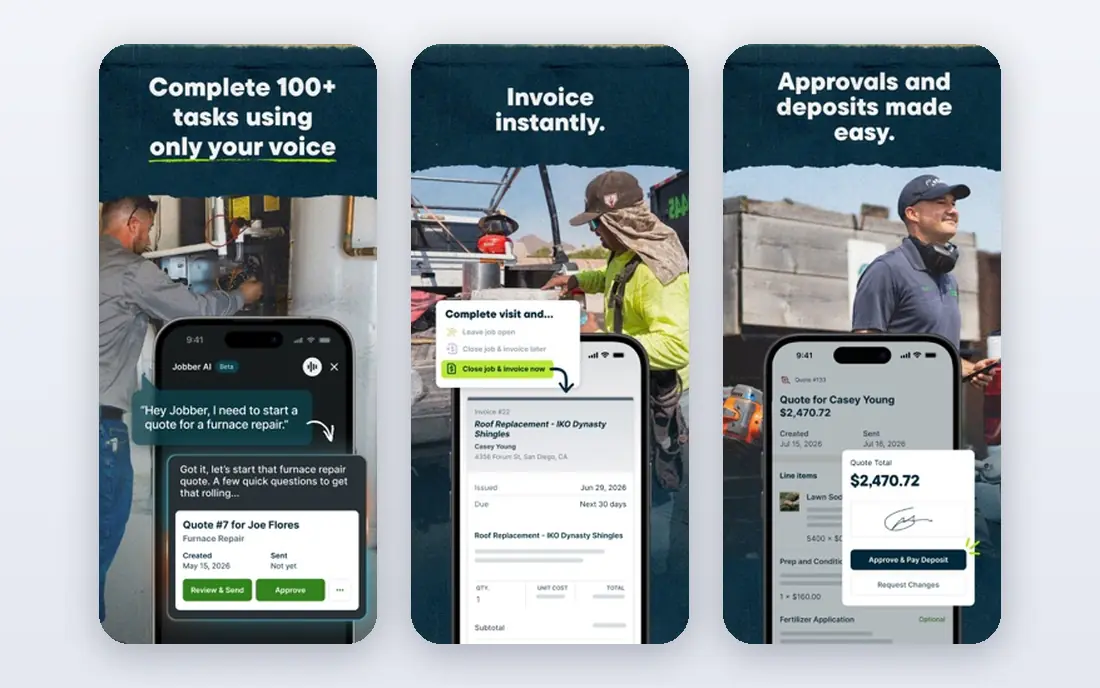
Jobber is our pick for small yard and outdoor service firms because it covers scheduling, quoting, and invoicing in one friendly tool. Its client hub lets customers approve quotes online, which speeds the sales cycle.
What stands out is scheduling, quoting, and invoicing in one friendly tool The honest catch is advanced features need higher tiers, and pricing grows with users Prices and plan details change, so confirm the current offer on the vendor site before you commit.
Start with a trial on real jobs to test scheduling and quoting before committing.
- Scheduling, quoting, and invoicing in one tool
- Client hub
- Mobile app for crews
- Advanced features need higher tiers
- Pricing grows with users
Housecall Pro
Ideal for: Growing field service firms
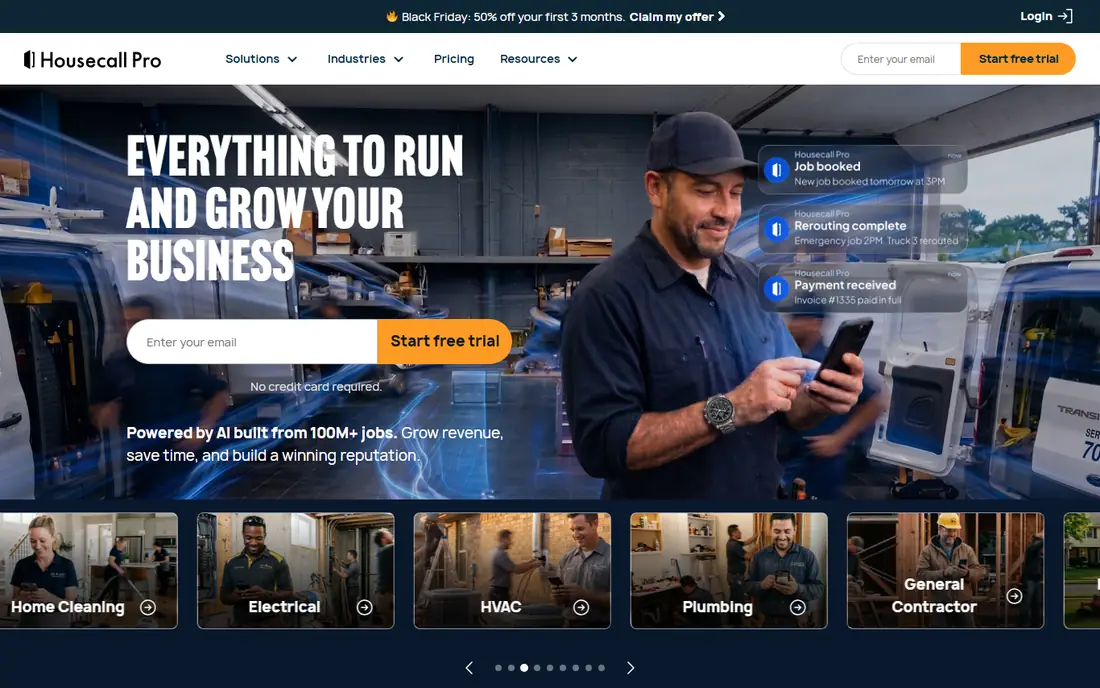
Housecall Pro suits growing field service firms that want dispatch, invoicing, and payments together. Its marketing tools help win repeat work, though tier pricing needs careful reading.
What stands out is scheduling, dispatch, invoicing, and payments together The honest catch is tier pricing can confuse, and some features need add-ons Before buying, confirm pricing and plan limits on the vendor site, since published details can change.
Compare tiers by the features your crews actually use, not the headline list.
- Scheduling and dispatch
- Invoicing and payments
- Marketing tools
- Pricing tiers can be confusing
- Some features need add-ons
ServiceTitan
Ideal for: Large service firms

ServiceTitan is the large firm pick, with a full platform for dispatch, marketing, and reporting. Its depth suits firms with many crews, though small firms will find it costly and complex.
What stands out is a full field service platform for large firms The honest catch is enterprise pricing, and complexity for small firms Check the vendor site for the latest pricing, since plans, tiers, and terms change over time.
Choose ServiceTitan when you have many crews and need deep reporting.
- Full field service platform
- Dispatch, marketing, and reporting
- Strong integrations
- Enterprise pricing
- Overkill and complex for small firms
SingleOps
Ideal for: Tree and outdoor service firms
SingleOps suits tree care and outdoor service firms that want job costing built for their work. Its niche focus gives relevant features, though firms outside its core trades get less value.
What stands out is job costing built for tree and outdoor service work The honest catch is niche focus, and quote based pricing For current pricing, check the vendor site before deciding, since plans and prices change over time.
Pick SingleOps when your work is tree or outdoor service and costing matters.
- Built for tree care and outdoor services
- Job costing
- Scheduling and CRM
- Niche focus means less breadth for other trades
- Pricing by quote
LMN
Ideal for: Estimating and budgeting
LMN suits outdoor service firms that need strong estimating and budgeting alongside CRM. Its costing tools help price jobs accurately, though learning the system takes time.
What stands out is estimating and budgeting with job costing for outdoor work The honest catch is a real learning curve, and pricing by plan Prices and plan details change, so confirm the current offer on the vendor site before you commit.
Use LMN when accurate estimates are your main profit lever.
- Estimating and budgeting tools
- Job costing
- CRM and scheduling
- Learning curve is real
- Pricing by plan and users
FieldEdge
Ideal for: Service dispatch firms
FieldEdge suits service firms that want dispatch and invoicing with a QuickBooks link. Its accounting connection helps firms already on QuickBooks, though its interface feels dated to some users.
What stands out is dispatch and invoicing with a QuickBooks link The honest catch is quote based pricing, and a dated feel for some users Before buying, confirm pricing and plan limits on the vendor site, since published details can change.
Choose FieldEdge when QuickBooks integration and dispatch are priorities.
- Dispatch and scheduling
- Invoicing
- QuickBooks link
- Pricing by quote
- Interface feels dated to some users
JobProgress
Ideal for: Contractor job management
JobProgress suits contractors who want job management and CRM in one place. Its estimates and invoicing cover the sales cycle, though feature depth varies by trade.
What stands out is job management and CRM with estimates and invoicing The honest catch is smaller vendor, and depth varies by trade Check the vendor site for the latest pricing, since plans, tiers, and terms change over time.
Test it on your trade's typical jobs before committing.
- Job management and CRM
- Estimates and invoicing
- Team collaboration
- Smaller vendor
- Feature depth varies by trade
LawnPro Software
Ideal for: Lawn care scheduling
LawnPro Software suits lawn care firms that want scheduling and routing built for recurring routes. Its customer portal helps with payments, though its range is narrower than general field service platforms.
What stands out is scheduling and routing built for recurring lawn routes The honest catch is niche focus, and a narrower range than general platforms For current pricing, check the vendor site before deciding, since plans and prices change over time.
Pick it when recurring lawn routes are your core work.
- Scheduling and routing for lawn care
- Invoicing
- Customer portal
- Niche focus on lawn care
- Smaller feature range than general platforms
How we picked these
We compared official feature pages, pricing pages, app store listings, privacy policies, and public reviews for each option, and we kept only options that exist and work in October 2026 and that truly fit this topic. We favored options with clear pricing, a track record we could check, and honest limits we could state plainly. Where a price or plan could not be confirmed from the vendor itself, we wrote See website rather than guessing.
We also weighed who each option suits best, since the right choice for a large team is often the wrong choice for a small one. That is why the list below mixes well-known leaders with smaller options that do one thing well.
Where prices were not published, we said so rather than estimating. A vendor that hides pricing is not automatically a bad choice, but buyers should ask for a written quote before comparing it with a vendor that publishes prices openly.
Finally, we checked that every website listed is the product's own official homepage and that it loads. A product with a broken or mismatched homepage was not kept on the list, since readers should be able to reach the real vendor from this article without guessing.
How to choose a CRM for yard and outdoor service work
Start with scheduling, since a CRM that cannot handle routes and crews will fail no matter how good its contact records are. Test it with a real week's jobs, not a demo script.
Next, check quoting and invoicing flow. Quotes should turn into jobs and invoices without re-typing, and customers should be able to approve and pay online where possible.
Finally, test the mobile app with a crew member. Field tools must work with gloves, sunlight, and weak signal, and an office only demo hides those problems.
Before you sign, run a small paid trial with real work rather than a demo. A trial shows support speed, data quality, and how the tool handles your edge cases, which sales calls rarely reveal. Set a clear pass mark before the trial starts, such as accuracy, turnaround, or time saved, and judge the trial against that mark. If a vendor resists a trial, treat that as useful information about how the relationship will work later.
A last check is support quality after purchase. Ask how support works, what hours it covers, and how fast typical issues are resolved. A vendor with slow support can turn a small problem into a lost week, while a responsive vendor keeps work moving. That difference rarely appears in pricing pages, so ask current users or read recent reviews before signing.
One more habit helps in every market on this list: read recent customer reviews that mention problems, not only praise. Reviews that describe how a company handled a failure tell you more about service than five-star reviews do. Look for patterns across many reviews rather than one angry or glowing outlier.
Another useful step is to write down your must-have features before you start comparing. Without a short list, it is easy to be swayed by a feature you will never use or a discount that hides a missing essential. A must-have list keeps comparisons honest and makes the final choice easier to defend.
Finally, keep a copy of every quote, term sheet, and confirmation you receive. Written records make it easy to compare offers fairly and to resolve disputes if the delivered service differs from what was promised. A vendor that puts terms in writing is usually a safer choice than one that relies on verbal promises.
Frequently asked questions
What CRM suits a yard service company?
Jobber suits small firms, Housecall Pro suits growing firms, and ServiceTitan suits large firms. SingleOps and LMN suit firms needing strong costing.
Do I need field service software instead of a generic CRM?
Yes, for most yard firms. Generic CRMs track contacts well but lack scheduling, routing, quoting, and crew tools that field work needs daily.
How much does field service CRM cost?
Pricing is usually monthly per user, with tiers for features. Check total cost for your crew size, not only the starter price.
Can customers approve quotes online?
Most tools here offer a client portal or quote approval link, which speeds sales. Confirm the feature is in your tier before signing.
Does CRM help with repeat work?
Yes. Customer history, service schedules, and reminders help firms win repeat and seasonal work without manual tracking.