Best CRM Software in 2026: 8 Tools Compared

- 1
 HubSpot CRMBest free CRM for small businessesVisit
- 2
 SalesforceBest CRM for larger sales teamsVisit
- 3
 PipedriveBest pipeline CRM for small sales teamsVisit
- 4
 Zoho CRMAffordable CRM inside Zoho suiteVisit
- 5
 FreshsalesCRM with AI insights for growing teamsVisit
- HubSpot CRM suits small businesses that want a free starting point with marketing and sales tools in one place.
- Salesforce suits larger sales teams that need deep customisation, while Pipedrive suits small sales teams focused on pipelines.
- Zoho CRM suits budget-conscious businesses inside the Zoho suite, while Freshsales suits teams that want AI insights.
- Start with your sales process, not the feature list. Map your pipeline stages first, then test the CRM with real deals before paying.
Quick comparison
| Product | Ideal for | Price from | Free version | |
|---|---|---|---|---|
| HubSpot CRM | Best free CRM for small businesses | See website | Yes | Visit |
| Salesforce | Best CRM for larger sales teams | See website | No | Visit |
| Pipedrive | Best pipeline CRM for small sales teams | See website | No | Visit |
| Zoho CRM | Affordable CRM inside Zoho suite | See website | Yes | Visit |
| Freshsales | CRM with AI insights for growing teams | See website | Yes | Visit |
 Monday Sales CRM | Visual CRM for teams that like boards | See website | No | Visit |
 Capsule CRM | Simple CRM for small businesses | See website | Yes | Visit |
 Insightly | CRM with project management | See website | No | Visit |
The best CRM software
We compared official feature pages, pricing pages, app store listings, privacy policies and public reviews to build this list, focusing on products that fit the topic closely and are still available in October 2026.
HubSpot CRM
Ideal for: Best free CRM for small businesses
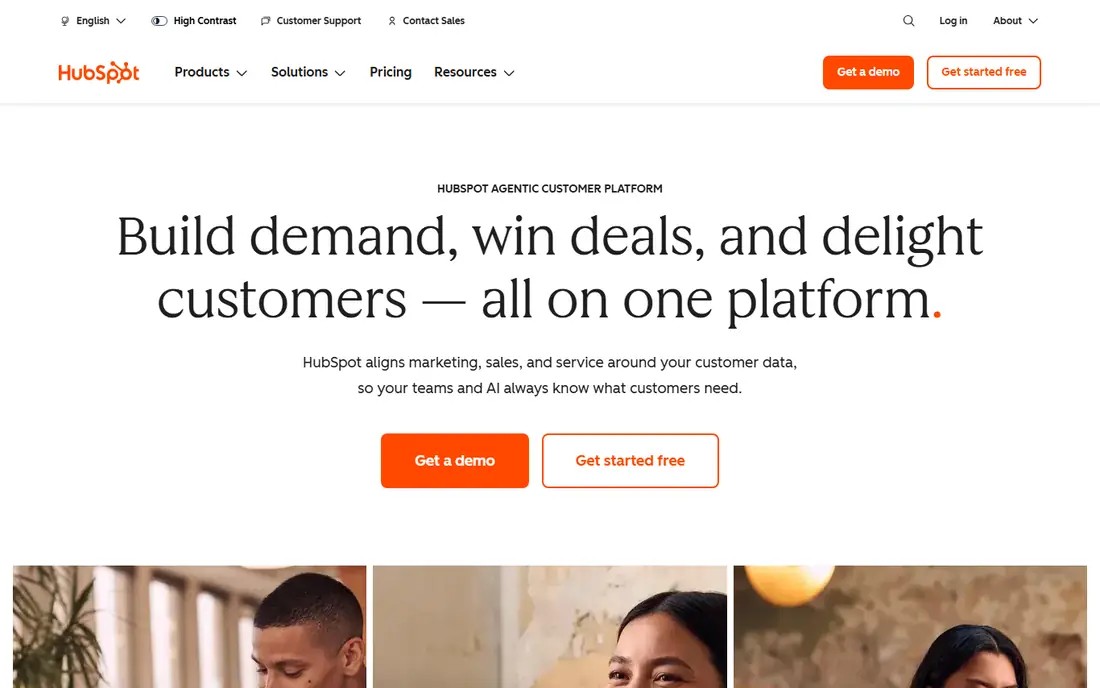
HubSpot CRM is the best free starting point for small businesses, with contacts, companies, deals, pipelines, and basic marketing tools at no cost. That free tier lets a small team organise customers, track deals, and send emails without paying, and paid Hubs add marketing automation, sales sequences, and service tools as you grow.
Full features need paid Hubs, and costs can rise quickly as you add marketing, sales, and service Hubs plus more contacts. HubSpot suits small businesses that want an all-in-one platform and will grow into paid Hubs. Pure sales teams that only need pipelines may prefer Pipedrive for simplicity.
- Free CRM with contacts, deals, and pipelines
- Marketing and sales tools in one platform
- Good onboarding
- Full marketing and sales features need paid Hubs
- Costs rise as you add Hubs and contacts
Salesforce
Ideal for: Best CRM for larger sales teams

Salesforce is the standard CRM for larger sales teams that need deep customisation. You can tailor objects, workflows, reports, and AI insights to complex sales processes, with a huge AppExchange ecosystem for integrations. That depth makes Salesforce suitable for enterprises and growing companies with dedicated admins.
Salesforce is expensive, complex, and often needs an admin or consultant to implement well. Small teams may find it overwhelming and costly for basic contact and deal tracking. Salesforce suits larger teams with complex processes and a budget for implementation, not a five-person team that just needs a pipeline.
- Deep customisation and automation
- Huge app ecosystem
- Strong reporting and AI features
- Expensive and complex
- Implementation often needs an admin or consultant
- Learning curve is steep
Pipedrive
Ideal for: Best pipeline CRM for small sales teams

Pipedrive suits small sales teams that live in their pipeline. Deals move visually across stages, activities and emails are tracked per deal, and the interface is easy to learn without training. That focus helps salespeople focus on next actions rather than admin, which is why many small teams prefer Pipedrive to larger CRMs.
Marketing automation and broader customer service features are thinner than HubSpot, and costs are per user, so a larger team should budget carefully. Pipedrive suits sales-focused teams that want a clear pipeline and fast adoption. Businesses that need marketing and service in one platform should compare HubSpot.
- Visual pipeline focused on deals
- Easy to learn
- Good email and activity tracking
- Marketing and broader CRM features are thinner than HubSpot
- Costs are per user
Zoho CRM
Ideal for: Affordable CRM inside Zoho suite
Zoho CRM suits budget-conscious businesses, especially those already using Zoho for email, books, or projects. Plans are affordable, with a free tier for very small teams, and automation, customisation, and reporting cover most sales needs. Integration with Zoho apps keeps data in one ecosystem.
The interface can feel dated compared with HubSpot or Pipedrive, and automation takes time to learn. The ecosystem advantage also fades if you do not use other Zoho apps. Zoho CRM suits small businesses that want affordable, customisable CRM and already use or plan to use Zoho tools.
- Affordable plans with a free tier
- Strong automation and customisation
- Integrates with Zoho apps
- Interface can feel dated
- Learning curve for automation
- Best inside Zoho ecosystem
Freshsales
Ideal for: CRM with AI insights for growing teams
Freshsales, by Freshworks, suits growing teams that want AI insights without Salesforce complexity. Lead scoring, deal insights, and email and phone integration help salespeople prioritise, while a free tier lets small teams start without paying. The interface is modern and easy to learn.
Full AI, automation, and advanced reporting need higher plans, and the app ecosystem is smaller than Salesforce or HubSpot. Freshsales suits small to mid-sized sales teams that want AI help and a clean interface. Larger enterprises with complex processes should compare Salesforce.
- Free tier to start
- AI lead scoring and insights
- Good email and phone integration
- Full AI and automation need higher plans
- Ecosystem is smaller than Salesforce
Monday Sales CRM
Ideal for: Visual CRM for teams that like boards
Monday Sales CRM suits teams that already use monday.com or love visual boards. Deals, contacts, and pipelines appear as boards with custom columns, automations, and dashboards, which makes the CRM feel like a project tool. That visual style helps non-technical teams adopt CRM quickly.
Pricing is per user, with seat minimums on some plans that raise costs for very small teams. CRM depth, such as advanced sales automation, lags Salesforce. Monday Sales CRM suits visual teams that want a flexible board CRM, especially if they already use monday.com for work management.
- Visual boards and pipelines
- Customisable workflows
- Good for teams already on monday.com
- Pricing is per user with seat minimums on some plans
- CRM depth lags Salesforce
Capsule CRM
Ideal for: Simple CRM for small businesses
Capsule CRM suits very small businesses that want a simple CRM without complexity. Contacts, deals, tasks, and a sales pipeline cover the core needs, with a clean interface that a new user can learn in an afternoon. That simplicity is its main advantage over larger CRMs.
Features are thinner than HubSpot or Salesforce, with basic automation and fewer integrations. Capsule suits freelancers and micro-businesses with simple sales processes. As you grow into marketing automation or complex reporting, plan to move to HubSpot, Pipedrive, or Zoho.
- Simple contacts, deals, and tasks
- Easy to learn
- Good for small teams
- Features are thinner than HubSpot or Salesforce
- Automation is basic
Insightly
Ideal for: CRM with project management
Insightly suits agencies and service businesses that need CRM plus project delivery in one tool. You can track a deal through sales, then convert it to a project with tasks and milestones, which helps firms that sell a project and then deliver it. Contacts, deals, and pipelines cover the sales side well.
The interface can feel dated, pricing is per user, and marketing features are thinner than HubSpot. Insightly suits agencies and professional services that value the sales-to-project link. Pure sales teams that only need pipelines may prefer Pipedrive for a cleaner sales focus.
- CRM plus project management for delivery
- Contacts, deals, and pipelines
- Good for agencies
- Interface can feel dated
- Pricing is per user
- Marketing features are thinner than HubSpot
How we picked these
We compared official feature pages, pricing pages, app store listings, privacy policies and public reviews for each option in this guide. We checked that each product is still offered in October 2026, that its homepage loads, and that its price or free tier could be confirmed or marked as See website when it could not. We did not claim hands-on testing. We favoured products that fit the topic closely, explain their limits clearly, and give readers a practical way to try them before paying. Where prices change often, we say so and point readers to the vendor page for the current figure.
How to choose CRM software
Map your sales process first: lead sources, pipeline stages, deal values, and follow-up steps. Then test the CRM with real deals, not demo data, for two weeks, checking email sync, mobile access, reporting, and whether your team actually updates deals. Check per-user pricing for your full team size, since a low headline price can rise quickly with seats and add-ons.
Before you pay,try the free tier or trial first and check the exact limits that matter to you, such as device support, export options, or cancellation terms. Read the privacy policy for any app that handles personal, financial, or health data, and check whether your data can be exported or deleted. The cheapest option is not always the best value if it lacks a feature you will use every week, and the most expensive option is rarely worth it if you only need the basics.
Frequently asked questions
What is the best CRM software overall?
HubSpot CRM is best free for small businesses, Pipedrive is best for small sales pipelines, and Salesforce is best for larger teams with complex processes. Zoho CRM is best for budget-conscious businesses in the Zoho suite.
Is there a free CRM?
Yes, HubSpot CRM offers a strong free tier, while Zoho CRM, Freshsales, and Capsule CRM offer free tiers with limits. Free tiers suit very small teams, while growing teams usually need a paid plan for automation and reporting.
How much does CRM software cost?
Prices are usually per user per month, varying by plan and features, with free tiers for small teams and enterprise plans costing far more. Check the total cost for your full team, including add-ons and seat minimums, before choosing.
Do I need a CRM if I use spreadsheets?
Spreadsheets work for a handful of customers, but a CRM reduces missed follow-ups, centralises emails and notes, and gives pipeline reports as you grow. If you lose track of leads or follow-ups, a CRM will help.
What is the difference between a CRM and project management software?
A CRM tracks customers, leads, and deals through a sales pipeline, while project management software tracks tasks and delivery after a sale. Insightly combines both, while HubSpot, Pipedrive, and Salesforce focus mainly on the sales side.