Best Crypto Apps in 2026: 7 Platforms Compared for US Users

- 1
 Coinbasebeginners who want a well-known, US-based platformVisit
- 2
 Krakenpeople who want to graduate from a simple buy button to a real exchangeVisit
- 3
 Robinhood Cryptonewcomers who already use, or want, a single investing appVisit
- 4
 Binance.USactive traders who want many coins and low listed exchange feesVisit
- 5
 Geminitraders who want to see their fee tier before they tradeVisit
- Fees differ more than most people expect: Kraken's Instant Buy fee is 1%, Gemini's entry-level ActiveTrader tier is 0.60% maker and 1.20% taker, and Coinbase's simple trades include a spread on top of a fee.
- Robinhood lists no deposit or withdrawal fees and a $1 starting amount for recurring buys, which makes it the easiest on-ramp for beginners in our view.
- Kraken and Binance.US are the better fit if you want a full exchange screen with lower maker and taker fees than a simple "buy" button.
- A crypto app holds your coins for you. Ledger is the only option here built around keeping the keys yourself, which removes platform risk but makes you responsible for your recovery phrase.
- This is not financial advice. Crypto prices swing hard, and you can lose everything you put in.
Quick comparison
| Product | Ideal for | Price from | Free version | |
|---|---|---|---|---|
| Coinbase | beginners who want a well-known, US-based platform | Free (trading fees apply) | Yes | Visit |
| Kraken | people who want to graduate from a simple buy button to a real exchange | Free (1% Instant Buy fee) | Yes | Visit |
| Robinhood Crypto | newcomers who already use, or want, a single investing app | Free | Yes | Visit |
| Binance.US | active traders who want many coins and low listed exchange fees | Free (trading fees apply) | Yes | Visit |
| Gemini | traders who want to see their fee tier before they trade | Free (0.60% maker fee at entry tier) | Yes | Visit |
 Uphold | people who want to trade between crypto, stocks and metals in one place | See website | Yes | Visit |
 Ledger | long-term holders who want to control their own keys | See website | No | Visit |
The best crypto apps
This is not financial advice. Crypto is volatile, you can lose all of the money you put in, and no app can promise returns. We only list platforms that serve US customers and say plainly where a product has limits. Availability and features can vary by state.
We ordered this list by how easy each product is to understand and how clearly it explains what it charges. Six of the seven are accounts where the company holds your coins. The seventh, Ledger, is a way to hold them yourself.
Coinbase
Ideal for: beginners who want a well-known, US-based platform

Coinbase is where most first-time buyers start, and its fee page is more detailed than most. On simple buy and sell orders, Coinbase includes a spread in the quoted price, and it can also charge a Coinbase fee that depends on payment method, order size and region. The page gives 1.875% as an example Coinbase fee on simple limit orders, plus a separate 1% limit order execution fee. It tells you to check the preview screen before you submit.
Coinbase Advanced is the cheaper route. Coinbase says no spread is included there because you trade directly against the order book. Coinbase One is a paid subscription that offers zero trading fees on buys and sells with limits, and the zero-fee benefit does not cover the 1% limit order fee. We could not confirm the subscription price from the pages we could open, so check it in the app before you sign up.
Staking carries its own cost. The help page says there is no fee to stake, but Coinbase keeps a commission from your rewards, with a standard 35% for assets such as ETH, SOL and ADA (lower for some Coinbase One tiers). The honest catch is that a casual buyer who taps "buy" rarely sees the total cost until the preview screen.
- Simple buy and sell flow plus an Advanced order book
- No payment for order flow per its fee page
- Fee preview shown before you confirm a trade
- Simple trades include a spread plus a fee
- Fees vary by payment method and region
Kraken
Ideal for: people who want to graduate from a simple buy button to a real exchange

Kraken publishes a long fee schedule, which we like. At the lowest tier on Kraken Pro, spot trades cost 0.40% for makers and 0.80% for takers, and the rate drops as your 30-day volume rises. The simple Instant Buy and recurring buy options are pricier, at a 1% trading fee, or 1.5% for custom orders, and spreads still apply.
There is also a Kraken+ membership that removes the trading fee on up to $10,000 of monthly volume in major fiat currencies, but it does not cover Kraken Pro trades. Kraken also offers US stocks and ETFs without commission (US only, regulatory fees may apply) and on-chain staking, where it deducts a commission of 20% from rewards on some assets.
One small trap: the schedule lists a 3% fee for converting small balances below the minimum order size. If you have leftover dust, trade it on Pro instead. Kraken fits intermediate users who are comfortable reading a fee table, not people who want one big green button.
- Kraken Pro starts at 0.40% maker and 0.80% taker
- Clear published fee schedule
- Commission-free US stock and ETF trading
- Instant Buy costs 1% and custom orders 1.5%
- Withdrawal fees vary by method and currency
Robinhood Crypto
Ideal for: newcomers who already use, or want, a single investing app
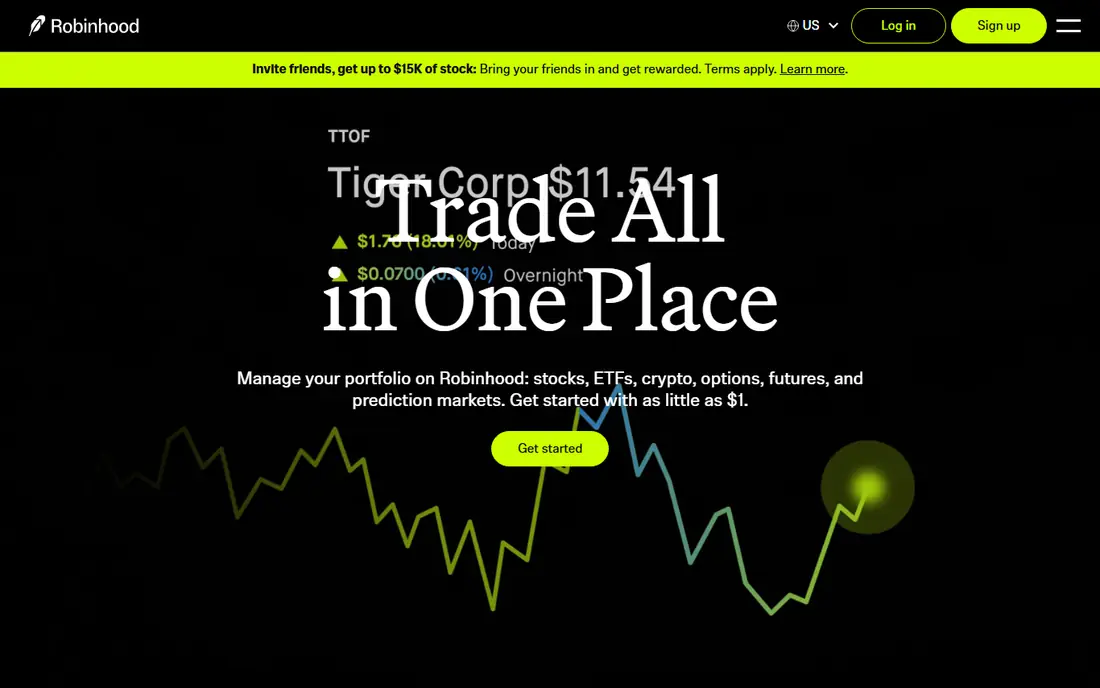
Robinhood keeps crypto simple. Its crypto page says you will never be charged deposit or withdrawal fees, and that recurring buys can start at $1. It says staking is available on ETH, SOL and ADA for as little as $1 of crypto. Robinhood Crypto, LLC is licensed by the New York State Department of Financial Services and registered with FinCEN as a money services business, and the page says it is available in every US state.
On security, Robinhood says it holds the majority of customer coins in cold storage and carries crime insurance underwritten by Lloyd's syndicates against theft, including cybersecurity breaches. The policy protects a portion of the assets, not every dollar, so treat it as one layer rather than a guarantee.
Robinhood also publishes a comparison in which an ETH buy delivers more crypto than on Crypto.com, Coinbase and Kraken. It says a third party verified the research, with quotes taken on 18 September 2026. Quotes are a snapshot and results change with market conditions, so read it as marketing, not a ruling. The page also notes you need a Social Security number and a US address.
- No deposit or withdrawal fees per its crypto page
- Recurring buys from $1
- Majority of coins in cold storage with crime insurance
- Fewer advanced tools than a full exchange
- Its low-cost claim comes from its own comparison
Binance.US
Ideal for: active traders who want many coins and low listed exchange fees

Binance.US is separate from the global Binance exchange, and it serves US customers only. Its homepage lists maker fees starting at 0% and taker fees starting at 0.02%, dropping further on select pairs or for high-volume traders. It also says ACH bank transfers are free, there are no monthly account fees, and network fees on on-chain withdrawals vary by coin.
The site describes the company as a FinCEN-registered money services business with state licenses in supported states, and says most user assets sit in US-based offline cold storage. It also lists SOC 2 Type II, ISO 27001 and ISO 27701 certifications. Those are company claims, and certifications are not the same as a guarantee against loss.
The catch is availability. The page does not list which states are supported and points you to its licenses page, so check that before you get attached to the app. The advertised exchange rates are also for the trading screen, so look at the total cost on any quick-buy flow before confirming.
- 200+ cryptocurrencies and 250+ trading pairs per its site
- ACH transfers free with no monthly account fee
- Multi-factor authentication enforced on every account
- Availability depends on your state
- The site gives no consumer "instant buy" fee on its main page
Gemini
Ideal for: traders who want to see their fee tier before they trade

Gemini's ActiveTrader fee page, last updated 1 September 2026, shows an entry tier of 0.600% maker and 1.200% taker at $0 of 30-day volume. The top tier, at $250 million, drops to 0.000% maker and 0.020% taker. That is a wide gap, which means casual traders should expect to pay near the top of the range.
Gemini's footer names Gemini Trust Company, LLC (NMLS #1518126) and Gemini Moonbase, LLC (NMLS #2403509). The homepage now pitches an "all in one platform" for trading crypto, predicting outcomes and earning, with a prediction feature powered by Grok. Prediction markets are a different kind of risk from buying and holding crypto, so treat them as a separate decision.
We could not load a fee page for the simple buy flow, so we cannot tell you its all-in cost. That is why we suggest Gemini for people who plan to use the ActiveTrader screen and compare the preview with Kraken and Coinbase before buying.
- Published ActiveTrader schedule that falls to 0.000% maker and 0.020% taker at the top tier
- Company licence IDs listed in its footer
- Entry-tier fees are 0.60% maker and 1.20% taker
- We could not confirm simple-buy convenience fees
Uphold
Ideal for: people who want to trade between crypto, stocks and metals in one place

Uphold takes a broader view than a pure crypto exchange. Its US page lists more than 300 cryptocurrencies, more than 4,000 stocks and ETFs, gold and silver in select jurisdictions, and 27 currencies. Securities are offered through Uphold Securities Inc. and custodied by Apex Clearing Corporation, while crypto assets come from Uphold HQ, Inc. (NMLS #1269875).
Uphold says it is fully reserved and does not loan out customer funds. We would read its Earn page with care, though. The headline refers to FDIC coverage up to $2.5 million, but the footnote states that Uphold is not a bank and is not FDIC insured, and that pass-through coverage depends on conditions Uphold cannot guarantee. The card page cites a different figure again. Do not assume your cash is insured the way a bank deposit is.
The page shows a staking commission without giving a rate, and trading fees sit on a separate "Service fees" page. If a multi-asset account appeals, read that fee page before you move money. It suits people who want one login for several asset types, not people who want the lowest possible fee on a single coin.
- Lists 300+ cryptocurrencies, 4,000+ stocks and ETFs, and precious metals in select jurisdictions
- Staking, a debit card and a cash account in the same app
- Trading fees are not stated on its main page
- Its FDIC wording needs a careful read
Ledger
Ideal for: long-term holders who want to control their own keys

Every other product on this list holds your crypto in an account. Ledger works differently. Its hardware wallets store your private keys offline, and you pair the device with the Ledger Wallet app to send, receive, buy, swap and stake. Crypto you buy or swap through the app's third-party providers is sent to your hardware wallet.
The current lineup on Ledger's site includes Stax, Flex, Nano Gen5, Atom and Nano Classics. Its comparison page says Stax, Flex and Nano Gen5 have full USB and NFC and a CC EAL6+ secure element and include a Recovery Key. It also says Nano S Plus uses a lower-rated CC EAL5+ element and has no battery. Prices were not shown on the pages we reached, so see the site for current costs.
Self-custody removes the risk that an exchange fails or freezes withdrawals, but it adds a new one. If you lose your recovery phrase and your device, nobody can restore your coins. Ledger is a better home for coins you do not plan to trade often, not for day-to-day buying.
- Private keys stay on the hardware device
- Ledger Wallet app covers 100+ chains
- Touchscreen models include a Recovery Key
- You are responsible for your recovery phrase
- Device prices were not listed on the pages we could open
How we picked these
We compared each company's own fee pages, help articles, homepage claims and licensing disclosures, plus its security statements and the states or products it covers. We did not place real trades or open accounts for this guide, so we describe what the companies publish and flag any claim that comes from the company itself. Where a fee page would not load or did not list a price, we say so instead of guessing. We favored US-facing platforms with published licences and clear fee tables.
How to choose a crypto app
Start with how you plan to use it. If you want to buy a small amount now and then and hold it, the cost that matters most is the all-in price of a simple buy, including spread and fees. If you plan to trade often, the maker and taker rates on the exchange screen matter more.
Compare the total cost, not the headline fee
Several platforms advertise a low rate on one screen and charge more on another. Kraken's Instant Buy is 1% while Kraken Pro starts at 0.40% maker. Coinbase's simple trades include a spread, while Coinbase Advanced does not. Before any purchase, open the order preview and look at the final amount of crypto you will receive for your dollars.
Check security and licensing
Look for a stated US licence or registration, multi-factor authentication, and an honest description of how coins are stored. Cold storage and insurance policies are useful, but insurance usually covers only a portion of assets and specific events. Turn on two-factor authentication using an authenticator app and use a unique password.
Decide who holds the keys
An exchange account is convenient, and the company can help you recover access. A hardware wallet gives you control, with no one to call if you make a mistake. Many people use both, keeping a small trading balance on an exchange and long-term holdings in their own wallet.
Think about taxes
In the US, crypto sales and trades can create taxable gains. Choose an app that lets you export a full transaction history, and talk to a tax professional about your situation.
Frequently asked questions
What is the best crypto app for beginners?
We would point most beginners to Robinhood Crypto or Coinbase. Both have simple buy flows and a US base, but Coinbase's simple trades include a spread and fee, so compare the preview screen. Robinhood lists no deposit or withdrawal fees.
Which crypto platform has the lowest fees?
It depends on how you trade. Kraken Pro starts at 0.40% maker and 0.80% taker, Binance.US lists maker fees from 0%, and Gemini's entry tier is 0.60% maker and 1.20% taker. Simple buy buttons usually cost more than exchange screens.
Is it safe to keep crypto on an app?
It carries platform risk. If the company is hacked, fails or freezes withdrawals, you may not recover everything, and insurance typically covers only part of the assets. Using two-factor authentication and moving long-term holdings to your own wallet reduces the risk.
What is the best app for crypto trading?
For active trading, a full order book matters more than a simple buy button. Kraken Pro, Coinbase Advanced, Binance.US and Gemini ActiveTrader all offer that. Compare maker and taker rates at your expected monthly volume.
Do I need a hardware wallet?
You do not need one to start, but it makes sense once your balance is large enough that losing it would hurt. A hardware wallet keeps your keys offline. You must keep your recovery phrase safe, because without it no one can restore your coins.
Do I have to pay taxes on crypto?
In the US, selling or trading crypto can produce taxable gains. Keep records of your purchases and sales, and ask a tax professional about your case.
Sources
- https://help.coinbase.com/en/coinbase/trading-and-funding/pricing-and-fees/fees
- https://www.kraken.com/features/fee-schedule
- https://robinhood.com/us/en/crypto/
- https://www.binance.us/
- https://www.gemini.com/fees/activetrader-fee-schedule
- https://www.gemini.com/
- https://uphold.com/en-us/
- https://www.ledger.com/
- https://shop.ledger.com/pages/hardware-wallets-comparison