Best Customer Support Software in 2026: 8 Tools Compared

- Zendesk and Freshdesk suit teams that need full ticketing at scale, with different price points.
- Intercom and Front suit teams that blend chat, email and proactive messaging.
- Help Scout and Zoho Desk suit smaller teams that want simplicity without losing reporting.
- Free tiers cover small teams well, while automation and advanced reporting usually need paid plans.
Quick comparison
| Product | Ideal for | Price from | Free version | |
|---|---|---|---|---|
 Zendesk | Full support at scale | See website | Free trial | Visit |
 Freshdesk | Value ticketing for growing teams | Free | Yes | Visit |
 Intercom | Chat-first support and messaging | See website | Free trial | Visit |
 Help Scout | Simple shared inbox support | See website | Free trial | Visit |
 Zoho Desk | Support inside the Zoho ecosystem | See website | Free trial | Visit |
 HubSpot Service Hub | Support tied to CRM | See website | Free trial | Visit |
 LiveChat | Live chat specialist | See website | Free trial | Visit |
 Front | Collaborative team inboxes | See website | Free trial | Visit |
The best customer support software
We compared customer support software on ticketing, live chat, help centres, automation and reporting. The best tool depends on volume and channel mix, since a chat-heavy team needs different strengths than an email-heavy team. Our pick for most teams is Zendesk for scale, with Freshdesk as the value alternative.
Zendesk
Ideal for: Full support at scale

Zendesk covers ticketing, live chat, help centres and automation in one platform, with reporting that suits larger support teams. That breadth is why enterprises default to it. Pricing scales per agent and setup takes time, so small teams should trial it against simpler rivals before committing.
For most readers, the deciding question with Zendesk is fit rather than raw feature count. Check the plan limits that matter to you, such as seats, usage caps and what happens when a trial ends, before you commit to a paid tier. If the free tier or trial covers your core task, use it for a full week of real work before paying, and keep an eye on renewal terms and cancellation steps. That short test usually tells you more than any feature list, and it keeps the choice grounded in how you actually work day to day.
- Ticketing, chat and help centre
- Automation
- Strong reporting
- Pricing scales with agents
- Setup takes time
Freshdesk
Ideal for: Value ticketing for growing teams

Freshdesk offers solid ticketing, collaboration and automation at a lower price point than Zendesk, with a free tier for small teams. That value makes it popular with growing businesses. Advanced reporting and some chat features sit in higher plans, so check the tier that matches your channel mix.
For most readers, the deciding question with Freshdesk is fit rather than raw feature count. Check the plan limits that matter to you, such as seats, usage caps and what happens when a trial ends, before you commit to a paid tier. If the free tier or trial covers your core task, use it for a full week of real work before paying, and keep an eye on renewal terms and cancellation steps. That short test usually tells you more than any feature list, and it keeps the choice grounded in how you actually work day to day.
- Ticketing and collaboration
- Automation
- Free tier for small teams
- Advanced reporting needs higher plans
- Chat is an add-on in some tiers
Intercom
Ideal for: Chat-first support and messaging
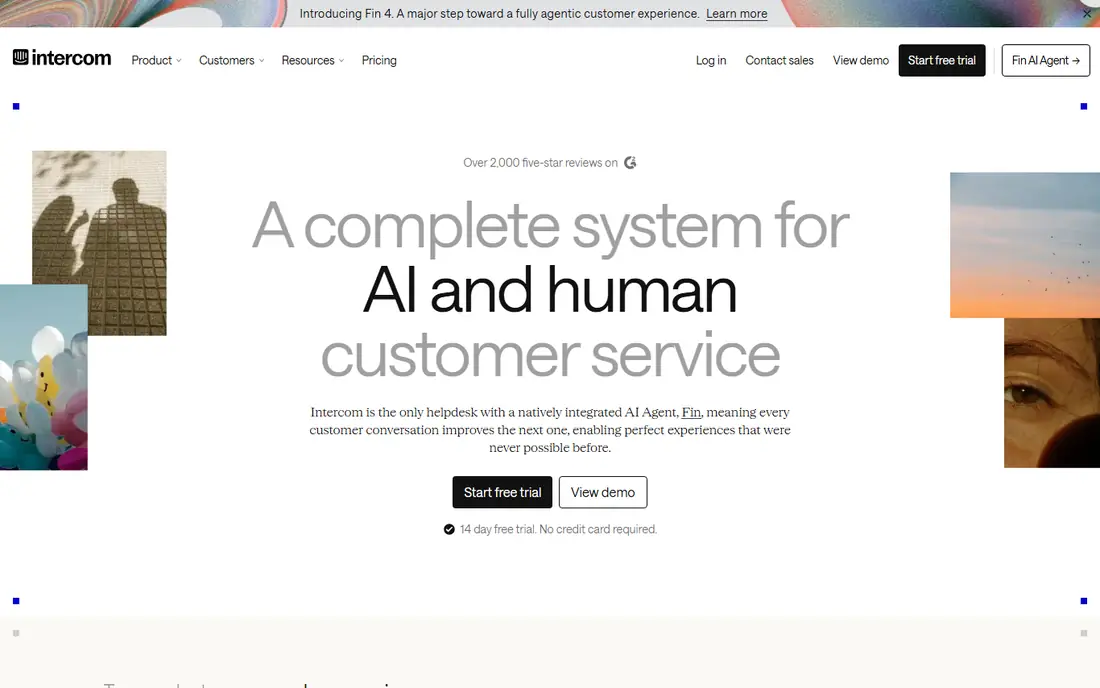
Intercom excels at chat-first support, blending live chat, help centres and proactive messages that reach users inside your product. That mix suits SaaS teams. Pricing can rise with contact volume, and ticketing depth varies by plan, so email-heavy teams should compare it with Zendesk first.
For most readers, the deciding question with Intercom is fit rather than raw feature count. Check the plan limits that matter to you, such as seats, usage caps and what happens when a trial ends, before you commit to a paid tier. If the free tier or trial covers your core task, use it for a full week of real work before paying, and keep an eye on renewal terms and cancellation steps. That short test usually tells you more than any feature list, and it keeps the choice grounded in how you actually work day to day.
- Live chat and messaging
- Help centre
- Proactive messages
- Pricing can rise with contacts
- Ticketing depth varies
Help Scout
Ideal for: Simple shared inbox support
Help Scout offers a clean shared inbox, help centre and simple reporting that small teams can learn in a day. That simplicity is its main selling point. Enterprise workflow depth and automation are lighter than Zendesk, so large teams with complex routing may outgrow it.
For most readers, the deciding question with Help Scout is fit rather than raw feature count. Check the plan limits that matter to you, such as seats, usage caps and what happens when a trial ends, before you commit to a paid tier. If the free tier or trial covers your core task, use it for a full week of real work before paying, and keep an eye on renewal terms and cancellation steps. That short test usually tells you more than any feature list, and it keeps the choice grounded in how you actually work day to day.
- Shared inbox
- Help centre
- Simple reporting
- Less depth for enterprise workflows
- Automation is lighter
Zoho Desk
Ideal for: Support inside the Zoho ecosystem
Zoho Desk provides ticketing, automation and multi-channel support with deep Zoho integrations. Teams already using Zoho CRM or other Zoho apps gain workflow value. The interface feels busy to newcomers, and the best value sits inside the Zoho ecosystem, so standalone users should weigh that.
For most readers, the deciding question with Zoho Desk is fit rather than raw feature count. Check the plan limits that matter to you, such as seats, usage caps and what happens when a trial ends, before you commit to a paid tier. If the free tier or trial covers your core task, use it for a full week of real work before paying, and keep an eye on renewal terms and cancellation steps. That short test usually tells you more than any feature list, and it keeps the choice grounded in how you actually work day to day.
- Ticketing and automation
- Zoho integrations
- Free tier
- Interface feels busy
- Best value inside Zoho
HubSpot Service Hub
Ideal for: Support tied to CRM
HubSpot Service Hub ties support tickets to the CRM, so agents see customer history, deals and feedback in one place. Live chat and feedback tools round out the suite. Full features need higher tiers and pricing scales with contacts, so it suits teams already committed to HubSpot.
For most readers, the deciding question with HubSpot Service Hub is fit rather than raw feature count. Check the plan limits that matter to you, such as seats, usage caps and what happens when a trial ends, before you commit to a paid tier. If the free tier or trial covers your core task, use it for a full week of real work before paying, and keep an eye on renewal terms and cancellation steps. That short test usually tells you more than any feature list, and it keeps the choice grounded in how you actually work day to day.
- Ticketing tied to CRM
- Live chat
- Customer feedback tools
- Full features need higher tiers
- Pricing scales
LiveChat
Ideal for: Live chat specialist
LiveChat specialises in live chat with chatbots, canned responses and integrations across websites and messaging apps. That focus suits sales and support teams where chat is the main channel. Ticketing is lighter than full suites, so email-heavy teams may need a companion tool.
For most readers, the deciding question with LiveChat is fit rather than raw feature count. Check the plan limits that matter to you, such as seats, usage caps and what happens when a trial ends, before you commit to a paid tier. If the free tier or trial covers your core task, use it for a full week of real work before paying, and keep an eye on renewal terms and cancellation steps. That short test usually tells you more than any feature list, and it keeps the choice grounded in how you actually work day to day.
- Strong live chat
- Chatbots
- Integrations
- Ticketing is lighter than full suites
- Pricing per agent
Front
Ideal for: Collaborative team inboxes
Front turns email, chat and social messages into shared team inboxes with collaboration, assignments and automation. That shared view suits teams handling support across channels without a heavy ticketing system. Pricing is per seat and reporting depth varies by plan, so check analytics needs before buying.
For most readers, the deciding question with Front is fit rather than raw feature count. Check the plan limits that matter to you, such as seats, usage caps and what happens when a trial ends, before you commit to a paid tier. If the free tier or trial covers your core task, use it for a full week of real work before paying, and keep an eye on renewal terms and cancellation steps. That short test usually tells you more than any feature list, and it keeps the choice grounded in how you actually work day to day.
- Shared inboxes across channels
- Collaboration
- Automation
- Pricing per seat
- Reporting depth varies
How we picked these
We compared official feature pages, pricing pages, app store listings, privacy policies and public reviews for each option below. We kept only products that exist and work now, that fit the topic directly, and whose official homepage we could confirm. Where a price was not published clearly, we wrote See website rather than guessing, and we favoured options with a free tier or trial where one exists.
Choosing support software your team will actually use
Map your channels before you shop. A team handling mostly email needs strong ticketing, while a chat-heavy team needs chat quality and speed. Buying a suite for channels you barely use wastes money and complicates training.
Trial with real tickets, not demo data. Import a week of real conversations, test routing, macros and reporting, and ask agents what slows them down. A tool that looks good in a demo can frustrate agents on real volume.
Plan the help centre from day one. Self-service articles deflect repetitive tickets and improve customer satisfaction, but only if they are easy to find and kept current. Pick a tool whose help centre you will actually maintain, not just one that offers it.
Frequently asked questions
What is the best customer support software?
Zendesk suits larger teams needing full ticketing and reporting, while Freshdesk offers strong value. Intercom leads for chat-first teams, and Help Scout suits smaller teams wanting simplicity.
Is there free customer support software?
Yes, Freshdesk and Zoho Desk offer free tiers for small teams, and HubSpot Service Hub has a free tier with limits. Larger teams and advanced automation usually need paid plans.
What is the difference between ticketing and live chat tools?
Ticketing tools organise email and requests into trackable tickets, while live chat tools handle real-time conversations. Many suites combine both, but specialists such as LiveChat focus on chat depth.
How much does customer support software cost?
Most tools price per agent per month, with free tiers for small teams and higher tiers for automation and reporting. Total cost depends on agent count and channels, so quote your exact team size.
Should small businesses use Zendesk?
Small teams can, but Freshdesk, Help Scout or Zoho Desk often offer better value and simpler setup. Choose Zendesk when volume, automation or reporting needs justify the higher price and setup time.