Best Data Preparation Software in 2026: 7 Tools Compared

- 1
 AlteryxAutomated analytics workflowsVisit
- 2
 Tableau PrepCleaning data for TableauVisit
- 3
 TalendData integration and qualityVisit
- 4
 KNIMEVisual data science workflowsVisit
- 5
 OpenRefineFree messy data cleaningVisit
- Data preparation tools clean, join, profile, and reshape messy data before analysis, and they save analysts from endless spreadsheet fixes.
- Visual workflow tools such as Alteryx, KNIME, and Tableau Prep suit analysts who want to see each step, while Dataiku and Informatica suit larger governed programs.
- OpenRefine is the best free starting point for one-off cleaning jobs, especially for messy lists, names, and categories.
- Our pick for most analysts is a visual tool with strong connectors and repeatable workflows, tested on your own messy files first.
Quick comparison
| Product | Ideal for | Price from | Free version | |
|---|---|---|---|---|
| Alteryx | Automated analytics workflows | See website | Free trial | Visit |
| Tableau Prep | Cleaning data for Tableau | See website | Free trial | Visit |
| Talend | Data integration and quality | See website | Free trial | Visit |
| KNIME | Visual data science workflows | Free | Yes | Visit |
| OpenRefine | Free messy data cleaning | Free | Yes | Visit |
 Dataiku | Governed data and AI work | See website | Free trial | Visit |
 Informatica | Enterprise data management | See website | No | Visit |
The best data preparation software
Data preparation is the work before the chart: fixing dates, standardizing names, joining tables, removing duplicates, and checking for missing values. Analysts often spend more time on this stage than on analysis itself, and a good preparation tool turns a fragile spreadsheet routine into a repeatable workflow. The best tool depends on data size, team skill, and how much governance a company needs.
We compared official product pages for preparation and data management tools used in the US, looking at cleaning features, connectors, visual workflows, automation, and pricing. The list below mixes analyst-friendly visual tools with enterprise platforms, so solo analysts and large data teams can both compare realistic options.
Alteryx
Ideal for: Automated analytics workflows
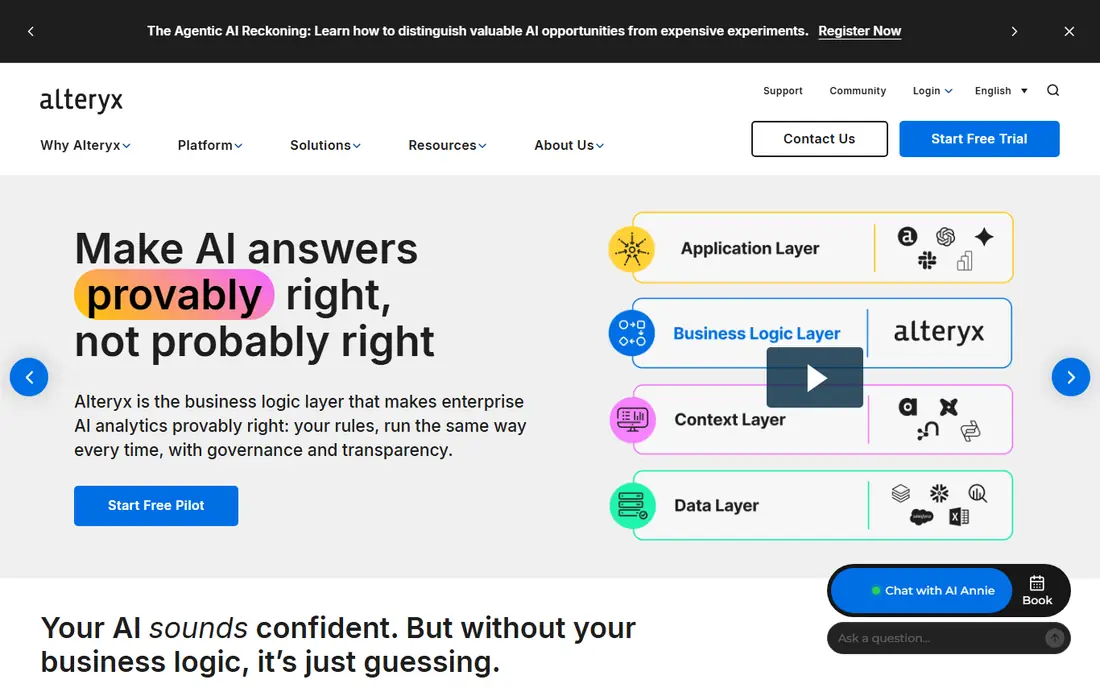
Alteryx helps business teams build automated analytic workflows that connect, clean, and prepare data from spreadsheets, ERPs, CRMs, and cloud sources. Its platform presents governed, repeatable workflows with business logic built in, so a monthly reporting routine can run the same way each time instead of being rebuilt in a spreadsheet. That repeatability is the main draw for finance, operations, and analytics teams with regular reporting cycles.
The catch is cost and depth. Alteryx is an enterprise platform priced by quote, and teams should check which plan covers their connectors, scheduling, and sharing needs. Complex workflows also need training, especially for blending many sources. For analysts who prepare data every week and want automation without heavy coding, Alteryx is a strong pick.
- Visual workflows with many connectors
- Automation and governance features
- Strong fit for business analysts
- Enterprise pricing by quote
- Learning curve for complex workflows
- Desktop habits may suit cloud teams less
Tableau Prep
Ideal for: Cleaning data for Tableau
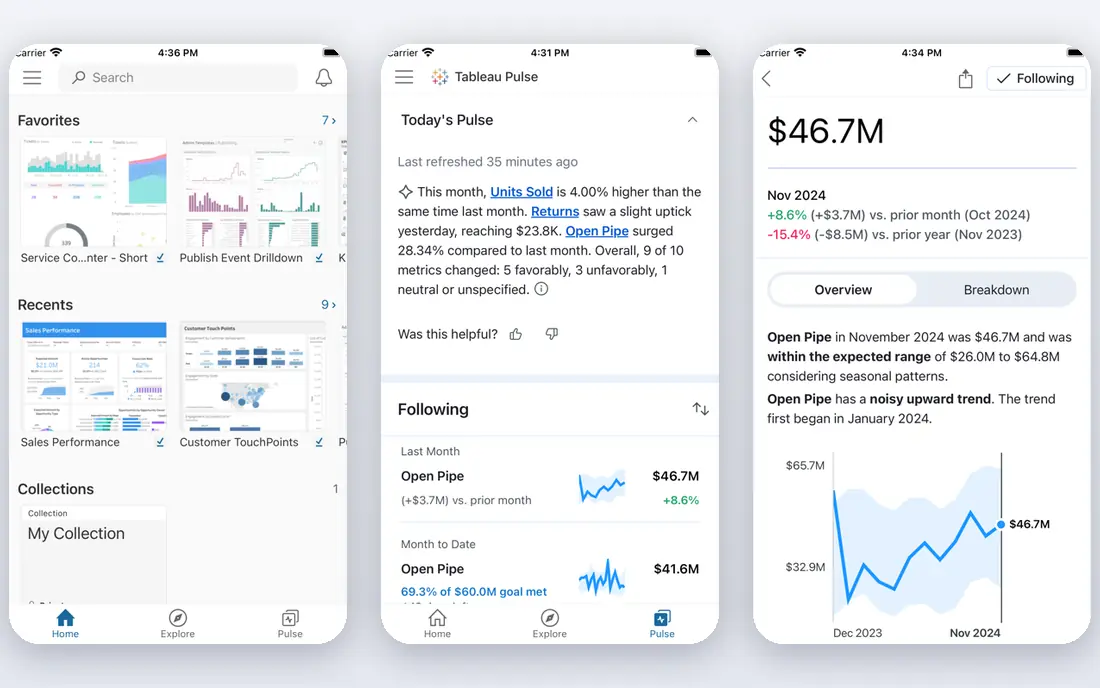
Tableau Prep is the data preparation companion to Tableau, letting users connect, clean, join, and shape data with visual steps before building dashboards. Profiling views show distributions, missing values, and outliers, which helps analysts spot problems before they reach a chart. Flows can be reused and scheduled, so a weekly dashboard refresh does not need manual cleaning each time.
The trade-off is ecosystem fit. Tableau Prep shines for Tableau users, while teams that use other BI tools may prefer a neutral preparation tool such as KNIME or Alteryx. Pricing follows Tableau licensing, so buyers should confirm what Prep access their plan includes. For Tableau shops, Prep is the natural first choice for cleaning work.
- Visual cleaning steps that are easy to follow
- Tight fit with Tableau dashboards
- Profiling shows data issues clearly
- Best value inside Tableau
- Less suited as a standalone enterprise ETL tool
- Pricing follows Tableau plans
Talend
Ideal for: Data integration and quality

Talend, now part of Qlik, offers a unified platform for data integration, quality, and governance, with tools for moving, transforming, and checking data at scale. Its homepage stresses a single platform for integration and quality, available in cloud, on-premises, or hybrid form, with trial options for Qlik Talend Cloud. That breadth suits companies that need preparation plus integration pipelines, not only desktop cleaning.
The catch is complexity. Talend is an enterprise data platform, and teams need data engineering skill to design pipelines, manage quality rules, and govern outputs. Pricing is by quote and trial terms should be checked. For companies that prepare data as part of larger integration work, Talend offers depth that desktop-only tools lack.
- Integration, transformation, and quality in one platform
- Now part of Qlik
- Cloud, on-premises, and hybrid options
- Enterprise scope and pricing
- Setup needs data engineering skill
- Smaller teams may find it heavy
KNIME
Ideal for: Visual data science workflows
KNIME is a visual platform for end-to-end data science, covering blending, transformation, modeling, and deployment through drag-and-drop workflows. Its homepage highlights hundreds of connectors, support for many data sources and AI models, and workflows that business experts can build without code. The core analytics platform is free, which makes KNIME an easy tool to try for cleaning, joining, and profiling work.
The trade-off is scale and support. Teams that need scheduled deployment, collaboration, and governance will need commercial KNIME products, and very large workflows need performance planning. For analysts, students, and small teams that want a free, visual preparation tool with room to grow into data science, KNIME is hard to beat.
- Free analytics platform with visual workflows
- Hundreds of connectors
- Open ecosystem for data science and AI work
- Commercial server features are paid
- Large workflows need care with performance
- Support depends on plan
OpenRefine
Ideal for: Free messy data cleaning
OpenRefine is a free, open source tool for working with messy data: cleaning it, transforming formats, and extending it with web services. Its homepage highlights faceting to explore large datasets, clustering to merge similar values such as misspelled names, reconciliation to match records to external databases, and undo history that lets users rewind any step. Data is cleaned locally, which suits sensitive lists that should not leave a machine.
The limit is scope. OpenRefine is excellent for one-off cleaning and exploration, but it is not a scheduled pipeline tool or a governed enterprise platform. Teams that need repeatable, automated production flows should pair it with a workflow tool or choose KNIME or Alteryx. For free, focused cleaning work, OpenRefine is our top pick.
- Free and open source
- Strong faceting and clustering for messy values
- Data stays on your own machine
- Not a full pipeline or scheduling tool
- Interface feels technical for some users
- No built-in enterprise governance
Dataiku
Ideal for: Governed data and AI work
Dataiku is a platform for data science and AI that covers data preparation, modeling, orchestration, and governance in one place. Its homepage stresses turning raw data into production AI through governed workflows, with business experts building inside IT guardrails and teams tracking models, agents, and costs. For preparation, that means cleaning and feature work sits inside the same system that later models and deploys results.
The catch is enterprise scope. Dataiku is priced by quote and built for organizations with ongoing data and AI programs, so a solo analyst with a few messy files will find it more than needed. Governance design also takes planning. For companies that want preparation, modeling, and AI governance together, Dataiku offers a complete platform.
- Data prep, modeling, and AI in one governed platform
- Collaboration for business and technical users
- Strong enterprise scale
- Enterprise pricing by quote
- Setup and governance design take time
- May be heavy for simple cleaning jobs
Informatica
Ideal for: Enterprise data management
Informatica offers an AI-ready data platform covering integration, data quality, governance, master data management, and catalog tools. Its homepage highlights connecting and moving data across clouds, apps, and databases with hundreds of connectors, plus profiling, cleaning, and monitoring to keep data reliable. For large companies with many systems, that breadth helps preparation sit inside a governed data estate rather than in isolated spreadsheets.
The trade-off is scale. Informatica is an enterprise platform with implementation and pricing by scope, and it is not the right tool for a single analyst cleaning a CSV file. Teams need data engineering and governance roles to get full value. For enterprises that need preparation plus integration, quality, and governance at scale, Informatica is a leading choice.
- Broad data integration, quality, and governance
- Hundreds of connectors
- Strong fit for large, complex data estates
- Enterprise pricing and implementation
- Not a light desktop cleaning tool
- Needs data engineering and governance teams
How we picked these
We compared official product pages for data preparation and data management tools available in the US, looking at cleaning, joining, profiling, connectors, visual workflows, and automation. We favored tools with clear preparation features over pure BI or pure coding libraries, and we kept a range from free tools to enterprise platforms. We also favored tools with current homepages and active development in 2026.
We did not test these tools on live production data, and we did not review private contracts. Pricing and trial terms can change, so check the vendor site and trial each tool with your own messy files before buying.
What to check before you choose
Start with your messiest real files, not a demo dataset. Test dates in mixed formats, duplicate names, missing values, and joins across two or three sources, and see how clearly each tool shows problems and lets you fix them. A tool that handles clean demo data well may struggle with the inconsistencies in real operational data.
Next, check repeatability and sharing. If a cleaning routine runs weekly, the tool should save the workflow, schedule it, and let a colleague rerun it without rebuilding steps. Also check how outputs reach dashboards or models, because a clean file that cannot flow into analysis still leaves manual work.
Finally, weigh governance needs. Small teams may only need local cleaning and version history, while regulated firms need access controls, audit trails, and data lineage. Choose the lightest tool that meets your governance bar, because a heavy platform that analysts avoid will push cleaning back into spreadsheets.
Frequently asked questions
What is data preparation software?
Data preparation software cleans, joins, profiles, and reshapes raw data before analysis. It helps analysts fix missing values, standardize formats, remove duplicates, and build repeatable workflows instead of manual spreadsheet fixes.
What is the best free data preparation tool?
OpenRefine is the best free tool for one-off messy data cleaning, while KNIME offers a free visual platform with broader workflow and data science features. Both suit analysts who want to try preparation without buying a platform first.
Is Tableau Prep only for Tableau users?
Tableau Prep works best with Tableau dashboards, though it can output cleaned data for other uses. Teams that do not use Tableau may prefer a neutral tool such as KNIME, Alteryx, or Talend for preparation work.
How is data preparation different from ETL?
ETL, short for extract, transform, and load, usually moves data into a warehouse through pipelines built by engineers. Data preparation is broader and often analyst-led, covering cleaning and shaping for analysis, and many preparation tools also support pipeline-style workflows.
How much does data preparation software cost?
OpenRefine and the core KNIME platform are free, while Alteryx, Tableau Prep, Talend, Dataiku, and Informatica price by plan or quote. Ask for a total that includes users, connectors, scheduling, and support for your data volume.