Best data security software in 2026: 7 Options Compared

- 1
 Varonisteams that want data access visibilityVisit
- 2
 CrowdStriketeams that want endpoint and threat securityVisit
- 3
 Palo Alto Networksenterprises that want network plus data securityVisit
- 4
 Forcepointenterprises that want data loss preventionVisit
- 5
 Symantecenterprises that want endpoint and DLP suitesVisit
- Varonis suits teams that want data access visibility and insider risk controls.
- CrowdStrike and Palo Alto Networks suit teams that want endpoint and network security at scale.
- Forcepoint and Symantec suit enterprises that want data loss prevention and endpoint controls.
- McAfee and IBM Security suit teams that want broad suites with compliance tools.
Quick comparison
| Product | Ideal for | Price from | Free version | |
|---|---|---|---|---|
| Varonis | teams that want data access visibility | See website | No | Visit |
| CrowdStrike | teams that want endpoint and threat security | See website | No | Visit |
| Palo Alto Networks | enterprises that want network plus data security | See website | No | Visit |
| Forcepoint | enterprises that want data loss prevention | See website | No | Visit |
| Symantec | enterprises that want endpoint and DLP suites | See website | No | Visit |
 McAfee | teams that want a broad security suite | See website | No | Visit |
 IBM Security | enterprises that want security plus compliance | See website | No | Visit |
The best data security software
Data security software protects sensitive data from theft, loss and misuse, through access controls, monitoring, encryption and loss prevention. We compared official product pages, pricing pages, documentation and public reviews, focusing on data discovery, access visibility, loss prevention, monitoring and compliance support. Pricing is often quote based, so we note the model rather than quoting a figure we could not confirm.
Varonis
Ideal for: teams that want data access visibility

Varonis maps who can access what data across files, cloud apps and email, and alerts on risky access, sharing and insider behaviour. That visibility suits teams with large unstructured data estates where permissions have grown messy over time. Its remediation tools help remove excessive access without breaking work.
Before you pay, check the limits that apply to your own use, including seats, storage, monthly usage and support hours. A plan that looks generous on the headline page can still cap the one feature you rely on most, so read the plan comparison page rather than the marketing summary. A trial or free tier is the safest way to test this, and it also shows whether support answers promptly when you need help.
Pricing is enterprise level, and initial data mapping takes time, so smaller teams may find it heavy. Start with your most sensitive data stores, and confirm which cloud and on premises systems are covered.
- Data access mapping
- Insider risk alerts
- Remediation
- Enterprise pricing
- Setup needs data mapping
CrowdStrike
Ideal for: teams that want endpoint and threat security

CrowdStrike offers endpoint protection, threat intelligence and cloud security from a single agent and console, which suits teams that want strong detection and response. Its platform helps find and stop threats that target data on devices and in cloud workloads. That breadth suits organisations with many endpoints.
The price on the headline page is only part of the cost, so check renewal pricing, per-seat charges and any paid add-ons before you commit. Free tiers help for light use, but they often cap the features that matter once work grows, and trials end on a fixed date whether you have finished testing or not. Set a reminder before a trial ends, and confirm cancellation steps in advance so you are not locked into a plan you no longer need.
Pricing is enterprise oriented, and the full platform takes learning to configure well. Trial it on a representative set of devices, and confirm detection, response and reporting meet your incident process.
- Endpoint protection
- Threat intelligence
- Cloud security
- Enterprise pricing
- Breadth takes learning
Palo Alto Networks
Ideal for: enterprises that want network plus data security
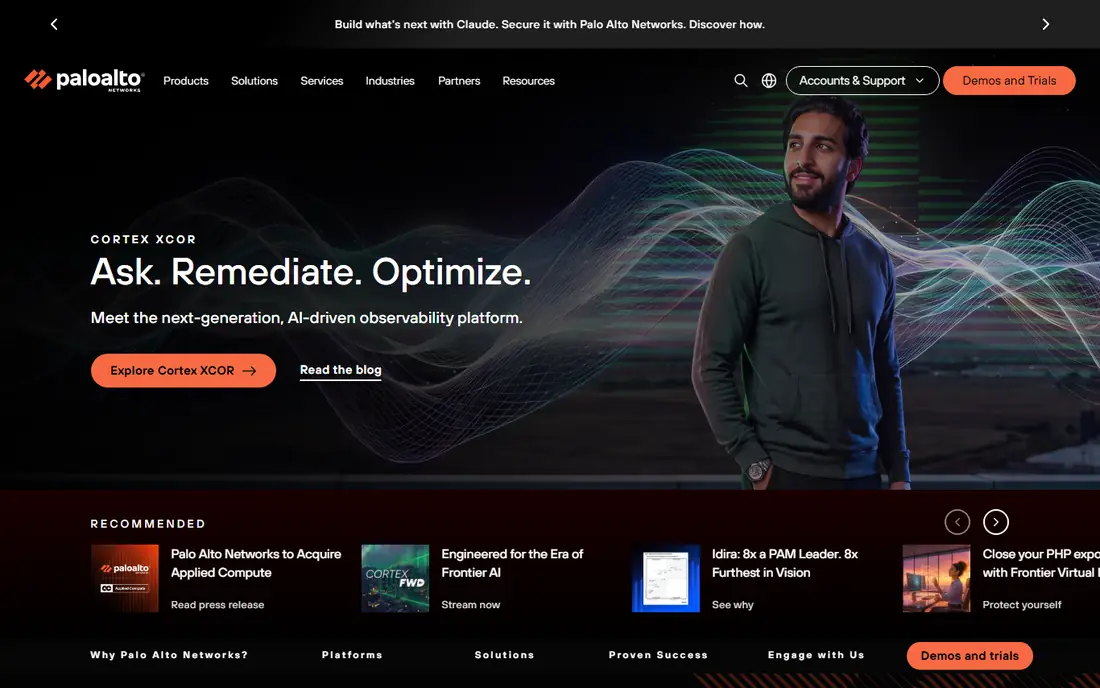
Palo Alto Networks covers network, cloud and endpoint security with data protection tools, including data loss prevention and access controls. Enterprises with complex networks benefit from that breadth, since policies can span on premises, cloud and remote users. Its platform suits teams with dedicated security staff.
Pricing is where many readers get caught out, so look past the headline figure and check what the plan actually includes for your level of use. Seats, usage limits, add-ons and renewal terms can change the real monthly cost, and a cheaper plan that lacks one feature you need is not a saving. If a free tier or trial is offered, use it for real work before paying, and confirm how cancellation works while you still have time to change your mind.
Pricing is complex and the breadth needs expertise to deploy well. Map your network and cloud estate first, and confirm which data protection features sit inside the quoted modules.
- Network security
- Cloud security
- Data protection tools
- Complex pricing
- Breadth takes expertise
Forcepoint
Ideal for: enterprises that want data loss prevention
Forcepoint focuses on data loss prevention, insider risk and secure access, helping enterprises stop sensitive data leaving by email, web, cloud or removable media. Its policies can follow data across channels, which suits regulated industries. That focus makes it a strong pick when loss prevention is the main goal.
Before you pay, check the limits that apply to your own use, including seats, storage, monthly usage and support hours. A plan that looks generous on the headline page can still cap the one feature you rely on most, so read the plan comparison page rather than the marketing summary. A trial or free tier is the safest way to test this, and it also shows whether support answers promptly when you need help.
Pricing is enterprise level, and policy tuning takes time to avoid blocking legitimate work. Start with monitoring mode, review alerts with business owners, and only then enforce blocking policies.
- Data loss prevention
- Insider risk
- Web and email security
- Enterprise pricing
- Policy tuning takes time
Symantec
Ideal for: enterprises that want endpoint and DLP suites
Symantec, now part of Broadcom, offers endpoint protection and data loss prevention at enterprise scale, with a long history in corporate security. Large organisations with many devices and strict compliance needs benefit from its mature controls. Its suite covers endpoint, web, email and data channels.
The price on the headline page is only part of the cost, so check renewal pricing, per-seat charges and any paid add-ons before you commit. Free tiers help for light use, but they often cap the features that matter once work grows, and trials end on a fixed date whether you have finished testing or not. Set a reminder before a trial ends, and confirm cancellation steps in advance so you are not locked into a plan you no longer need.
Licensing through Broadcom and enterprise setup suit larger teams more than small firms. Confirm product availability, support terms and licensing for your device count before planning a rollout.
- Endpoint protection
- Data loss prevention
- Enterprise scale
- Broadcom licensing
- Setup is enterprise grade
McAfee
Ideal for: teams that want a broad security suite
McAfee offers endpoint and data protection for consumers and businesses, with VPN, identity and device security in broader bundles. Small and mid sized teams benefit from a familiar suite that covers devices, web and data basics in one place. Its business plans add central management and reporting.
Pricing is where many readers get caught out, so look past the headline figure and check what the plan actually includes for your level of use. Seats, usage limits, add-ons and renewal terms can change the real monthly cost, and a cheaper plan that lacks one feature you need is not a saving. If a free tier or trial is offered, use it for real work before paying, and confirm how cancellation works while you still have time to change your mind.
Business depth varies by plan, and enterprise grade data loss prevention sits on higher tiers. Check the business plan that includes the data controls you need, rather than assuming a consumer bundle covers them.
- Endpoint and data protection
- Consumer plus business
- VPN and identity tools
- Business depth varies by plan
- Enterprise features are tiered
IBM Security
Ideal for: enterprises that want security plus compliance
IBM Security covers security intelligence, data protection and compliance tools for large enterprises, with platforms for threat detection, identity and data governance. Organisations with complex regulatory needs benefit from that breadth and from IBM consulting support. Its tools suit teams with dedicated security operations.
Before you pay, check the limits that apply to your own use, including seats, storage, monthly usage and support hours. A plan that looks generous on the headline page can still cap the one feature you rely on most, so read the plan comparison page rather than the marketing summary. A trial or free tier is the safest way to test this, and it also shows whether support answers promptly when you need help.
Pricing is enterprise level and implementation needs expertise, so smaller teams will find it heavy. Define compliance requirements first, and ask for a pilot on your most sensitive data flows.
- Security intelligence
- Data protection
- Compliance tools
- Enterprise pricing
- Implementation needs expertise
How we picked these
We compared official feature pages, pricing pages, app store listings, privacy policies and public reviews for each option in this guide. We kept only products that exist and work in October 2026 and that fit the topic directly, and we checked that each official homepage loads and belongs to the product named. Prices and free tiers are taken from the vendor site where we could verify them, and we wrote See website where a price could not be confirmed, rather than guessing. Our pick in each guide reflects fit for ordinary readers, not a claim of hands-on testing, and we note the honest limits of each option alongside its strengths.
How to choose data security software
Start by mapping your sensitive data: where it lives, who can access it, and how it could leave, whether by email, cloud sharing or a lost device. A tool that covers your actual data stores matters more than a broad suite that misses one key system. Test access visibility and loss prevention on a real data set, including a simulated leak, before buying.
Compare total cost including licences, implementation and ongoing tuning, and check compliance support for your industry, such as health or finance rules. Involve business owners in policy tuning, since overly strict controls get bypassed. Review access and alerts regularly, and train staff on handling sensitive data, since people remain the most common cause of loss.
Frequently asked questions
What is the best data security software?
Varonis suits data access visibility, CrowdStrike and Palo Alto Networks suit endpoint and network security, and Forcepoint suits data loss prevention. Symantec, McAfee and IBM Security suit broad suites with compliance tools. Choose by your main data risk.
What is data loss prevention?
Data loss prevention, or DLP, is software that finds sensitive data and stops it leaving an organisation by email, web, cloud or devices, based on policies. It can block, encrypt or alert on risky transfers. Start in monitoring mode to tune policies before enforcing blocks.
Do small businesses need data security software?
Yes, even small firms hold customer data that needs protection, though the tool can be simpler, such as endpoint protection, encryption and access controls. Start with device security, strong passwords, two factor authentication and backups, then add DLP as data grows.
What is the difference between endpoint security and data security?
Endpoint security protects devices from malware and threats, while data security protects the data itself through access controls, encryption and loss prevention. Most organisations need both, since a secure device can still leak data through sharing or email.
How do I protect sensitive data in the cloud?
Map cloud data stores, limit access to least privilege, enable encryption and logging, and use loss prevention for sharing. Review sharing settings regularly, revoke access when staff leave, and test restore from backups so a ransomware incident does not mean data loss.