Best Database Backup Software Compared

- 1
 Veeam Data PlatformVirtualized SQL Server and Oracle estatesVisit
- 2
 Commvault CloudSAP, Oracle, and SQL Server recovery at scaleVisit
- 3
 Rubrik Security CloudSecurity-led cyber recoveryVisit
- 4
 Cohesity DataProtectLarge hybrid estates with ransomware recoveryVisit
- 5
 Acronis Cyber ProtectSmall business backup plus securityVisit
- Veeam and Commvault lead for large database estates, while IDrive and MSP360 keep costs lowest for small teams.
- Only 4 of the 8 tools publish a starting price, and the other 4 sell by quote, so plan for a sales conversation at the enterprise end.
- Database backup starts at $19.99 per computer per year with MSP360 and $99.50 per year with IDrive Business, while enterprise platforms price per TB or per workload.
- Every tool here covers SQL Server and Oracle in some form, but point-in-time recovery, log backup, and granular table restore differ, so check the database features before you buy.
Quick comparison
| Product | Ideal for | Price from | Free version | |
|---|---|---|---|---|
| Veeam Data Platform | Virtualized SQL Server and Oracle estates | quote only | Yes | Visit |
| Commvault Cloud | SAP, Oracle, and SQL Server recovery at scale | $90 per TB/month | No | Visit |
| Rubrik Security Cloud | Security-led cyber recovery | quote only | No | Visit |
| Cohesity DataProtect | Large hybrid estates with ransomware recovery | quote only | No | Visit |
| Acronis Cyber Protect | Small business backup plus security | $85 per device/year | Free trial | Visit |
 Druva | Cloud-first backup without hardware | quote only | No | Visit |
 IDrive Business | Small business value backup | $99.50 per year | Yes | Visit |
 MSP360 Backup | Storage choice and low entry cost | $19.99 per computer/year | Yes | Visit |
The best database backup software
Veeam Data Platform
Ideal for: Virtualized SQL Server and Oracle estates
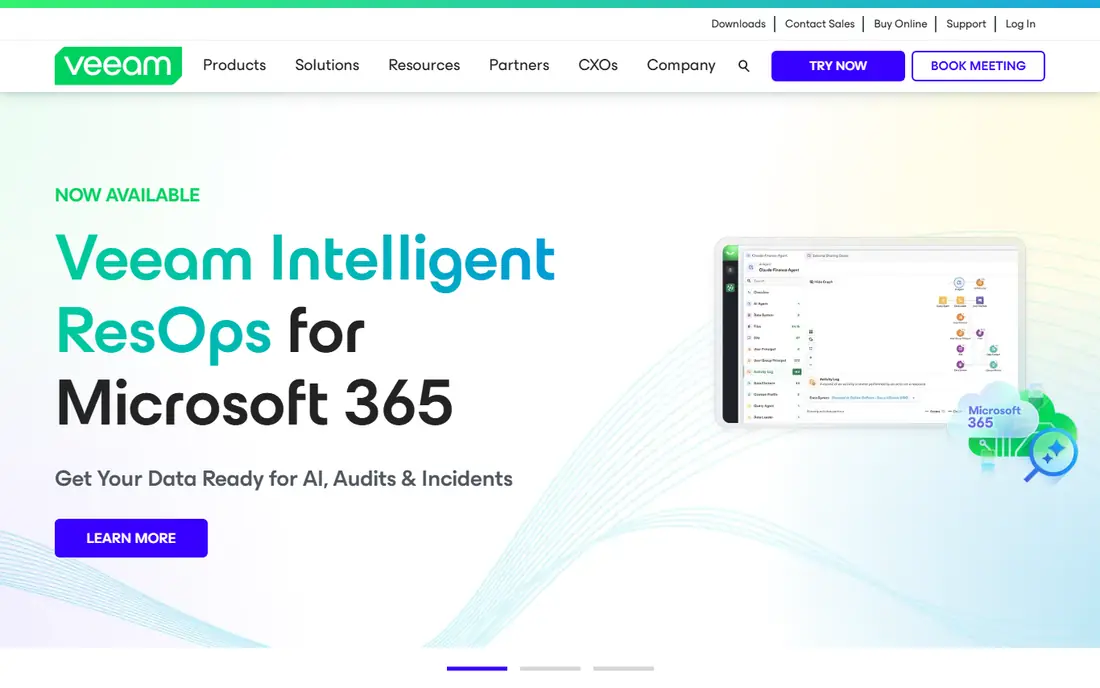
Veeam Data Platform is the most common pick for teams that run databases on VMware or Hyper-V. Its application-aware processing creates transactionally consistent backups of SQL Server, Oracle Database, PostgreSQL, and MySQL, and handles log backup so you can restore to a point in time instead of only to the last full backup. Veeam Explorers let you restore a single database, table, or object without rolling back a whole virtual machine, which saves hours when one table is damaged.
The platform also covers physical servers, cloud instances, NAS shares, and Microsoft 365, and immutable backup copies guard against ransomware. Instant recovery can start a virtual machine from a backup file while the full restore runs. Veeam Community Edition is free for up to 10 workloads, which makes it a practical way to test the product. The drawback is pricing: Veeam does not publish list prices, so you need a quote from Veeam or a partner, and cloud storage for off-site copies is a separate cost.
- Application-aware processing for SQL Server, Oracle, and PostgreSQL
- Veeam Explorers restore single tables and objects
- No published list price, quotes come through partners
- Foundation, Advanced, and Premium need minimum 10-instance packs
Commvault Cloud
Ideal for: SAP, Oracle, and SQL Server recovery at scale
Commvault Cloud is built for organizations where the database layer is the hard part of the estate. Its SaaS pricing page lists database backup starting at $90 per TB per month, covering Microsoft SQL, Oracle DB, SAP HANA, Oracle RAC, AWS databases, and databases in a virtual machine. Recovery is granular: you can restore a full database, a tablespace, a single data file, a control file, or an archive log, which matters when a small piece of a large database fails.
The platform is SAP-certified, with SAP LaMa integration, and it works as SaaS, as software you run yourself, or as an integrated appliance. Commvault Cleanroom gives you isolated, repeatable cyber recovery testing on Azure and AWS. The limits are cost and complexity. Self-managed licensing is priced by quote on front-end terabytes, volume discounts start above 50 TB, and there is no free plan, so small teams should weigh the SaaS database price against their actual data size first.
- Granular recovery down to a tablespace, data file, or archive log
- SAP-certified with SAP LaMa integration
- Self-managed software is quote only
- Per TB pricing means the bill grows with data volume
Rubrik Security Cloud
Ideal for: Security-led cyber recovery
Rubrik Security Cloud is the pick for teams that treat backup as a security control first and a storage task second. Backups sit on an immutable, append-only file system, so ransomware cannot change or delete them, and Rubrik Cloud Vault covers egress costs for cyber attack recovery. Threat Monitoring scans backups for indicators of compromise using intelligence from Mandiant and Rubrik Zero Labs, while Threat Hunting adds file patterns, hashes, and YARA rules, and reads snapshot history to find a clean recovery point.
The platform runs from one SaaS console and covers data center, cloud, and SaaS workloads, including Microsoft 365, AWS, and Google Cloud. On premises it runs on Rubrik-branded appliances, and in the cloud you choose between customer-hosted clusters in your own AWS accounts or Rubrik Managed Cloud Protection. There are four editions: Foundation covers backup and recovery, Business adds ransomware monitoring, and Enterprise adds data risk monitoring and orchestrated recovery. The drawback is price transparency. Rubrik publishes no list prices, every edition routes to sales, and Enterprise is a three-year subscription, so budgeting takes a written quote.
- Immutable backups on an append-only file system
- Threat hunting with YARA rules and snapshot history
- No published price list, every edition is sold through sales
- Enterprise Edition is a three-year subscription
Cohesity DataProtect
Ideal for: Large hybrid estates with ransomware recovery
Cohesity DataProtect suits large organizations that protect a mix of on-premises servers, cloud workloads, and SaaS applications from one console. It covers VMware, Hyper-V, physical servers, databases, and cloud-native sources, and instant mass restore can bring whole fleets of virtual machines back online at once after an outage or attack. Immutable snapshots and ransomware recovery workflows are built in, and the platform scales by adding nodes as data grows.
You can run DataProtect as self-managed software on Cohesity or partner hardware, as a virtual or cloud edition, or as a fully managed service. That range suits teams moving to the cloud in stages, since the same policies can cover old and new workloads. The drawback is that Cohesity does not publish prices, so every deployment needs a custom quote, and the as-a-service option has minimum commitments, with the AWS Marketplace listing covering 10 back-end TB.
- Instant mass restore for whole virtual machine fleets
- One console for on-premises, cloud, and SaaS workloads
- No published pricing, every deal needs a custom quote
- Self-managed deployment needs clusters and hardware
Acronis Cyber Protect
Ideal for: Small business backup plus security
Acronis Cyber Protect combines backup, anti-malware, and endpoint protection in a single agent, which suits small businesses that want one console instead of three products. The vendor comparison page lists the Standard edition starting at $85 per device per year, with Advanced at $109 and Premium at $129 per device per year, on 1, 3, or 5 year subscriptions. It supports more than 30 workload types, including Windows and Linux PCs, servers, virtual machines, VMware, Hyper-V, Mac, and Microsoft 365, and covers databases such as SQL Server and Oracle.
Features include disk imaging, file and folder backup, instant restore of virtual machines, immutable storage, and backup scanning for malware. A free guided trial is available for each edition. The limits are cost structure and scope. Pricing is per device, so each new server adds a license, and cloud storage beyond the included allowance is billed separately, which can lift the total above the headline price for data-heavy databases.
- Backup and anti-malware in one agent
- Supports more than 30 workload types
- Cloud storage beyond the included allowance is billed separately
- Server licenses cost more than workstation licenses
Druva
Ideal for: Cloud-first backup without hardware
Druva runs entirely in the cloud, so there is no backup server, storage array, or tape library to buy, patch, or maintain. Backups go direct to cloud storage, and one console covers cloud workloads across AWS, Azure, and Google Cloud, plus on-premises servers, laptops and mobile devices, and SaaS applications including Microsoft 365, Google Workspace, and Salesforce. Ransomware detection and recovery are built in, with eDiscovery and legal hold included.
That design fits teams that have already moved most infrastructure to the cloud and want backup to follow the same model. The drawbacks are price clarity and connectivity. Druva does not publish a price list, so you need a custom quote, and costs climb with data volume, which can surprise teams with fast-growing databases. Because the platform is cloud-native, recovery depends on internet access, so sites with unreliable connections should plan for that limit.
- No on-premises hardware to buy or manage
- Covers AWS, Azure, Google Cloud, endpoints, and SaaS apps
- No published pricing, costs need a custom quote
- Recovery depends on internet access
IDrive Business
Ideal for: Small business value backup
The entry plan costs $99.50 per year for 250 GB of pooled storage, and every plan includes unlimited users, computers, and servers, so adding a database server adds no license fee. It backs up Windows Server, Hyper-V, and VMware hosts, plus SQL Server, Oracle, Exchange, and SharePoint, and optional cloud-to-cloud backup covers Microsoft 365 and Google Workspace.
A free 5 GB plan lets you test the service, and features include snapshots, continuous backup, and IDrive Express, which ships a drive for seeding large backups or fast restores. The limits are billing and storage caps. Subscriptions are annual only, with no monthly payment option, and going over the storage limit triggers overage charges of $0.50 per GB per month. First-year promotional pricing is lower than the renewal rate, so budget on the $99.50 standard rate.
- Unlimited devices and servers included in every plan
- Server backup included at no extra cost
- Annual billing only, no monthly payment option
- Overage charges of $0.50 per GB per month apply above the storage limit
MSP360 Backup
Ideal for: Storage choice and low entry cost
Pro for macOS or Linux starts at $19.99 per computer per year, Windows Desktop is $29.99, Server is $109.99, and SQL with SQL Server backup is $124.99 per computer per year. A free Windows edition covers up to 5 TB with community support.
Features include file-level and image-based backup, encryption, compression, immutable backups, and application-aware jobs for SQL Server and Exchange. The drawback is that the license does not include cloud storage, so storage is a second bill from your provider, and total cost depends on which provider and tier you pick. The edition lineup is wide, with separate editions for desktop, server, SQL, and virtual machines, so compare the feature list for your database type before you buy.
- Bring your own storage from S3, Wasabi, Backblaze B2, or Azure
- Free Windows edition covers up to 5 TB
- Cloud storage is billed separately by your storage provider
- The edition lineup takes time to compare
How we chose
We compared vendor pricing pages, product documentation, and feature lists for each tool, and we checked that each vendor homepage loads. Prices come from the vendor pricing pages linked in Sources, checked on 12 Nov 2026, except where a vendor hides its price, in which case we say quote only. We did not run hands-on tests, and no vendor supplied data for this guide. We scored each tool on database coverage, recovery options, pricing transparency, and fit for small, mid-size, and large teams.
What to check before you buy
Start with the database engines you actually run. SQL Server, Oracle, MySQL, PostgreSQL, SAP HANA, and MongoDB each need their own agent or integration, and log backup plus point-in-time restore matter more than full backup speed. Check whether the tool restores a single table or object, or only a whole database, and ask how long a restore of your largest database takes. Confirm that backup copies are immutable, and confirm where copies live, since a backup on the same server as the database is not a real safety net.
Use this table to narrow the shortlist by team size and budget.
| Team size and budget | First pick | Why | Watch out | | Solo or up to 5 staff, under $150 per year | IDrive Business or MSP360 Backup | Lowest entry prices, $99.50 per year and $19.99 per computer per year | Storage caps and separate storage bills | | 5 to 25 staff, $500 to $5,000 per year | Acronis Cyber Protect | Backup plus security in one agent at $85 per device per year | Per-device cost adds up with each server | | 25 to 250 staff, $5,000 to $50,000 per year | Veeam Data Platform or Druva | Broad workload cover and granular database restore | Veeam needs a quote, Druva costs rise with data volume | | More than 250 staff, over $50,000 per year | Commvault Cloud, Rubrik, or Cohesity | Enterprise scale, cyber recovery, and compliance features | All three sell by quote, so allow time for sales talks |
Then run this checklist with real numbers before you sign. Confirm the recovery point objective, such as 15-minute log backups, and the recovery time objective for your largest database. Confirm retention, since Commvault offers volume discounts above 50 TB and Veeam Community Edition is free only up to 10 workloads. Test a restore every month, not only a backup job, and confirm egress fees for cloud restores. Confirm the minimum commitment: Rubrik Enterprise is a three-year subscription, and Cohesity as a service lists a 10 back-end TB minimum on AWS Marketplace. Confirm support hours, and confirm that the trial or free plan covers your database engine, not only file backup.
Frequently asked questions
What is the best database backup software for a small business?
IDrive Business and MSP360 Backup are the strongest small business picks on price, at $99.50 per year and $19.99 per computer per year. IDrive includes unlimited devices and servers, while MSP360 lets you pick your own storage. Acronis is the better pick if you also want anti-malware in the same agent, at $85 per device per year.
How much does database backup software cost?
Entry prices run from $19.99 per computer per year with MSP360 to $99.50 per year with IDrive Business, and Acronis starts at $85 per device per year. Commvault lists database backup from $90 per TB per month. Veeam, Rubrik, Cohesity, and Druva sell by quote, so cost depends on workload count, data size, and contract length.
Can I back up SQL Server and Oracle with the same tool?
Yes, most tools in this guide cover both engines. Veeam, Commvault, Acronis, and IDrive all list SQL Server and Oracle support, and Commvault adds SAP HANA and Oracle RAC. Check whether your edition includes log backup and point-in-time restore for each engine, since some entry plans cover only full backups.
Do I need a separate tool for cloud databases?
Not always. Veeam, Commvault, Rubrik, Cohesity, and Druva all cover cloud databases such as Amazon RDS, Azure SQL, and databases on cloud virtual machines. Druva and Commvault are the most cloud-native of the group. If your databases live only in one cloud, compare the vendor cloud backup price per TB against the cloud native backup service.
What is the difference between a free plan and a free trial?
A free plan stays free with limits, such as Veeam Community Edition for up to 10 workloads, IDrive with 5 GB, or MSP360 free Windows edition up to 5 TB. A free trial, such as the Acronis guided trial, gives full features for a limited time and then needs a subscription. Check which database features the free option covers first.
How often should database backups run?
Full backups once a day suit many small databases, with log backups every 15 minutes for systems that cannot lose more than a few minutes of data. Large or busy databases often need more frequent full backups plus continuous log backup. Your recovery point objective decides the schedule, so set backup frequency from the data you can afford to lose.