8 Deal Management Software, Compared by Cost and Features

- 1
 CopperSales teams that run their day inside Google WorkspaceVisit
- 2
 Monday Sales CRMTeams that want the CRM molded around their exact processVisit
- 3
 StreakSolo operators and small teams that refuse to leave GmailVisit
- 4
 Salesforce Sales CloudTeams that want the industry-standard CRM productVisit
- 5
 HubSpot Sales HubTeams that want to start free and grow into the productVisit
- This list starts with Copper, which is built for Sales teams that run their day inside Google Workspace.
- One limit worth knowing about Salesforce Sales Cloud: real deployments typically need implementation help, which costs additional.
- Only 2 of the 8 tools have a free plan (HubSpot Sales Hub, Freshsales), so check the caps.
- For the cheapest start, look at Copper: $9/seat/month.
- Freshsales is the one to check for budget teams that want AI features without enterprise prices.
Direct answer
Start with Copper if you need Sales teams that run their day inside Google Workspace. If your case is different, monday Sales CRM suits teams that want the CRM molded around their exact process and Streak suits solo operators and small teams that refuse to leave Gmail. Prices, free plans and limits for all 8 tools follow.
Quick comparison
| Product | Ideal for | Price from | Free version | |
|---|---|---|---|---|
| Copper | Sales teams that run their day inside Google Workspace | $9/seat/month (Starter, annual billing) | Free trial (14 days) | Visit |
| Monday Sales CRM | Teams that want the CRM molded around their exact process | $12/seat/month (Basic, annual billing) | Free trial (14 days) | Visit |
| Streak | Solo operators and small teams that refuse to leave Gmail | $49/user/month (Pro, annual billing) | Free trial (14 days) | Visit |
| Salesforce Sales Cloud | Teams that want the industry-standard CRM product | $25/user/month (Starter Suite) | Free trial (30 days) | Visit |
| HubSpot Sales Hub | Teams that want to start free and grow into the product | $15/seat/month (Starter, per month billing) | Yes | Visit |
 Close | Inside sales teams that live on calls, email and SMS | $9/user/month (Solo, annual billing) | Free trial (14 days) | Visit |
 Pipedrive | Sales teams that care about pipeline velocity above all | $14/user/month (Essential, annual billing) | Free trial (14 days) | Visit |
 Freshsales | Budget teams that want AI features without enterprise prices | $9/user/month (Growth, annual billing) | Yes | Visit |
8 options for deal management software in detail
Short on time? The summary and table above give the quick view of 8 tools for deal management software, and the profiles that follow give the detail behind each entry.
Copper
Ideal for: Sales teams that run their day inside Google Workspace
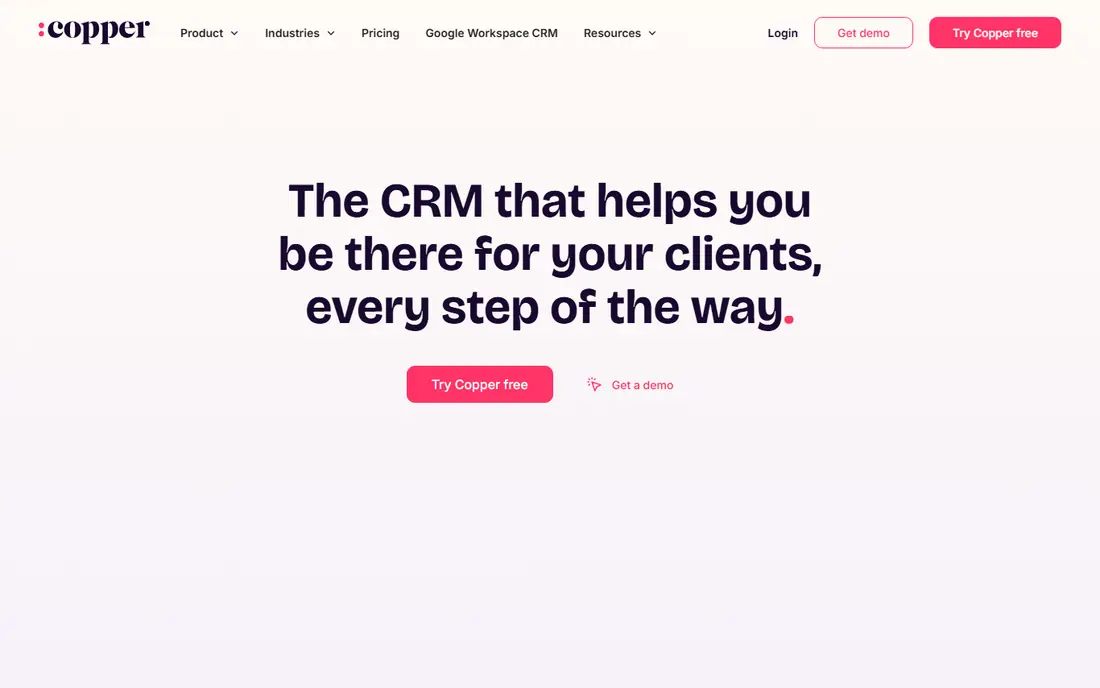
Copper makes the most sense for Sales teams that run their day inside Google Workspace. It sits inside Google Workspace and auto-captures contacts, email threads, meetings and files into CRM records, which removes the data-entry tax that kills CRM adoption. On top of that, for everyone else, it is a pricey address book.
For Google-first SMBs, consultancies and agencies, the zero-training adoption is the reason to choose it. Starter at $9 per seat a month (annual) is contacts-only; Entry-level at $23 brings pipelines and projects; Professional ($59) layers on workflow automation. It is also priced per seat with no free level, and marketing features ride on an external add-on. Copper pricing: $9/seat/month. Free options: Free trial (14 days).
Drawbacks to consider: No free plan; Real pipeline features start at Basic ($23).
- Minimal ramp-up time
- The only CRM Google officially suggests for Workspace
- Starter at $9 is contacts-only with no pipelines
Monday Sales CRM
Ideal for: Teams that want the CRM molded around their exact process

Pick monday Sales CRM if this describes you: teams that want the CRM molded around their exact process. Entry-level at $12 per seat a month (annual) handles unlimited pipelines, contacts and boards. Standard ($17) brings email integration and automation; Pro ($28) brings forecasting, sequences and quotes. Monday Sales CRM is the adaptable one.
Where it is weaker: Seats sell in buckets, so a 4-person team buys 5.
Every plan needs a minimum of 3 seats and sells in fixed buckets, so small teams pay for capacity they do not have: one person costs $36 a month on annual billing. It punishes solo operators and tiny teams on price. On cost, monday Sales CRM starts like this: $12/seat/month. Free access: Free trial (14 days).
- Automations and dashboards reshape around any sales motion
- No-code automation (250 actions on Standard, 25,000 on Pro)
- Mandatory 3-seat minimum means the real floor is $36 a month, not $12
Streak
Ideal for: Solo operators and small teams that refuse to leave Gmail
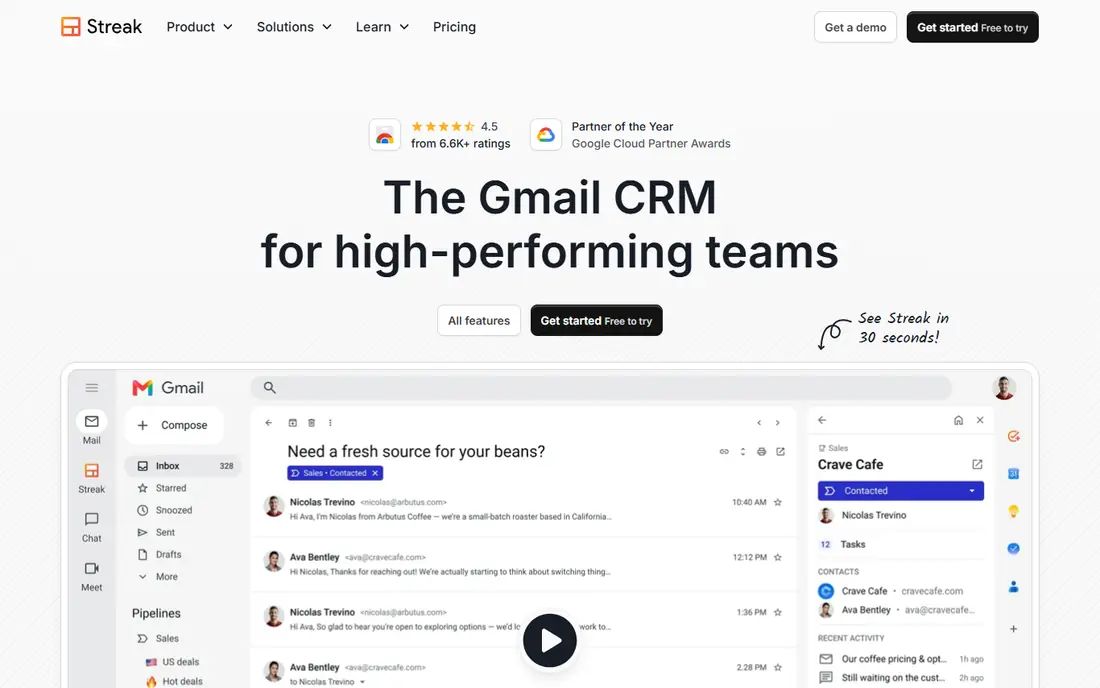
Streak serves solo operators and small teams that refuse to leave Gmail. Streak does not ask you to open another app. It turns Gmail into the CRM: pipelines render as spreadsheet-like views inside the inbox, emails get tagged to deals automatically, and mail merge, snippets and tracking ride along.
Drawbacks to consider: Pro at $49 is costly per seat for what is still a light CRM.
The pricing needs a clear read. Premium plans contain unlimited contacts, pipelines and records, with Pro at $49 per user a month (annual) and Pro+ at $69 adding automation and advanced dashboards. Also, the free level spans email power tools but not CRM pipelines, so budget for Pro from the start if pipelines are the point. Expanding sales teams typically outgrow it within per year or two. Entry price for Streak: $49/user/month. Free options: Free trial (14 days).
- Pipelines and records on premium plans
- Snippets and tracking with no tab switching
- The free level excludes CRM pipelines entirely, so "free Streak" is not a free CRM
Salesforce Sales Cloud
Ideal for: Teams that want the industry-standard CRM product
Where Salesforce Sales Cloud fits: teams that want the industry-standard CRM system. For a 12-person team with a standard sales process, it is typically more than required.
Highlights: Scales from 10 users to 10,000 without replatforming.
Where it falls short: the per-user price climbs quick past Starter.
Price to start with Salesforce Sales Cloud: $25/user/month. Free options: Free trial (30 days).
- Contacts and opportunities at $25
- Starter Suite includes leads, accounts
- Real deployments normally need implementation help, which costs additional
HubSpot Sales Hub
Ideal for: Teams that want to start free and grow into the product
HubSpot Sales Hub is built with teams that want to start free and grow into the platform in mind. The free tools handle contact management, one pipeline, email tracking and meeting links for up to two seats, which is enough for a founder-led sales motion.
Points against: The Starter-to-Professional jump is brutal ($15 to $90 per seat plus a mandatory $1,500 onboarding fee).
In practice, the pricing cliff deserves attention. More specifically, HubSpot's seat model also distinguishes core seats from sales seats, so audit who actually needs a premium seat. Entry price for HubSpot Sales Hub: $15/seat/month. HubSpot Sales Hub has a free plan.
Reasons to shortlist it: The free level is genuinely usable: contacts; No onboarding fee on Starter.
- One shared data model across sales
- A deal pipeline
- Advanced automation
Close
Ideal for: Inside sales teams that live on calls, email and SMS
Close makes the most sense for inside sales teams that live on calls, email and SMS. Close is the CRM for teams that live on the phone. Also, the company reports 11,500-plus sales teams on the system.
Where it is weaker: Workflow automation and the power dialer need the $99 Growth level.
If your team makes 20-plus calls a day, the built-in telephony normally replaces a separate dialer subscription and the math works. The seat price excludes call minutes and SMS, which matters for heavy prospecting teams. The features that make Close special (power dialer, predictive dialer, advanced permissions) climb the level ladder quick. What you pay to start with Close: $9/user/month. Free plan details: Free trial (14 days).
Reasons to shortlist it: SMS and email mean no separate phone system.
- 2026 plans start at $9 for solo users with Essentials at $35
- AI assistant (Chloe) calls leads within minutes and logs transcripts automatically
- No free plan
Pipedrive
Ideal for: Sales teams that care about pipeline velocity above all
Think of Pipedrive for Sales teams that care about pipeline velocity above all. Essential at $14 per user a month (annual) includes pipelines, contacts, deals and entry-level reports.
Watch-outs: No free plan; only a 14-day trial.
Most functioning sales teams land on Advanced ($34) or Professional ($49) for email sync, automation and forecasting. For everyday use, price the extras before you commit. Pipedrive pricing: $14/user/month. Free plan details: Free trial (14 days).
- The clearest visual pipeline in the category
- 500-plus integrations and 100,000-plus firms on the product
- Reporting depth trails Salesforce and HubSpot
Freshsales
Ideal for: Budget teams that want AI features without enterprise prices
Freshsales works best for budget teams that want AI features without enterprise prices. Freshsales is the value pick for teams that want modern features at a small-team price. More specifically, the free plan spans up to 3 users, and premium plans carry a 21-day trial.
What works well: Freddy AI and automation.
In daily use, the Growth plan at $9 per user a month (annual) comes with visual pipelines, Freddy AI lead scoring, built-in phone and email, and workflow automation, which is a combination competitors charge two to four times more for. In practice, watch the add-on structure. Branded documents (CPQ) run $19 per user a month additional, Freddy AI agents are metered separately, and marketing contacts scale the price. Entry price for Freshsales: $9/user/month. A free plan is available with Freshsales.
The main drawbacks: Marketing contacts and advanced AI scale the bill.
- 21-day trial with no credit card
- The lowest entry price with real features: Growth at $9 bundles pipeline management
- Freddy AI agents and CPQ documents are premium extras
How we built this list
Pricing pages, product documentation and feature lists were the main sources, and every entry carries at least one honest drawback. Plan names, prices and limits change often. Treat the figures here as a starting point and verify them with the vendor. The ranking is editorial: typical fit first, then clear pricing, then free access. If your needs are unusual, read the profiles rather than relying on position.
Things to verify first
- Check the vendor page for the current price: Copper starts at $9/seat/month here, and seats or billing terms can move it.
- Read the fine print on the free plans from HubSpot Sales Hub and Freshsales; seat, project and feature caps differ.
- Use real work to test the free trial from Copper, monday Sales CRM, Streak and others, rather than a demo project.
- Before choosing Copper, weigh its main limit: starter at $9 is contacts-only with no pipelines.
- Ask monday Sales CRM which support channels and response times come with the plan you would buy.
- Ask the daily users to test Streak on a live task before you roll it out to everyone.
Frequently asked questions
What is the difference between a CRM and deal management software?
Deal management is the pipeline half of CRM: tracking opportunities from first contact to closed-won. Full CRMs add contact management, marketing, service and reporting around it.
What is the cheapest option for deal management software in this list?
On published monthly entry prices, Copper is the lowest here at $9/seat/month. Entry price is only part of the cost, because seats, add-ons and billing terms can change the total.
Is Copper the right pick for everyone comparing deal management software?
No single tool suits every team. Copper comes first because it fits Sales teams that run their day inside Google Workspace, while monday Sales CRM suits teams that want the CRM molded around their exact process and Streak suits solo operators and small teams that refuse to leave Gmail. Match the tool to your own size, budget and workflow before deciding.
Which options for deal management software have a free plan?
HubSpot Sales Hub and Freshsales offer a free plan in this list. Free plans usually cap users, projects or features, so check the limits on the vendor page. Several others offer a trial instead.
Which deal management tool suits a 5-person sales team?
Pipedrive ($70/month) for pipeline speed, HubSpot Starter ($75/month) for the growth path, or Close Essentials ($175/month) if the team lives on calls. In practice, Google Workspace teams should trial Copper; Gmail-only solo operators should trial Streak.
Do these tools publish their prices?
Yes. Every tool from Copper to Freshsales shows a starting price, though seats, add-ons and billing terms still change the final cost.