FileWave is the first pick on this list for cross-platform districts managing all device types. Listed starting prices: Google Chrome Enterprise Management from $6 per user per month. ManageEngine Endpoint Central is better for wide endpoint management and security in one console, and Google Chrome Enterprise Management is better for Chromebook-heavy districts and browser control. The remaining 3 options are covered below with prices and limits.
Ainotely put together this guide to device management software for education districts for readers who want a clear shortlist without reading every vendor page. It compares 6 tools on starting price, free plans, who each one suits and where each one falls short.
Key takeaways
The list opens with FileWave, aimed at cross-platform districts managing all device types.
What to know about Google Chrome Enterprise Management first: narrower than full endpoint suites.
Google Chrome Enterprise Management is the only tool of the 6 with a free plan.
Google Chrome Enterprise Management has the lowest monthly starting price in this list: $6 per user monthly.
Jamf Pro fits Apple-first districts needing deep MDM control.
Best for: Cross-platform districts managing all device types
FileWave is aimed squarely at cross-platform districts managing all device types. Districts that are exclusively Apple may find a dedicated MDM more focused.
Best for: Wide endpoint management and security in one console
ManageEngine Endpoint Central is designed for wide endpoint management and security in one console. ManageEngine Endpoint Central is a unified endpoint management and security option for centrally managing and securing servers, desktops, laptops and mobile devices, per its homepage.
Trade-offs to know: Less specialized for Apple-only environments.
In practice, the breadth of modules means setup and policy design take planning, and Apple-specific workflows may feel less tailored than dedicated MDM products. Districts that are almost entirely Apple may prefer a focused alternative. No starting price is listed for ManageEngine Endpoint Central here; confirm pricing on the vendor site. Trial and free access: Not stated.
What ManageEngine Endpoint Central does well: Unified management and security.
Best for: Chromebook-heavy districts and browser control
Google Chrome Enterprise Management was built for Chromebook-heavy districts and browser control. Districts that issue Chromebooks to students can centralize browser and device policy, which suits typical classroom workflows where most work happens in a browser. Its scope is narrower than full endpoint management suites, so Windows and Apple devices still need their own tools.
Also, Chrome Enterprise is presented as a trusted enterprise browser that adapts to business needs and guards corporate data. It anchors management for organizations running Chrome devices. Also, districts outside the Google ecosystem will see less benefit. Google Chrome Enterprise Management pricing: $6 per user monthly. Free access exists with Google Chrome Enterprise Management.
Honest limits: Narrower than full endpoint suites.
Best for: Districts with mixed Windows and Apple fleets
For districts with mixed Windows and Apple fleets, Microsoft Intune is a natural candidate. Microsoft Intune is described as a unified endpoint management option geared toward operational efficiency, handling device management and security capabilities in one place.
Drawbacks to consider: Best value inside Microsoft ecosystems.
From a buyer's view, the breadth of capabilities means new administrators face a ramp-up time. The experience is smoothest for organizations already invested in Microsoft services. No starting price is listed for Microsoft Intune here; confirm pricing on the vendor site. Free options: Not stated.
Addigy targets IT teams wanting live Apple oversight. Districts with in-house Apple expertise can use that live visibility to respond to device problems rapidly across buildings.
The main drawbacks: Live tooling assumes active admin staffing.
Its live approach rewards districts with staff who can act on alerts promptly. No starting price is listed for Addigy here; confirm pricing on the vendor site. Free options: Free trial.
Best for: Apple-first districts needing deep MDM control
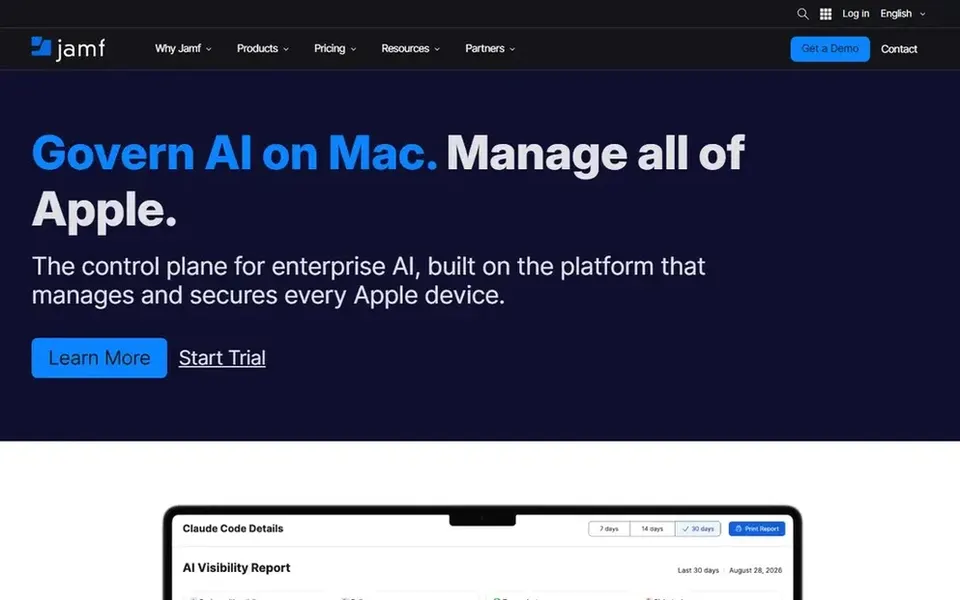
Jamf Pro was built for Apple-first districts needing deep MDM control. Jamf Pro is enterprise-level mobile device management software built to run and secure Apple devices, with advanced tools and integrations based on its vendor page.
Points against: Configuration depth can take time to learn.
Jamf Pro shows no starting price here, so confirm the cost on the vendor site. Trial and free access: Not stated.
Get a written quote from FileWave, ManageEngine Endpoint Central, Microsoft Intune and others; the list shows no starting price for them.
Look at the free plan from Google Chrome Enterprise Management closely: its caps decide whether it is usable for real work.
Take the trial from FileWave and Addigy and push a live task through it before you pay.
Before choosing FileWave, weigh its main limit: wide scope needs administrative planning.
See whether ManageEngine Endpoint Central offers onboarding or training, and whether it is included in the price.
A short pilot of Addigy with your real workflow tells you more than a feature table.
How we picked
Ainotely used vendor pricing pages and product documentation as the base, then compared plans, free access and documented limits for 6 tools. Treat prices as a snapshot: vendors change plans often, so check the vendor site for the figure that applies today. The sequence is a judgement call: typical use case first, then pricing transparency, then free access. Use the profiles to check fit. Keep it in mind while reading the 6 device management software for education Districts profiles on this page.
Every price and plan detail on this page comes from the vendors’ own websites. We did not run hands-on tests unless the text says so, and we do not publish star ratings or review scores. See how we score and our disclosure.
Keep your shortlist in one place
Paste prices, trial dates and notes from this guide into Ainotely, our AI note app. It files them into a topic and pulls out tasks like “cancel trial by Friday”. Free 7-day trial, no card needed.
Not all of them. FileWave, ManageEngine Endpoint Central, Microsoft Intune and others publish no starting price, so expect a quote request for those. The rest, Google Chrome Enterprise Management included, show a starting price, though seats and billing terms still change the final cost.
Can I try these tools before paying?
Often, yes. Google Chrome Enterprise Management has a free plan and FileWave and Addigy offer a free trial. Use your own data and a real task during the test, and check what the free tier or trial limits before you rely on it.
Is FileWave the right pick for everyone comparing device management software for education districts?
No single tool suits every team. FileWave comes first because it fits cross-platform districts managing all device types, while ManageEngine Endpoint Central suits broad endpoint management and security in one console and Google Chrome Enterprise Management suits Chromebook-heavy districts and browser control. Match the tool to your own size, budget and workflow before deciding.
Which options for device management software for education districts have a free plan?
Google Chrome Enterprise Management is the only tool in this list with a free plan. Free plans usually cap users, projects or features, so check the limits on the vendor page. Several others offer a trial instead.