Best DevSecOps-Friendly App Security Platforms

- 1
 SnykDeveloper workflows in IDE and pull requestsVisit
- 2
 VeracodeEnterprise compliance and audit reportingVisit
- 3
 CheckmarxLarge AppSec programs with custom rulesVisit
- 4
 SonarQube CloudCode quality and security gates in one placeVisit
- 5
 GitHub Advanced SecurityGitHub native code and secret scanningVisit
- Snyk and SonarQube Cloud are the easiest starting points for small teams, with published monthly prices and free tiers that cover real projects.
- GitHub Advanced Security fits teams that already live in GitHub, with Code Security at $30 and Secret Protection at $19 per active committer per month.
- Veracode and Checkmarx are quote only and suit large programs that need audit-ready reporting, while Trivy gives every team a free scanner for images, code, and infrastructure files.
- Contrast Security and Mend sit in the middle to upper range, with Contrast starting at $750 per month billed annually and Mend AppSec listed at up to $1,000 per contributing developer per year.
- The right pick depends on where your code lives, how many developers commit code, and which checks must block a pull request.
Quick comparison
| Product | Ideal for | Price from | Free version | |
|---|---|---|---|---|
| Snyk | Developer workflows in IDE and pull requests | $25 per contributing developer/month | Yes | Visit |
| Veracode | Enterprise compliance and audit reporting | quote only | No | Visit |
| Checkmarx | Large AppSec programs with custom rules | quote only | No | Visit |
| SonarQube Cloud | Code quality and security gates in one place | $34 per month | Yes | Visit |
| GitHub Advanced Security | GitHub native code and secret scanning | $19 per active committer/month | Yes | Visit |
 Trivy | Free scanning in CI for images and IaC | $0 | Yes | Visit |
 Contrast Security | Runtime context for reachable CVEs | $750 per month (billed annually) | Yes | Visit |
 Mend | Open source risk and license compliance | Up to $1,000 per contributing developer/year | No | Visit |
The best DevSecOps-friendly app security platforms
Snyk
Ideal for: Developer workflows in IDE and pull requests
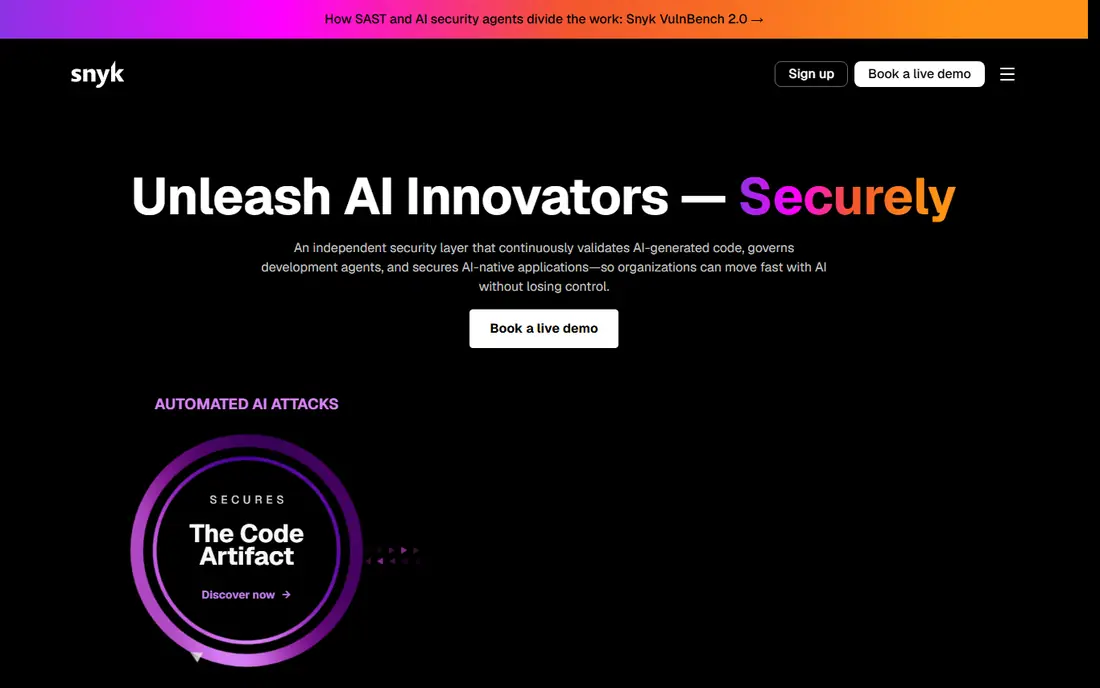
Snyk covers open source dependencies, code, containers, and infrastructure as code from one platform, and it puts findings where developers already work. A developer sees a flaw in the editor or in a pull request, with a suggested fix and an upgrade path for the affected dependency. That placement matters in DevSecOps work, because a check that arrives late in a release cycle is easy to ignore, while a check inside the pull request can stop a risky change before it merges.
The Team plan lists at $25 per contributing developer per month, with a minimum of 5 developers and a cap of 10 contributing developers per organization. A contributing developer is a person who committed code to a monitored private repository in the last 90 days. The Free plan costs $0 and includes set monthly test limits across products, with 5 projects.
- Clear IDE and pull request feedback
- Broad coverage across code, dependencies, containers, and infrastructure files
- Team plan caps at 10 contributing developers
- Per-developer cost rises fast as a team grows
Veracode
Ideal for: Enterprise compliance and audit reporting
Veracode scans compiled binaries as well as source code, which suits teams that buy or build software from several sources and need one view of risk. Its platform brings static analysis, dynamic testing, software composition analysis, and developer training together, with policies that can require a set scan result before a release moves forward.
Veracode does not publish a price list, so every contract is a custom quote based on application count, scan types, and contract length. Third party buyer guides cite about $15,000 per year as a starting point for SAST only, but that figure is an estimate, not a vendor list price, and this article does not present it as a Veracode price. There is no free tier for scanning.
- Binary analysis plus SAST, DAST, and SCA in one platform
- Policy and compliance reports that auditors accept
- No published price and no free scanning tier
- Sales led onboarding slows a first trial
Checkmarx
Ideal for: Large AppSec programs with custom rules
Checkmarx One is a cloud platform that joins static analysis, software composition analysis, dynamic testing, API security, container scanning, and infrastructure as code checks under one console. Its query language, CxQL, lets security teams write custom rules for their own frameworks and coding patterns, which is useful when a standard rule set misses a risk that is specific to one codebase. The platform also supports self hosted and hybrid deployment, a point that matters for teams with strict data rules.
Checkmarx does not publish prices, and there is no free plan for the platform. Contracts are negotiated per contributing developer, with module choice and deployment model shaping the total. Buyer guides cite about $40,000 per year as a minimum for small to mid size deployments, but that is an estimate from third party sources, not a vendor list price. KICS, the open source IaC scanner from Checkmarx, is free to use on its own, yet it is not a free tier of Checkmarx One.
- Deep static analysis with custom CxQL queries
- Broad coverage across SAST, SCA, DAST, API security, and IaC
- No published price and no self serve start
- Setup and tuning take real security staff time
SonarQube Cloud
Ideal for: Code quality and security gates in one place
SonarQube Cloud, formerly SonarCloud, checks code quality and security on every pull request across more than 35 languages. Teams set a quality gate, for example no new critical issues and a set level of test coverage on new code, and the pipeline fails when a change breaks that gate. That model fits DevSecOps well, because the rule is clear, it runs on every change, and developers learn the standard from the first failed check rather than from a report at the end of a sprint.
The Team plan starts at $34 per month for analysis of up to 100,000 lines of code, with a free tier for private projects up to 50,000 lines of code and a 14 day trial. Pricing is based on lines of code in private projects, not on seats, so a small team with a large codebase can pay more than a large team with a small codebase. Advanced Security, which adds deeper SAST and SCA, is an add on in the Enterprise plan.
- Quality gates that block risky pull requests
- Free tier for private projects up to 50,000 lines of code
- Advanced Security and SCA sit in higher plans
- Pricing scales with lines of code, not developers
GitHub Advanced Security
Ideal for: GitHub native code and secret scanning
GitHub Advanced Security is now two products that teams can buy separately. Code Security costs $30 per active committer per month and covers CodeQL code scanning, dependency review, Dependabot security updates, and Copilot Autofix. Secret Protection costs $19 per active committer per month and covers secret scanning across history, pull requests, issues, and wikis, plus push protection that blocks a commit containing a known secret. Buying both costs $49 per active committer per month.
An active committer is a person who pushed a commit to an enabled repository in the last 90 days, so the bill follows recent activity rather than total headcount. The features are free for public repositories on GitHub.com, which makes the product a strong choice for open source work. For private repositories, teams need a GitHub Team or Enterprise base plan plus these add ons.
- Native CodeQL scanning, secret scanning, and Dependabot inside GitHub
- Copilot Autofix suggests code fixes
- Only useful inside GitHub
- Full coverage costs $49 per active committer per month for both products
Trivy
Ideal for: Free scanning in CI for images and IaC
Trivy is a free, open source scanner from Aqua Security, released under the Apache 2.0 license. One binary scans container images, file systems, Git repositories, Kubernetes clusters, Terraform and other infrastructure files, secrets, and licenses, and it can produce SBOM output in SPDX and CycloneDX formats. It runs from a command line or a GitHub Action, and it can fail a pipeline when it finds a vulnerability above a set severity, which gives small teams a real security gate with no license spend.
The scanner itself costs $0 at any scale, with no project limits and no feature gates. The cost that remains is engineering time: someone must wire Trivy into CI, tune the severity threshold, cache the vulnerability database, and decide where results go. Aqua sells a commercial platform built on Trivy for teams that want central dashboards, runtime protection, and support, and that platform is priced by quote.
- Free and open source with no scan limits
- One binary scans images, repos, IaC, secrets, and Kubernetes
- No central dashboard or policy console on its own
- Teams must build triage and reporting around it
Contrast Security
Ideal for: Runtime context for reachable CVEs
Contrast Security takes a different path from scan only tools. Its agent runs inside the live application and watches which code paths execute, so it can tell a team which vulnerabilities are reachable and exploitable in production, rather than listing every flaw in the codebase. That runtime context helps teams fix the small set of issues that an attacker can reach first, instead of working through a long list in severity order with no sense of exposure.
The vendor pricing page lists a Free tier for up to 2 applications and up to 12 services, with a 14 day rolling history in observation mode and no credit card required. The Pro tier is listed at $750 per month billed annually, which is $9,000 per year, for up to 8 applications and up to 50 services, with blocking mode included, but the page notes that Pro will be available soon. Enterprise pricing is a custom annual quote based on production hosts.
- Runtime view shows which CVEs are actually reachable
- Free tier covers up to 2 applications
- Pro plan is listed as available soon on the vendor pricing page
- Full platform pricing needs a sales quote
Mend
Ideal for: Open source risk and license compliance
Mend, formerly WhiteSource, focuses on open source risk across code, dependencies, containers, and AI components. Its SCA engine checks licenses as well as vulnerabilities, and it uses reachability analysis to rank flaws that an application can actually call above flaws in code that never runs. That ranking cuts triage time for teams with large dependency trees. Mend Renovate automates dependency update pull requests, so a team can keep libraries current without a manual upgrade cycle each month.
Mend lists Mend AppSec at up to $1,000 per contributing developer per year, with no scan limits stated on its pricing page. Mend AI is listed at up to $300 per contributing developer per year, and Mend Renovate Enterprise at up to $250 per contributing developer per year. Those figures are ceilings, not final prices, and every call to action on the vendor pricing page is a demo request, so the final number comes from a sales quote. There is no free plan for the platform, although the Renovate bot itself is open source and free to self host.
- Reachability based prioritization for open source flaws
- Automated dependency updates through Mend Renovate
- No free plan and no self serve checkout
- Final price depends on a sales quote and volume
How we chose
We compared vendor pricing pages, product documentation, and feature lists for each tool on 12 November 2026, and we checked that each official homepage loads. We gave weight to CI and pull request integration, to secret and dependency scanning, to policy gates that can block a risky merge, and to clear pricing that a buyer can verify without a sales call. We did not run hands on tests, and we did not rank tools by review scores or by customer counts.
What to check before you buy
Check where your code lives first, because GitHub Advanced Security only fits GitHub, while Snyk, Checkmarx, and Veracode work across several source platforms. Confirm the billing unit in writing: Snyk and Mend bill per contributing developer, GitHub bills per active committer, SonarQube Cloud bills per lines of code, and Contrast bills per application and service. Ask which checks can fail a pull request, which findings are advisory only, and how false positives are tuned. Ask about secret scanning, SBOM output, license policy, and support hours, because those items often sit in a higher plan. Run a trial on one real repository with real history, measure how many findings appear in the first week, and count how long fixes take before you roll the tool out to every team.
| Team size and budget | Best starting pick | Why it fits | First year cost signal | | Solo developer or small open source project | Trivy | Free scanner with no limits, plus GitHub native checks on public repos | $0 for Trivy, $0 for public repo scanning | | Team of 5 to 10 developers, under $5,000 per year | SonarQube Cloud or Snyk Team | Published monthly prices, free tiers, and pull request gates | SonarQube Cloud from $408 per year; Snyk Team from $1,500 per year at 5 developers | | Team of 10 to 50 developers on GitHub | GitHub Advanced Security | Native CodeQL and secret scanning with no extra console | $19 to $49 per active committer per month, so 25 committers on both products list at $14,700 per year | | Team of 50 or more developers, compliance led | Checkmarx or Veracode | Audit ready reporting, custom rules, and central policy control | Quote only, with buyer guides citing tens of thousands per year as a floor | | Team that needs runtime proof of exploitability | Contrast Security | Runtime view ranks reachable CVEs first | Free tier for 2 applications, Pro listed at $9,000 per year billed annually |
Frequently asked questions
Which DevSecOps security platform is best for a small team?
Snyk Team or SonarQube Cloud are the simplest starts for a small team, because both publish a monthly price and offer a free tier. Snyk fits teams that want IDE and pull request fixes for dependencies and code. SonarQube Cloud fits teams that want code quality and security gates in one check. Add Trivy in CI for free image and infrastructure scanning, then expand to a commercial plan when the free limits start to pinch.
How much does GitHub Advanced Security cost?
GitHub Advanced Security costs $19 per active committer per month for Secret Protection and $30 per active committer per month for Code Security, or $49 per active committer per month for both. An active committer pushed code to an enabled repository in the last 90 days. The features are free for public repositories. Private repository use needs a GitHub Team or Enterprise base plan plus these add ons, so the total bill is higher than the security add on alone.
Is Trivy enough on its own for DevSecOps?
Trivy is enough as a first layer, but it is not a full AppSec program on its own. It scans images, dependencies, infrastructure files, secrets, and Kubernetes well, and it can fail a pipeline on a set severity. It does not provide a central dashboard, policy console, or deep static analysis of custom code. Most teams pair Trivy with a SAST tool such as Snyk, SonarQube Cloud, or GitHub Code Security when they need code level findings and triage.
Why do Veracode and Checkmarx not publish prices?
Veracode and Checkmarx sell enterprise contracts that vary by application count, developer count, modules, deployment model, and contract length. A fixed list price would not fit a 5 application buyer and a 500 application buyer at the same time. Both vendors ask buyers to request a quote after a discovery call. Ask for the quote in writing, with module prices split out, so you can compare it with a published price from Snyk or SonarQube Cloud.
What should block a pull request, and what should only warn?
Block a pull request on a small set of clear risks, such as a critical vulnerability in a reachable dependency, a leaked secret, or a new critical code flaw. Warn on lower severity findings, style issues, and license notes until the team trusts the signal. A gate that blocks on hundreds of findings will be bypassed or disabled. Start strict on secrets and critical reachable flaws, measure the false positive rate for two weeks, then widen the gate.