5 Best Doc Processing Automation Tools for 2026

- 1
 AWS TextractDevelopers building custom extraction pipelinesVisit
- 2
 HyperscienceRegulated enterprises needing high accuracyVisit
- 3
 DocparserSmall teams needing straightforward template-based parsingVisit
- 4
 UiPathBusinesses already running UiPath automationVisit
- 5
 ABBYYEnterprises needing proven, analyst-recognized IDPVisit
- Number one here is AWS Textract, a fit for developers building custom extraction pipelines.
- Check the limits for AWS Textract before you commit: it is an API, not a product, so you build the workflow.
- The cheapest monthly starting price in the list is $32.50 per month, offered by Docparser.
- For enterprises needing proven, analyst-recognized IDP, ABBYY is worth a look.
- AWS Textract is the only tool of the 5 with a free plan.
Direct answer
This list puts AWS Textract first for developers building custom extraction pipelines. Look at Hyperscience for regulated enterprises needing high accuracy, and at Docparser for small teams needing straightforward template-based parsing. All 5 tools are compared below on price, free plan and limits.
Quick comparison
| Product | Ideal for | Price from | Free version | |
|---|---|---|---|---|
| AWS Textract | Developers building custom extraction pipelines | $0.0015 per page | Yes | Visit |
| Hyperscience | Regulated enterprises needing high accuracy | See website | Free trial | Visit |
| Docparser | Small teams needing straightforward template-based parsing | $32.50 per month (billed annually) | Free trial (14 days) | Visit |
| UiPath | Businesses already running UiPath automation | See website | Free trial | Visit |
| ABBYY | Enterprises needing proven, analyst-recognized IDP | See website | Free trial | Visit |
Tool-by-tool breakdown
Choosing doc processing automation tools usually comes down to price, fit and limits. This Ainotely guide sets 5 tools side by side on those three points, with the facts kept short and checkable.
AWS Textract
Ideal for: Developers building custom extraction pipelines

Pick AWS Textract if this describes you: developers building custom extraction pipelines. AWS Textract is not software you buy; it is an API you build on. Also, there are no licenses, no minimums, and no sales calls.
The free level handles 1,000 pages a month for the first three months. More specifically, your developers call DetectDocumentText for plain OCR at $0.0015 per page, or the specialized APIs for forms, tables, expenses, and IDs at higher per-page rates. The honest trade is that you own everything around the API: document intake, classification, validation workflows, exception handling, and the integration to your systems. The starting price for AWS Textract: $0.0015 per page. AWS Textract includes a free tier.
Trade-offs to know: It is an API, not a product, so you build the workflow.
- Specialized APIs for expenses, IDs, lending
- Free level of 1,000 pages monthly for three months
- Accuracy on complicated layouts trails dedicated IDP products
Hyperscience
Ideal for: Regulated enterprises needing high accuracy
Hyperscience works best for regulated enterprises needing high accuracy. For regulated industries where accuracy and compliance documentation matter more than price, it belongs on the shortlist.
Drawbacks to consider: Most useful for large, complicated deployments.
Hyperscience's headline number is 99.5% accuracy, and its federal credentials back up the enterprise pitch: FedRAMP High authorization plus leadership positions across six analyst assessments. Also, engagement generally starts with a demo and a scoped pilot instead of self-serve signup. Check the vendor site for Hyperscience pricing; none is listed in this comparison. Free options: Free trial.
- Solid handwriting recognition
- Claims 99.5% accuracy
- Quote-based with high minimums
Docparser
Ideal for: Small teams needing straightforward template-based parsing
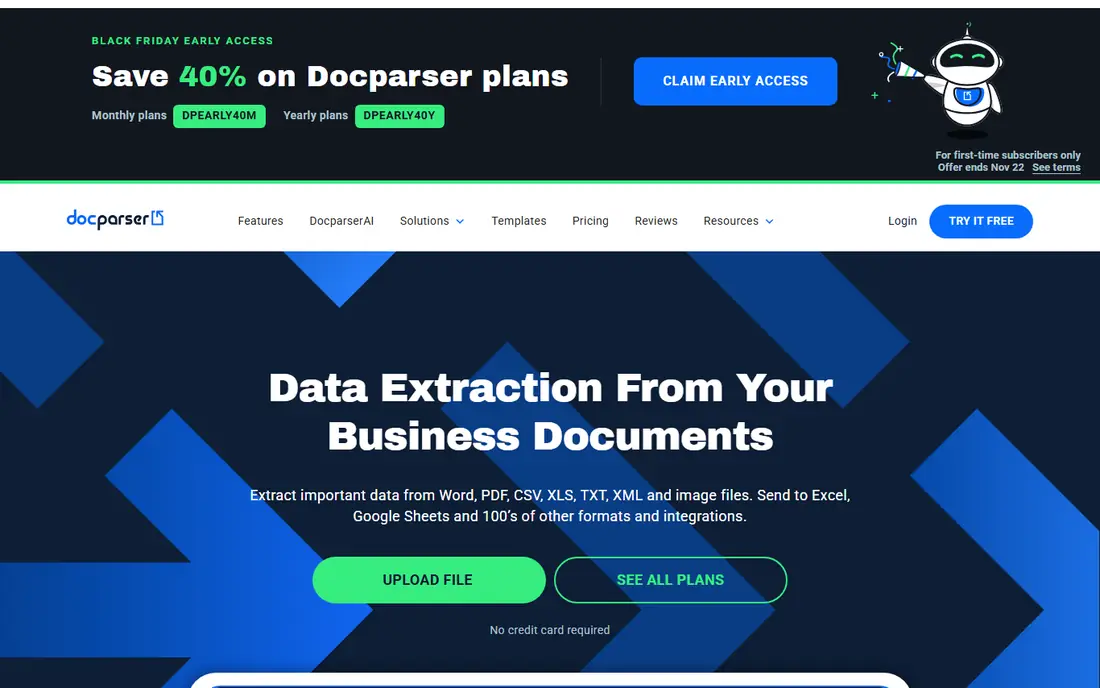
In short, Docparser is for small teams needing straightforward template-based parsing. Docparser is the tool for teams that require extraction without a data science project. You define parsing rules visually (point at the invoice total, name the field), and the system applies them to incoming documents from email, cloud storage, or API.
More specifically, pricing opens at $32.50 per month on annual billing ($39 monthly) for 100 parsing credits, with a 14-day trial that needs no credit card. On top of that, the limitation is architectural: template-based parsing works beautifully until a vendor redesigns their invoice, at which point someone updates the rule. More specifically, the newer DocparserAI engine brings AI-powered parsing for variable layouts. From a buyer's view, for hundreds of unpredictable layouts, an AI-native tool will cope better. Docparser cost at the entry level: $32.50 per month. On free options: Free trial (14 days).
Limits to weigh: Less AI depth than Nanonets or Docsumo.
- Non-technical setup with visual rule builder
- Ample integrations via Zapier, API, webhooks
- Template-based approach needs maintenance when layouts change
UiPath
Ideal for: Businesses already running UiPath automation
In short, UiPath is for businesses already running UiPath automation. Standalone, the pricing is consumption-based and hard to forecast without running your actual volume through it.
No starting price is listed for UiPath here; confirm pricing on the vendor site. Free access: Free trial.
Drawbacks to consider: Makes most sense inside an existing UiPath deployment.
- Capable governance and audit trail
- Document Understanding plugs straight into UiPath robots and orchestrator
- Pricing is consumption-based and hard to predict
ABBYY
Ideal for: Enterprises needing proven, analyst-recognized IDP
ABBYY serves enterprises needing proven, analyst-recognized IDP. ABBYY supplies a trial so you can test extraction on your own documents first. This is the safe choice for large businesses where the IDP decision goes through procurement and security review.
Honest limits: Quote-based pricing with enterprise minimums.
It is overkill for a team processing a handful of hundred pages a month. Worth adding: ABBYY has been extracting data from documents since 1989. The analyst businesses still rank it as an IDP leader in 2026, including the Gartner Magic Quadrant and IDC MarketScape. The Vantage product ships pre-trained AI skills for invoices, receipts, purchase orders, and identity documents, so typical types work without training. Check the vendor site for ABBYY pricing; none is listed in this comparison. Free options: Free trial.
- Leader in Gartner and IDC IDP assessments for 2026
- 35+ years of OCR expertise
- Implementation usually needs partner or professional services help
What went into this list
For each of the 5 tools we noted price, free plan or trial, fit for doc processing automation tools and the main limit, using vendor pages and documentation. Figures are shown as the vendors publish them. Billing terms, seat minimums and add-ons can change the real cost. Order on the page follows fit for the typical buyer first, then price transparency and free access. Your own requirements should decide the final pick.
What to check before you buy
- Ask Hyperscience, UiPath and ABBYY for a written quote, since no starting price is shown.
- Test the free plan from AWS Textract against your real workload before relying on it.
- Run a trial of Hyperscience, Docparser, UiPath and ABBYY with real work before paying for a year; your own workflow is the best test.
- Read the limits listed for AWS Textract first: it is an API, not a product, so you build the workflow.
- Involve the people who will use ABBYY daily; a short pilot beats a long feature checklist.
- Confirm the exact UiPath plan that includes your must-have features.
Frequently asked questions
Which options for doc processing automation tools have a free plan?
AWS Textract is the only tool in this list with a free plan. Free plans usually cap users, projects or features, so check the limits on the vendor page. Several others offer a trial instead.
Is AWS Textract the right pick for everyone comparing doc processing automation tools?
No single tool suits every team. AWS Textract comes first because it fits developers building custom extraction pipelines, while Hyperscience suits regulated enterprises needing high accuracy and Docparser suits small teams needing simple template-based parsing. Match the tool to your own size, budget and workflow before deciding.
How accurate is AI document extraction?
Vendors claim 95% to 99.5% field-level accuracy, but treat those as best-case figures on clean documents. The number that matters is your straight-through processing rate on your own documents during a trial; measure it before you commit.
How are the tools for doc processing automation tools ordered?
The order follows typical fit for doc processing automation tools, with AWS Textract first and ABBYY last, then price clarity and free access. It is editorial judgement, not a score, so another team could rank the tools differently.
Can I try these options before paying?
Often, yes. AWS Textract has a free plan and Hyperscience, Docparser, UiPath and ABBYY offer a free trial. Use your own data and a real task during the test, and check what the free tier or trial limits before you rely on it.