Best Docs Platforms With AI Agent Integration

- Notion and Confluence give the broadest agent coverage for internal team docs, but full agent features sit on higher tiers.
- GitBook and Document360 are the strongest picks for customer-facing product docs, with AI assistants that answer readers from your published pages.
- Guru and Document360 do not publish list prices, so budget planning needs a quote from the vendor.
- Slab and ClickUp are the lowest cost starting points for small teams, at $6.67 and $9 per user per month on annual billing.
- Check AI limits before you buy, because credits, plan gates and storage caps decide the real monthly cost.
Quick comparison
| Product | Ideal for | Price from | Free version | |
|---|---|---|---|---|
 Notion | All round team workspace with agents | $10 per user/month (billed annually) | Yes | Visit |
 Confluence | Atlassian teams and company wikis | $5.78 per user/month | Yes | Visit |
 GitBook | Public product docs and developer docs | $65 per site/month (billed annually) | Yes | Visit |
 Slab | Simple internal wiki for small teams | $6.67 per user/month (billed annually) | Yes | Visit |
 Guru | Governed enterprise knowledge for AI | quote only | No | Visit |
 Document360 | Customer knowledge bases at scale | quote only | No | Visit |
 Coda | Docs that work like apps with databases | $12 per Doc Maker/month (billed annually) | Yes | Visit |
 ClickUp Docs | Docs tied directly to tasks and projects | $9 per user/month (billed annually) | Yes | Visit |
The best docs platforms with AI agent integration
Notion
Ideal for: All round team workspace with agents
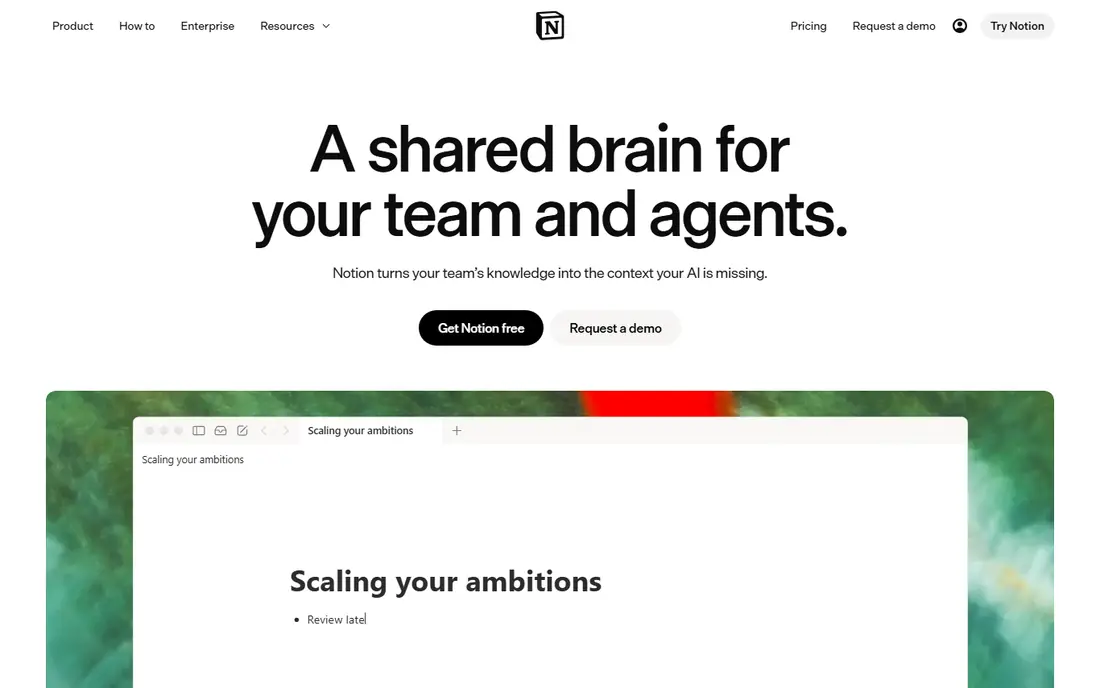
Notion is a workspace that combines docs, wikis, databases and projects in one place, and its agent features build directly on that structure. Notion Agent can search across your workspace and connected apps, draft pages, summarise threads and carry out multi-step work such as triaging feedback or preparing a weekly report. The homepage presents agents as a core part of the product.
The catch is the plan gate. Free and Plus workspaces get only a limited trial of Notion AI, while the full agent set, AI Meeting Notes and Enterprise Search arrive on Business at $20 per user per month on annual billing. Plus starts at $10 and covers unlimited blocks for teams, 5 GB file uploads and 30-day page history.
- Agents work across docs, tasks and connected apps
- Business adds AI Meeting Notes and Enterprise Search
- Full Notion Agent features need the Business plan at $20 per user per month, and Custom Agents use credits at $10 per 1,000
Confluence
Ideal for: Atlassian teams and company wikis

Confluence is Atlassian's team workspace for pages, live docs, whiteboards and databases, and Rovo is its AI layer. Rovo can answer questions from Confluence pages and connected tools, turn pages and comments into summaries and audio briefings, and draft a first version from context across your tools. The Rovo MCP Server lets you plug Confluence into Claude, ChatGPT or your IDE, so an outside agent can work with the same context.
Pricing starts with a Free plan for up to 10 users, then Standard at $5.78 per user per month and Premium at $11.16, as shown on the Atlassian pricing page on 2026-11-12. Standard includes 25 Rovo credits per user per month and Premium includes 70, so agent use is metered by credits. Confluence is the natural pick for teams already on Jira, since pages, tasks and Rovo share the same Teamwork Graph.
- Rovo AI search, chat and agents work across Confluence and connected tools
- MCP server connects Confluence to Claude and ChatGPT
- Free plan is limited to 10 users and 2 GB of file storage, and SAML single sign-on needs Atlassian Guard on plans below Enterprise
GitBook
Ideal for: Public product docs and developer docs
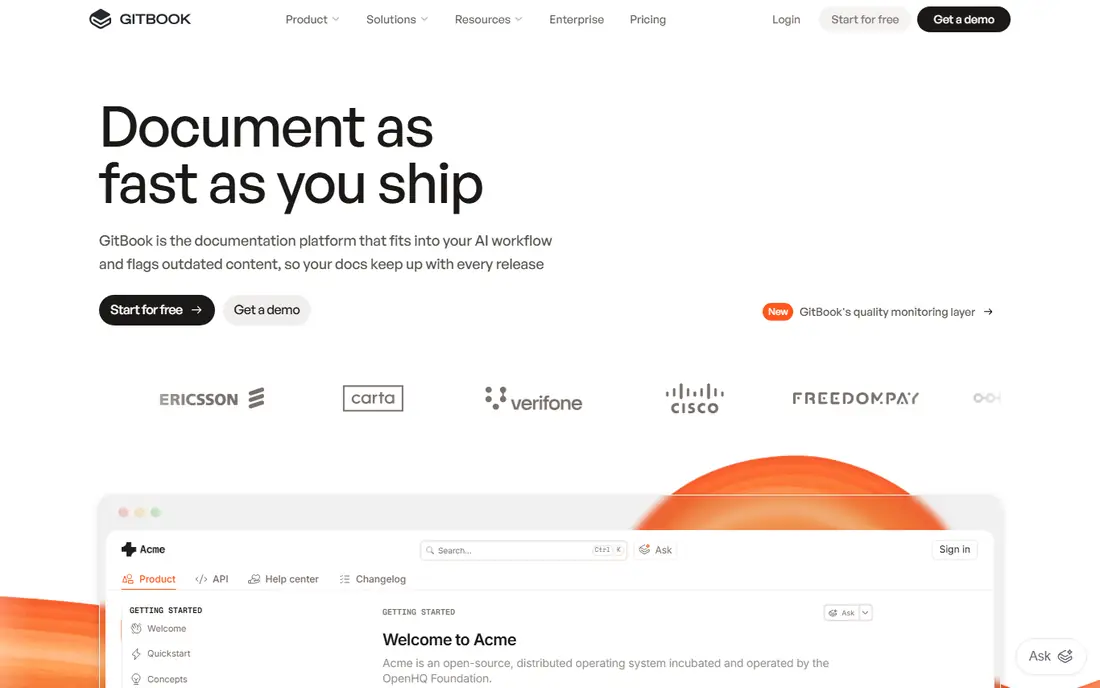
GitBook is built for docs that both people and AI agents read. Its Agent scans your docs for content that no longer matches your product and queues it for review. Readers can ask questions through the AI Assistant and get answers drawn from your docs, while Git Sync lets teams branch, review and merge documentation like code. Every published site ships with Markdown versions of its pages, llms.txt files and its own MCP server, so outside models can read the docs in a structured form.
Pricing needs care. Essential starts at $65 per site per month on annual billing, or $79 month to month, and each collaborator adds $12 per user per month on annual billing. Essential includes $20 of AI credits, or 2,000 credits, per month, while Ultimate at $249 per site per month includes $100 of credits and adds AI Assistant Chat, AI insights and Slack, GitHub and Linear channels. GitBook fits product teams that publish docs for customers and want agents to give correct answers from them.
- GitBook Agent flags docs that no longer match the product
- Every published site gets llms.txt files and its own MCP server
- Pricing is per site plus $12 per user per month, and authenticated access is only on Ultimate and Enterprise plans
Slab
Ideal for: Simple internal wiki for small teams
Slab is a focused knowledge base and wiki, with no ambition to replace the rest of your stack. Its editor keeps pages looking clean by default, topics organise content with context, and unified search pulls answers from Slab content and integrated tools in one place. That focus is the appeal: a team can set up a wiki fast, without learning a full workspace suite.
AI arrives in tiers on the Slab pricing page. Startup adds AI Autofix, which helps keep content fresh, while Business adds AI Predict and AI Ask, the feature that answers questions from your docs. The Free plan covers up to 10 users with unlimited posts and topics, 10 MB attachments and 90-day version history, but it includes no AI features. Slab suits small teams that want a tidy internal wiki and light AI help.
- Clean editor with topics, unified search across Slab and integrated tools, and AI Autofix on the Startup plan
- Free plan includes no AI features, and the full AI Ask and AI Predict features need the Business plan
Guru
Ideal for: Governed enterprise knowledge for AI
Guru positions itself as the governed knowledge layer for enterprise AI, and its agent story matches that framing. Knowledge Agents answer from verified company knowledge with citations, and answers respect each person's role and permissions. Verification workflows, usage signals and quality automations check content as it is used, flag stale or conflicting pages and route updates to an expert for review. When a correction is made, it propagates everywhere the knowledge appears.
Guru connects to more than 100 enterprise tools, including Slack, Microsoft Teams, Salesforce, Zendesk, Confluence and SharePoint, and delivers knowledge through MCP so your existing AI tools pull from the same governed layer. The pricing page lists no dollar amounts: Guru sells a platform plus expertise package, with knowledge architecture design, agent configuration and tuning, and ongoing optimisation, priced to the organisation's scale and AI maturity. That fits larger teams with strict governance needs.
- Knowledge Agents give cited, permission-aware answers in Slack, Teams and browsers
- Corrections propagate to every surface
- No public price and no self-serve free plan, so budgeting needs a tailored quote and a sales conversation
Document360
Ideal for: Customer knowledge bases at scale
Document360 is a knowledge base platform for creating, managing and publishing documentation, with AI placed at the centre of the product. Eddy, its AI set, includes a Writing Agent, AI content and FAQ creation, AI Search and Answer, an MCP Server, auto-generated glossaries and duplicate content detection. An AI chatbot add-on answers from the knowledge base, websites, files and help desk tickets.
The pricing page shows no list prices. Document360 prices around the setup, with team accounts, workspaces, languages, security needs, the privacy model and AI Premium Suite usage all shaping the quote. That custom model can fit a large support or product team well, since migration and dedicated onboarding are part of most quotes, but a small team cannot compare it on price without a conversation. The AI Premium Suite, which adds screen capture, step-by-step guides, interactive demos and video recording, costs extra.
- Eddy AI Writing Agent, AI Search and Answer and an MCP Server are included
- Migration help is part of most quotes
- Pricing is custom with no published tiers, and the AI Premium Suite for visual guides is an optional add-on
Coda
Ideal for: Docs that work like apps with databases
Coda, now presented as Superhuman Docs, blends docs, tables and apps. A doc can hold a writeup, a tracker and a small application built from formulas, buttons and automations, and Docs AI works inside that structure. It can build a proposal, tracker or dashboard from a prompt, answer questions across the workspace, summarise content and generate table values at scale. The platform also connects to more than 600 tools, so a doc can pull in a calendar or push updates to Slack.
Pricing is per Doc Maker, which changes the maths for larger teams. Pro costs $12 per Doc Maker per month on annual billing, or $15 month to month, and Business costs $33. Viewers and editors who do not create docs are not charged as makers, so a 10 person team with 3 makers pays for 3 makers, not 10 seats. The Free plan costs $0 and includes a limited trial of Docs AI, while the full AI assistant, AI views and MCP access sit on Pro and above. Coda fits teams that want docs with live data and light apps.
- Docs AI builds pages, trackers and views and answers questions across the workspace
- Charges apply to Doc Makers, not every viewer
- Docs AI is in Beta and only a limited trial on the Free plan, and AI admin controls are only on the Enterprise plan
ClickUp Docs
Ideal for: Docs tied directly to tasks and projects
ClickUp Docs lives inside a workspace that also holds tasks, projects, chat and ClickUp Brain, its AI layer. Brain can find answers across tasks, docs and conversations, pick a model for each job and work with full context from your workspace. Super Agents can take on delegated tasks, and Deep Search checks the workspace, connected apps and the web. Docs link to tasks, so a spec and the work that follows it stay in one place.
Pricing starts with a Free Forever plan at $0, then Core at $9 per user per month on annual billing, with a regular price of $12 shown on the pricing page, and Business at $17. Business adds unlimited standard AI models, advanced dashboards, private docs and timesheets, while Max at $100 per user per month on annual billing adds the full AI engine with unlimited Autopilot Agents, custom skills and MCP connections. Free Forever includes collaborative docs but only 60 MB of storage, so teams with many files will outgrow it fast.
- Docs sit beside tasks, chat and Brain AI in one workspace
- Business adds unlimited standard AI models
- Free Forever storage is only 60 MB, and the full AI engine with unlimited Autopilot Agents needs the $100 Max plan
How we chose
We opened each vendor homepage on 2026-11-12 and confirmed it loads with that product's own branding, then read the vendor pricing page for each tool on the same day. We compared agent features, such as answering from docs, drafting pages, flagging stale content and MCP access, against free plan limits, credit caps, storage limits and plan gates. We did not run hands-on tests, and we did not use third-party review scores, user counts or awards. Prices are list prices from the vendor pages named in Sources, checked on 2026-11-12, and quote only means the vendor publishes no list price. Notion Plus at $10 and Slab Startup at $6.67 were corroborated against recent checks of the vendors' own pricing pages, since the dollar amounts did not render in the text copy of those two pages.
What to check before you buy
Start with who will use the AI, not the feature list. An agent that answers from your docs is only useful when the docs are current, permissioned correctly and written for the questions people really ask. Ask each vendor how the agent cites sources, whether answers respect page permissions, how stale content is flagged and what happens when it cannot find a trusted answer. Then check the meter: credits per user per month, AI credit bundles, storage caps and the plan that opens the agent feature you need.
The table below uses real list prices checked on 2026-11-12 for a 10 person team on annual billing.
| Team size and need | First pick | Cost for 10 people per month |
|---|---|---|
| 1 to 10 people, internal wiki | Slab Startup | $66.70 |
| 1 to 10 people, docs plus tasks | ClickUp Core | $90 |
| 1 to 10 people, all round workspace | Notion Plus | $100 |
| 1 to 10 people, docs with live data | Coda Pro, 3 makers | $36 |
| 11 to 50 people, Atlassian stack | Confluence Standard | $57.80 for 10, scales per user |
| 11 to 50 people, public product docs | GitBook Essential | $65 per site plus $12 per user |
| 51 to 200 people, governed knowledge | Guru or Document360 | Quote, budget for a platform fee |
| 200 plus people, strict controls | Confluence Premium or Guru | $111.60 for 10 on Premium, quote for Guru |
Check the trial terms, the export path and the contract length as well. Confirm how you export pages in Markdown or HTML, whether the agent keeps working during a trial, and whether annual billing locks you in for 12 months. Ask about data retention for AI prompts, since some vendors keep prompt data for 30 days and others offer zero retention on higher plans. Run a pilot with one team and 20 real questions before you roll the tool out to the whole company.
Frequently asked questions
What is AI agent integration in a docs platform?
AI agent integration means an AI agent can read, search and act on your docs, not just chat about them. It answers questions with citations, drafts or updates pages, flags stale content and can carry out multi-step tasks such as triaging feedback. The best platforms connect the agent through search, permissions and MCP, so it works with your real content.
Which docs platform is cheapest for a small team?
Slab Startup at $6.67 per user per month on annual billing is the cheapest entry point here for a team that wants AI features, followed by ClickUp Core at $9 and Notion Plus at $10. Confluence Standard at $5.78 is cheaper per user, but its Rovo credits are capped.
Do I need a higher plan to use AI agents?
In most cases, yes. Notion puts full agent features on Business, GitBook adds AI Assistant Chat on Ultimate, and Slab keeps AI Ask on Business. Coda offers a limited Docs AI trial on Free, while Guru and Document360 bundle AI into a custom quote.
Can AI agents answer from private docs?
Yes, on the platforms in this guide, as long as permissions are set up correctly. Guru gives permission-aware answers with citations, Confluence connects agents through Rovo with workspace permissions, and GitBook limits authenticated access to Ultimate and Enterprise plans. Test with a private page and a user who should not see it.
Which platform fits customer-facing product docs best?
GitBook and Document360 are the strongest picks for customer-facing docs. GitBook gives each site llms.txt files, an MCP server and an AI Assistant that answers readers, while Document360 offers Eddy AI search and answer, an AI chatbot add-on and migration help. Pick GitBook for transparent per-site pricing.
How much should a 10 person team budget per month?
Budget $58 to $120 per month on annual billing for the entry tiers in this guide, before AI credits. Confluence Standard costs $57.80 for 10 users, Slab Startup costs $66.70, ClickUp Core costs $90 and Notion Plus costs $100. GitBook adds $65 per site plus $12 per user. Add a buffer for AI credits and the higher tier if agents are your main use case.