6 Document Accessibility Platforms Compared on Price and Fit

- 1
 EquidoxLarge backlogsVisit
- 2
 Adobe Acrobat ProSmall teamsVisit
- 3
 CommonLook PDFStrict compliance teamsVisit
- 4
 GrackleDocsGoogle Workspace teamsVisit
- 5
 axesPDFSpecialist remediatorsVisit
- The list opens with Equidox, aimed at large backlogs.
- PAC fits free validation checks.
- The lowest published monthly entry price here is $12 per user per month, from GrackleDocs.
- PAC stands alone as the one tool in this list with a free plan.
Direct answer
If you need large backlogs, Equidox is the first tool to look at here. Look at Adobe Acrobat Pro for small teams, and at CommonLook PDF for strict compliance teams. The other 3 tools in the list cover narrower or pricier cases.
Quick comparison
| Product | Ideal for | Price from | Free version | |
|---|---|---|---|---|
| Equidox | Large backlogs | See website | Free trial | Visit |
| Adobe Acrobat Pro | Small teams | $19.99 a month | Free trial | Visit |
| CommonLook PDF | Strict compliance teams | See website | No | Visit |
| GrackleDocs | Google Workspace teams | $12 per user a month | Free trial | Visit |
| axesPDF | Specialist remediators | See website | No | Visit |
 PAC | Free validation checks | Free | Yes | Visit |
The full document accessibility platform list
This Ainotely guide covers 6 options for document accessibility platform. Each profile lists a starting price, free plan details, strengths and drawbacks, so you can drop poor fits quickly.
Equidox
Ideal for: Large backlogs
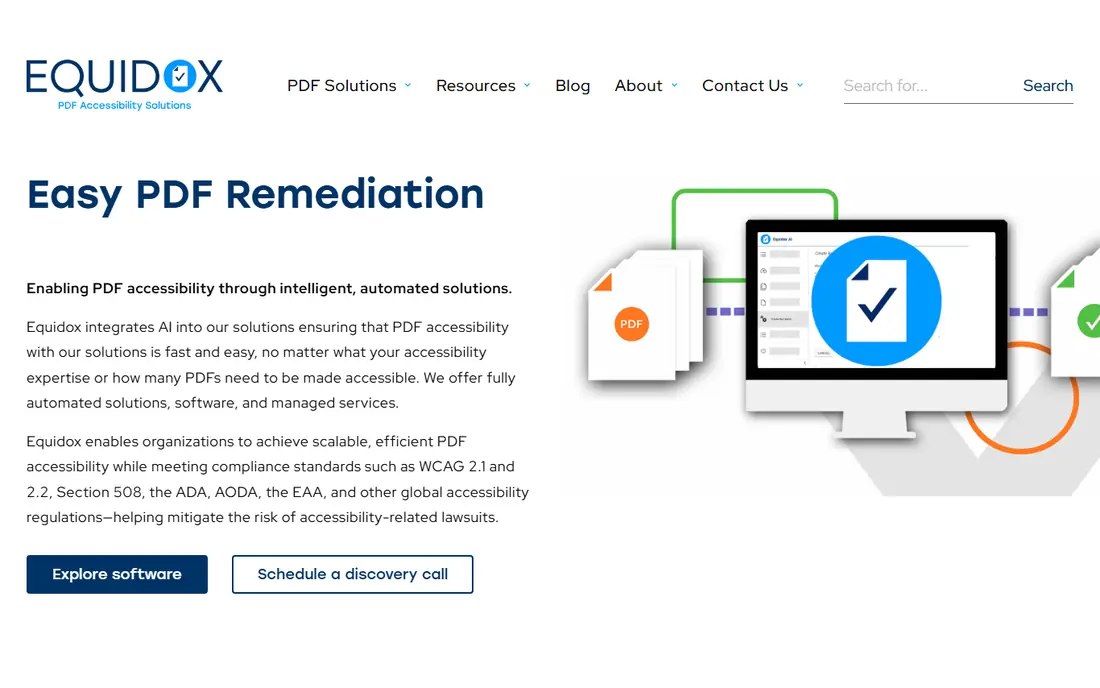
Pick Equidox if this describes you: large backlogs. Equidox is designed around one painful job: turning a large pile of legacy PDFs into accessible files without rebuilding each one by hand. A free trial lets you test it on your own files before committing.
As for the details, no automatic tool is perfect, and Equidox is no exception. From a buyer's view, the strength here is speed on routine documents, paired with optional remediation services for the hard cases. This comparison lists no price for Equidox; ask the vendor. Free access: Free trial.
Strengths: AI-assisted tagging accelerates large jobs.
Watch-outs: Pricing is quote-based.
- Free trial to test
- Cloud and on-prem choices
- Human review still needed for complicated files
Adobe Acrobat Pro
Ideal for: Small teams
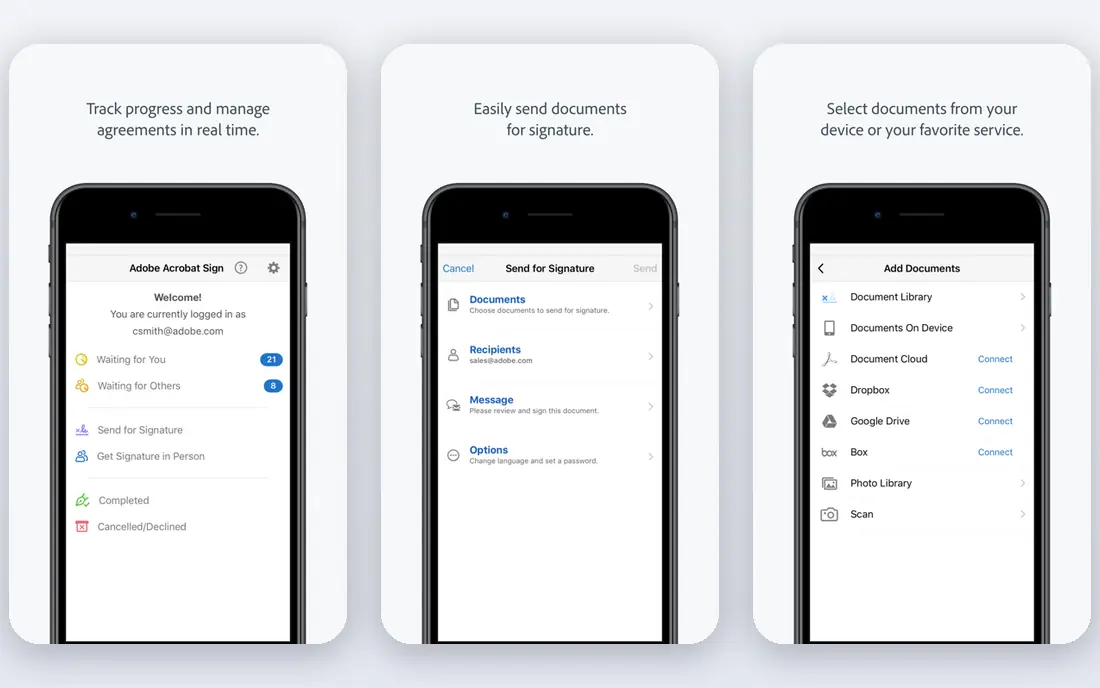
Choose Adobe Acrobat Pro for small teams. The subscription begins at $19.99 per month on an annual plan, with a free trial available. In daily use, the limit is scale.
Acrobat Pro leans on manual work, so remediating hundreds of files this way is slow and tiring. It is the right choice for a small team that produces a modest number of PDFs and wants to build accessibility into its normal workflow. Starting cost for Adobe Acrobat Pro: $19.99 per month. Free access: Free trial.
Limits to weigh: Remediation is largely manual.
- Manages tagging
- Alt text
- Large jobs take a long time
CommonLook PDF
Ideal for: Strict compliance teams
CommonLook PDF works best for strict compliance teams. CommonLook PDF, now part of Allyant, is made for organizations where compliance evidence matters as much as the fix itself. A free validator from the same maker spans fast checks, whereas the full product deals with tagging, reading order, tables, and forms.
Limits to weigh: Price is quote-based.
The tradeoff is effort and cost. In daily use, for a one-off brochure, a more straightforward tool will do. Check the vendor site for CommonLook PDF pricing; none is listed in this comparison. CommonLook PDF has no permanent free option. Upsides: Desktop and server choices.
- Section 508
- In-depth verification against WCAG, PDF/UA
- Needs training to use well
GrackleDocs
Ideal for: Google Workspace teams
GrackleDocs makes the most sense for Google Workspace teams. Its extras check Google Docs, Sheets, and Slides for accessibility issues and guide authors to fix them before export. So the resulting PDF starts out in better shape.
From a buyer's view, GrackleDocs does not remediate a backlog of old PDFs from other sources. It cannot batch-process files the way Equidox or CommonLook can. GrackleDocs pricing: $12 per user per month. On free options: Free trial.
Trade-offs to know: No true batch remediation.
- Straightforward pricing
- Native Google Docs, Sheets
- Restricted to Google Workspace documents
axesPDF
Ideal for: Specialist remediators
Where axesPDF fits: specialist remediators. Its QuickFix tool finds issues and repairs numerous of them with a single action, whereas the full product lets specialists adjust tags, structure, tables, and reading order by hand.
axesPDF does not show a starting price in this comparison, so check the vendor site for current pricing. axesPDF has no permanent free option.
What to check first: Best in trained hands.
- Granular control over tags and reading order
- Fast fixes for typical issues
- Pricing is quote-based
PAC
Ideal for: Free validation checks
For free validation checks, PAC is a natural candidate. PAC, the PDF Accessibility Checker, is a free tool from the PDF/UA Foundation community that checks whether a PDF meets PDF/UA and related WCAG requirements.
PAC does not fix anything, so it cannot stand alone as a remediation system. There is no cost, which makes it simple to add to any workflow. PAC starts at: Free. PAC offers a free plan.
Where PAC stands out: Checks against PDF/UA and WCAG. Limits to weigh: Validation only, no remediation.
- Free to use
- Handy evidence for reviews
- Desktop tool needs some learning
How we chose
Selection started from tools commonly considered for document accessibility platform, then narrowed to 6 that have clear pricing information or a clear quote process. Where a vendor does not publish a price, the entry says quote. Where a price depends on seats or billing term, the entry says so. We ordered the tools by general fit, then by how clearly pricing is shown, then by free access. A buyer with unusual needs may reorder them.
What to confirm before you sign up
- Confirm the entry price on the vendor page. For Equidox, CommonLook PDF and axesPDF that means a quote rather than a fixed price.
- Look at the free plan from PAC closely: its caps decide whether it is usable for real work.
- Run a trial of Equidox, Adobe Acrobat Pro and GrackleDocs with real work before paying for a year; your own workflow is the best test.
- Before choosing Equidox, weigh its main limit: human review still needed for complicated files.
- Work out what axesPDF costs with your real seat count, add-ons and usage, not just the entry price.
- Ask the daily users to test PAC on a live task before you roll it out to everyone.
Frequently asked questions
How are the tools for document accessibility platform ordered?
The order follows typical fit for document accessibility platform, with Equidox first and PAC last, then price clarity and free access. It is editorial judgement, not a score, so another team could rank the tools differently.
Does a checker prove a document is accessible?
A checker proves a document passes the tests it runs, which is handy evidence but not the entire story. Some problems, for example misleading alt text or a confusing reading order, pass automatic checks whereas still blocking a screen reader user.
What standards should an accessible PDF meet?
Most organizations aim for WCAG 2.1 or 2.2 AA and PDF/UA, plus Section 508 for US federal work. Ask your legal or compliance team which standards apply to you, since duties differ by sector and country.
Is Equidox the right pick for everyone comparing document accessibility platform?
No single tool suits every team. Equidox comes first because it fits large backlogs, while Adobe Acrobat Pro suits small teams and CommonLook PDF suits strict compliance teams. Match the tool to your own size, budget and workflow before deciding.
Can I try these tools before paying?
Often, yes. PAC has a free plan and Equidox, Adobe Acrobat Pro and GrackleDocs offer a free trial. Use your own data and a real task during the test, and check what the free tier or trial limits before you rely on it.
What is the best document accessibility system for a small business?
This list starts with Equidox, which fits large backlogs. For other needs, Adobe Acrobat Pro is aimed at small teams, and CommonLook PDF at strict compliance teams. Check each tool's price and main limit first.