Best Document Translation Software in 2026: 8 Tools Compared

- 1
 memoQProfessional translators and language service providersVisit
- 2
 LokaliseProduct and marketing teams that want AI-led localizationVisit
- 3
 PairaphraseRegulated teams translating sensitive documentsVisit
- 4
 DeepL ProTeams that want the best raw translation quality for documentsVisit
- 5
 Microsoft TranslatorMicrosoft 365 organizations translating Office documentsVisit
- memoQ takes the first slot, best suited to professional translators and language service providers.
- A fair warning about DeepL Pro: per-user pricing gets costly for big teams.
- Only 2 of the 8 tools have a free plan (Microsoft Translator, Google Cloud Translation), so check the caps.
- The lowest published monthly entry price here is $18.99 per user/month, from SYSTRAN.
Direct answer
If you need professional translators and language service providers, memoQ is the first tool to look at here. Look at Lokalise for product and marketing teams that want AI-led localization, and at Pairaphrase for regulated teams translating sensitive documents. The remaining 5 options are covered below with prices and limits.
Quick comparison
| Product | Ideal for | Price from | Free version | |
|---|---|---|---|---|
| memoQ | Professional translators and language service providers | See website | Not stated | Visit |
| Lokalise | Product and marketing teams that want AI-led localization | See website | Free trial | Visit |
| Pairaphrase | Regulated teams translating sensitive documents | $285/month (billed yearly) | Not stated | Visit |
| DeepL Pro | Teams that want the best raw translation quality for documents | See website | Free trial | Visit |
| Microsoft Translator | Microsoft 365 organizations translating Office documents | See website | Yes | Visit |
 Google Cloud Translation | Developers embedding translation into document pipelines | $20 per 1M characters | Yes | Visit |
 SYSTRAN | Governments and enterprises that require on-premise translation | $18.99 per user/month (billed annually) | Free trial | Visit |
 RWS Trados | Translation teams that require the industry-standard CAT tool | See website | Not stated | Visit |
The 8 tools in detail
Choosing document translation software usually comes down to price, fit and limits. This Ainotely guide sets 8 tools side by side on those three points, with the facts kept short and checkable.
memoQ
Ideal for: Professional translators and language service providers

memoQ is designed for professional translators and language service providers. For freelancers and agencies producing client-ready documents, that memory is money. It manages dozens of file formats and plugs into machine translation engines for a first draft that you then refine.
Watch-outs: Mac users need workarounds; Smaller app ecosystem than Trados.
It is a computer-assisted translation tool, which means it does not replace the human: it remembers every sentence you have ever translated, recommends matches, enforces your glossaries and runs quality checks. In practice, if your team already runs on Trados, switching costs are real; if you are choosing fresh, memoQ deserves the demo. memoQ shows no starting price here, so confirm the cost on the vendor site. Free access: Not stated.
- Simpler ramp-up time than Trados
- Decent project management for agencies
- Windows desktop focus
Lokalise
Ideal for: Product and marketing teams that want AI-led localization
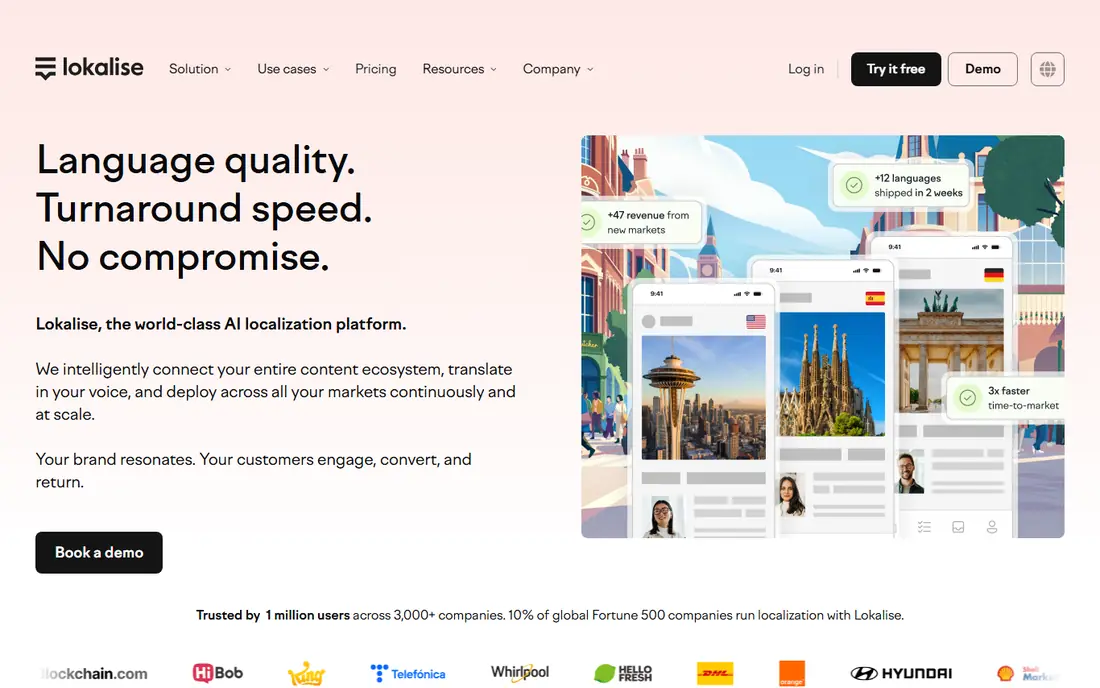
In short, Lokalise is for product and marketing teams that want AI-led localization. For teams with spiky translation volumes, that can be less expensive than legacy TMS pricing. For steady high volumes, model it carefully before signing.
Watch-outs: Skews toward product content over long documents.
For everyday use, every plan starts with a 14-day trial. Also, the honest catch is predictability: AI features, advanced seats and processed-word levels make invoices harder to forecast. The tool skews toward product content over long documents. Beyond that, demo it with your real content mix. Pricing is usage-based, built on processed words and advanced seats instead of straightforward per-word levels. Lokalise does not show a starting price in this comparison, so check the vendor site for current pricing. Free access: Free trial.
- 60+ integrations
- Unlimited translator seats and hosted words on premium plans
- Newer pricing model with fewer public benchmarks
Pairaphrase
Ideal for: Regulated teams translating sensitive documents

Where Pairaphrase fits: regulated teams translating sensitive documents. Pairaphrase is designed for organizations where the document itself is the sensitive part. More specifically, healthcare systems, school districts and legal teams use it to translate patient forms, IEPs and compliance materials with encrypted handling, access controls and audit trails that consumer tools cannot offer.
Beyond that, the main limit is the price floor: Bronze begins at $3,420 per year. So this is not a tool for occasional use, and AI features are gated by level. Entry price for Pairaphrase: $285/month. Free plan details: Not stated.
Downsides: Smaller vendor with less external validation; AI features gated by level.
What works well: FERPA and SOC 2; Security-first design aligned with HIPAA.
- Preserves formatting across 30+ file types
- OCR for scanned PDFs
- Opens at $3,420/year with no cheap level
DeepL Pro
Ideal for: Teams that want the best raw translation quality for documents
DeepL Pro targets teams that want the best raw translation quality for documents. You can lock in company terminology with glossaries so product names and legal phrases translate the same way every time. Also, per-user pricing means a 20-person team pays 20 seats even if half of them translate one document a month, API usage is billed separately, and the entry plan caps document pages.
As for the details, DeepL Pro has built its reputation on translations that read more naturally than Google's, notably for German, French, Spanish and other European languages. Test it on your actual file types during the trial. DeepL Pro does not show a starting price in this comparison, so check the vendor site for current pricing. Free options: Free trial.
Reasons to shortlist it: Translates Word, PowerPoint. Trade-offs to know: Per-user pricing gets pricey for big teams.
- Glossary control for brand terms
- Consistently capable quality on European languages
- Monthly page limits on lower levels
Microsoft Translator
Ideal for: Microsoft 365 organizations translating Office documents
Think of Microsoft Translator for Microsoft 365 organizations translating Office documents. Pricing follows Azure's usage model with a free level for getting started, which fits teams with intermittent needs.
Pick it for ecosystem fit, not for raw quality leadership. Microsoft Translator shows no starting price here, so confirm the cost on the vendor site. Free access exists with Microsoft Translator.
Trade-offs to know: Business pricing is buried in Azure's catalog.
- Tight Microsoft 365 integration
- Document translation preserves Office formatting
- API setup needs Azure know-how
Google Cloud Translation
Ideal for: Developers embedding translation into document pipelines
Google Cloud Translation serves developers embedding translation into document pipelines. For documents specifically, Translation Hub is the business-friendly layer: upload formatted documents, keep the layout, add translation memory and human review, at $0.15 per page per target language on the entry-level level. In daily use, coverage is the widest in the industry, but raw quality on some pairs still needs human review for anything customer-facing.
Where it is weaker: Enterprise support costs extra; Quality varies by language pair.
The honest catch: this is infrastructure, not an application, so non-technical teams will need a developer or a wrapper. Also, the advanced level brings custom models and quality prediction at $0.50 per page. Google Cloud Translation pricing: $20 per 1M characters. Free access exists with Google Cloud Translation.
- Pay-per-use pricing with a real free level
- 189 languages
- API-first
SYSTRAN
Ideal for: Governments and enterprises that require on-premise translation
SYSTRAN works best for governments and enterprises that require on-premise translation. For defense, government and highly regulated enterprises, that is commonly a hard requirement no cloud API can meet.
Where it falls short: Smaller language coverage at 55 languages.
The honest catch is modernity: the language count trails Google and DeepL, the product feels enterprise-traditional, and per-user pricing scales with headcount. In practice, buy SYSTRAN when data residency decides the purchase; otherwise newer tools offer more for less. SYSTRAN cost at the entry level: $18.99 per user/month. On free options: Free trial.
- 50+ years in machine translation
- Per-user plans with PDF and Office file translation
- Interface and brand feel dated
RWS Trados
Ideal for: Translation teams that require the industry-standard CAT tool
RWS Trados is designed for Translation teams that require the industry-standard CAT tool. If you sell translation services, not having Trados can cost you work. Buy Trados when translation is your profession or your client's requirement, not for occasional documents.
More specifically, the RWS AppStore's 350+ apps extend it into almost any workflow. On top of that, casual users will find it heavy. RWS Trados shows no starting price here, so confirm the cost on the vendor site. Free access: Not stated.
Drawbacks to consider: Subscription pricing that keeps rising.
- Capable terminology and QA features
- The default tool clients and agencies expect
- Overkill for occasional translation
How we chose
Ainotely looked at what each vendor publishes: pricing, plan limits, feature coverage for document translation software and stated drawbacks. No hands-on testing is claimed. Seat minimums, billing terms and add-ons can move the real cost, so the starting prices here are a guide and not a quote. Position on the page reflects fit for a typical buyer first, with price clarity and free access breaking ties. Treat it as a guide, not a ruling.
A buyer's checklist
- Confirm the entry price on the vendor page. For memoQ, Lokalise, DeepL Pro and others that means a quote rather than a fixed price.
- Check what the free option really includes: Microsoft Translator and Google Cloud Translation offer a free plan, and usage caps differ.
- Take the trial from Lokalise, DeepL Pro and SYSTRAN and push a live task through it before you pay.
- Read the limits listed for memoQ first: Windows desktop focus, Mac users need workarounds.
- Let daily users try SYSTRAN on real work; their feedback beats any feature checklist.
- The entry price of Google Cloud Translation is only the starting point; model the full cost with seats and extras.
Frequently asked questions
Which options for document translation software have a free plan?
On this list, Microsoft Translator and Google Cloud Translation include a free plan. Caps on seats, usage or features are common, so test the free plan against your real workload. Several others offer a trial instead.
Can I try these options before paying?
Often, yes. Microsoft Translator and Google Cloud Translation have a free plan and Lokalise, DeepL Pro and SYSTRAN offer a free trial. Use your own data and a real task during the test, and check what the free tier or trial limits before you rely on it.
How is document translation software priced?
Four models dominate: per user a month, per character or page, per word or hosted word, and flat annual levels. Occasional users do best with pay-per-use APIs; heavy teams do best with flat or per-user plans; professionals buy CAT tools as a cost of doing business.
Do these tools publish their prices?
Not all of them. memoQ, Lokalise, DeepL Pro and others publish no starting price, so expect a quote request for those. The rest, Pairaphrase included, show a starting price, though seats and billing terms still change the final cost.
Is memoQ the right pick for everyone comparing document translation software?
No single tool suits every team. memoQ comes first because it fits professional translators and language service providers, while Lokalise suits product and marketing teams that want AI-led localization and Pairaphrase suits regulated teams translating sensitive documents. Match the tool to your own size, budget and workflow before deciding.