Best Document Workflow Automation Platform in 2026: 9 Tools Compared

- Formstack is our top pick for small and mid-sized teams, because its Suite plan covers the whole chain (forms, document generation and unlimited e-signatures) from $250 per month on annual billing.
- PandaDoc is the best fit for sales documents, with a free plan for 5 documents a month and approval workflows on its $49 per seat Business plan.
- Zapier and Microsoft Power Automate do not create documents themselves, but they connect the apps that do, starting free (Zapier) or at $15 per user per month (Power Automate Premium).
- Laserfiche, DocuWare and M-Files are document management systems with workflow built in, aimed at regulated or paper-heavy organizations; Laserfiche starts at $73 per user per month with a five-user minimum.
- Most enterprise tools hide pricing behind a demo, so budget time for sales calls if you shortlist them.
Quick comparison
| Product | Ideal for | Price from | Free version | |
|---|---|---|---|---|
 Formstack | Forms, documents and signatures in one place | $83 per month | Free trial (14 days) | Visit |
 PandaDoc | Proposals, quotes and sales agreements | $19 per month | Yes | Visit |
 Docusign | E-signature workflows with forms and payments | $11 per month | No | Visit |
 Microsoft Power Automate | Teams already on Microsoft 365 | $15 per month | Free trial (30 days) | Visit |
 Zapier | Connecting document apps without code | Free | Yes | Visit |
 Laserfiche | Records-heavy and regulated organizations | $73 per month | No | Visit |
 DocuWare | Invoice processing and document management | See website | No | Visit |
 M-Files | Metadata-driven document management | See website | No | Visit |
 Nintex | Enterprise process automation | See website | Free trial (30 days) | Visit |
The best document workflow automation platforms
Document workflow automation means letting software handle the repetitive steps: collecting data, filling templates, routing for approval, getting signatures and filing the result. The nine tools below cover those steps in different ways, from simple e-signature tools to full document management systems.
Formstack
Ideal for: Forms, documents and signatures in one place

Formstack is our pick for most small and mid-sized teams, because it handles the whole chain in one product family. You collect information with a form, Formstack Documents generates a contract, letter or invoice from that data, and Formstack Sign collects signatures. That means fewer tools to connect and fewer places for data to break.
The pricing page lists Forms from $83 per month on annual billing, with one builder, 25 forms and 1,000 submissions per form. The Suite plan, which bundles Forms, Documents and Sign, starts at $250 per month paid annually, with three builder users, 100 forms, 250 document deliveries per month and unlimited e-signatures. There is a 14-day free trial of the core Forms product with no credit card required, and Formstack also sells Salesforce-native versions.
The catch is the jump in price. The cheap Forms plan alone is just a form builder, so to automate documents you need Suite or a separate Documents plan.
- Suite plan covers forms, document generation and e-signatures end to end
- Unlimited e-signatures on Suite with no per-envelope fees
- 14-day trial with no credit card
- Suite starts at $250 per month on annual billing
- Entry Forms plan does not include documents or signing
PandaDoc
Ideal for: Proposals, quotes and sales agreements

PandaDoc is the document tool many sales teams already know. It combines a drag-and-drop editor, templates, tracking and e-signatures, and its higher plans add pricing tables, payment collection and a product catalog. If your documents are mostly proposals, quotes and contracts, this is the most natural fit.
The pricing page lists a Free plan for 5 documents per month, Starter at $19 per seat per month and Business at $49 per seat per month, both billed annually. Business adds approval workflows, CRM integrations, deal rooms, AI data extraction and automatic reminders. The trial lasts 14 days, and PandaDoc says it will not charge you during it.
The honest catch is that PandaDoc's dedicated workflow automation tools, web forms and bulk send need usage credits on Business, and CPQ and full workflow automation are Enterprise features with custom pricing. Check which features your process actually needs before you pick a tier.
- Free plan with 5 documents per month and e-signature
- Approval workflows, CRM integrations and payments on Business
- 14-day free trial with no credit card
- Advanced workflow automation tools require usage credits
- Approval workflows start at $49 per seat per month
Docusign
Ideal for: E-signature workflows with forms and payments

Docusign is the default choice when the main job is getting documents signed quickly and with a clear audit trail. Its US pricing page lists Personal at $11 per month, Standard at $30 per user per month and Business Pro at $45 per user per month, on annual commitments billed monthly.
Business Pro is where the workflow tools appear. It adds bulk send, web forms that turn a form into a signed agreement, payment collection, locked templates and advanced form fields. Docusign offers a 30-day refund window on annual plans bought on its site, though we did not see a trial length listed on the pricing page.
The catch is that more complex routing, such as conditional steps, sits on Enhanced plans you have to buy through sales. For simple signing it is excellent; for multi-step approval chains, pair it with Power Automate or Zapier.
- The best-known e-signature brand, so recipients trust it
- Business Pro adds web forms, bulk send and payment collection
- Shared and locked templates for teams
- Conditional routing requires a sales-led Enhanced plan
- Workflow features sit on the higher-priced plans
Microsoft Power Automate
Ideal for: Teams already on Microsoft 365

If your files already live in SharePoint and OneDrive, Power Automate is often the cheapest way to automate document approvals. Microsoft lists Power Automate Premium at $15 per user per month, paid yearly, with cloud flows, desktop automation and premium connectors, and offers a 30-day free trial.
Microsoft says Power Automate can automate work in Excel, OneDrive and Teams without switching apps, and that it supports document processing together with Power Apps and Dataverse. A common setup is a flow that routes a new contract in SharePoint to a manager for approval, then files it once approved.
The downside is complexity. Licensing has several layers, and the Process plan for unattended bots costs $150 per bot per month on annual billing. Small teams without an IT person may find Zapier easier to start with.
- Works inside Excel, OneDrive, SharePoint and Teams
- Premium plan at $15 per user per month on annual billing
- Document processing with AI tools in the Power Platform
- Licensing can be confusing
- Unattended bots cost $150 per month or more
Zapier
Ideal for: Connecting document apps without code

Zapier is the glue between tools. It does not create or sign documents itself, but it can, for example, take a new form submission, fill a Google Docs template, send it for signature through your e-signature app and save the result to cloud storage. Zapier says it integrates with more than 9,000 apps, including Google Docs and Salesforce.
The Free plan includes 100 tasks per month and two-step workflows. Professional starts from $19.99 per month and adds multi-step workflows, premium apps and webhooks, while Team starts from $69 per month for up to 25 users.
The catch is that pricing scales with tasks, so a high-volume document process can become expensive. It is ideal for small teams that already use a handful of cloud apps and want them to talk to each other.
- Free plan with 100 tasks per month
- Integrations with more than 9,000 apps
- Easy to link forms, Google Docs, e-signature tools and CRMs
- Free plan allows only two-step workflows
- Costs climb with task volume
Laserfiche
Ideal for: Records-heavy and regulated organizations

Laserfiche suits organizations that drown in paperwork, such as local government, schools, insurers and financial services firms. It combines document and records management, data capture and workflow automation, so a scanned form can be read, classified, routed and stored with retention rules.
The pricing page lists the Professional plan at $73 per user per month, billed annually ($875 per user per year), starting at five users, with 100GB of storage per user, custom forms, process reporting and AI data extraction. The Business plan is $93 per user per month and starts at 25 users.
The minimum seat count means you are spending at least $4,375 a year to start. For a five-person office that just needs signatures, that is overkill; for a records-heavy team, it replaces several tools.
- Document management, forms and workflow automation in one platform
- AI data extraction and classification included
- Published per-user pricing
- Professional plan starts at 5 users
- More than a small business needs for simple signing
DocuWare
Ideal for: Invoice processing and document management

DocuWare is a document management and workflow platform with a clear specialty: getting invoices and other business documents in, read and routed. Its site highlights automated invoice processing, purchase-to-pay, e-invoicing, contract management and employee files, plus electronic forms and signatures.
The company says its generative AI extraction can cut manual data entry by 80%, which is its own claim. It integrates with Microsoft Teams, Outlook and SAP, and lists SOC 2, ISO 9001 and ISO 27001 certifications.
DocuWare does not publish prices, and the site points you to a free demo instead of a trial. It makes most sense for finance and operations teams processing large volumes of supplier invoices.
- Strong focus on invoice processing and purchase-to-pay
- AI-based data extraction from documents
- Cloud or on-premises deployment
- No published pricing
- Demo required before you see costs
M-Files
Ideal for: Metadata-driven document management

M-Files takes a different approach to documents. Instead of relying on folders, it tags files with metadata such as customer, project or document type, so the same contract shows up wherever it is relevant. Workflows then move documents through states like draft, review and approved.
The pricing page lists an Essentials plan with automated graphical workflows, shown as €65 per seat per month when we checked, plus a custom-priced Enterprise plan with advanced compliance, process automation and no-code document automation. Subscriptions are typically billed annually, and the page offers a demo rather than a trial.
It is a strong fit for professional services and engineering firms with lots of versions and approvals. Confirm US pricing with sales, since the figure we saw was in euros.
- Organizes documents by what they are, not which folder they sit in
- Automated graphical workflows included on Essentials
- Governance and AI features for growing compliance needs
- Pricing shown in euros in our check
- No free trial listed
Nintex
Ideal for: Enterprise process automation
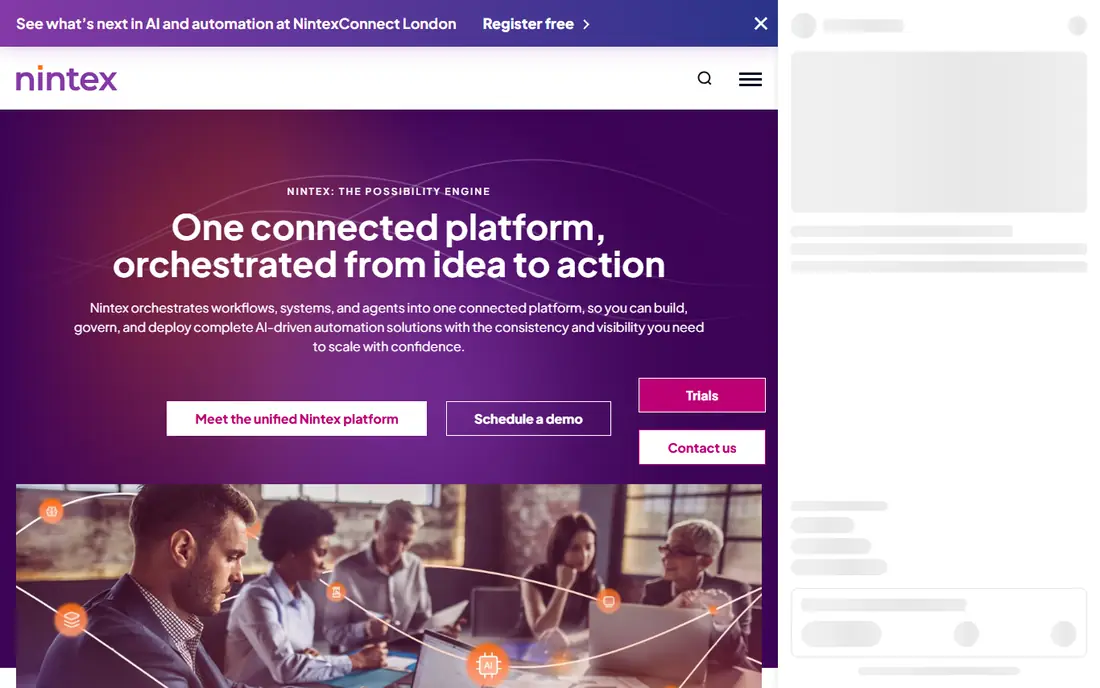
Nintex is a full process automation platform. Its cloud product, Nintex Automation CE, includes modules for workflow, process management, app development, document automation, e-signature and robotic process automation, and there are self-hosted and Salesforce versions too.
That breadth is the point. A large organization can map a whole process, generate documents from Salesforce data, route them through approvals and collect signatures in one system. Nintex offers 30-day free trials for different automation needs.
There are no published prices, so you need to talk to sales. For a small business with a single approval flow, simpler tools higher on this list will be faster to set up.
- Workflow, document generation, e-signature and RPA in one platform
- Cloud, self-hosted and Salesforce versions
- 30-day free trial
- No published pricing
- Built for larger organizations and IT teams
How we picked these
We compared each platform's official product and pricing pages in October 2026, looking at what part of the document workflow it covers (collecting data, generating documents, approvals, signatures and storage), published prices, trials and integrations. We included both all-in-one tools and connectors like Zapier, since many small teams automate documents by linking apps they already use.
We did not build test workflows in each product, so we cannot compare setup time from our own use. Vendor claims, such as AI extraction savings, are reported as the vendor states them. Prices change and may vary by region, so confirm before buying.
How to choose a document workflow tool
Before comparing features, write down one real process from start to finish. For example: a client fills a form, a contract is generated, a manager approves it, the client signs, and the file is saved to a folder.
Match the tool to the bottleneck
If the slow part is signatures, Docusign or PandaDoc solve it quickly. If it is retyping data into templates, look at Formstack Documents or PandaDoc templates. If the problem is paper, scanning and filing, a document management system like Laserfiche, DocuWare or M-Files fits better.
Check where your files live
Teams on Microsoft 365 get a lot from Power Automate because it sits next to SharePoint and Teams. Teams using many different cloud apps often find Zapier simpler.
Count the real cost
Per-user pricing, document limits and usage credits add up. Check how many documents you send per month, how many people need to build or approve, and whether features you need are paid add-ons.
Think about compliance
Contracts, HR files and health or financial records may need audit trails, retention rules and specific security certifications. Ask vendors which standards they meet before you move sensitive documents.
Frequently asked questions
What is the best document workflow automation platform?
For most small and mid-sized teams, Formstack is the best all-round choice because it covers forms, document generation and e-signatures in one Suite plan. Sales teams may prefer PandaDoc, and Microsoft 365 users should look at Power Automate first.
What is the best tool for document workflow automation on a budget?
Zapier's free plan and PandaDoc's free plan are the cheapest starting points. Zapier can connect a form, a document template and an e-signature app, while PandaDoc's free plan covers 5 documents per month. Power Automate Premium at $15 per user per month is good value for Microsoft 365 users.
What is the difference between document management and document workflow automation?
Document management stores, organizes and secures files, with search, versions and retention. Workflow automation moves documents through steps such as generation, approval and signature. Tools like Laserfiche, DocuWare and M-Files do both, while PandaDoc and Docusign focus on the workflow.
Can I automate document workflows without coding?
Yes. Formstack, PandaDoc, Zapier and Power Automate all offer visual, no-code builders. More complex enterprise processes in Nintex or Laserfiche may still need an administrator or partner to set up.
Is e-signature enough to automate documents?
Often not. E-signature removes printing and scanning, but data still has to get into the document and the signed file still has to go somewhere. Pairing signatures with templates, forms and automatic filing is where most of the time savings come from.
Sources
- https://www.formstack.com/pricing
- https://www.formstack.com/products/documents
- https://www.pandadoc.com/pricing/
- https://ecom.docusign.com/plans-and-pricing/esignature
- https://www.microsoft.com/en-us/power-platform/products/power-automate/pricing
- https://www.microsoft.com/en-us/power-platform/products/power-automate
- https://zapier.com/pricing
- https://www.laserfiche.com/pricing/
- https://start.docuware.com/
- https://www.m-files.com/pricing/
- https://www.nintex.com/pricing/
- https://www.nintex.com/trial/