6 Top Documentation Software for Tech Teams Compared (2026)

- 1
 ArchbeeCustomer-facing knowledge portals with branding controlVisit
- 2
 StoplightAPI teams that design and document in one placeVisit
- 3
 GitBookProduct and developer docs with built-in AIVisit
- 4
 MintlifyStartups that want beautiful API docs quickVisit
- 5
 ConfluenceInternal team knowledge in Atlassian environmentsVisit
- This list starts with Archbee, which is built for customer-facing knowledge portals with branding control.
- Starting prices begin at $0/month with Mintlify.
- ReadMe suits API-first firms that treat docs as a product.
- Check the limits for Archbee before you commit: opens at $80/month with no free plan.
- A free plan is available from 5 of the 6 tools: Stoplight, GitBook, Mintlify, Confluence, ReadMe.
Direct answer
Archbee comes first here, mainly for customer-facing knowledge portals with branding control. For a different need, Stoplight covers API teams that design and document in one place and GitBook covers product and developer docs with built-in AI. The remaining 3 options are covered below with prices and limits.
Quick comparison
| Product | Ideal for | Price from | Free version | |
|---|---|---|---|---|
| Archbee | Customer-facing knowledge portals with branding control | $80/month | Free trial | Visit |
| Stoplight | API teams that design and document in one place | $44/month (billed annually) | Yes | Visit |
| GitBook | Product and developer docs with built-in AI | $65 per site/month (billed yearly) | Yes | Visit |
| Mintlify | Startups that want beautiful API docs quick | $0/month (Starter) | Yes | Visit |
| Confluence | Internal team knowledge in Atlassian environments | $5.42 per user/month | Yes | Visit |
 ReadMe | API-first businesses that treat docs as a product | $0/month (Starter) | Yes | Visit |
Our 6 documentation software for tech teams
Ainotely put together this guide to documentation software for tech teams for readers who want a clear shortlist without reading every vendor page. It compares 6 tools on starting price, free plans, who each one suits and where each one falls short.
Archbee
Ideal for: Customer-facing knowledge portals with branding control

Choose Archbee for customer-facing knowledge portals with branding control. The Growing plan at $80 a month comes with unlimited readers, public and private portals, a custom domain, and GitHub integration, which is a clean flat price in a category full of meters and quotes.
Watch-outs: Review and localization need the $350 Scaling level.
The starting price for Archbee: $80/month. Free access: Free trial.
- Beautiful portals with full branding control
- Flat pricing with unlimited readers
- Smaller ecosystem than the leaders
Stoplight
Ideal for: API teams that design and document in one place
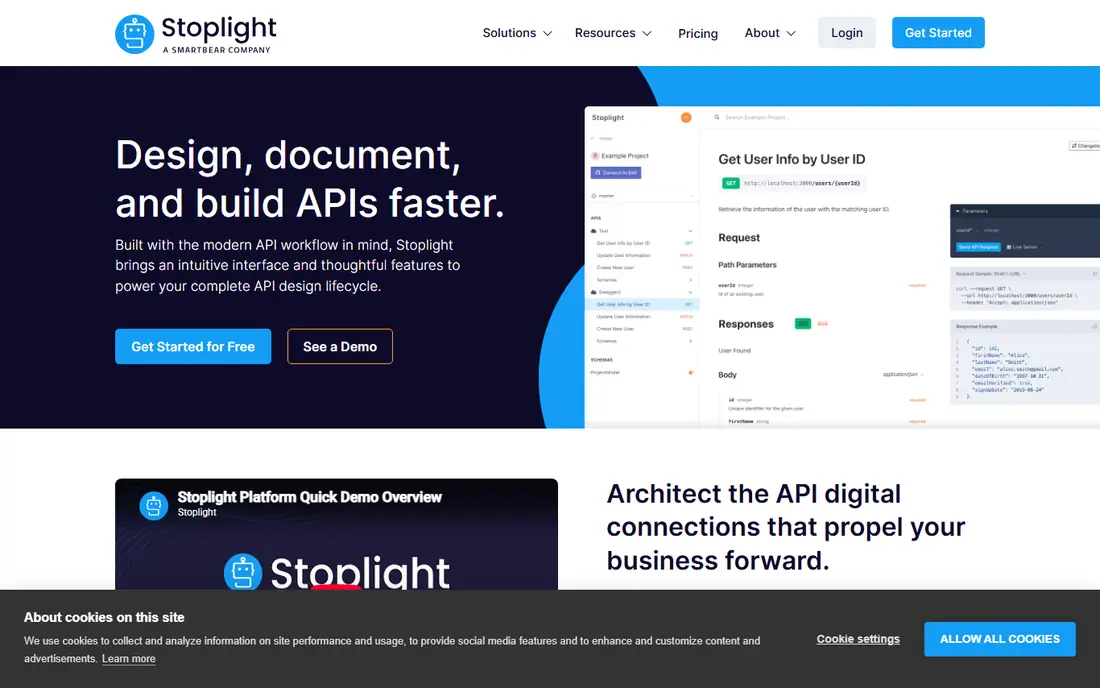
Choose Stoplight for API teams that design and document in one place. Stoplight approaches documentation from the API design side. Teams that only need beautiful reference docs will get more polish from Mintlify or ReadMe.
Stoplight earns its place when the workflow starts with API design and governance. The docs are one output of that process instead of the entire job. On cost, Stoplight starts like this: $44/month. Stoplight has a free plan.
Where it is weaker: Docs are secondary to the design workflow.
- Visual OpenAPI designer plus docs in one tool
- Entry-level plan opens at $44/month with first 3 users free
- Smaller community than the pure docs tools
GitBook
Ideal for: Product and developer docs with built-in AI
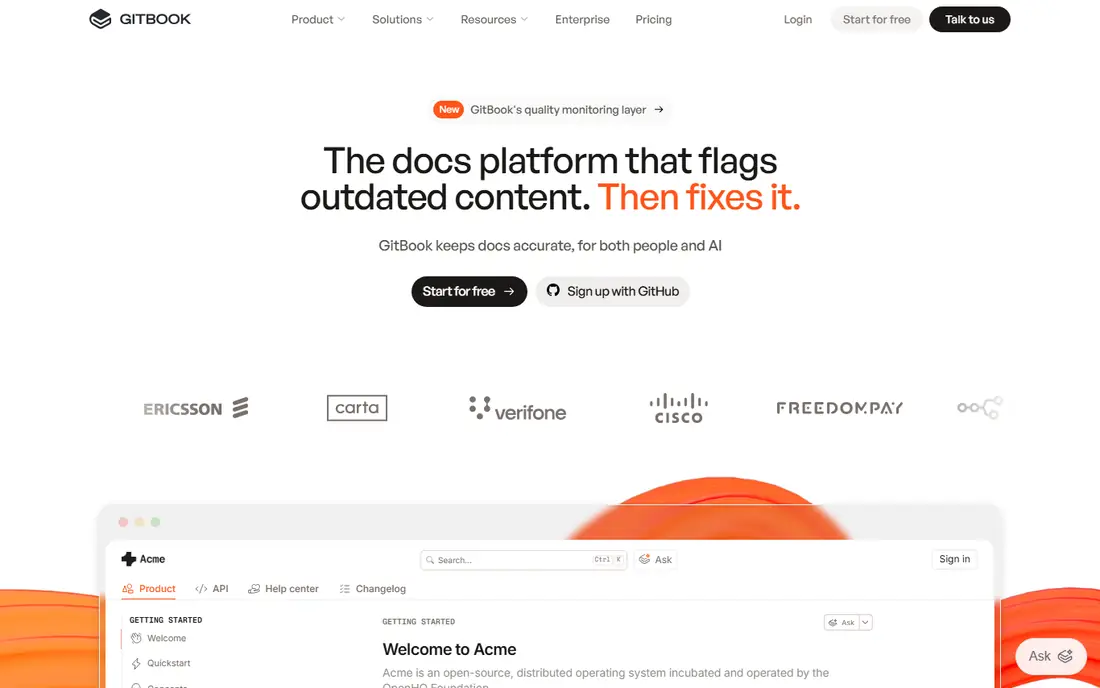
GitBook makes the most sense for product and developer docs with built-in AI. The Essential plan opens at $65 per site a month on annual billing, readers are free, and page views are unlimited. So the cost math is straightforward until you add seats and AI credits.
Authenticated, customer-only content needs Ultimate at $249 per site a month. For everyday use, budget the full stack, not the plan card, and GitBook is a fair deal for teams that want AI-native docs without building their own stack. On top of that, Git sync, branching, and merge-style reviews fit teams that already think in pull requests. As for the details, the main limit is that the headline price is not the entire bill. GitBook pricing: $65 per site/month. Free access exists with GitBook.
Limits to weigh: Team seats cost $12 per user/month on top of the site fee.
- Git sync treats docs like code
- Per-site pricing with unlimited readers and page views
- AI credits add a second meter
Mintlify
Ideal for: Startups that want beautiful API docs quick
Mintlify is a good fit for startups that want beautiful API docs fast. Every published site gets Markdown versions of its pages, llms.txt files. Its own MCP server, which means your docs are readable by coding assistants from day one.
For a startup that wants investor-grade docs in an afternoon, Mintlify is the fastest path. For everyday use, Mintlify has become the default answer for developer docs that require to look excellent and work for AI agents. More specifically, the web editor is genuinely pleasant, the API playground is built in, and migration from ReadMe or Docusaurus is automatic. Entry price for Mintlify: $0/month. A free plan is available with Mintlify.
Honest limits: Five editor seats on Starter is tight for bigger teams.
- MCP server
- Pro trial needs no credit card
- AI features are credit-metered
Confluence
Ideal for: Internal team knowledge in Atlassian environments
In short, Confluence is for internal team knowledge in Atlassian environments. Teams that try to publish customer-facing docs from Confluence typically end up with a second tool anyway.
Public API docs, versioned developer portals, and docs-as-code workflows are outside its design. Confluence cost at the entry level: $5.42 per user/month. A free plan is available with Confluence.
Where it falls short: API reference support is weak.
- Deep Jira integration
- Free for up to 10 users
- Not aimed at public developer docs
ReadMe
Ideal for: API-first businesses that treat docs as a product
ReadMe works best for API-first companies that treat docs as a product. ReadMe has been the reference point for developer-friendly API documentation for years. In practice, the $150 a month Ask AI add-on is worth knowing about if your roadmap bundles docs chat.
What to check first: premium Pro pricing is not published.
In practice, the Pro plan's price is not published, so scaling teams negotiate. More specifically, the Starter plan is genuinely free with a custom domain, which makes ReadMe the easiest tool here to trial properly. On cost, ReadMe starts like this: $0/month. ReadMe has a free plan.
- AI writer proposes updates when code changes
- Starter plan is free with a custom domain
- Branch review and governance features lean enterprise
Selection criteria
Selection started from tools commonly considered for documentation software for tech teams, then narrowed to 6 that have clear pricing information or a clear quote process. Plan names, prices and limits change often. Treat the figures here as a starting point and verify them with the vendor. We ordered the tools by general fit, then by how clearly pricing is shown, then by free access. A buyer with unusual needs may reorder them.
A buyer's checklist
- Confirm the entry price on the vendor page: Mintlify starts at $0/month, but seat counts and billing terms change the total.
- Check what the free option really includes: Stoplight, GitBook, Mintlify and others offer a free plan, and usage caps differ.
- Take the trial from Archbee and push a live task through it before you pay.
- Read the limits listed for Archbee first: begins at $80/month with no free plan.
- Confirm minimum seats and billing terms with Mintlify before you commit to an annual plan.
- Compare total cost, not headline price: for Confluence, add extra seats, add-ons and any usage-based charges.
Frequently asked questions
Do these tools publish their prices?
Yes. Every tool from Archbee to ReadMe shows a starting price, though seats, add-ons and billing terms still change the final cost.
Can I try these tools before paying?
Often, yes. Stoplight, GitBook, Mintlify and others have a free plan and Archbee offers a free trial. Use your own data and a real task during the test, and check what the free tier or trial limits before you rely on it.
How are the tools for documentation software for tech teams ordered?
The order follows typical fit for documentation software for tech teams, with Archbee first and ReadMe last, then price clarity and free access. It is editorial judgement, not a score, so another team could rank the tools differently.
What is the cheapest option for documentation software for tech teams in this list?
On published monthly entry prices, Mintlify is the lowest here at $0/month. Entry price is only part of the cost, because seats, add-ons and billing terms can change the total.
Do we need AI features in our docs system?
AI search and assistants genuinely help readers find answers in large doc sets. AI writing and translation features accelerate maintenance. But AI is now a second meter on most plans, so estimate your query volume. Start with the core docs workflow, add AI where the usage data justifies it.
How do we keep docs from going stale?
Pick a tool with Git integration or review reminders so docs update with code changes. Assign owners to each section, review analytics for pages with high exits, and treat docs updates as part of the definition of done for features.