Best Drawing Apps in 2026: 9 Apps Compared for Tablet, Phone and PC

- 1
 ProcreateiPad owners with an Apple PencilVisit
- 2
 Clip Studio Paintcomics, manga and webtoon artistsVisit
- 3
 Adobe Frescofree, realistic watercolor and oil paintingVisit
- 4
 Kritafree painting software for desktopVisit
- 5
 ibis Paint Xdrawing on a phone and sharing your processVisit
- Procreate is still the easiest recommendation for iPad owners: $12.99 once on the US App Store, with no subscription.
- You do not have to pay at all to draw well. Krita (Windows, macOS, Linux, Android) and Adobe Fresco (iPad, iPhone, Windows) are both free, and Fresco no longer has a paid Premium tier.
- Clip Studio Paint is the strongest pick for comics and manga, with a one-time desktop license from US$63.00 or plans from US$0.99 per month.
- On Android tablets and phones, ibis Paint X, Infinite Painter and Sketchbook all start free, so you can try each before spending anything.
- Prices for in-app upgrades vary by platform, and licenses usually do not carry over between iOS, Android and desktop.
Quick comparison
| Product | Ideal for | Price from | Free version | |
|---|---|---|---|---|
| Procreate | iPad owners with an Apple Pencil | $12.99 one-time | No | Visit |
| Clip Studio Paint | comics, manga and webtoon artists | $0.99 per month | Free trial | Visit |
| Adobe Fresco | free, realistic watercolor and oil painting | Free | Yes | Visit |
| Krita | free painting software for desktop | Free | Yes | Visit |
| ibis Paint X | drawing on a phone and sharing your process | Free | Yes | Visit |
 Sketchbook | quick sketches with a clean screen | Free | Yes | Visit |
 Infinite Painter | Android tablet painters who want a pro feel | Free | Yes | Visit |
 MediBang Paint | free comic drawing across devices | Free | Yes | Visit |
 Concepts | designers, architects and product sketchers | Free | Yes | Visit |
The best drawing apps
Here are the nine drawing apps we would point friends to in 2026, ordered by how many people they fit well. Prices are US prices taken from vendor sites and official app store listings in October 2026.
Procreate
Ideal for: iPad owners with an Apple Pencil

If you own an iPad, Procreate is our default answer to "what's the best drawing app." It costs $12.99 on the US App Store, and Procreate's own site says plainly that there are no subscriptions. For that one payment you get more than 300 brushes, a Brush Studio for building your own, QuickShape and StreamLine for cleaner lines, and a time-lapse recorder that captures your whole drawing session.
The app is also more capable than its friendly look suggests. Procreate lists layers with full blend modes, Page Assist for multi-page work such as comics, and painting directly onto 3D models in USDZ and OBJ formats. It holds a 4.4 rating from about 51,000 ratings on the App Store.
The catch is the hardware lock. Procreate runs only on iPad, Procreate Pocket for iPhone is sold separately ($5.99 on the App Store), and there is nothing for Android or PC. If you might switch tablets later, keep that in mind.
- One purchase, no subscription
- More than 300 built-in brushes plus Brush Studio
- Time-lapse recording and 3D model painting
- IPad only (the iPhone version, Procreate Pocket, is a separate purchase)
- No Android or Windows version
Clip Studio Paint
Ideal for: comics, manga and webtoon artists

Clip Studio Paint, made by Celsys, is the app most comic artists end up in. Its site lists illustration, comics, manga, webtoons and animation as core uses, and it ships with 3D reference models and perspective rulers that save hours of drawing backgrounds and poses.
It also runs almost everywhere: Windows, macOS, iPad, iPhone, Android, Galaxy devices and Chromebook. Plans start at US$0.99 per month on the official pricing page, and the site advertises a free trial of up to six months. On Windows and macOS you can instead buy a one-time license, starting at US$63.00 for the PRO edition.
The weakness is complexity. There are PRO and EX editions, monthly and annual plans, device tiers and an optional update pass, and Celsys raised one-time prices with version 5.0 in 2026. Read the plan page carefully so you only pay for the devices you use.
- Excellent panel, speech bubble and perspective ruler tools
- Runs on Windows, macOS, iPad, iPhone, Android and Chromebook
- One-time desktop license available
- Pricing has many tiers and is confusing
- The full EX edition is expensive
Adobe Fresco
Ideal for: free, realistic watercolor and oil painting
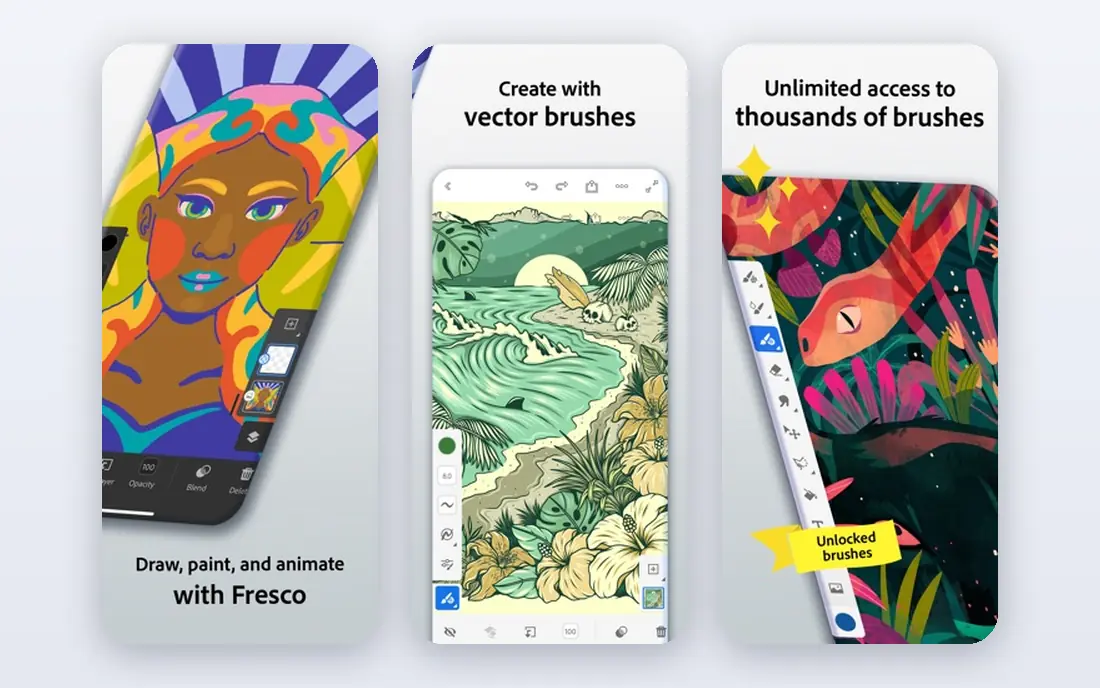
Adobe's product page calls Fresco a free, professional-level painting and drawing app, and it means it. In 2025 Adobe dropped the old Fresco Premium subscription, so the full app now costs nothing on iPad, iPhone and Windows.
Its standout feature is live brushes, which Adobe describes as watercolors and oils that bloom, blend and smudge like the real thing. You also get vector brushes for crisp, resizable lines, frame-by-frame animation and symmetry drawing.
The honest catch is platform coverage. There is no Android app, and Fresco feels most at home if you already use Photoshop or other Creative Cloud apps (Creative Cloud Pro is listed at US$69.99 per month, though you do not need it to use Fresco).
- Free with no layer limit
- Live brushes that blend like wet paint
- Vector and raster brushes in one app
- No Android version
- Works best inside the Adobe ecosystem
Krita
Ideal for: free painting software for desktop

When people ask for the best software for drawing on a PC without paying, Krita is our first answer. It is free and open source, and the download page lists installers for Windows, macOS and Linux, plus a Google Play version for Android tablets and Chromebooks. Version 5.3.4.1 was released on 7 October 2026.
Krita is a serious painting program, not a toy. It has many brush engines, layer types, wrap-around mode for textures and a built-in animation timeline. If you want to support development, paid store versions are sold on Steam, the Epic Games Store, the Microsoft Store and the Mac App Store, and they are the same app with automatic updates.
The download page states that iPads and iPhones are not supported. The interface is also dense, and new users often need a few tutorials before it feels comfortable.
- Free and open source under the GNU GPL
- Runs on Windows, macOS, Linux and Android
- Strong brush engines and animation tools
- No iPad or iPhone version
- Interface takes time to learn
ibis Paint X
Ideal for: drawing on a phone and sharing your process
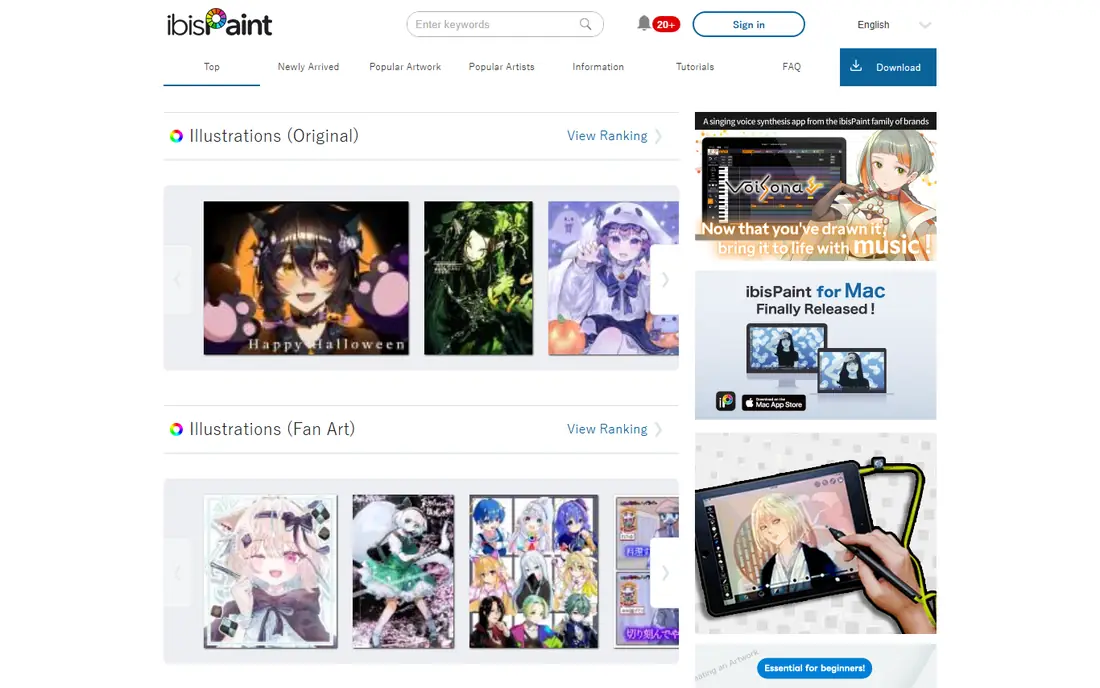
ibis Paint X is the drawing app we see recommended most often for phones, and its App Store numbers back that up. It is free on iPhone, iPad and Android, with a Mac version recently released, and it is built around recording your drawing process so you can share it.
The free version includes ads. On the US App Store, the Ad Removal Upgrade costs $15.99 once, and Premium Membership is $4.49 per month or $27.99 per year. The app also sells Smart Credits as separate in-app purchases.
The interface packs a lot onto a small screen, so it can feel busy. For a teenager or casual artist drawing on a phone, though, it is hard to beat for the price of zero.
- Very popular, with a 4.7 rating from over 300,000 App Store ratings
- Huge brush and font library
- Records drawing videos for sharing
- Free version shows ads
- Some features sit behind a subscription
Sketchbook
Ideal for: quick sketches with a clean screen

Sketchbook started life at Autodesk and is now run by Sketchbook, Inc. Its appeal is simplicity. The canvas fills the screen, the brushes feel like real pens and pencils, and guides and rulers are there when you need them.
The mobile app is free on iOS and Android, with a $2.99 Premium Bundle on the US App Store that adds advanced features. It holds a 4.8 rating from about 221,000 App Store ratings. A separate Sketchbook Pro is sold for macOS and Windows through the Mac App Store and Microsoft Store.
It is a sketching tool first. If you want heavy painting effects, comic panels or animation, other apps on this list go further.
- Clean interface that stays out of your way
- Free on iOS and Android
- Desktop Pro version for Mac and Windows
- Fewer painting effects than Procreate or Krita
- Slower feature updates than in the past
Infinite Painter
Ideal for: Android tablet painters who want a pro feel

If you are looking for the best drawing apps for Android tablets, Infinite Painter is our top pick. Its documentation says it runs on any Android tablet or phone (Android 9 or later for version 7), on Chromebooks, and on iPad and iPhone.
The free version costs nothing, and the Pro upgrade is a one-time purchase that covers future updates and all devices on the same platform. Google Play lists in-app purchases from $1.99 to $9.99 per item. We could not confirm a single official Pro price, so check the store listing before buying.
The downside is the split licensing. Buy Pro on Android and you will need to buy again on iPad.
- One of the most complete painting apps on Android
- Pro is a one-time purchase, not a subscription
- Works on phones, tablets and Chromebooks
- IOS and Android licenses are sold separately
- Pro price varies by store
MediBang Paint
Ideal for: free comic drawing across devices

MediBang Paint is a good free alternative to Clip Studio Paint for people who want to try making comics. It is free to download on Windows, Mac, iPad, iPhone and Android, and it includes comic tools and cloud saving so you can move between devices.
The paid tier, MediBang Premium, adds cloud storage and over 700 extra brushes. The official FAQ lists monthly plans from 350 yen, and the US App Store shows in-app prices starting at $2.99.
It is not as deep as Clip Studio Paint, and the free mobile app shows ads. For a beginner testing whether comics are their thing, it is a sensible, low-risk start.
- Free on Windows, Mac, iPad, iPhone and Android
- Comic tools and cloud saving
- Light enough for older devices
- Best extras need a Premium subscription
- Ads in the free mobile version
Concepts
Ideal for: designers, architects and product sketchers

Concepts is less about painting and more about thinking on paper. Its infinite canvas and editable vector strokes make it popular with designers who sketch layouts, products and floor plans.
The free Infinite Sketchbook includes basic brushes, five layers and JPG export. Pro costs $4.99 per month or $29.99 per year with a seven-day free trial, and one-time Essentials purchases range from $1.99 to $39.99 depending on which tools you add.
Painters will find it limited, and the pricing page takes some reading. For technical sketching, though, it is one of the best apps for drawing on a tablet.
- Infinite canvas with vector strokes you can edit later
- Free basic sketchbook
- Runs on iOS, Android, Windows and Chromebook
- Free version limited to five layers and JPG export
- Mix of subscription and one-time purchases is confusing
How we picked these
We did not run a long hands-on test. Instead, we compared each app's official product pages, pricing and plan pages, and its US App Store or Google Play listing in October 2026. We checked which platforms each app actually supports, whether there is a real free option, and how the paid model works (one-time purchase or subscription).
We also looked at public ratings on the app stores and at developer announcements, such as Celsys's 2026 price change and Adobe making Fresco free. Apps that were discontinued, unavailable in the US, or unclear about pricing were left out.
How to choose the right drawing app for you
Start with your device
Your hardware narrows the list fast. On iPad, Procreate, Fresco and Clip Studio Paint are the main contenders. On an Android tablet, look at Infinite Painter, ibis Paint X, Clip Studio Paint and Krita. On a Windows or Mac computer with a drawing tablet, Krita and Clip Studio Paint are the strongest choices.
Decide what you want to draw
Painting and illustration favor Procreate, Fresco and Krita. Comics and manga favor Clip Studio Paint and MediBang Paint. Design sketches and diagrams suit Concepts. Quick doodles on a phone suit ibis Paint X and Sketchbook.
Compare one-time and subscription costs
Procreate, Krita and Infinite Painter Pro avoid ongoing fees. Clip Studio Paint, ibis Paint X Premium and Concepts Pro offer monthly or yearly plans. Over two or three years, a one-time purchase is usually cheaper, but a subscription can make sense if you need cross-device access.
Check file export and portability
If you might change apps, make sure you can export layered PSD files. Most apps here support PSD, which keeps your layers intact when you move to another program.
Frequently asked questions
What's the best drawing app overall?
For iPad owners, our pick is Procreate because of its one-time $12.99 price and polished tools. If you are not on iPad or want something free, Krita on desktop and Adobe Fresco on iPad, iPhone or Windows are the best free choices.
What is the best drawing app for Android tablets?
We recommend Infinite Painter for painting and Clip Studio Paint for comics. ibis Paint X is a strong free option, and Krita also has an Android version on Google Play.
What is the best drawing app for a phone?
ibis Paint X is the most popular phone drawing app we found, with a 4.7 rating from more than 300,000 App Store ratings. Sketchbook is a cleaner alternative if you dislike busy screens. On iPhone, Procreate Pocket and Adobe Fresco are also good.
What are the best painting apps?
For realistic paint effects, Adobe Fresco's live brushes are the standout and they are free. Procreate and Krita are both excellent painting tools with large brush libraries.
What is the best software for drawing on a computer?
Krita is the best free drawing software for Windows, macOS and Linux. Clip Studio Paint is the best paid option, especially for comics, with a one-time license from US$63.00.
Are free drawing apps good enough for beginners?
Yes. Krita, Adobe Fresco, ibis Paint X, Sketchbook and MediBang Paint are all free and capable enough for learning. Spend money only once you know which features you miss.
Sources
- https://procreate.com/procreate
- https://apps.apple.com/us/app/procreate/id425073498
- https://apps.apple.com/us/app/procreate-pocket/id916366645
- https://www.clipstudio.net/en/
- https://www.clipstudio.net/en/purchase/
- https://www.celsys.com/en/topic/20260128
- https://www.adobe.com/products/fresco.html
- https://www.neowin.net/news/adobe-fresco-drawing-and-painting-app-is-now-completely-free-for-all-users/
- https://krita.org/en/
- https://krita.org/en/download/
- https://ibispaint.com
- https://apps.apple.com/us/app/ibis-paint-x/id450722833
- https://www.sketchbook.com
- https://apps.apple.com/us/app/sketchbook/id883738213
- https://docs.infinitestudio.art/painter/about/app/
- https://play.google.com/store/apps/details?id=com.brakefield.painter
- https://medibangpaint.com/en/
- https://medibangpaint.com/en/faq/1143
- https://concepts.app/en/