Best Dynamic Application Security Testing Tools in 2026: 8 Tools Compared

- OWASP ZAP and Nuclei give teams a free, open source starting point, while Burp Suite Professional remains the standard for hands-on testers.
- StackHawk and Beagle Security suit developer-led teams that want DAST inside CI/CD without a heavy enterprise rollout.
- Invicti, Acunetix, Checkmarx, and Rapid7 InsightAppSec target larger estates where proof-based results, compliance reporting, and scale matter most.
- Pricing models differ sharply: per user, per application, or per target, so compare cost at your real number of apps, not a single demo app.
Quick comparison
| Product | Ideal for | Price from | Free version | |
|---|---|---|---|---|
 OWASP ZAP | Free open source DAST | Free | Yes | Visit |
 Burp Suite Professional | Hands-on penetration testing | See website | Free trial | Visit |
 Invicti | Proof-based enterprise scanning | See website | No | Visit |
 Acunetix | Mid-size web app scanning | See website | Free trial | Visit |
 StackHawk | Developer-first CI/CD scanning | See website | Free trial | Visit |
 Beagle Security | Guided DAST with clear fixes | See website | Free trial | Visit |
 Rapid7 InsightAppSec | Rapid7 platform users | See website | Free trial | Visit |
 Nuclei | Template-based open source scanning | Free | Yes | Visit |
The best dynamic application security testing tools
Dynamic application security testing, or DAST, tests a running application from the outside, the way an attacker would, by sending requests and watching responses. It finds issues that only appear at runtime, such as injection flaws and broken authentication, and it works without access to source code. We compared official documentation, pricing pages, and public reviews, focusing on web and API coverage, CI/CD integration, and how usable the results are for developers.
OWASP ZAP
Ideal for: Free open source DAST

OWASP ZAP, often called ZAP, is the free open source DAST tool most teams start with, and it is far more capable than its price suggests. It can spider a site, run active scans, test APIs from OpenAPI definitions, and run in CI pipelines through its automation framework. For a small team or a security champion getting started, ZAP proves the value of DAST before any budget is requested.
The honest catch is tuning. Out of the box, ZAP can produce findings that need review, and authenticated scanning takes configuration work. There is also no vendor to call unless you pay for third-party support. Even so, for budget-conscious teams and for baseline scanning in CI, ZAP is an excellent pick, and it remains our pick for teams starting with DAST for free.
- Free and open source
- Strong automation and API support
- Large community and add-ons
- Results need tuning to reduce noise
- No vendor support contract by default
Burp Suite Professional
Ideal for: Hands-on penetration testing
Burp Suite Professional is the toolkit most professional testers reach for first. Its proxy lets a tester inspect and modify traffic, its repeater and intruder tools support manual attack work, and its scanner automates much of the routine checking. The extension store adds community tools for almost every testing niche, from API testing to specific vulnerability classes.
Burp is priced per user, so a large testing team faces a real bill, and new testers need time to learn the toolkit well. It is also primarily a tester tool rather than a fully automated fleet scanner, though Burp Suite Enterprise covers that use case. For hands-on testing and professional assessments, Burp Suite Professional remains the standard, and it is our pick for penetration testers.
- Industry-standard manual testing toolkit
- Powerful proxy, repeater, and scanner
- Large extension ecosystem
- Per-user pricing adds up for large teams
- Learning curve for new testers
Invicti
Ideal for: Proof-based enterprise scanning
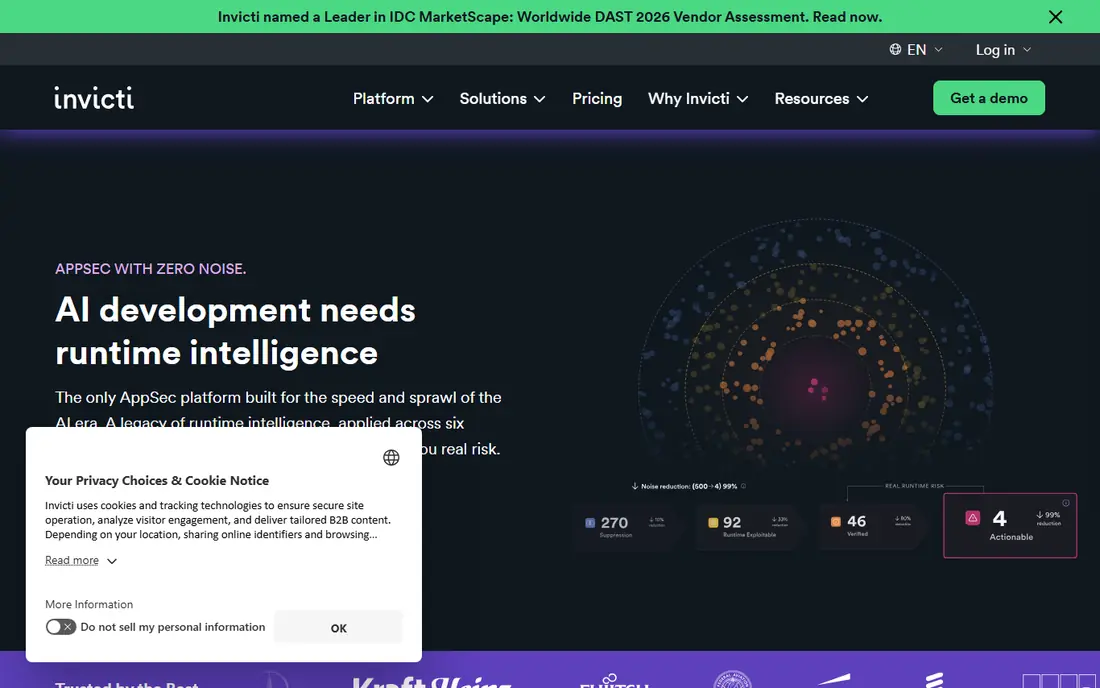
Invicti, which now includes the former Acunetix brand under one platform, focuses on proof-based scanning: when it reports a vulnerability, it tries to confirm it safely, so developers spend less time chasing false positives. That matters at enterprise scale, where triage time is often the real cost of a scanner. It covers web applications and APIs, integrates with CI/CD pipelines, and offers compliance-oriented reporting.
Pricing is quote-based and typically tied to targets, so costs rise with the number of applications scanned. Setup for a large estate also takes planning, including authenticated scan configuration. For large organizations that need accurate results across many applications, Invicti is a leading choice.
- Proof-based scanning reduces false positives
- Broad web and API coverage
- Strong enterprise reporting
- Quote-based enterprise pricing
- Implementation effort for large estates
Acunetix
Ideal for: Mid-size web app scanning
Acunetix has long been known for fast web scanning and clear reporting, with particular strength in content management systems such as WordPress. It runs on Windows, Linux, and macOS, and it suits mid-size teams that want a dedicated scanner without building a full AppSec platform around it. Reports are readable for developers and managers alike, which helps fixes actually get made.
Since Acunetix now sits within Invicti, buyers should confirm the current packaging and pricing for their use case, since the product line has changed over time. Per-target pricing still means costs grow with the application estate. For mid-size web estates, Acunetix remains a practical, well-regarded scanner.
- Fast scanning with clear reports
- Strong CMS and WordPress checks
- Cross-platform support
- Pricing is now tied to the wider Invicti platform
- Per-target costs scale with app count
StackHawk
Ideal for: Developer-first CI/CD scanning
StackHawk is designed for teams that want DAST to run like any other automated test: on every pull request, in CI, with findings developers can act on without a security degree. Configuration uses YAML files in the repo, scans run in Docker, and results link back to the code and requests involved. It supports modern APIs, including GraphQL and gRPC, which older scanners sometimes handle poorly.
StackHawk is not a replacement for a manual penetration test, and teams that need deep manual testing will still want Burp Suite alongside it. For developer-led teams shifting security left, though, StackHawk is one of the easiest DAST tools to adopt, and our pick for CI/CD-first teams.
- Built for CI/CD pipelines
- Developer-friendly findings
- API and GraphQL support
- Less suited to manual penetration testing
- Enterprise features need higher tiers
Beagle Security
Ideal for: Guided DAST with clear fixes
Beagle Security offers a managed-feeling DAST platform with clear remediation guidance, so smaller teams without a dedicated AppSec engineer can still run meaningful scans. It covers web applications and APIs, produces compliance-ready reports, and offers both automated and expert-assisted testing options. That guidance is the point: findings come with context on what to fix and why it matters.
The trade-off is vendor scale. Beagle is smaller than the enterprise giants, so large buyers should check integration coverage and support for their stack during a trial. Pricing is plan-based and varies with scope. For teams that want DAST with hand-holding rather than a raw scanner, Beagle is a strong fit.
- Guided, developer-friendly workflow
- Compliance-ready reports
- Managed testing options
- Smaller vendor than Invicti or Checkmarx
- Pricing varies by plan and scope
Rapid7 InsightAppSec
Ideal for: Rapid7 platform users
Rapid7 InsightAppSec scans web applications for vulnerabilities and ties results into the wider Rapid7 Insight platform, where teams may already manage vulnerability data and compliance work. It supports cloud and on-premises applications, authenticated scanning, and reporting mapped to common compliance frameworks. For a Rapid7 shop, that integration reduces console sprawl.
Pricing is typically per application, which can grow quickly for organizations with many small apps and microservices. Teams without a Rapid7 footprint may find a standalone DAST tool simpler. For existing Rapid7 customers, InsightAppSec is the natural DAST choice.
- Fits Rapid7 Insight platform workflows
- Cloud and on-premises scanning
- Compliance reporting
- Pricing per application can grow quickly
- Best value for existing Rapid7 customers
Nuclei
Ideal for: Template-based open source scanning
Nuclei, from ProjectDiscovery, takes a different approach: instead of a general crawler, it runs community-written templates that check for specific vulnerabilities, misconfigurations, and exposures. That makes it very fast for targeted checks across many targets, and the template library grows constantly as researchers contribute. It is free and open source, and it fits well into CI and continuous monitoring workflows.
The limitation is also the model. Nuclei checks what its templates describe, so it is not a full replacement for a crawling DAST scanner on a complex web app. Running it well at scale takes skill with templates and result triage. For security teams that want fast, customizable checks alongside a main DAST tool, Nuclei is an excellent free addition.
- Free and open source
- Huge community template library
- Very fast for targeted checks
- Template-based, so coverage depends on templates
- Needs skill to run well at scale
How we picked these
We compared official documentation, pricing pages, and public reviews for tools that test running web applications and APIs dynamically, excluding pure static analysis tools. We looked for web and API coverage, authenticated scanning, CI/CD integration, and result quality, including false positive handling. Where vendors do not publish prices, we marked pricing as quote-based rather than inventing figures.
What to check before you choose a DAST tool
Start by defining what you will scan. A single marketing site, a set of APIs, and a portfolio of hundreds of microservices need different tools and different pricing models, so count your applications and APIs before comparing prices. Check authenticated scanning carefully: many real vulnerabilities hide behind login, and a scanner that cannot handle your login flow will miss them.
Next, run a trial against a staging application and judge the results, not the marketing. Look at false positives, the clarity of fix guidance, and how easily findings reach developers through tickets or pull requests. Finally, confirm CI/CD support and scan speed, since a scanner that slows releases will be disabled by developers. A DAST tool only helps if it runs often and its findings get fixed.
Frequently asked questions
What is dynamic application security testing?
Dynamic application security testing, or DAST, tests a running application by sending requests to it and studying the responses, much like an attacker would. It finds runtime issues such as injection flaws, broken authentication, and exposed data, without needing source code access.
What is the best free DAST tool?
OWASP ZAP is the best-known free DAST tool, with broad web and API scanning, automation, and a large community. Nuclei is another strong free option for fast, template-based checks. Both need more tuning than paid tools, but they are capable starting points.
How is DAST different from SAST?
SAST analyzes source code without running the application, while DAST tests the running application from outside. SAST finds issues early in code, and DAST finds issues that only appear at runtime, so mature teams use both together.
Can DAST tools test APIs?
Yes, most modern DAST tools support API testing from OpenAPI definitions, and tools such as StackHawk, Invicti, and Burp Suite also cover GraphQL and other API styles. Check that your API authentication method is supported before buying.
How often should DAST scans run?
For most teams, DAST should run in CI on major changes and on a schedule, such as weekly, for production applications. High-risk applications may warrant continuous or daily scanning, while low-risk internal tools can be scanned less often.