Best Ecommerce Platform for SEO in 2026: 7 Platforms Compared

- 1
 WooCommerceContent-driven SEOVisit
- 2
 ShopifyHosted SEO basicsVisit
- 3
 BigCommerceBuilt-in SEO controlVisit
- 4
 Adobe CommerceLarge complex catalogsVisit
- 5
 WixSmall catalogsVisit
- WooCommerce is our pick for content-driven SEO, with full control over URLs, content and SEO plugins.
- Shopify suits stores that want strong hosted SEO basics with minimal technical work.
- BigCommerce offers strong built-in SEO controls without heavy plugin dependence.
- Adobe Commerce suits large, complex catalogs with a development team and a serious budget.
- Platform choice sets your SEO ceiling, not your ranking, so content, speed and site structure still decide results.
Quick comparison
| Product | Ideal for | Price from | Free version | |
|---|---|---|---|---|
| WooCommerce | Content-driven SEO | Free | Yes | Visit |
| Shopify | Hosted SEO basics | $39 per month | Free trial | Visit |
| BigCommerce | Built-in SEO control | $39 per month | Free trial | Visit |
| Adobe Commerce | Large complex catalogs | See website | No | Visit |
| Wix | Small catalogs | $17 per month | Free trial | Visit |
 Squarespace | Brand-led small stores | $16 per month | Free trial | Visit |
 PrestaShop | Self-hosted flexibility | Free | Yes | Visit |
The best ecommerce platform for SEO
An ecommerce platform shapes SEO through URL control, site speed, structured data, sitemaps, redirects and blogging. Some platforms give you full control and full responsibility, while others handle technical basics for you and limit deeper customization. The list below separates them by control level, so you can match the platform to your team and catalog size.
WooCommerce
Ideal for: Content-driven SEO
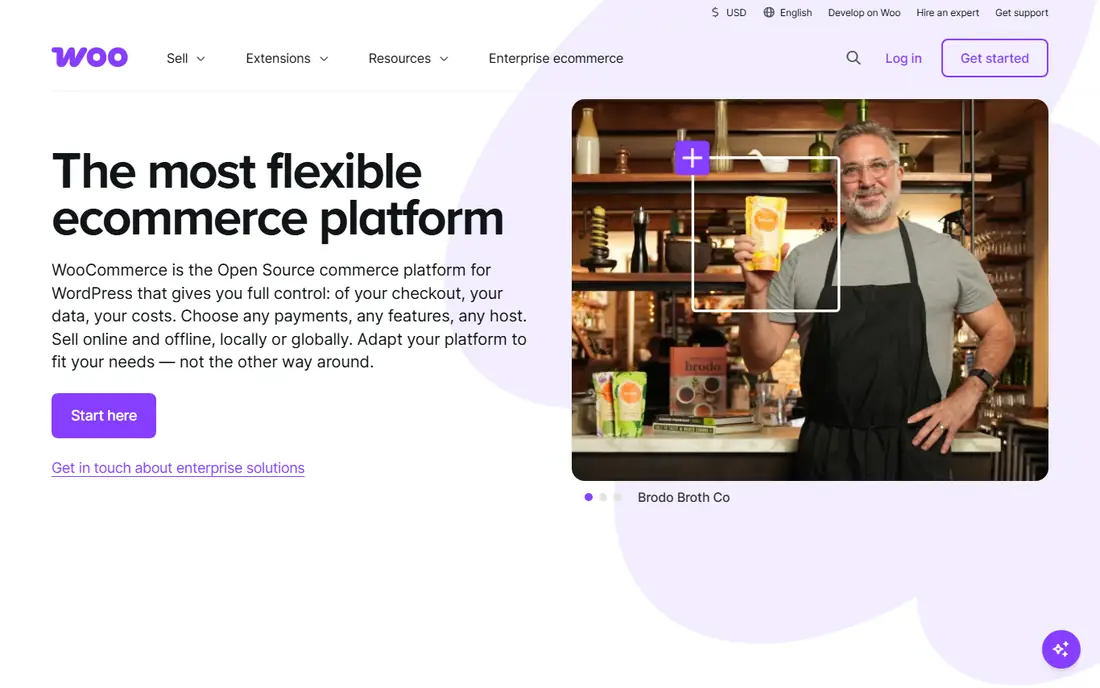
WooCommerce is our pick for stores where content drives SEO. Built on WordPress, it gives full control over URLs, metadata, redirects, robots files and structured data, with SEO plugins that cover technical details other platforms hide. Blogging is best in class, which matters for stores that rank through guides, comparisons and category content.
The trade-off is responsibility. Hosting, speed, security and updates are yours to manage, and a cheap host or a pile of plugins can hurt performance. For teams comfortable with WordPress, or willing to hire help for hosting, WooCommerce offers the highest SEO ceiling on this list.
- Full control over URLs, content and SEO plugins like Rank Math and Yoast
- Best-in-class blogging through WordPress
- No platform lock-in
- You own hosting, speed, security and updates
- Performance depends on hosting quality and plugin choices
Shopify
Ideal for: Hosted SEO basics

Shopify is the safest hosted choice for SEO. It handles hosting, speed, security and sitemaps for you, themes are mobile-friendly, and the app ecosystem covers SEO extras from structured data to redirects. For small and mid-size stores that want to focus on products rather than servers, Shopify removes a lot of technical risk.
URL control is the known limit. Shopify locks certain URL prefixes, and faceted navigation control is weaker than WooCommerce or Adobe Commerce. For most stores, those limits do not block good rankings, but large catalogs with complex filtering should test them before committing.
- Fast hosted performance with automatic sitemaps
- Solid SEO app ecosystem
- Reliable uptime and mobile themes
- Rigid URL structure with fixed prefixes
- Advanced SEO features often need apps or custom work
BigCommerce
Ideal for: Built-in SEO control

BigCommerce sits between WooCommerce control and Shopify simplicity. It offers customizable URLs, built-in structured data, blogging and redirect tools without requiring as many apps, which keeps the stack cleaner. Hosted performance is strong, and B2B features suit wholesalers selling online.
The ecosystem is smaller than Shopify, so niche apps and themes take more searching. Pricing tiers also rise with sales volume, which can surprise growing stores. For mid-market brands that want built-in SEO strength without managing WordPress, BigCommerce is a strong pick.
- Strong built-in SEO controls with less app dependence
- Customizable URLs and structured data
- Fast hosted performance
- Smaller app and theme ecosystem than Shopify
- Revenue-based pricing tiers can push costs up as sales grow
Adobe Commerce
Ideal for: Large complex catalogs
Adobe Commerce, formerly Magento, is the enterprise answer for complex catalogs. It gives full control over URL structures, canonical tags, layered navigation, redirects and multi-store setups, which large catalogs and B2B sellers need. Customization runs deep, and the platform scales to very large product ranges.
The cost is real. Development, hosting and maintenance require a team and a budget, and the open-source version still needs hosting and care. Adobe Commerce suits enterprises with complex needs, not small stores looking for a quick setup.
- Maximum control over URLs, metadata, canonicals and layered navigation
- Handles large, complex B2B catalogs
- Deep customization
- Needs a development team and a serious budget
- Open-source version still requires hosting and maintenance
Wix
Ideal for: Small catalogs
Wix suits beginners and small retailers who want SEO basics handled for them. Guided SEO tools walk you through metadata, sitemaps and mobile readiness, and store setup is fast. For a small catalog with simple needs, Wix covers the fundamentals without technical work.
Scale is the limit. Large catalogs, complex filtering and advanced technical SEO hit ceilings sooner than on WooCommerce or BigCommerce, and leaving Wix means rebuilding elsewhere. For a small store starting out, Wix is a friendly first platform, with a plan to reassess as the catalog grows.
- Beginner-friendly SEO setup with guided tools
- Automatic sitemaps and metadata editing
- Easy store building
- Technical SEO ceiling is lower as catalogs scale
- Platform lock-in makes migration harder
Squarespace
Ideal for: Brand-led small stores
Squarespace suits design-led small stores where brand and content matter more than catalog complexity. Templates look polished, metadata editing is straightforward, and blogging supports content-led SEO for small ranges. SSL, mobile responsiveness and automatic sitemaps come included.
Technical control is limited. You cannot edit robots files or sitemaps directly, and large catalogs will outgrow the platform sooner than on Shopify or BigCommerce. For a small, beautiful store with a modest catalog, Squarespace covers SEO basics well.
- Clean design and solid SEO basics
- Easy metadata editing
- Good blogging for brand-led stores
- Cannot edit robots files or sitemaps directly
- Limited catalog-scale SEO control
PrestaShop
Ideal for: Self-hosted flexibility
PrestaShop is the open-source alternative for teams that want self-hosted control without WordPress. It offers SEO-friendly URLs, metadata control, multilingual support and a large module marketplace, with strong adoption in European markets. For international stores with technical help, it is a flexible and low-license-cost option.
Hosting, security and updates are your responsibility, and module quality varies, so vet add-ons carefully. PrestaShop suits technically confident teams, especially outside the US, who want control and international features without Adobe Commerce costs.
- Free open-source platform with strong SEO controls
- Good multilingual and international support
- Large module marketplace
- Needs technical skills for hosting and maintenance
- Quality varies across third-party modules
How we picked these
We compared official platform pages, SEO feature documentation and public reviews for ecommerce platforms available to US sellers in October 2026. We kept platforms covering distinct control levels, from fully hosted to self-hosted open source, and we checked starting prices as vendors state them. We did not claim hands-on testing, and we did not rank platforms on user counts or review scores.
How to choose the right platform for SEO
Test the three things that matter most before committing: can you edit a product URL, set a custom canonical tag, and create a 301 redirect easily? If any of those is locked or buried, your SEO ceiling is lower than the feature page suggests. Then check blogging, since content-driven SEO needs a real blog, not an afterthought.
Next, weigh control against responsibility. Self-hosted platforms offer the highest ceiling but demand hosting and maintenance skills, while hosted platforms handle technical basics and limit deeper control. Match the platform to your team, not to a ranking, and remember that content quality, page speed and internal linking decide rankings far more than platform choice alone.
A practical SEO test for any platform is to check how much control you get over the details that search engines actually read, such as title tags, meta descriptions, canonical tags, structured data and URL structure. Platforms that lock those settings behind apps or themes can slow down optimization work for years. Also test page speed on a realistic product page with images, since a fast, well-structured page helps both rankings and conversion, and speed problems are harder to fix after launch.
Migration planning deserves attention too, since moving platforms can lose rankings if redirects, URL structure and structured data are not handled carefully. Before migrating, export a full list of indexed URLs, map each one to its new address, and test the redirect plan on a staging site. After launch, monitor Search Console for crawl errors daily for the first month, since early fixes prevent a temporary dip from becoming a lasting loss.
Frequently asked questions
Which ecommerce platform is best for SEO?
WooCommerce offers the most SEO control, especially for content-driven stores, while Shopify and BigCommerce offer strong hosted SEO basics. The best platform depends on your catalog size, technical skills and whether content or catalog complexity drives your SEO strategy.
Is Shopify good for SEO?
Yes, for most small and mid-size stores. Shopify handles hosting, speed, sitemaps and mobile themes well, with a strong SEO app ecosystem. Its limits are rigid URL prefixes and weaker faceted navigation control, which matter most for very large catalogs.
Is WooCommerce free?
The WooCommerce plugin itself is free, but hosting, a domain, themes and some extensions cost money. Total costs vary with hosting quality, and a good host matters for speed, which affects SEO. Budget for hosting as part of the platform cost, not as an afterthought.
Do I need SEO plugins for WooCommerce?
Plugins like Yoast SEO or Rank Math help with metadata, sitemaps, structured data and content analysis, but they do not replace good content and site structure. Use one SEO plugin, configure it properly, and avoid stacking multiple SEO plugins that conflict.
Can I migrate my store to another platform later?
Yes, but migration takes planning, with URL redirects, content transfer and SEO checks needed to protect rankings. Hosted platforms make export harder than open-source platforms, so check export options before committing to a platform you may outgrow.