Best Electronic Signature Software in 2026: 8 Tools Compared

- 1
 DocuSignEnterprise agreementsVisit
- 2
 Adobe Acrobat SignPDF workflowsVisit
- 3
 Dropbox SignDropbox usersVisit
- 4
 PandaDocSales documentsVisit
- 5
 airSlate SignNowBudget teamsVisit
- DocuSign leads for enterprise agreement management, used by 95 percent of the Fortune 500.
- Adobe Acrobat Sign suits teams that already work in PDFs and Adobe tools, with more than 8 billion documents signed.
- Dropbox Sign suits Dropbox and Google Drive users, starting at 15 USD per user per month billed yearly.
- PandaDoc suits sales teams that want proposals, contracts and payments in one document workflow.
- SignNow suits budget-conscious teams, with unlimited users on all plans and enterprise from 30 USD per month.
- Zoho Sign suits Zoho users and individuals, with a free plan for up to five documents per month.
- Signeasy suits mobile-first teams, trusted by more than 48,000 businesses with unlimited envelopes.
- eSignatures.com suits pay-per-use teams, at 0.49 USD per contract with no monthly fees.
- Legality varies by country and document type, so check your local rules for high-value or regulated agreements.
Quick comparison
| Product | Ideal for | Price from | Free version | |
|---|---|---|---|---|
| DocuSign | Enterprise agreements | See website | No | Visit |
| Adobe Acrobat Sign | PDF workflows | See website | No | Visit |
| Dropbox Sign | Dropbox users | $15 per user per month, billed yearly | No | Visit |
| PandaDoc | Sales documents | See website | No | Visit |
| airSlate SignNow | Budget teams | See website | No | Visit |
 Zoho Sign | Zoho users | See website | Yes, 5 documents per month | Visit |
 Signeasy | Mobile signing | See website | No | Visit |
 eSignatures.com | Pay-per-use signing | $0.49 per contract | No | Visit |
The best electronic signature software
Electronic signature software lets people sign documents online with legally binding signatures, audit trails and tracking, replacing printing, scanning and mailing. The tools below differ on price model, document features and integrations, so the best pick depends on your volume, your existing tools and whether you need proposals, payments or full contract management. We checked each tool's official homepage before listing it.
DocuSign
Ideal for: Enterprise agreements
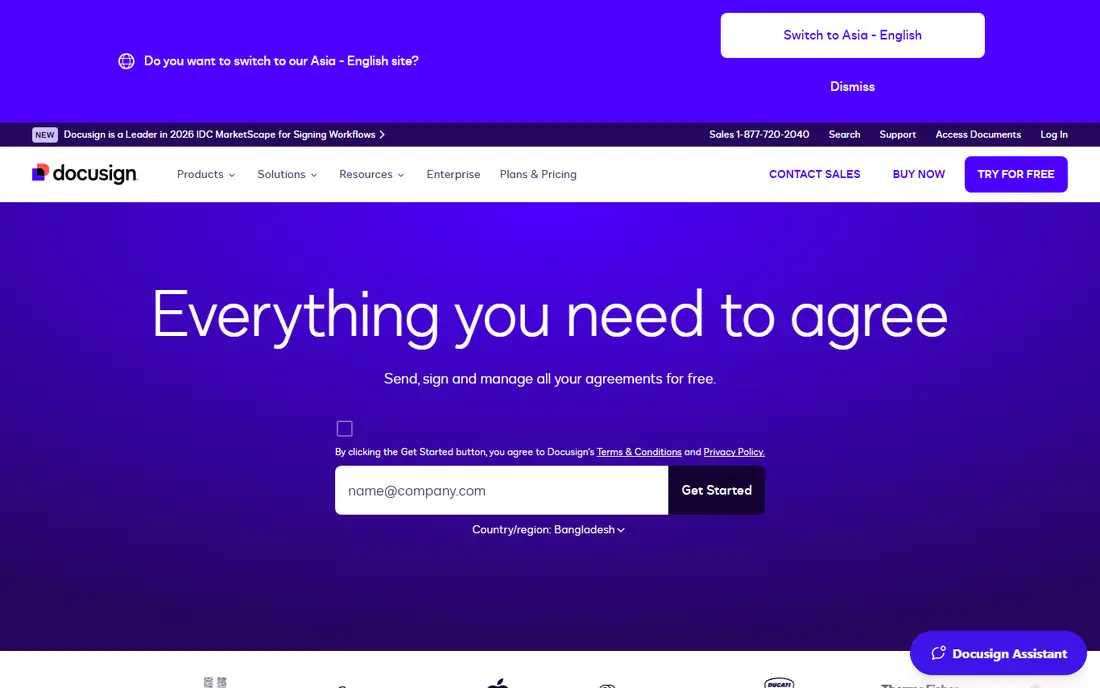
DocuSign is the most widely adopted electronic signature platform, and its current focus is Intelligent Agreement Management: AI analyzes agreements, turns signed agreements into data-rich assets, and automates workflows without coding. Senders can collect signatures from almost any device, deliver to signers through email, text or WhatsApp, verify signer information in real time and track renewals and payment terms from a central repository. Its App Center offers more than 1,000 partner integrations.
DocuSign suits enterprises and growing companies that manage many agreements and want AI, workflows and contract lifecycle management in one platform. Its scale and compliance record make it the safe default for legal, sales and procurement teams. Smaller teams that only need occasional signing may find it more than they need, but for agreement-heavy organizations DocuSign leads.
- Intelligent Agreement Management platform with AI analysis, workflow builder and CLM
- 1.9 million customers and 1 billion people using DocuSign
- 95 percent of Fortune 500 companies use it
- 44 signer languages
- Strong compliance certifications including ISO 27001 and FedRAMP
- Enterprise breadth and pricing can exceed small-team needs
- Advanced features need higher tiers
Adobe Acrobat Sign
Ideal for: PDF workflows
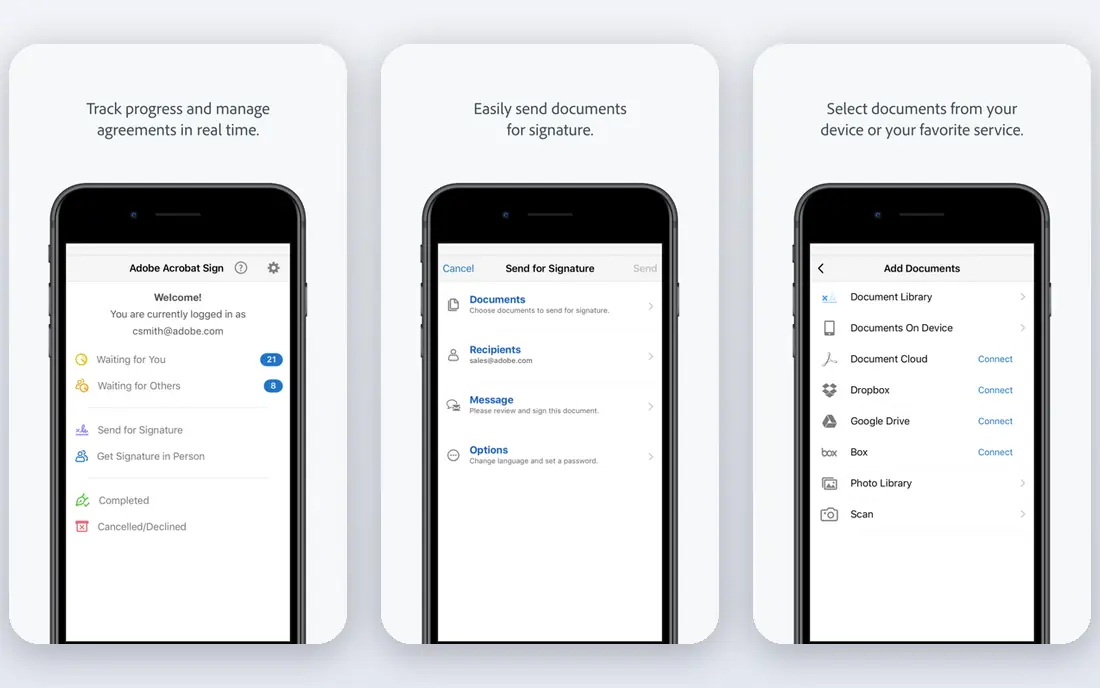
Adobe Acrobat Sign brings e-signatures into Acrobat, so teams can send documents for signature directly from Acrobat on desktop or mobile, send to multiple signers at once, track requests with audit trails and real-time visibility, and store signed documents in Adobe Document Cloud or integrated Box, Dropbox, Google Drive or Microsoft OneDrive. Acrobat for teams plans offer no usage caps on e-signatures, and AI features in Acrobat Studio and Express summarize documents and answer questions with citations.
Adobe suits teams that already live in PDFs and Adobe tools, or that need PDF editing, form creation and signing in one place. Its standalone Sign solution suits medium and large businesses needing unlimited seats, strong integrations and industry-ready compliance. If you rarely touch PDFs, a lighter signing tool may be simpler, but for PDF-heavy workflows Adobe is a natural fit.
- Built into Acrobat with full PDF tools
- Standalone Acrobat Sign offers unlimited seats for medium and large businesses
- More than 8 billion documents signed
- Integrations with Microsoft Word, Teams, Salesforce and Workday
- Pricing and plan structure can be confusing, with Acrobat bundles versus standalone Sign
- Cancellation fee terms apply after trial
Dropbox Sign
Ideal for: Dropbox users
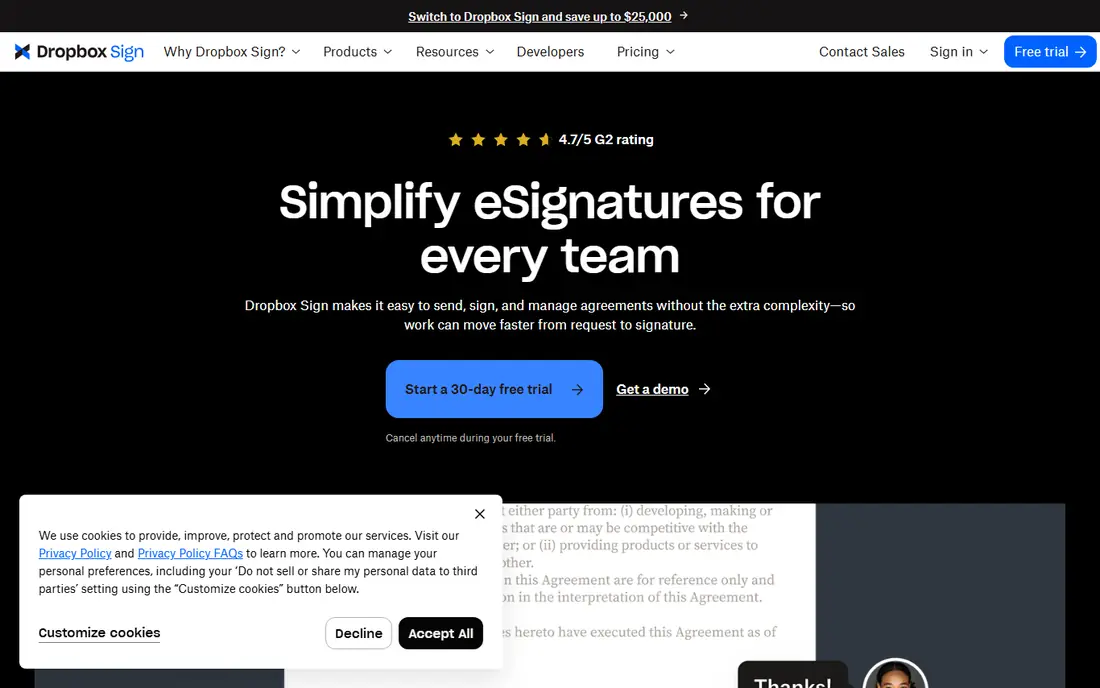
Dropbox Sign, formerly HelloSign, offers an easier way to manage agreements, fitting into existing workflows with signature requests sent from Dropbox or other everyday tools, fast setup in minutes, and support across departments for sales contracts, NDAs, offer letters and creative approvals. It connects with Dropbox, Google Drive, Salesforce, OneDrive and more, and completed copies save automatically.
Dropbox Sign suits teams that already store files in Dropbox or Google Drive and want signing without a new document system. Its 15 USD per user per month starting price is clear and competitive for small teams, and its API suits developers embedding signing into websites and apps. For proposal creation and payments, PandaDoc offers more, but for straightforward signing Dropbox Sign is easy to adopt.
- Send signature requests from Dropbox or everyday tools
- Starts at 15 USD per user per month billed yearly
- API from 75 USD per 50 requests per month billed yearly
- 4.7 out of 5 G2 rating
- Enterprise-grade security and audit trails
- Fewer document-creation features than PandaDoc
- API pricing is separate from seat pricing
PandaDoc
Ideal for: Sales documents
PandaDoc covers the full document journey: create proposals and contracts, approve them, track them, collect e-signatures and take payments, all in one solution. Its homepage stresses secure, legally binding signatures with E-SIGN, UETA and HIPAA compliance, SOC 2 certification, SSO and granular document and workspace permissions through its API. Integrations with HubSpot and other CRMs let sales teams pull CRM data directly into documents.
PandaDoc suits sales, marketing and operations teams that send proposals and contracts daily and want tracking, payments and CRM data in the same tool. Its document-first design saves time on creation, not just signing. Teams that only need occasional signatures may prefer a cheaper pure-signing tool, but for deal workflows PandaDoc is a leading choice.
- Complete document management from creation to signature to payment
- E-SIGN, UETA and HIPAA compliant with SOC 2 certification
- SSO and a strong API
- HubSpot integration praised by customers, with 92 percent reduction in proposal creation time stated for one customer
- Broader than pure signing, so pricing reflects document features
- Best value for sales and proposal teams
airSlate SignNow
Ideal for: Budget teams
airSlate SignNow positions itself on value: unlimited users on all plans, no overcharges for extra sends or templates, and honest pricing without hidden renewal fees. Its homepage highlights a 7-day free trial, an intuitive interface where newcomers can send a first document in minutes, role-based routing, reusable templates with fillable fields, team collaboration, custom branding and an API for embedding signing into websites, CRMs and apps. Its comparison chart puts its enterprise plan at 30 USD per month with bulk sending from Business Premium at 15 USD per month.
SignNow suits small and midsize businesses that want organization-wide signing without per-user fees, and teams that send many documents. Unlimited users is a real differentiator: most competitors charge per seat, which discourages wide adoption. For enterprises needing deep CLM, DocuSign offers more, but for value and ease SignNow is hard to beat.
- Unlimited users at no additional cost on all plans
- Free 7-day trial
- Unlimited templates
- Conditional workflows
- Password and two-factor signer authentication
- Enterprise plan from 30 USD per month
- Compliance with GDPR, SOC 2 Type II, PCI DSS, 21 CFR Part 11 and HIPAA
- Brand is less recognized than DocuSign and Adobe
- Some advanced features need enterprise tier
Zoho Sign
Ideal for: Zoho users
Zoho Sign is a complete digital signature app for business signatories, distinguishing electronic signatures (a digital image of a handwritten signature) from digital signatures (cryptographic signatures backed by a digital certificate proving identity). It claims 80 percent faster document turnaround, 30 USD saved per envelope and 50 hours saved per employee on average, with custom branding, bulk send, reusable templates, qualified electronic signatures for high-value regulated transactions, SignForms for code-free self-service signing, blockchain timestamping and payment collection. Its free plan lets individuals send or sign up to five documents each month.
Zoho Sign suits individuals who sign occasionally and Zoho users who want signing inside Zoho CRM, Books and other Zoho apps, plus API automation. Its free plan is genuinely useful for low volume, and its qualified signatures suit regulated transactions. Teams outside Zoho should compare its paid pricing with Dropbox Sign and SignNow, but for Zoho shops and occasional signers Zoho Sign is a strong pick.
- Free plan for individuals sending up to five documents per month
- Qualified electronic signatures with QTSP certificates
- SignForms for self-service signing by URL
- Blockchain timestamping
- Payments collection
- AES-256 encryption at rest and SSL/TLS in transit
- Paid plan prices not shown on the homepage
- Best value inside the Zoho ecosystem
Signeasy
Ideal for: Mobile signing
Signeasy offers intelligent contract management for teams that need e-signatures, a contract repository, renewal reminders and AI insights, with signing on mobile, web and API. Its homepage calls it the easiest way to sign, send, store and manage contracts, with no hidden fees, responsive human support, unlimited envelopes, integrations with Google, Microsoft and HubSpot, and a developer-friendly API for embedded signing. It holds 4.7 out of 5 ratings on G2 and Capterra.
Signeasy suits mobile-first teams and small businesses that want simple, unlimited-envelope signing with contract storage and renewal tracking, without enterprise complexity. Its human support and clear pricing appeal to teams frustrated by per-envelope fees. For deep contract lifecycle management, DocuSign and PandaDoc offer more, but for everyday signing Signeasy is an easy, well-rated choice.
- Trusted by more than 48,000 businesses
- Unlimited envelopes
- No hidden fees
- Responsive human support
- Mobile, web and API signing
- Contract repository, renewal reminders and AI insights
- Compliance with ESIGN, UETA, eIDAS, SOC 2, GDPR, HIPAA and 21 CFR Part 11
- Price range of 10 to 30 USD shown on its site lacks plan detail
- Smaller than DocuSign and Adobe for enterprise CLM
eSignatures.com
Ideal for: Pay-per-use signing
eSignatures.com takes a different pricing model: pay only for the contracts you send, at 0.49 USD per contract, with no monthly fees, no seat fees and no envelope caps, and credits that never expire. Its contracts are mobile-first responsive pages rather than static PDFs, so signers read and tap fields without pinch-zooming, and its API, Zapier integration, contract links, bulk sending, SMS delivery, live photo ID verification and two-factor verification are included for every customer. It supports 26 languages, lets you choose data centres in the US, Canada, EU, UK or Australia, and offers ChatGPT and Claude connectors plus MCP for AI agents.
eSignatures.com suits teams with irregular volume, where a monthly subscription wastes money, and teams that send contracts by mobile. Its transparent pricing and included features make costs predictable. The trade-off is signature level: it offers simple electronic signatures under eIDAS, not advanced or qualified, so regulated high-assurance transactions may need Zoho Sign or Adobe instead. For most business contracts, though, its model is the simplest here.
- Flat 0.49 USD per contract with no monthly fees, no usage limits and all features included
- Mobile-first responsive contracts instead of PDFs
- ISO 27001 certified
- Legally binding under US ESIGN and UETA, EU eIDAS, UK, Canada, Australia and more
- Bulk discount and 40 percent off for non-profits
- Simple electronic signatures only under eIDAS, not advanced or qualified
- PDF-based workflows need conversion to its template format
How we picked these
We compared official homepages, pricing models, legal compliance, audit trails, integrations and signing experience, favoring tools that are actively developed and legally valid in major markets. We covered enterprise platforms, PDF tools, Dropbox integration, sales documents, budget signing, free individual use, mobile signing and pay-per-use pricing, because the best tool depends on volume, existing software and document needs. We checked each vendor's own site before listing it.
How to choose electronic signature software
Start with your volume and price model. Low or irregular volume suits eSignatures.com at 0.49 USD per contract or Zoho Sign's free five documents per month. Regular team signing suits Dropbox Sign at 15 USD per user per month or SignNow with unlimited users. High-volume enterprise agreements suit DocuSign or Adobe, where platform breadth justifies the cost.
Next, check legality for your documents. Most business contracts are valid with electronic signatures under US ESIGN and UETA and EU eIDAS, but wills, some real estate transfers and other regulated documents may need qualified signatures or wet ink in some countries. For high-value regulated transactions, choose a tool with qualified signatures such as Zoho Sign, or confirm your tool's level with counsel before relying on it.
Finally, test the signer experience and integrations. Send a real document through trial, check how it looks on mobile, whether signers complete it without help, and whether signed copies land in your CRM or storage automatically. A tool your signers finish quickly will save more time than a feature-rich tool they abandon, so trial with your actual documents before committing.
Frequently asked questions
Are electronic signatures legally binding?
Yes, for most business and personal transactions in most countries, under laws such as the US ESIGN Act and UETA and the EU eIDAS Regulation. Exceptions exist for some document types and countries, so check local rules for wills, real estate and other regulated documents before relying on electronic signatures.
What is the difference between an electronic signature and a digital signature?
An electronic signature is any sound, symbol or process attached to a record with intent to sign, such as a typed name or drawn signature. A digital signature uses cryptographic techniques backed by a digital certificate to prove identity, as Zoho Sign explains, and qualified digital signatures offer the highest assurance for regulated transactions.
Which electronic signature software is free?
Zoho Sign offers a free plan for individuals allowing up to five documents per month. Most other tools offer free trials, such as SignNow's 7-day trial, but not ongoing free plans, so check trial terms before choosing.
How much does electronic signature software cost?
Prices vary by model: Dropbox Sign starts at 15 USD per user per month billed yearly, eSignatures.com charges 0.49 USD per contract with no monthly fee, and DocuSign, Adobe, PandaDoc, SignNow and Signeasy price by plan, so check each vendor's pricing page for your user count and volume.
Can I collect payments with electronic signature software?
Yes, several tools combine signing and payments. PandaDoc covers creation to signature to payment in one workflow, SignNow collects payments on its enterprise plan, and Zoho Sign offers payment collection alongside signing, so you can get signatures and payment in the same document.
Do signers need an account to sign?
No, signers generally do not need an account. They receive a link by email or SMS, review the document, fill required fields and sign in a browser, and all parties receive a completed copy with the audit trail. Some tools add two-factor verification or photo ID checks for higher assurance.