Best Employee Computer Monitoring Software in 2026: 8 Compared

- 1
 Teramindemployers that need detailed activity and security monitoringVisit
- 2
 ActivTrakmanagers who want productivity insights without screenshotsVisit
- 3
 Hubstaffremote teams that track time and activityVisit
- 4
 Time Doctorremote teams that want time and productivity trackingVisit
- 5
 Insightfulteams that want employee monitoring with productivity reportsVisit
- Our pick for most buyers is Teramind, because it covers employers that need detailed activity and security monitoring with a broad feature set and clear reporting.
- For a lower cost start, compare Time Doctor and ActivTrak first, since trial availability and entry pricing differ by plan, and a short trial can help you test core workflows before paying.
- Hubstaff is the strongest choice when you need deeper enterprise controls, while Controlio suits smaller teams that want a simpler setup.
- Pricing is mostly quote based in this market, so ask each vendor for total cost, contract length, and what is included before you decide.
Quick comparison
| Product | Ideal for | Price from | Free version | |
|---|---|---|---|---|
| Teramind | employers that need detailed activity and security monitoring | See website | Free trial | Visit |
| ActivTrak | managers who want productivity insights without screenshots | See website | Yes | Visit |
| Hubstaff | remote teams that track time and activity | See website | Free trial | Visit |
| Time Doctor | remote teams that want time and productivity tracking | See website | Free trial | Visit |
| Insightful | teams that want employee monitoring with productivity reports | See website | Free trial | Visit |
 Controlio | employers that want real time monitoring and alerts | See website | Free trial | Visit |
 DeskTime | small teams that want simple time and productivity tracking | See website | Free trial | Visit |
 Monitask | small teams that want affordable monitoring | See website | Free trial | Visit |
The best employee computer monitoring software
We compared official feature pages, pricing pages, app store listings, privacy policies, and public reviews for employee computer monitoring software, and we ranked these eight options on fit for the topic, breadth of features, ease of use, and value. No option here is perfect for every buyer, so use the notes below to match a tool to your team size, budget, and existing systems. Disclaimer: Tell employees what is monitored, follow local and state law, and limit monitoring to work systems and work time where possible.
Teramind
Ideal for: employers that need detailed activity and security monitoring
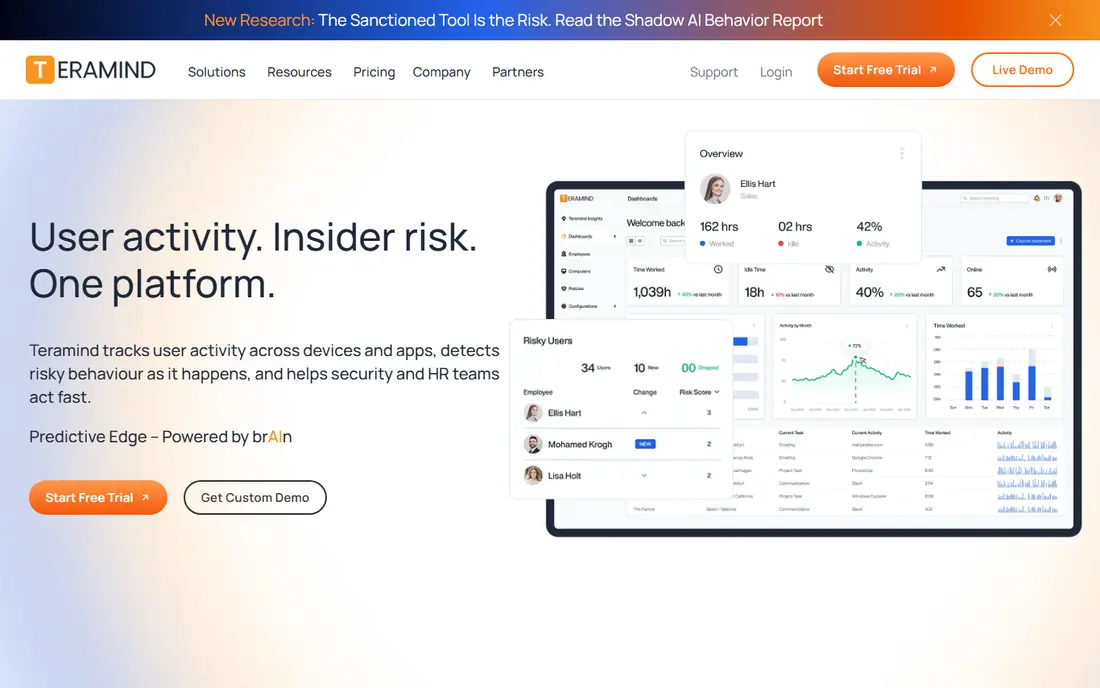
For employers that need detailed activity and security monitoring, Teramind is a strong place to start. Its main strength is activity monitoring and alerts. We compared its official feature page, pricing page, and public reviews with the other options here, and Teramind stood out for insider risk tools. In practice, that matters most for teams that need employers that need detailed activity and security monitoring without adding a separate tool for every step, and it helps explain why Teramind keeps appearing on shortlists for employee computer monitoring software. The catch is privacy concerns need clear policies. Pricing is listed as See website, with a free plan status of Free trial. Before you commit, check contract terms, integration options, support hours, and data handling on the official site, because those details change how well Teramind fits a team that already uses other tools. A short trial with real data will tell you more than any feature list, so run your own most common workflow before you sign a longer contract.
- Activity monitoring and alerts
- Insider risk tools
- Reporting
- Privacy concerns need clear policies
- Pricing per user
ActivTrak
Ideal for: managers who want productivity insights without screenshots
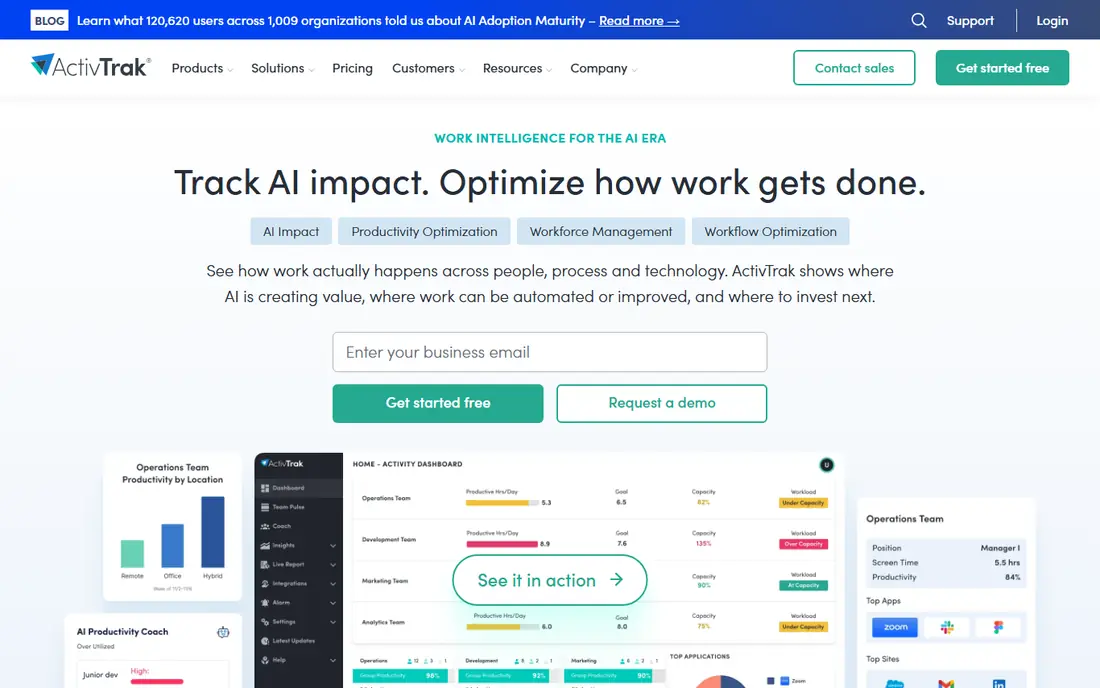
If managers who want productivity insights without screenshots is your main need, ActivTrak deserves a close look. Its main strength is productivity analytics. We compared its official feature page, pricing page, and public reviews with the other options here, and ActivTrak stood out for app usage reports. In practice, that matters most for teams that need managers who want productivity insights without screenshots without adding a separate tool for every step, and it helps explain why ActivTrak keeps appearing on shortlists for employee computer monitoring software. The catch is screenshot tools are limited by design. Pricing is listed as See website, with a free plan status of Yes. Before you commit, check contract terms, integration options, support hours, and data handling on the official site, because those details change how well ActivTrak fits a team that already uses other tools. A short trial with real data will tell you more than any feature list, so run your own most common workflow before you sign a longer contract.
- Productivity analytics
- App usage reports
- Free starter plan
- Screenshot tools are limited by design
- Advanced features need paid plans
Hubstaff
Ideal for: remote teams that track time and activity
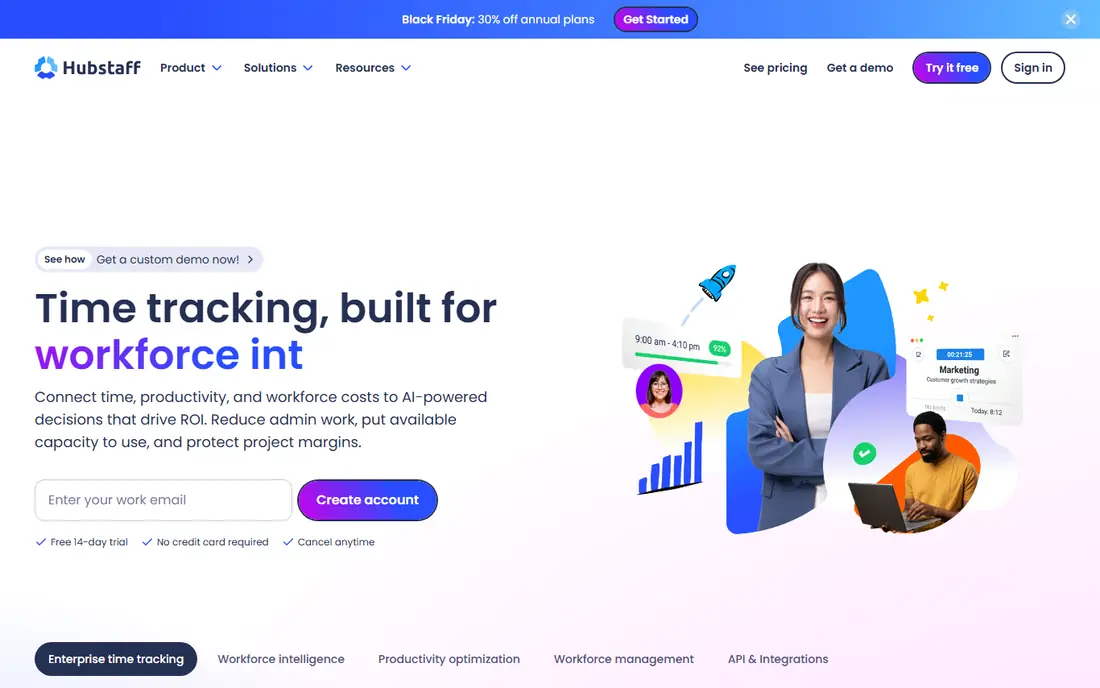
Hubstaff is built around remote teams that track time and activity, and that focus shows in daily use. Its main strength is time tracking and screenshots. We compared its official feature page, pricing page, and public reviews with the other options here, and Hubstaff stood out for payroll links. In practice, that matters most for teams that need remote teams that track time and activity without adding a separate tool for every step, and it helps explain why Hubstaff keeps appearing on shortlists for employee computer monitoring software. The catch is monitoring features can feel intrusive. Pricing is listed as See website, with a free plan status of Free trial. Before you commit, check contract terms, integration options, support hours, and data handling on the official site, because those details change how well Hubstaff fits a team that already uses other tools. A short trial with real data will tell you more than any feature list, so run your own most common workflow before you sign a longer contract.
- Time tracking and screenshots
- Payroll links
- Activity levels
- Monitoring features can feel intrusive
- Per user pricing
Time Doctor
Ideal for: remote teams that want time and productivity tracking
Teams that need remote teams that want time and productivity tracking will find Time Doctor a practical option. Its main strength is time tracking. We compared its official feature page, pricing page, and public reviews with the other options here, and Time Doctor stood out for screenshots. In practice, that matters most for teams that need remote teams that want time and productivity tracking without adding a separate tool for every step, and it helps explain why Time Doctor keeps appearing on shortlists for employee computer monitoring software. The catch is privacy policies need care. Pricing is listed as See website, with a free plan status of Free trial. Before you commit, check contract terms, integration options, support hours, and data handling on the official site, because those details change how well Time Doctor fits a team that already uses other tools. A short trial with real data will tell you more than any feature list, so run your own most common workflow before you sign a longer contract.
- Time tracking
- Screenshots
- Payroll and project tools
- Privacy policies need care
- Interface feels dated
Insightful
Ideal for: teams that want employee monitoring with productivity reports
Insightful stands out first for teams that want employee monitoring with productivity reports, which is why it earns a place here. Its main strength is monitoring and productivity reports. We compared its official feature page, pricing page, and public reviews with the other options here, and Insightful stood out for attendance. In practice, that matters most for teams that need teams that want employee monitoring with productivity reports without adding a separate tool for every step, and it helps explain why Insightful keeps appearing on shortlists for employee computer monitoring software. The catch is stealth mode needs legal review. Pricing is listed as See website, with a free plan status of Free trial. Before you commit, check contract terms, integration options, support hours, and data handling on the official site, because those details change how well Insightful fits a team that already uses other tools. A short trial with real data will tell you more than any feature list, so run your own most common workflow before you sign a longer contract.
- Monitoring and productivity reports
- Attendance
- Stealth options raise policy questions
- Stealth mode needs legal review
- Pricing per user
Controlio
Ideal for: employers that want real time monitoring and alerts
When employers that want real time monitoring and alerts matters most, Controlio is worth testing in a trial. Its main strength is real time screens. We compared its official feature page, pricing page, and public reviews with the other options here, and Controlio stood out for activity reports. In practice, that matters most for teams that need employers that want real time monitoring and alerts without adding a separate tool for every step, and it helps explain why Controlio keeps appearing on shortlists for employee computer monitoring software. The catch is privacy impact is high. Pricing is listed as See website, with a free plan status of Free trial. Before you commit, check contract terms, integration options, support hours, and data handling on the official site, because those details change how well Controlio fits a team that already uses other tools. A short trial with real data will tell you more than any feature list, so run your own most common workflow before you sign a longer contract.
- Real time screens
- Activity reports
- Alerts
- Privacy impact is high
- Needs clear employee notice
DeskTime
Ideal for: small teams that want simple time and productivity tracking
For buyers focused on small teams that want simple time and productivity tracking, DeskTime offers a clear and direct approach. Its main strength is automatic time tracking. We compared its official feature page, pricing page, and public reviews with the other options here, and DeskTime stood out for productivity reports. In practice, that matters most for teams that need small teams that want simple time and productivity tracking without adding a separate tool for every step, and it helps explain why DeskTime keeps appearing on shortlists for employee computer monitoring software. The catch is monitoring depth is lighter than Teramind. Pricing is listed as See website, with a free plan status of Free trial. Before you commit, check contract terms, integration options, support hours, and data handling on the official site, because those details change how well DeskTime fits a team that already uses other tools. A short trial with real data will tell you more than any feature list, so run your own most common workflow before you sign a longer contract.
- Automatic time tracking
- Productivity reports
- Simple setup
- Monitoring depth is lighter than Teramind
- Per user pricing
Monitask
Ideal for: small teams that want affordable monitoring
If your shortlist centres on small teams that want affordable monitoring, put Monitask near the top of it. Its main strength is affordable monitoring. We compared its official feature page, pricing page, and public reviews with the other options here, and Monitask stood out for screenshots. In practice, that matters most for teams that need small teams that want affordable monitoring without adding a separate tool for every step, and it helps explain why Monitask keeps appearing on shortlists for employee computer monitoring software. The catch is feature range is narrower. Pricing is listed as See website, with a free plan status of Free trial. Before you commit, check contract terms, integration options, support hours, and data handling on the official site, because those details change how well Monitask fits a team that already uses other tools. A short trial with real data will tell you more than any feature list, so run your own most common workflow before you sign a longer contract.
- Affordable monitoring
- Screenshots
- Time tracking
- Feature range is narrower
- Support is online
How we picked these
We started with vendors that clearly fit employee computer monitoring software and that still offer a working product in October 2026, then we checked official feature pages, pricing pages, app store listings, privacy policies, and public reviews for each one. We gave more weight to tools with a clear fit for the topic, honest pricing information, and practical integrations, and less weight to tools that only partly match the topic. We did not claim hands-on testing that did not happen, and we marked prices as See website where a vendor does not publish a current figure, so you can confirm the latest terms directly with the vendor.
How to choose the right option for your team
Start with your must have workflows, not with a feature list. Write down the three tasks you will do every week, the systems the new tool must connect with, and the number of people who will use it daily, then test those exact tasks in a trial. That simple check often separates a tool that looks good in a demo from one that works well on a busy Tuesday. Next, check total cost and contract terms. Ask about per user fees, implementation fees, data migration help, support hours, and what happens to your data if you leave. A lower monthly price can cost more over a year once add ons and seats are included, so compare a full year quote from at least two vendors before you decide. Finally, plan rollout and training. Pick one owner for the new tool, set a short pilot period, and agree how you will measure success, such as time saved, fewer errors, or faster approvals. If the pilot does not hit those measures, that is useful evidence too, and it is better to learn it early than after a full rollout.
Frequently asked questions
What is the best best employee computer monitoring software?
There is no single best option for every buyer. Teramind is our pick for most buyers because of its broad fit, while ActivTrak and Time Doctor are strong alternatives if you want a lower cost start or a simpler setup. Match the tool to your team size and your must have workflows.
How much does best employee computer monitoring software cost?
Costs vary widely in this market, and many vendors price by quote rather than publishing a fixed rate. Check the starting price and free plan columns above, then ask each vendor for a full quote that includes seats, implementation, and any add ons you will need.
Is there a free option for best employee computer monitoring software?
Some options offer a free plan or a free trial, including Time Doctor in many cases, but free plans usually limit features or users. A trial is still useful for testing core workflows, even when the full product needs a paid plan.
How do I switch to a new best employee computer monitoring software tool?
Start by exporting your current data, checking import tools, and running a small pilot with real records. Ask the new vendor about migration help, training, and support hours, and keep your old system running until the new workflow is proven.
Which option is best for small teams?
Small teams often do best with Controlio or ActivTrak, because both are easier to set up than enterprise platforms. Still, check seat pricing and support options, since a simple tool that lacks a key integration can cost time later.